Skip to content
Claim this template

Free course template · US federal

Security awareness essentials

A ready-made course, live deck and two surveys for all employees and contractors. AhaSlides tracks progress, completion and scores for you. 35 minutes, 6 lessons, 12-question final check. Last reviewed 8 October 2026; not legal advice.

Claim the templatePreview the courseDownload SCORM for your LMS

Free. No credit card. Edit everything.

Course outline at a glance

  • Explain why people are the most targeted part of security
  • Video
  • Quiz

  • Describe the stages of a typical attack, from lure to data theft
  • Timeline
  • Flashcards
  • Matching quiz

  • Spot red flags across email, text, phone, web and USB
  • Flashcards
  • Sorting activity
  • Multi-select quiz

  • Apply core habits: passphrases, MFA, updates, locking screens, safe data handling
  • Checklist
  • Process
  • Video
  • Accordion
  • Quiz

  • Report incidents fast through the right channel
  • Process
  • Scenario
  • Quiz

Final check: 12 questions, 80% to pass

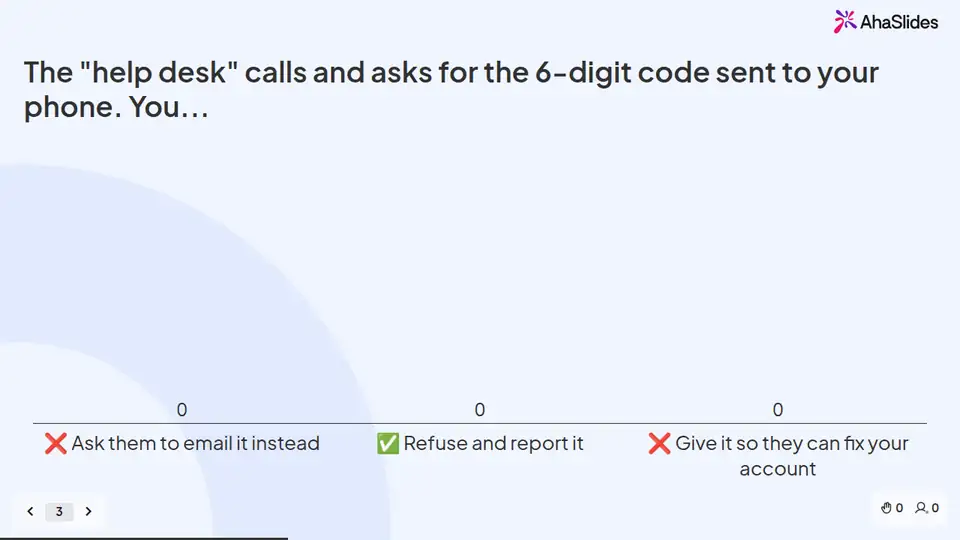
Try some questions from the course

Question 1 of 3

Why do attackers target people instead of software?


Tricking a person is often easier than breaking a system, so people are the most targeted part of security.

Lesson 1, The threat today, teaches this. See the outline

Question 2 of 3

At which step do you have the most power to stop an attack?


Most attacks only work if someone clicks, shares or approves. That is your moment.

Lesson 2, Anatomy of an attack, teaches this. See the outline

Question 3 of 3

A sign-in approval pops up on your phone and you didn't just try to log in. What should you do?


An approval you didn't start can mean someone has your password. Deny it and report it.

Lesson 4, Protect yourself, teaches this. See the outline

Learners earn a certificate

Your organisation

Certificate of completion

This certifies that

Alex Morgan

has completed

Security awareness essentials

Completed on12 October 2026
Sample certificate with a placeholder learner name.

Style 1 of 6: Slate mono

Everyone who finishes gets a certificate with their name, the course title and the completion date. Add your own logo, colours and signer.

Three pieces that work together

Learners prepare on their own, you answer questions live, and the surveys tell you what stuck. 6 fields to fill in with your own policy, contacts and locations; each one is highlighted inside the course.
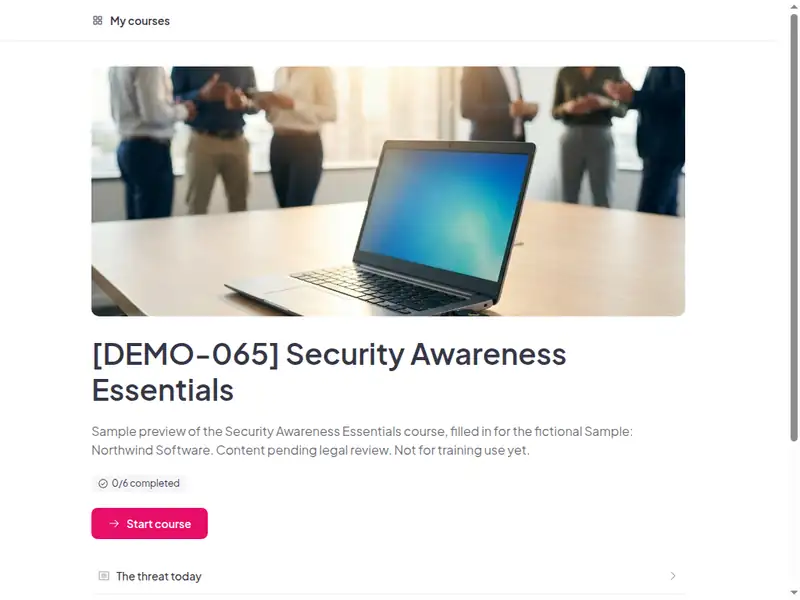
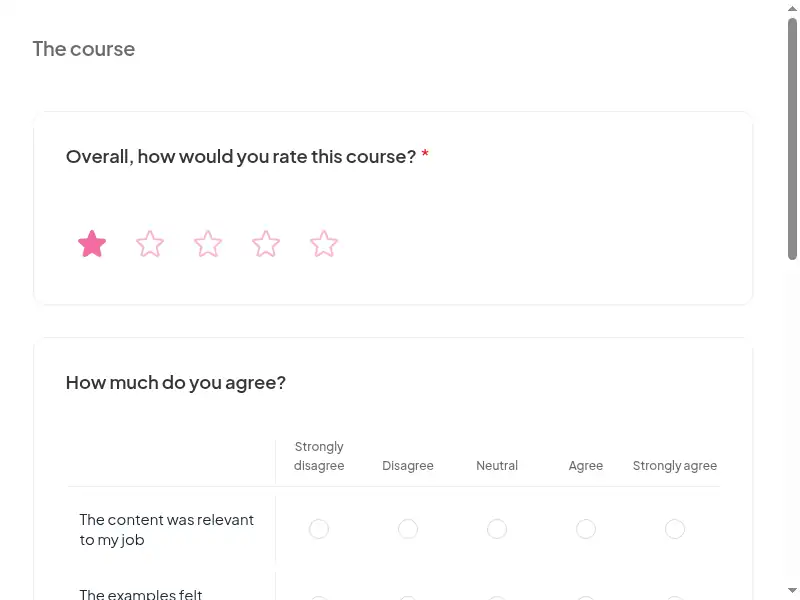
Claim the template
The Security awareness essentials course as a learner first sees it

Completion is tracked for you

Learners sign in to take the course, so every start, finish and score is recorded in AhaSlides. No spreadsheet to keep.

  • Who has finished

    See who has not started, who is in progress and who has completed the course.

  • Every score

    Each learner's result on the 12-question final check, against the 80% pass mark.

  • What landed

    Survey results show what people took away, and the 30-day check-in shows whether they use it.

Claim the template

6 lessons, about 35 minutes

What learners can do at the end of each lesson. Minutes are an estimate.

  • Lesson 1: The threat today · 7 min

    Explain why people are the most targeted part of security.

  • Lesson 2: Anatomy of an attack · 5 min

    Describe the stages of a typical attack, from lure to data theft.

  • Lesson 3: Spot the red flags · 7 min

    Spot red flags across email, text, phone, web and USB.

  • Lesson 4: Protect yourself · 7 min

    Apply core habits: passphrases, MFA, updates, locking screens, safe data handling.

  • Lesson 5: Respond & report · 5 min

    Report incidents fast through the right channel.

  • Lesson 6: Final assessment · 4 min

    12 questions, 80% to pass. The result is saved to the learner's record.

Based on: FTC Safeguards Rule 16 CFR 314.4(e) (security awareness training for financial institutions under GLBA); PCI DSS v4.0.1 …

Claim the template

Common questions

Yes. The course, the live deck and both surveys are free. Claiming the template into your AhaSlides account is free too.

The course itself is self-paced and online, and the live deck lets you add a live session. Whether online delivery meets your local rules depends on the law that applies to you, so check FTC Safeguards Rule 16 CFR 314.4(e) or ask your own counsel.

At hire + annually; short monthly refreshers recommended.

All employees and contractors with email or system access.

Record completion in your own LMS or record system, so you can show who finished the course and when. Check the retention period that applies to you in FTC Safeguards Rule 16 CFR 314.4(e).

Yes, everything. Change the wording, swap scenarios for ones from your workplace, add your logo, or remove parts that don't apply. Keep anything your own law requires you to cover.

Your own details, each highlighted inside the course:
  • Security hotline
  • Phish report button howto
  • MFA setup guide
  • Password manager
  • Acceptable use policy link
  • LMS or record system
Then edit anything else you like: wording, scenarios, your logo.
Visit the help centre (opens in a new tab)