
Īsa atbilde: a Jeopardy PowerPoint template is a board slide of categories and point values, with each value linked to its own clue slide and a button back to the board. You can build one in PowerPoint in about an hour, or download a free one. The weak spot is the score: in plain PowerPoint, someone keeps it by hand.
This guide covers both. First the PowerPoint-only build, step by step, then how to put live quiz slides on the same board so every player answers on their phone and the points add up for you.
How to make a Jeopardy game in PowerPoint
You need one board slide, one slide per clue and a link between them. A 5 by 5 board (five categories, five values each) means 26 slides plus a title slide, which is plenty for a 30 to 40 minute game.
1. Plan your categories and clues
Pick five categories your group knows something about, then write five clues for each, easiest at 100 and hardest at 500. Put the answer under each clue in your notes. Writing the clues in a table first saves you rebuilding slides later.
2. Build the board slide
On slide 2, insert a table with five columns and six rows (Insert > Table). Put the category names in the top row and the values 100 to 500 down each column. Make the text big: people at the back need to read it.
3. Make the clue slides
Add one slide per clue, in board order: Category 1 at 100, then 200, and so on. Put the clue in large text. If you want to reveal the answer on the same slide, add the answer in a text box with an Parādīties animācija iestatīta uz Uz klikšķa.
4. Link each value to its clue
Select the “100” in the first column, then add a link:
- Logi: Ievietot > Saite (vai Ctrl+K), izvēlieties Vieta šajā dokumentā and pick the clue slide.
- Mac: Ievietot > Saite (vai ar Cmd+K), atveriet Šis dokuments tab and pick the clue slide.
Repeat for all 25 values. It is the slow part, so do it once and save the file as your template.
5. Add a “back to board” button on each clue slide
Doties uz Insert > Shapes > Action Buttons, draw a button in a corner, and set Hipersaite uz your board slide. Copy that button onto every clue slide. One tip: linked text changes colour once it has been clicked in Slide Show, so the board shows which clues are already used.
6. Stop stray clicks from moving the deck on
A normal click in Slide Show moves to the next slide, which jumps straight past your board. In Slide Show > Set Up Slide Show, izvēlēties Browsed at a kiosk (full screen). Now only your links and buttons move the deck.
If you would rather not build the board, free Jeopardy templates exist. SlidesCarnival’s Jeopardy template is free for PowerPoint and Google Slides, and its category and value cells already link to the clue slides (checked 19 November 2026). Its page lists no scoreboard.
Where the PowerPoint-only game stops
The board and the clues work well. The game around them is where it gets hard to run:
- Scoring is on you. Someone tallies points on a whiteboard while also reading clues and judging answers. Scoreboards built with VBA macros exist, but they need a macro-enabled file, and macros don’t run in PowerPoint for the web.
- Only one team plays at a time. Whoever buzzes first answers; everyone else watches.
- “Who was first?” arguments. Without buzzers, you judge hands and shouts.
- Remote players are guessing. People on a video call can’t buzz in a way you can see fairly.
The time goes on admin, not on the people playing. Your attention should be on the players: who is laughing, who is stuck, who just got one right. So hand the scoring to the slides.
The version that keeps score: live quiz slides in your board
AhaSlides is an all-in-one engagement platform for teams and classrooms. It keeps the board you built above and adds what the TV show has: every player answers each clue on their own phone, and the points add up for you.
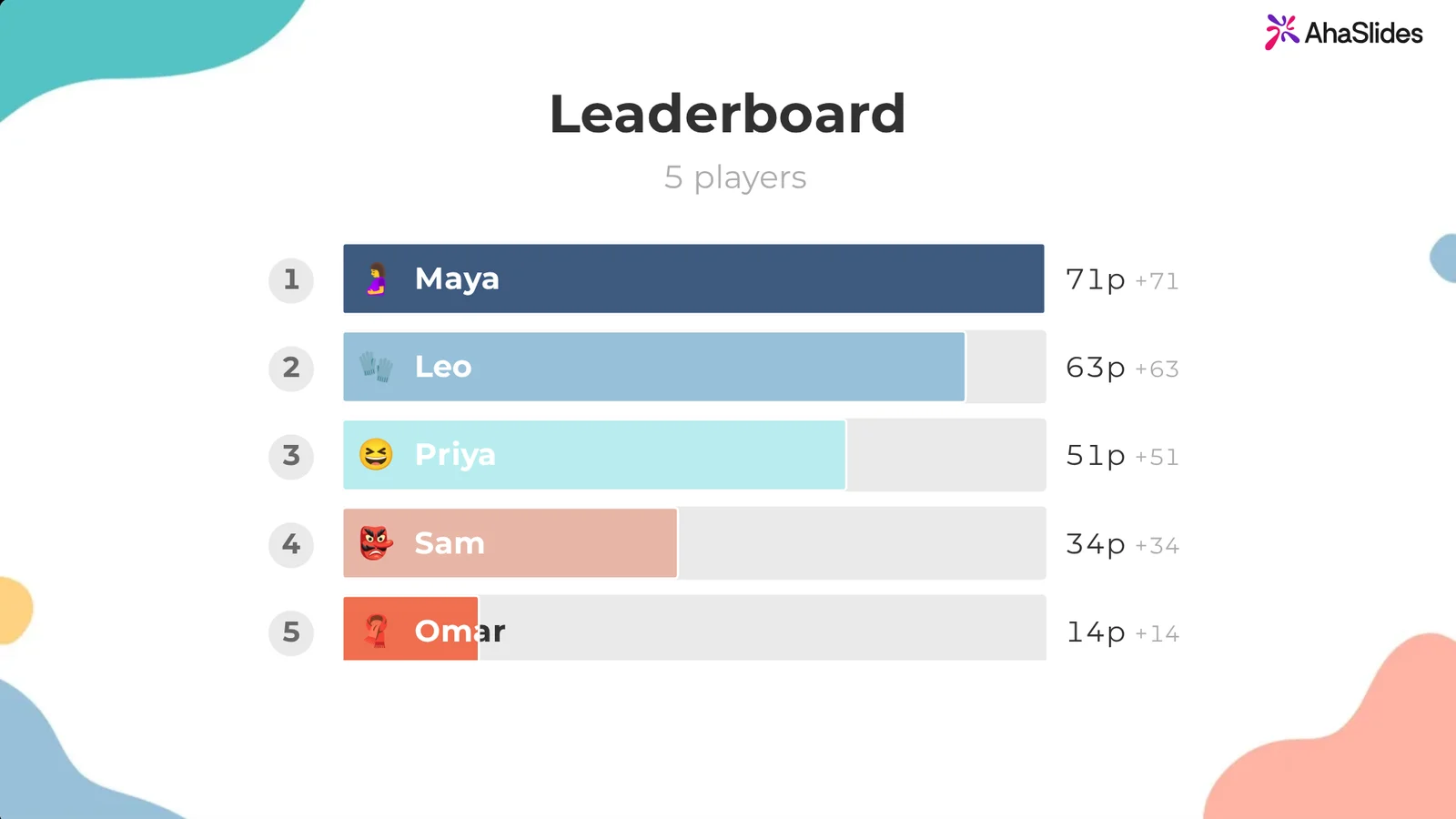
Divi ātri veidi, kā sākt:
- Augšupielādējiet savu klāju. Augšupielādējiet savu PowerPoint failu vietnē AhaSlides and let AI add quiz questions through it (Mākslīgā intelekta PowerPoint veidotājs), then rebuild the board there with a quiz slide for each clue, instead of relying on the board's links between slides.
- Or keep your board in PowerPoint. Pievienojiet bezmaksas AhaSlides pievienot-in and put a quiz slide on each clue slide. The build steps are below.
1. Write your clues as quiz slides in AhaSlides
In AhaSlides, make one quiz slide per clue. Izvēlieties atbildi (multiple choice) is the quickest to play; Īsā atbilde asks players to type the response, which is closer to the show. To start from a ready-made quiz instead, the General Knowledge Quiz template below has four rounds of ten questions (Music, Geography, Film & TV, General Knowledge): use the rounds as your columns.
2. Give each clue its board value
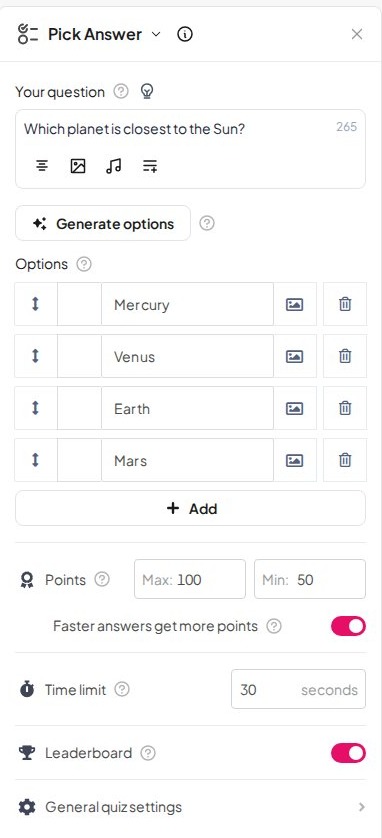
Open a quiz slide and set Punkti. Iestatiet Max to the clue’s value (anything from 1 to 1,000, so 100 to 500 fits) and turn off Ātrākas atbildes saņem vairāk punktu. Every correct answer then earns the full value, like on the board. Set a Termiņš too (5 seconds to 20 minutes); 20 to 30 seconds suits most clues.
There are no negative points in AhaSlides, so a wrong answer scores 0 instead of losing the value. Tell players at the start.
3. Play in teams (optional)
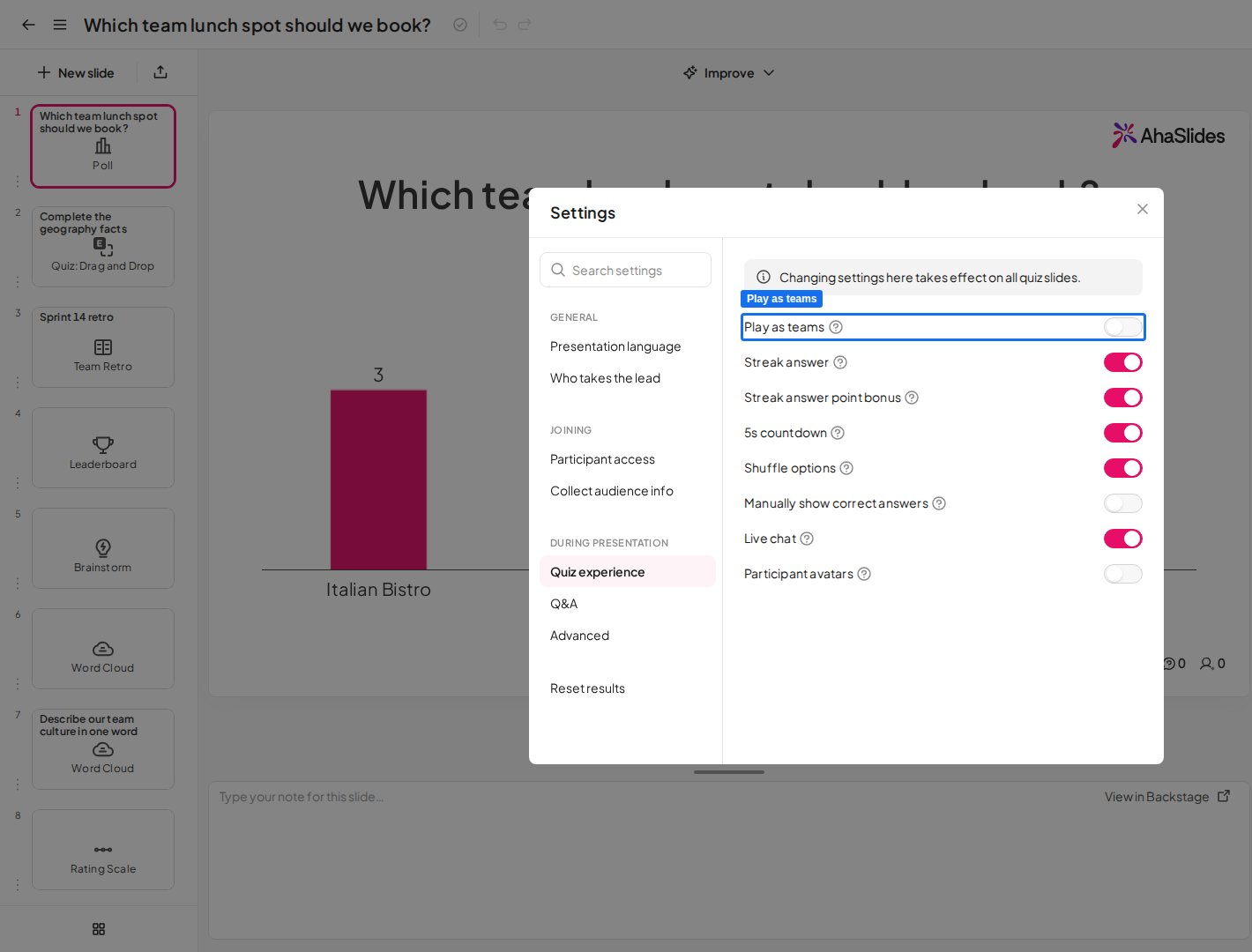
On the Pro, Enterprise, Edu Medium and Edu Large plans, open Settings > Quiz experience un ieslēdziet Spēlējiet kā komandas. Players join a team on their phone, and you choose how a team scores: the average of its members, their total, or only the fastest answer.
4. Put each quiz slide on its clue slide in PowerPoint
Programmā PowerPoint dodieties uz Sākums > Papildinājumi, izvēlēties Vairāk pievienojumprogrammu, Meklēt AhaSlides un pievienojiet to (programmā PowerPoint tīmeklim: Ievietot > Pievienojumprogrammas). Tas ir norādīts kā AhaSlides - Live Polls & Quizzes.
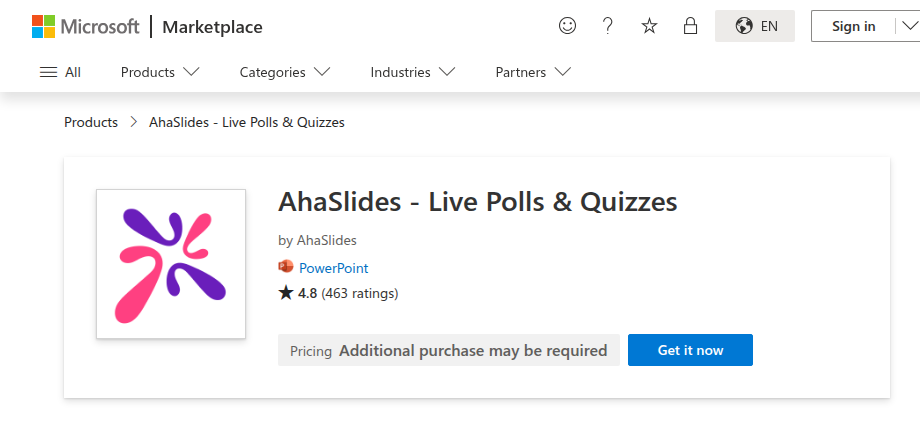
Sign in, then go to the first clue slide, tick the matching quiz slide in the add-in and click Add 1 slide. The quiz goes on the slide you are on, so your board links still point at it.
Add slides one at a time, one per clue slide. The add-in can also put a whole AhaSlides quiz on one PowerPoint slide, but a Jeopardy board needs a separate slide for each clue to link to.
5. Palaidiet spēli
- prese Q to show the QR code and join link. Players join once for the whole deck.
- Click a value on the board. The clue slide opens on its quiz lobby; start the question when everyone is ready.
- When time is up, the results show how many people picked each answer, with the correct one marked. Press L for the leaderboard at any point.
- Click your back-to-board button and pick the next clue. Leaving a quiz slide for a plain PowerPoint slide sets that quiz back to its lobby, so its timer stops.
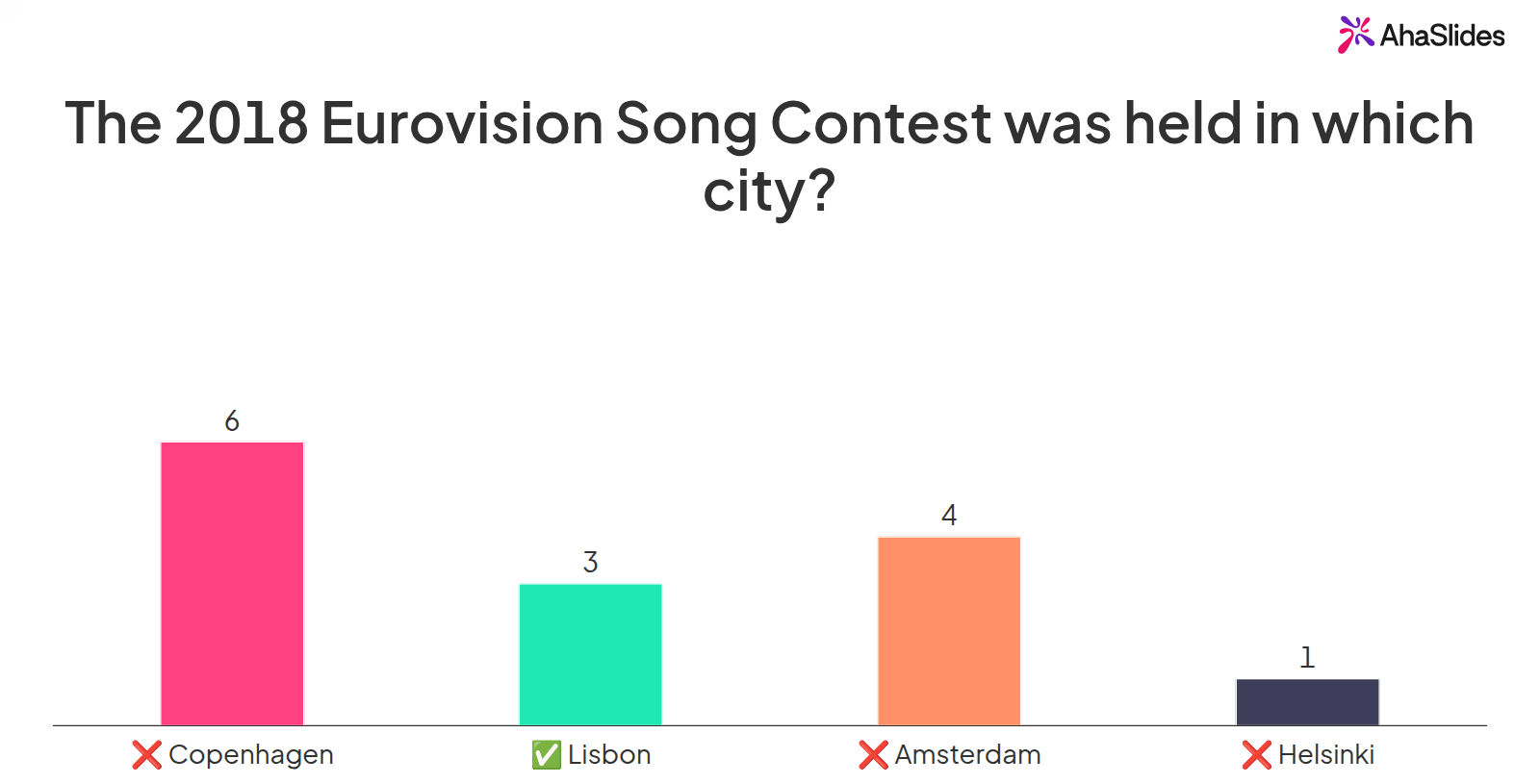
Without a leaderboard (the L key or a leaderboard slide), the quiz still runs, but nobody sees the scores. Put a leaderboard slide at the end of the deck for the final reveal. Before you play with a new group, open the add-in menu and click Atiestatīt rezultātus so earlier answers are cleared. Rehearse once with a colleague on their phone: it takes ten minutes and catches a broken link before game day.
5 Jeopardy game ideas for your next session
- End-of-unit revision. One column per topic from the unit. The leaderboard shows the class which topics they have nailed and which need another lesson.
- Jauna startera uzņemšana. Categories such as “Our products”, “Who does what” and “Office life” turn a policy slog into a game. Teams of new starters and old hands mix people up.
- Training recap. Run a board in the last 20 minutes of a workshop. Each wrong answer tells you what to cover again before people leave.
- Team social or holiday party. Pop culture, the year in review and “Guess the colleague” (with their permission). Short Answer clues keep it lively.
- Final Jeopardy round. End with one hard Short Answer clue worth 1,000 points, so a team in third place can still win.
For more formats, see our PowerPoint spēles list, and for turning an ordinary lesson or training deck into a quiz, read how to turn your PowerPoint into a quiz. AhaSlides" gamification features cover leaderboards, teams and points in more detail.
Jautājumi, ko cilvēki uzdod
How can I create my own Jeopardy game?
Build a board slide with categories and values, add one slide per clue, link each value to its clue and add a “back to board” button on every clue slide (steps above). For automatic scoring, put a live quiz slide on each clue slide with the AhaSlides pievienojumprogramma.
Is there a Jeopardy template on PowerPoint?
Free ones exist on template sites. SlidesCarnival offers a free Jeopardy template for PowerPoint and Google Slides with the board already linked. Or build your own in about an hour with the steps in this guide, and save it as a template to reuse.
Can ChatGPT create a Jeopardy game?
It can draft categories, clues and answers in seconds, which is the slowest part to write. Check every answer before you use it, since a chatbot can state a wrong fact confidently. You still need slides to run the game, so paste the clues into your board or into AhaSlides quiz slides.
Padarīt šo klāju interaktīvu
Ar statisku kāršu komplektu nevar redzēt, kurš seko un kurš ir izslēdzis saturu, līdz ir par vēlu kaut ko darīt lietas labā.
Jauns lietotājs? Mūsu ceļvedis par Kā izveidot interaktīvu PowerPoint prezentāciju soli pa solim iepazīstas ar visiem slaidu veidiem.
Host your Jeopardy game on AhaSlides
Build the board once, then let the quiz slides handle the scoring while you run the game. Sign up free and add your first quiz slides to PowerPoint today.