Go to Marketplace
ChatGPT logo icon.

Ask ChatGPT to generate an interactive presentation, quiz, or poll on any topic. AhaSlides builds the slides and hands you a shareable link. Review, tweak, and launch straight from your AhaSlides account.

How it works

The AhaSlides ChatGPT plugin lets you use natural language to create interactive presentations, generate quiz questions, and summarize session results—all from within ChatGPT.

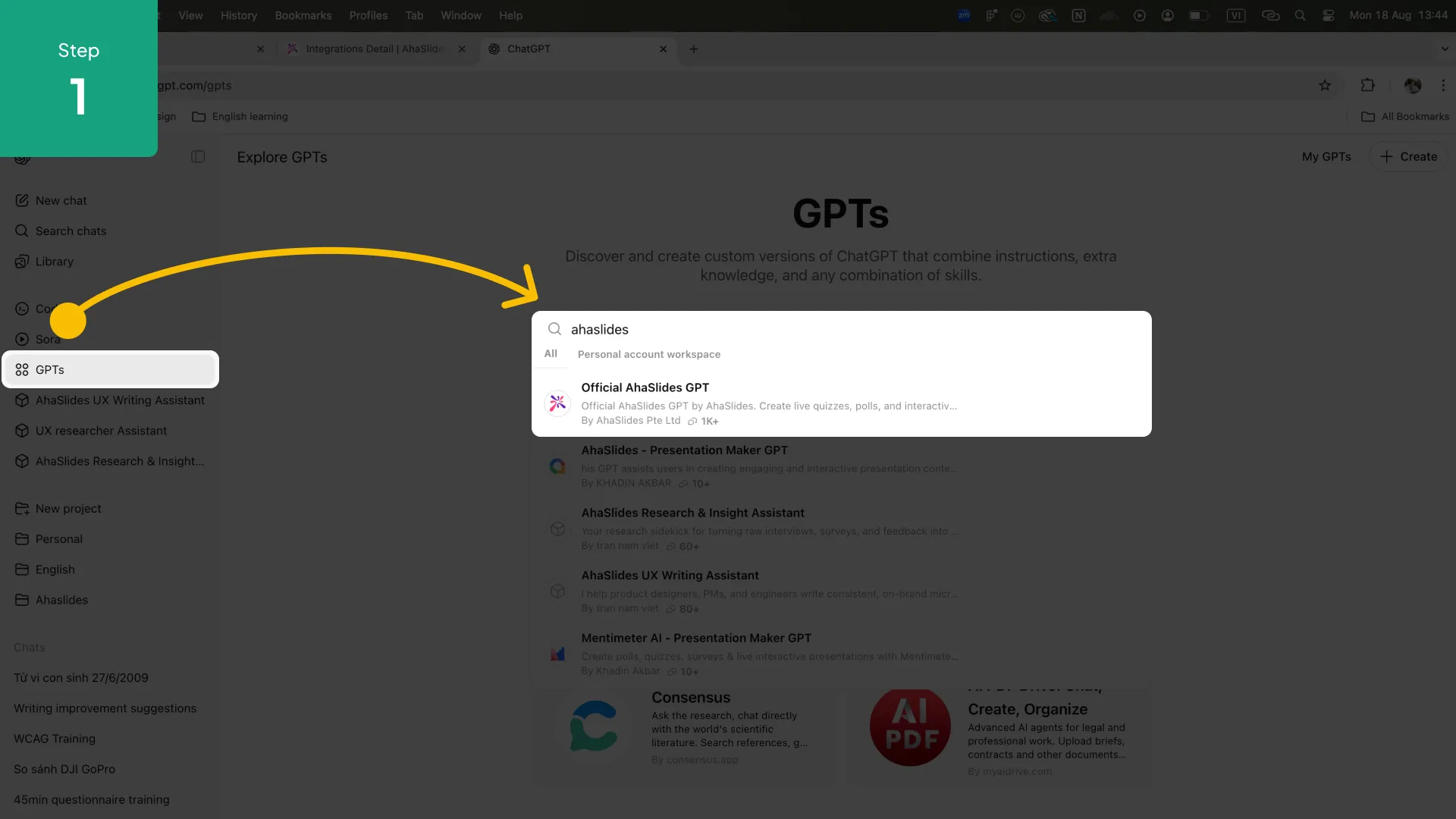
1. Enable the AhaSlides plugin in ChatGPT (Plus or above required).

2. Ask ChatGPT to create a presentation, quiz, or poll on any topic.

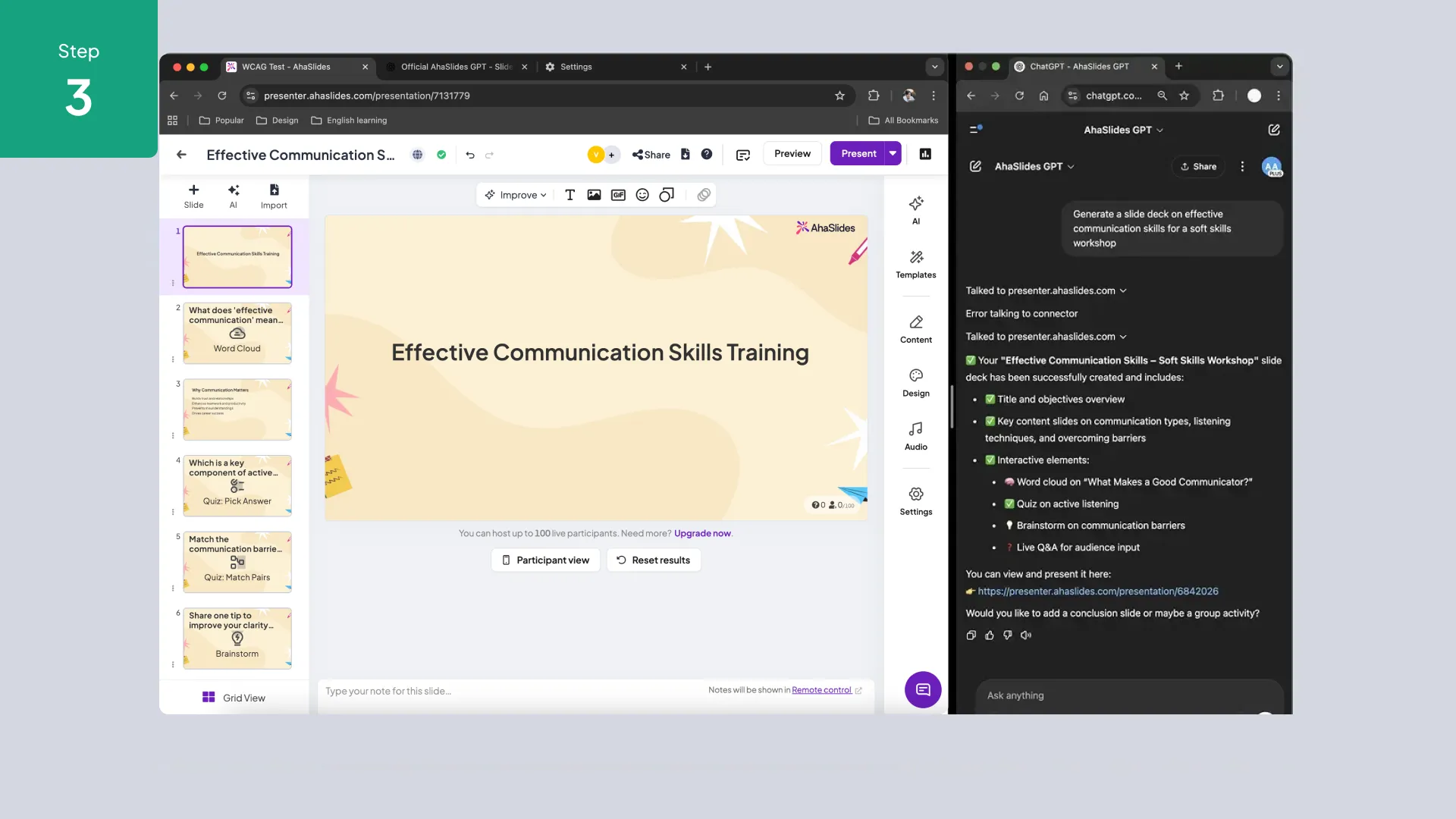
3. AhaSlides generates the slides and activities and returns a shareable link.

4. Open the link in AhaSlides, review the content, and launch your session.
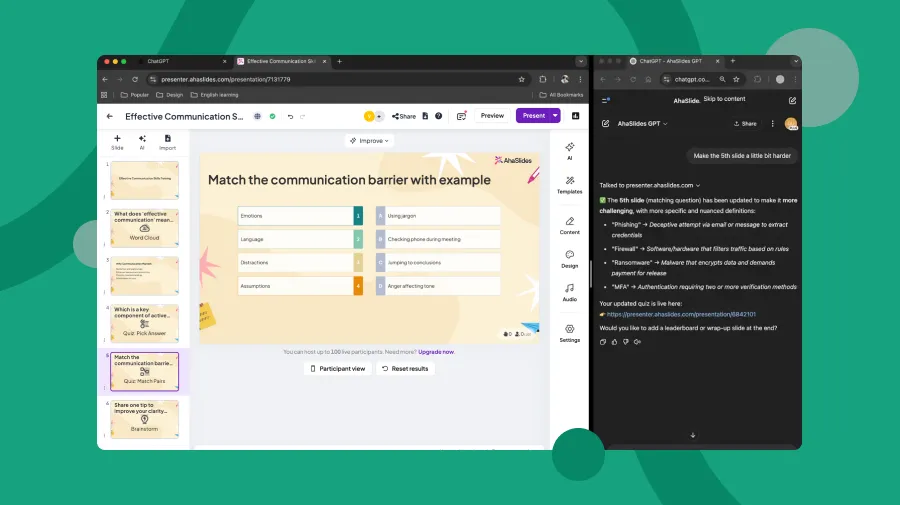
AhaSlides presentation editor open alongside ChatGPT with AI-generated quiz slide content.
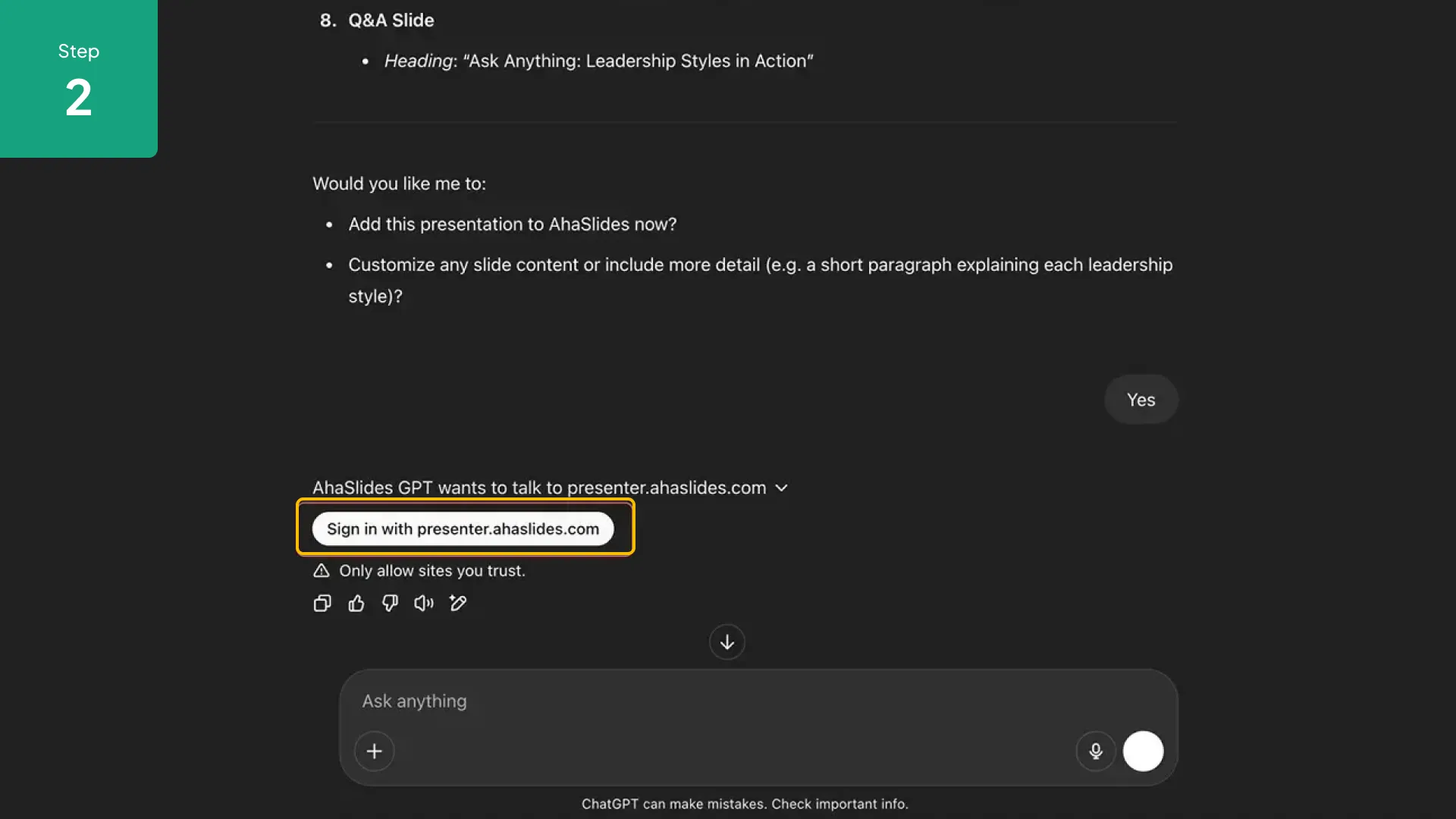
ChatGPT plugin interface showing AhaSlides presentation generation from a text prompt.
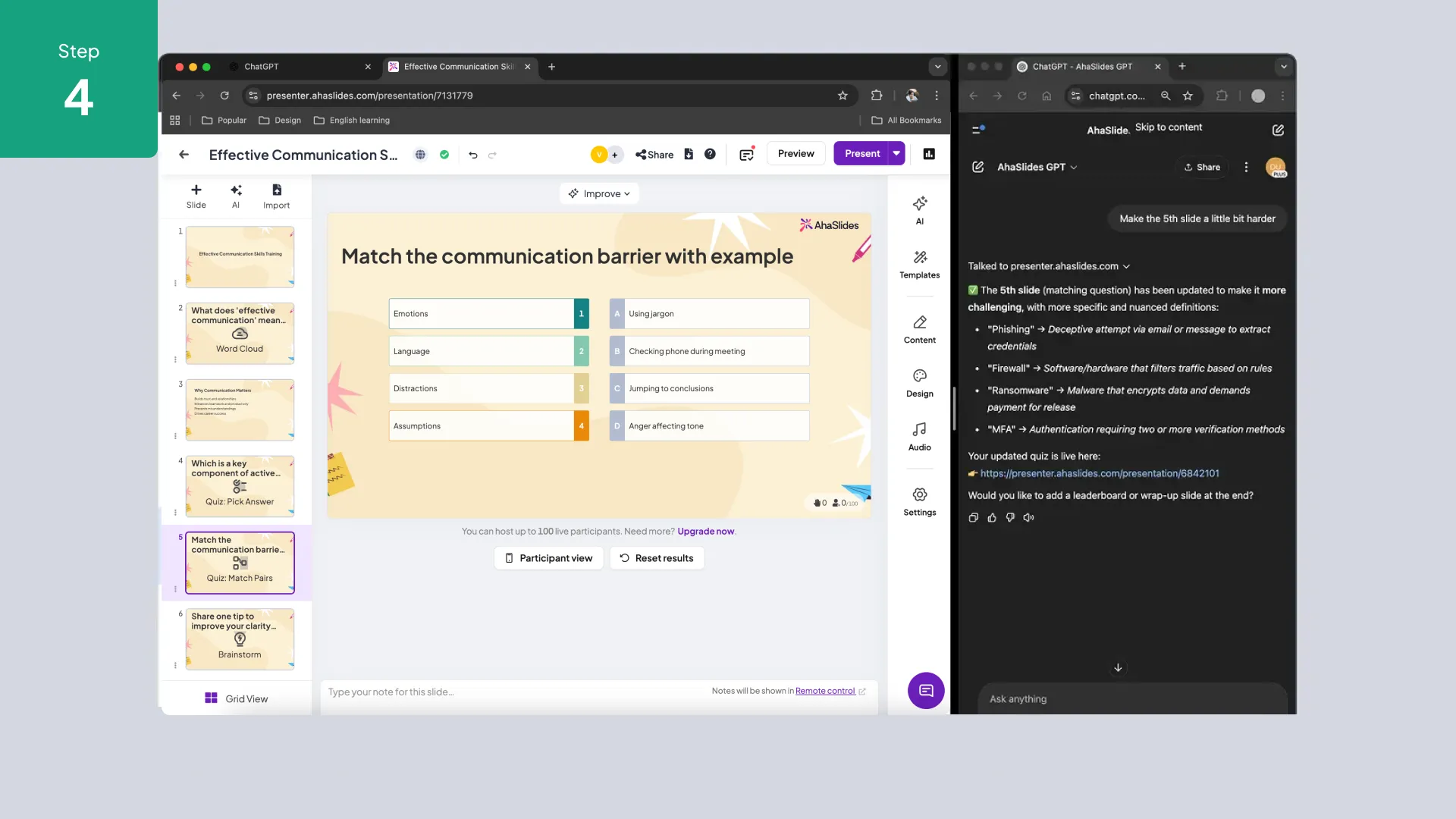
AhaSlides quiz slide created by ChatGPT plugin with multiple-choice questions.
Session results summary generated in ChatGPT after an AhaSlides presentation.
AhaSlides word cloud slide generated from a ChatGPT prompt with participant responses.
How to install

1. In ChatGPT, open the Plugin Store and search for AhaSlides.

2. Click Install. You may be prompted to log in to or create an AhaSlides account.

3. Start a new ChatGPT conversation and enable the AhaSlides plugin from the plugin selector.

4. Type a request such as "Create a 5-question quiz about climate change" and the plugin handles the rest.

Key features

Instant Presentation Generation

Describe a topic and ChatGPT drafts a full slide deck with interactive elements—ready to present in minutes, not hours.

AI Quiz Builder

Generate multiple-choice, true/false, open-ended, or match-pairs questions automatically. Edit in AhaSlides before going live.

Session Summaries

After a session, ask ChatGPT to summarize participant responses, highlight trends, or draft a follow-up report.

Multilingual Support

Create presentations in any language ChatGPT supports—great for global teams and multilingual classrooms.

Frequently Asked Questions

Do I need a ChatGPT Plus subscription to use AhaSlidesGPT?
You can use AhaSlidesGPT, our ChatGPT presentation maker, with a free ChatGPT account. ChatGPT Plus provides faster response times and priority access during peak usage, but it's not required.
Can generate ChatGPT presentations for PowerPoint?
Yes, you can. AhaSlides also integrates with PowerPoint so after you finish creating a slide deck from ChatGPT, you can access it from your PowerPoint too (with the AhaSlides add-in installed, of course!)
Can I edit ChatGPT presentations after they're created?
Absolutely! All ChatGPT PowerPoint presentations created by SlidesGPT open directly in your AhaSlides account where you can customize, add, remove, or modify any slides, questions, or content.
How is AhaSlidesGPT different from other AI presentation generators?
We take a different approach to slides. We understand it's not always easy to capture participants' attention at first sight, so we focus on capturing attention and driving participation. We use a scientific, data-backed approach to create content that increases learning outcomes and knowledge retention.
Close Modal
We've got your request! Will keep you posted!