Skip to content
Claim this template

Free course template · Global

Enterprise platform developer onboarding: Your first safe change to a business platform

A ready-made course, live deck and two surveys for new developers joining a team that builds on a configurable business platform. 45 minutes, 6 lessons. Last reviewed 21 October 2026; not legal advice.

Claim the templatePreview the courseDownload SCORM for your LMS

Free. No credit card. Edit everything.

Play a game from the course

Enterprise platform developer onboarding: try 3 questions

Three questions from this course. Pick an answer, then see why.

Play the game

Game not loading? Open it in a new tab (opens in a new tab)

Three pieces that work together

Learners sign in, so every finish and score is recorded. 9 fields to fill in with your details.
Claim the template
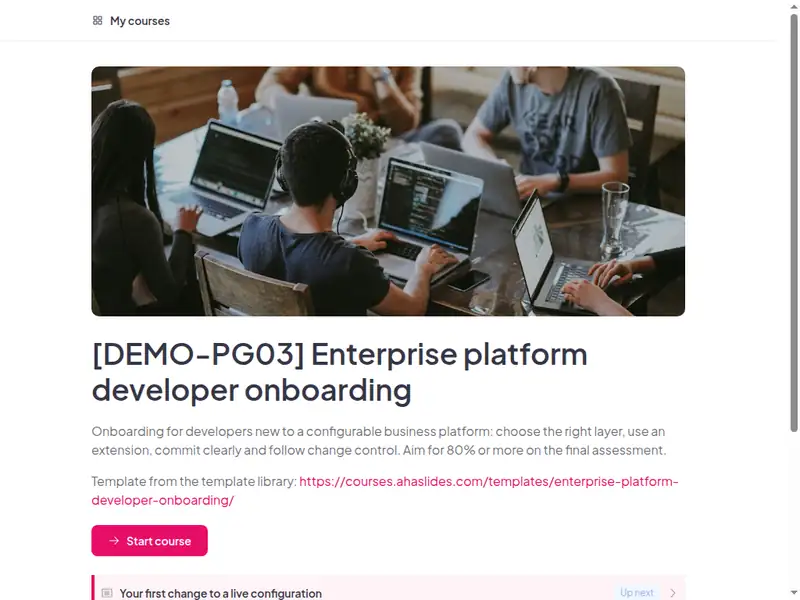
The Enterprise platform developer onboarding: Your first safe change to a business platform course as a learner first sees it

6 lessons, about 45 minutes

Minutes are an estimate.

  • Lesson 1: Your first change to a live configuration · 8 min

    Before you begin · The ticket · What went wrong

  • Lesson 2: Platform concepts and the configurator · 8 min

    Objects at a glance · Where does it go? · Check

  • Lesson 3: Reports, print forms and processing · 8 min

    The pattern for a print form · Spot the problem · Handling data

  • Lesson 4: Extensions and the configuration repository · 8 min

    Why extensions · The repository loop · Merge clash

  • Lesson 5: Teamwork and change control · 8 min

    The change route · Raise it early · Check

  • Lesson 6: Hand-over and final assessment · 5 min

    Writing a hand-over note · Practice

Claim the template

Inside this course

Taken from the course itself.

By the end, learners can

  • Describe the platform's main objects and where each lives in the configuration
  • Choose the right layer for a change (base configuration, extension, external file) and say why
  • Build or modify a simple report or print form following the team's pattern
  • Use the configuration repository: take an object, change it, commit with a message others can follow
  • Follow the change-control route before touching a live system

Sample questions, with answers

  1. What is a safer first step for a small change to a vendor object?

    • Use an extension
    • Edit the base layer and hope
    • Edit the vendor file directly
    • Wait for the vendor

    Answer: Use an extension. An extension sits beside the vendor's code, so updates leave it alone.

    Lesson 1: Your first change to a live configuration

  2. Why is a query inside a loop usually slow?

    • It makes one trip to the data store per row
    • It uses a bigger font
    • It compiles twice
    • It needs a licence

    Answer: It makes one trip to the data store per row. Each query has a cost, and a loop pays it once per row.

    Lesson 3: Reports, print forms and processing

  3. What should a good commit message always include?

    • The ticket id and a short description
    • Only your name
    • The word fix
    • Only the date

    Answer: The ticket id and a short description. Others should be able to follow what changed and why.

    Lesson 4: Extensions and the configuration repository

A scenario from "Reports, print forms and processing"

A report is slow because it queries inside a loop.

Best response: Fetch the data in one query and then loop.

Weaker responses: Add a cache layer; Cut the date range; Ignore it.

Related articles

An article from the AhaSlides blog that uses this course.

Common questions

Yes. Claiming the template and editing it are free.

Yes. The course is self-paced and online, and the live deck lets you add a live session in the room or online.

At the start of a new developer's first month on the platform.

New developers joining a team that builds on a configurable business platform; run by IT leads and integrators with L&D.

Record completion in your own LMS or record system, so you can show who finished the course and when.

Your own details, each highlighted inside the course:
  • Link to the data classification policy
  • Link to the engineering standards or style guide
  • Link to the change management policy
  • Who to ask for help or to report a concern
  • Where completion is recorded
  • Link to the self-paced course
  • List of approved tools and versions
Then edit anything else you like: wording, scenarios, your logo.
Visit the help centre (opens in a new tab)