
The fastest way to hear from your team is to ask where they already talk. To create a survey in Slack μαζί σου, AhaSlides για Slack, τύπου /ahaslides δημιουργούν, add your questions and press Θέση. Your team answers with buttons right in the channel, one question at a time, and every answer is saved in your AhaSlides έκθεση.
When to use a survey in Slack
A survey in Slack works best when you want a few honest answers from a group that already talks in a channel. Say you want to know how the last sprint felt. Instead of booking a meeting or emailing a form, you post three questions in #team-product, and people answer between tasks.
Other good moments for it:
- Feedback straight after a team event, a workshop or an all-hands
- A quick check on workload or wellbeing, with anonymous answers
- Choosing between options when you also want to know why people chose them
- A short eNPS check with a follow-up question
Διατήρηση Slack for short surveys: that's what makes a survey in Slack quick to answer. A long, formal survey with dozens of questions is easier to answer from a full survey link, which AhaSlides can also give you.
Why run your survey in Slack
You shouldn't have to chase people just to find out what they think. A survey in the channel cuts most of that chasing out:
- People answer where they already are. No new tab, no login and no email to dig out, so answering takes seconds.
- You can see how many have answered. The survey sits in the channel, so people spot it as they catch up, and the count on the post keeps you up to date.
- The answers don't scroll away. A Slack thread soon disappears up the channel. Every answer to your survey stays in your AhaSlides report, ready to read or share later.
Ο, τι χρειάζεσαι
- A Slack χώρο εργασίας με AhaSlides για Slack εγκατασταθεί
- An AhaSlides account for the person who creates the survey (any plan works, including Free)
- Nothing for the people answering: they don't need an AhaSlides λογαριασμός
Πώς να δημιουργήσετε μια έρευνα στο Slack, βήμα βήμα
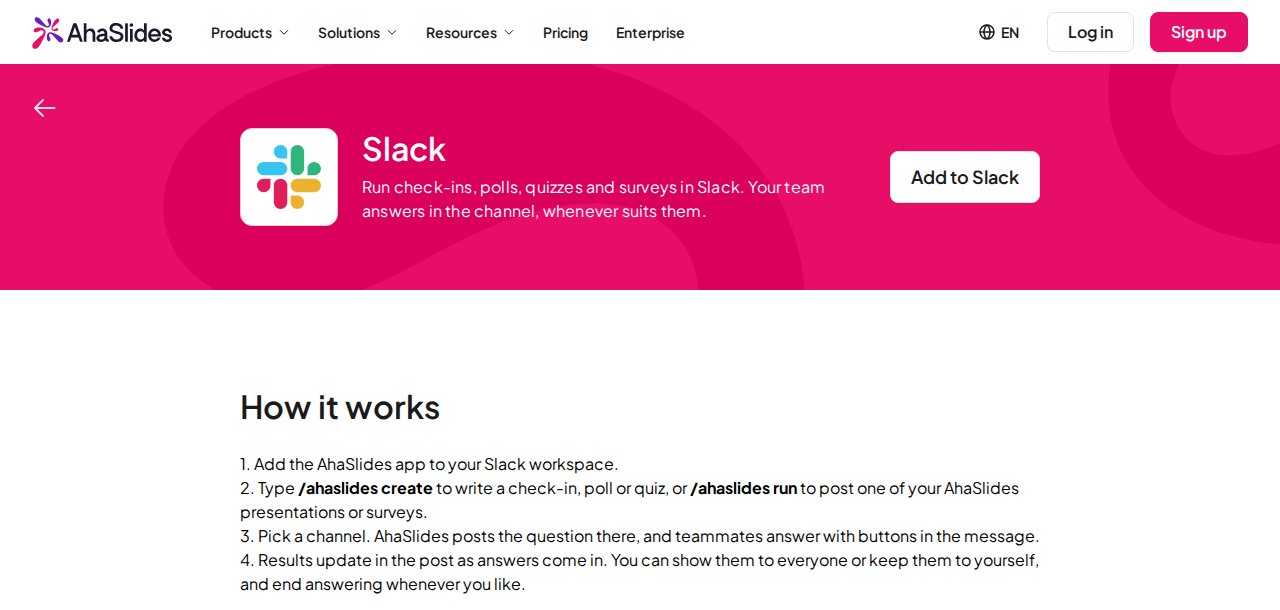
Βήμα 1: Προσθήκη AhaSlides για Slack
Ανοίξτε το AhaSlides για Slack σελίδα εγκατάστασης και προσθέστε την εφαρμογή στον χώρο εργασίας σας. Την πρώτη φορά που πατάτε Θέση, AhaSlides σας ζητά να συνδεθείτε στο AhaSlides λογαριασμό και διατηρεί το πρόχειρό σας όσο το κάνετε. Συνδέεστε μόνο μία φορά.
Step 2: Open the Create window
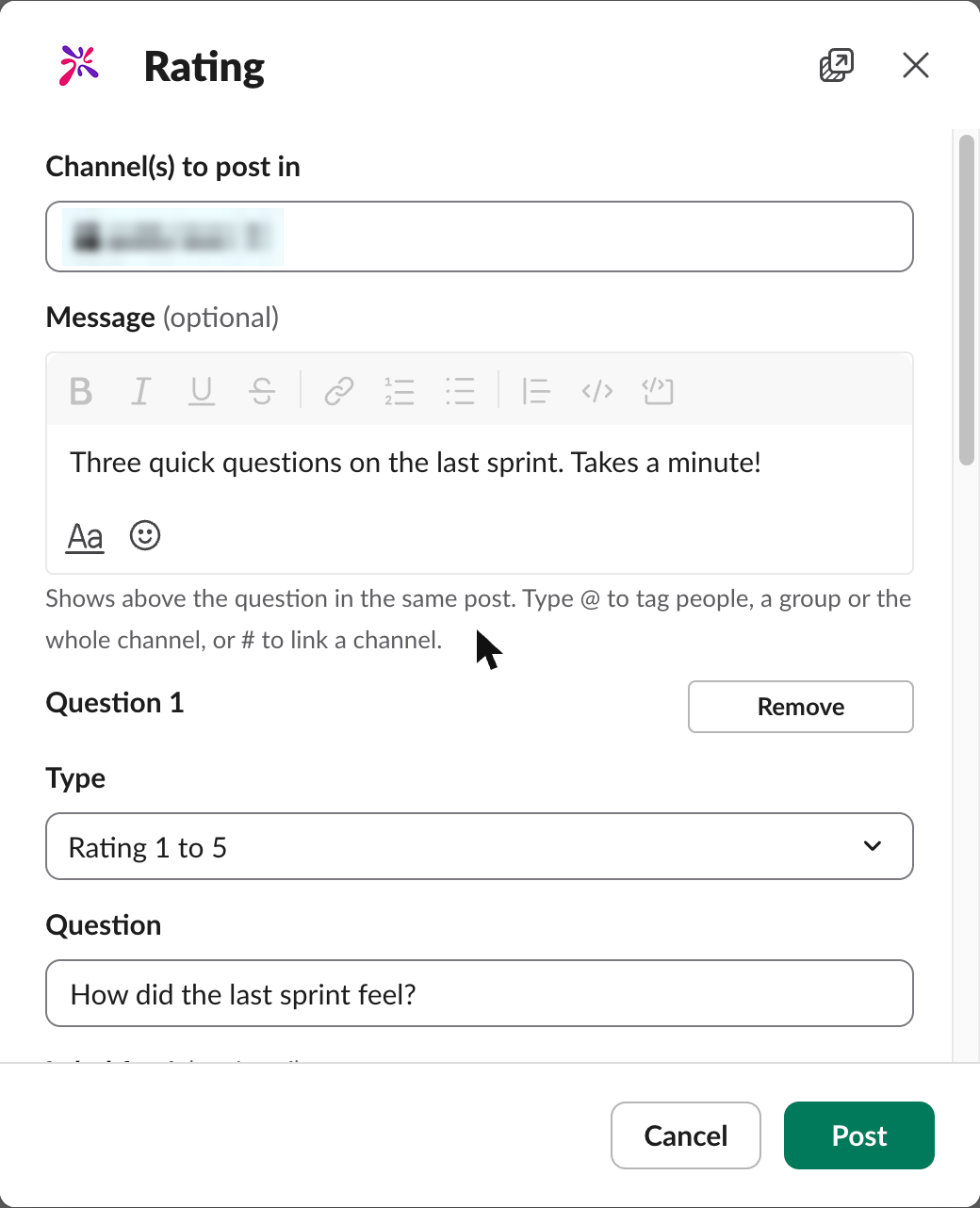
In the channel you want to survey, type /ahaslides δημιουργούν. The Create window opens. Pick a starting point: a ready-made check-in under Check in with team (Weekly pulse, eNPS or Wellbeing, with more under Όλα τα πρότυπα), or a single question under Κάνε μια ερώτηση (Poll, Rating or Brainstorm). Each check-in comes with its questions already written, plus a follow-up question people can skip.
Βήμα 3: Γράψτε τις ερωτήσεις σας
Κάτω από Channel(s) to post in, the channel you're in is already picked, and you can add more. In Το μήνυμά σας, add a line so people know why you're asking; it shows above the question. Write your first question, then press + Προσθήκη ερώτησης for each one after it, up to 10 in one post. Pick each question's type from its Χαρακτηριστικά μενού:
- Πολλαπλή επιλογή
- Rating 1 to 5
- Score 1 to 10
- ναι ή όχι
- Σύντομη απάντηση
For a multiple choice question, put the options one per line, up to six. For a rating or score, you can change the words at each end of the scale.
Step 4: Choose anonymous answers and who sees results
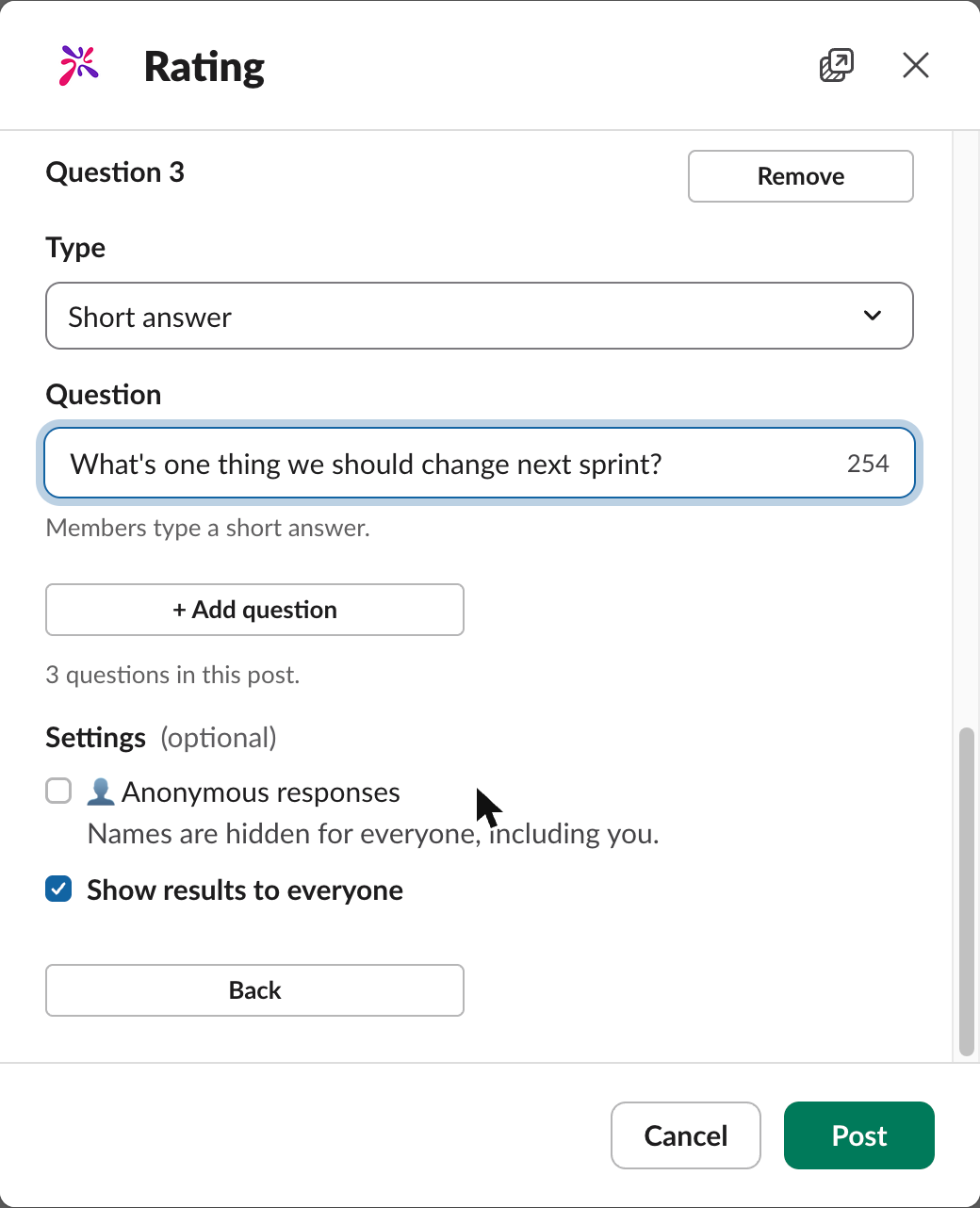
Κάτω από Ρυθμίσεις, τσεκάρετε Ανώνυμες απαντήσεις if you want honest answers without names. eNPS and Wellbeing start with it ticked. Names are then hidden for everyone, you included, in Slack και AhaSlides. Εμφάνιση αποτελεσμάτων σε όλους is ticked to start with, so the whole channel can see the results. Untick it to keep them to yourself.
Step 5: Post it and watch the answers come in
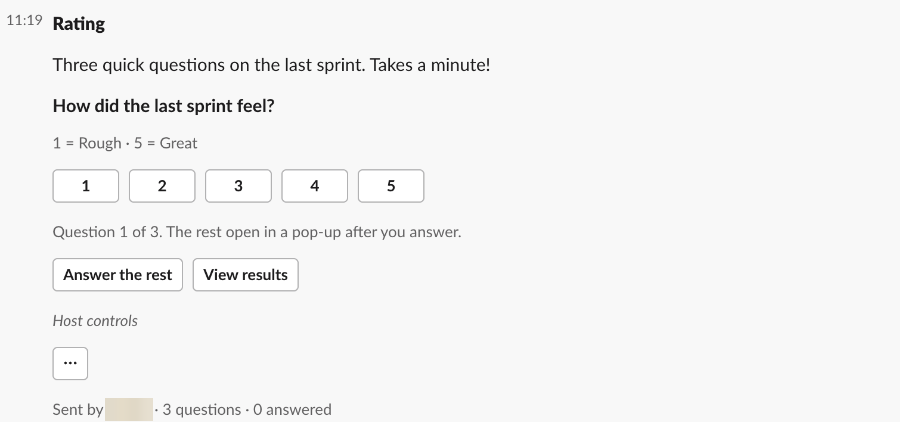
Τύπος Θέση. AhaSlides creates the survey in your account and posts it to the channel. The first question sits right in the post: people tap an answer, or type one and press Enter. Απαντήστε στα υπόλοιπα then opens the other questions in a pop-up, one at a time. Until they finish, they can tap a different answer or press Πίσω to change an earlier one. The bottom of the post shows how many people have answered.
Βήμα 6: Διαβάστε τα αποτελέσματα
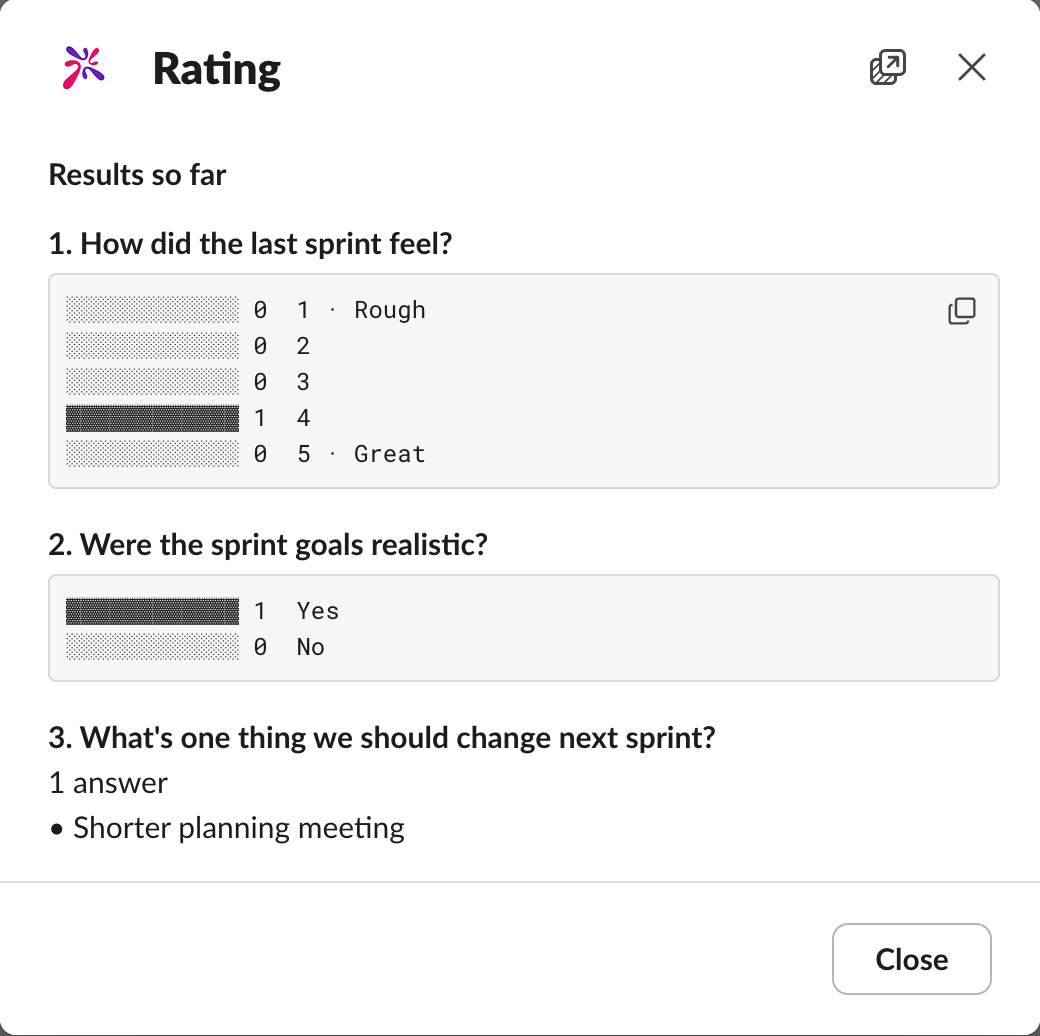
Ως οικοδεσπότης, πατήστε το ... κουμπί κάτω από τα στοιχεία ελέγχου κεντρικού υπολογιστή για να Δείτε τα αποτελέσματα, Τέλος απάντησης or Ανοίξτε το AhaSlides. If you left Εμφάνιση αποτελεσμάτων σε όλους on, everyone else gets a Δείτε τα αποτελέσματα button too. When you end answering, the survey also closes in AhaSlides. Τα δικα σου AhaSlides report has every answer.
Κόλλησες σε ένα σκαλοπάτι; The AhaSlides για Slack καθοδηγήσει καλύπτει κάθε επιλογή και τις πιο συνηθισμένες λύσεις.
Already have a survey in AhaSlides?
You don't need to build it again. Type /ahaslides τρέχουν. Κάτω από Τι θέλεις να τρέξεις;, επιλέξτε Έρευνες, then pick it from your list or paste its link. Choose the channel and settings and press τρέξιμο. If the survey is still a draft, it is published when you run it. Slack can't show date, grid or contact detail questions, so those are skipped, and AhaSlides sends you a direct message listing them.
Five tips to get more people answering
- Κρατήστε το σύντομο. Three to five questions is plenty for a channel. People answer between tasks, so a survey they can finish in a minute is an easy one to say yes to.
- Say why you're asking. One line in the message ("We'll use this to plan next quarter's offsite") tells people their answer will change something.
- Go anonymous for sensitive topics. On workload, wellbeing or feedback about managers, people may feel safer being open when their name isn't attached.
- End with an open question. A short answer question such as "What's one thing we should change?" can give you the most useful reply of the lot.
- Κλείστε τον κύκλο. Post a short summary of the results and what you'll do next. Seeing the last survey change something gives people a reason to answer the next one.
Συχνές Ερωτήσεις
Can you create a survey in Slack?
Ναί. Slack's Workflow Builder can collect answers with a form. For ratings, scores and multiple choice that people answer right in the channel post, with every answer saved in a report, use AhaSlides για Slack: type /ahaslides δημιουργούν, add your questions and press Θέση.
Do people need an account to answer?
No. Only the person who creates the survey signs in to AhaSlides. Everyone else answers with buttons in Slack.
Can you make an anonymous survey in Slack?
Yes. Tick Ανώνυμες απαντήσεις before you post. Names are hidden for everyone, including you, in Slack και στο δικό σου AhaSlides έκθεση.
Can I send the same survey to several channels?
Yes. Pick more than one channel in the Create window before you post.
Is AhaSlides για Slack Ελεύθερος?
Ναι. Λειτουργεί σε κάθε AhaSlides πρόγραμμα, συμπεριλαμβανομένου του δωρεάν.
Τι γίνεται αν ο χώρος εργασίας μου χρειάζεται πρώτα έγκριση για εφαρμογές;
Slack σας ζητά να στείλετε ένα αίτημα εγκατάστασης και ένας κάτοχος χώρου εργασίας ή διαχειριστής εφαρμογής το εγκρίνει.
Σχετικά διαβάστε: Πώς να δημιουργήσετε μια δημοσκόπηση στο Slack, for a single quick question.
Find out what your team thinks, right where they work. Πρόσθεση AhaSlides για Slack and post your first survey in a few minutes.