
The fastest way to hear from your team is to ask where they already talk. To create a survey in Slack साथ में AhaSlides एसटी Slackटाइप /ahaslides बनाएं, add your questions and press पद. Your team answers with buttons right in the channel, one question at a time, and every answer is saved in your AhaSlides रिपोर्ट.
When to use a survey in Slack
A survey in Slack works best when you want a few honest answers from a group that already talks in a channel. Say you want to know how the last sprint felt. Instead of booking a meeting or emailing a form, you post three questions in #team-product, and people answer between tasks.
Other good moments for it:
- Feedback straight after a team event, a workshop or an all-hands
- A quick check on workload or wellbeing, with anonymous answers
- Choosing between options when you also want to know why people chose them
- A short eNPS check with a follow-up question
रखना Slack for short surveys: that's what makes a survey in Slack quick to answer. A long, formal survey with dozens of questions is easier to answer from a full survey link, which AhaSlides can also give you.
Why run your survey in Slack
You shouldn't have to chase people just to find out what they think. A survey in the channel cuts most of that chasing out:
- People answer where they already are. No new tab, no login and no email to dig out, so answering takes seconds.
- You can see how many have answered. The survey sits in the channel, so people spot it as they catch up, and the count on the post keeps you up to date.
- The answers don't scroll away. A Slack thread soon disappears up the channel. Every answer to your survey stays in your AhaSlides report, ready to read or share later.
जिसकी आपको जरूरत है
- A Slack कार्यक्षेत्र के साथ AhaSlides एसटी Slack installed
- An AhaSlides account for the person who creates the survey (any plan works, including Free)
- Nothing for the people answering: they don't need an AhaSlides खाते
सर्वेक्षण कैसे बनाएं Slack, क्रमशः
चरण 1: जोड़ें AhaSlides एसटी Slack
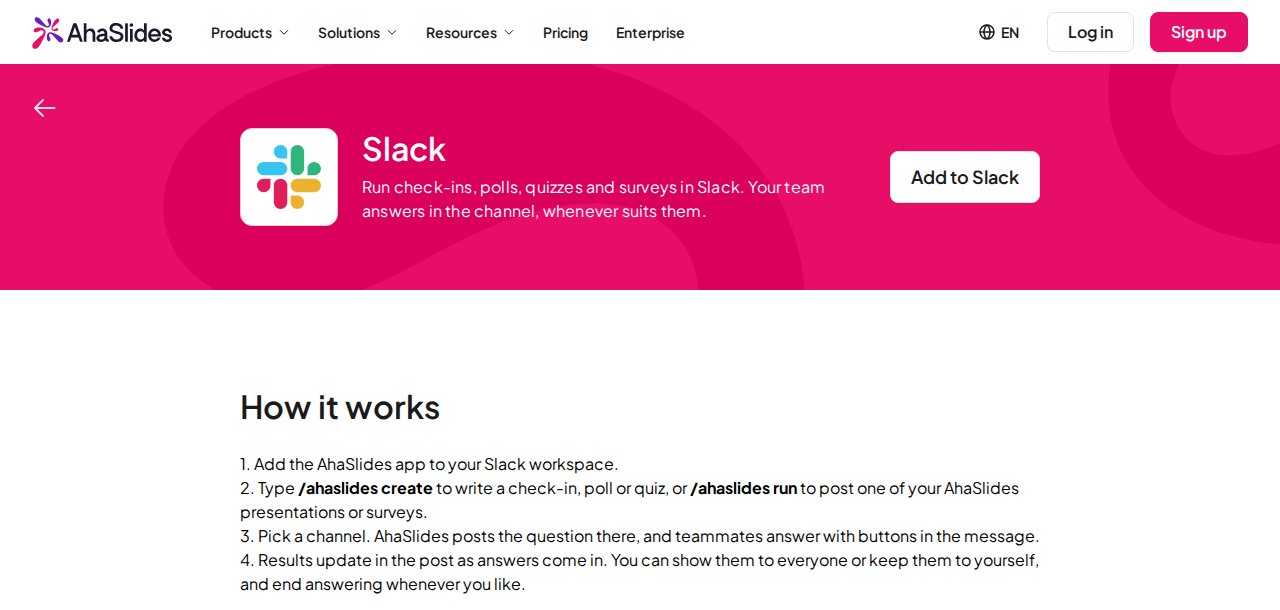
ओपन AhaSlides एसटी Slack पृष्ठ स्थापित करें और ऐप को अपने वर्कस्पेस में जोड़ें। पहली बार जब आप दबाते हैं पद, AhaSlides आपसे अपने खाते में साइन इन करने के लिए कहता है AhaSlides यह आपके खाते को सुरक्षित रखता है और आपके ड्राफ्ट को भी सेव रखता है। आपको सिर्फ एक बार साइन इन करना होता है।
Step 2: Open the Create window
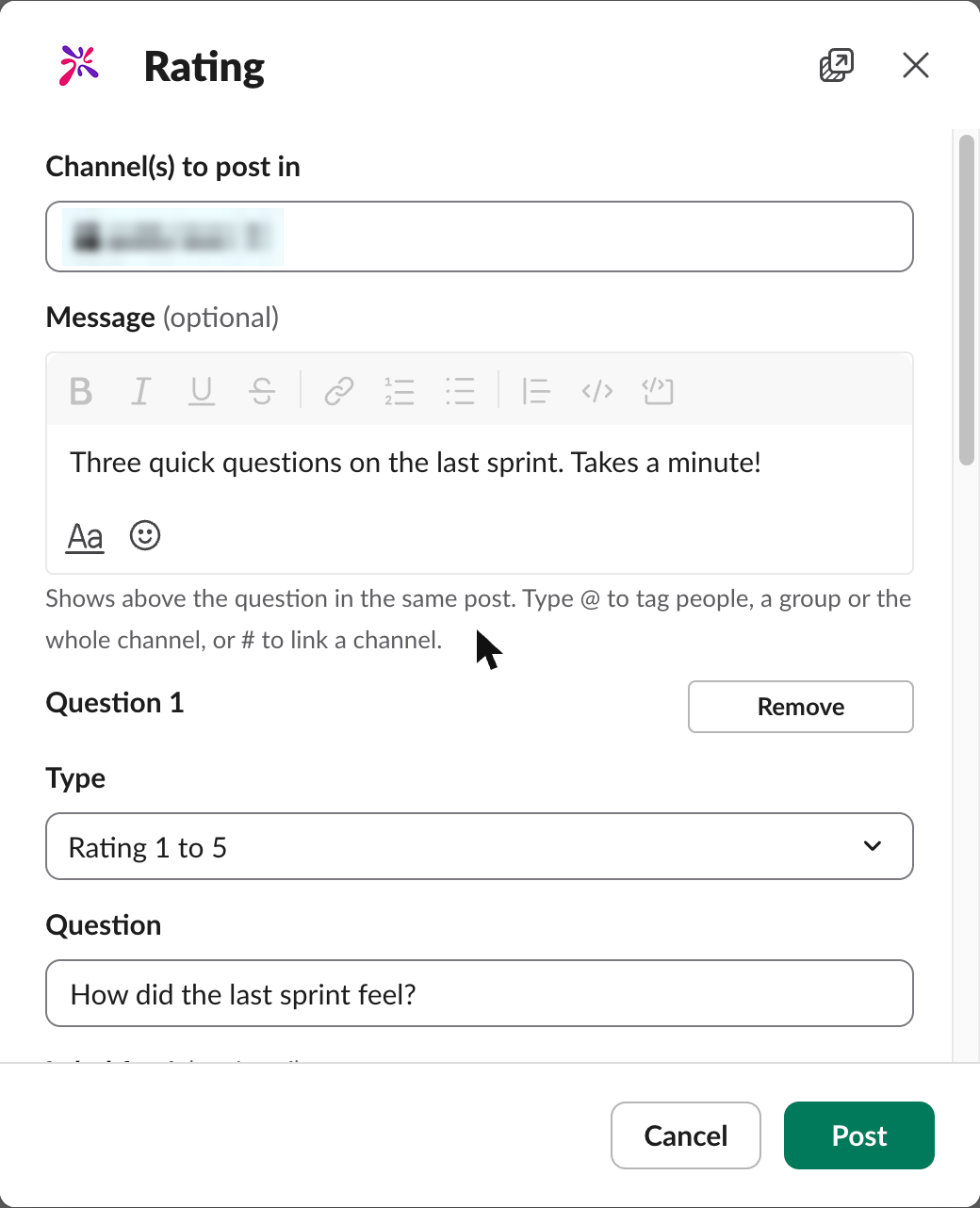
In the channel you want to survey, type /ahaslides बनाएं. The Create window opens. Pick a starting point: a ready-made check-in under Check in with team (Weekly pulse, eNPS or Wellbeing, with more under सभी टेम्पलेट), or a single question under अपना प्रश्न पूछें (Poll, Rating or Brainstorm). Each check-in comes with its questions already written, plus a follow-up question people can skip.
चरण 3: अपने प्रश्न लिखें
के अंतर्गत Channel(s) to post in, the channel you're in is already picked, and you can add more. In मैसेज , add a line so people know why you're asking; it shows above the question. Write your first question, then press + प्रश्न जोड़ें for each one after it, up to 10 in one post. Pick each question's type from its प्रकार मेन्यू:
- बहुविकल्पी
- Rating 1 to 5
- Score 1 to 10
- हां या नहीं
- संक्षिप्त जवाब
For a multiple choice question, put the options one per line, up to six. For a rating or score, you can change the words at each end of the scale.
Step 4: Choose anonymous answers and who sees results
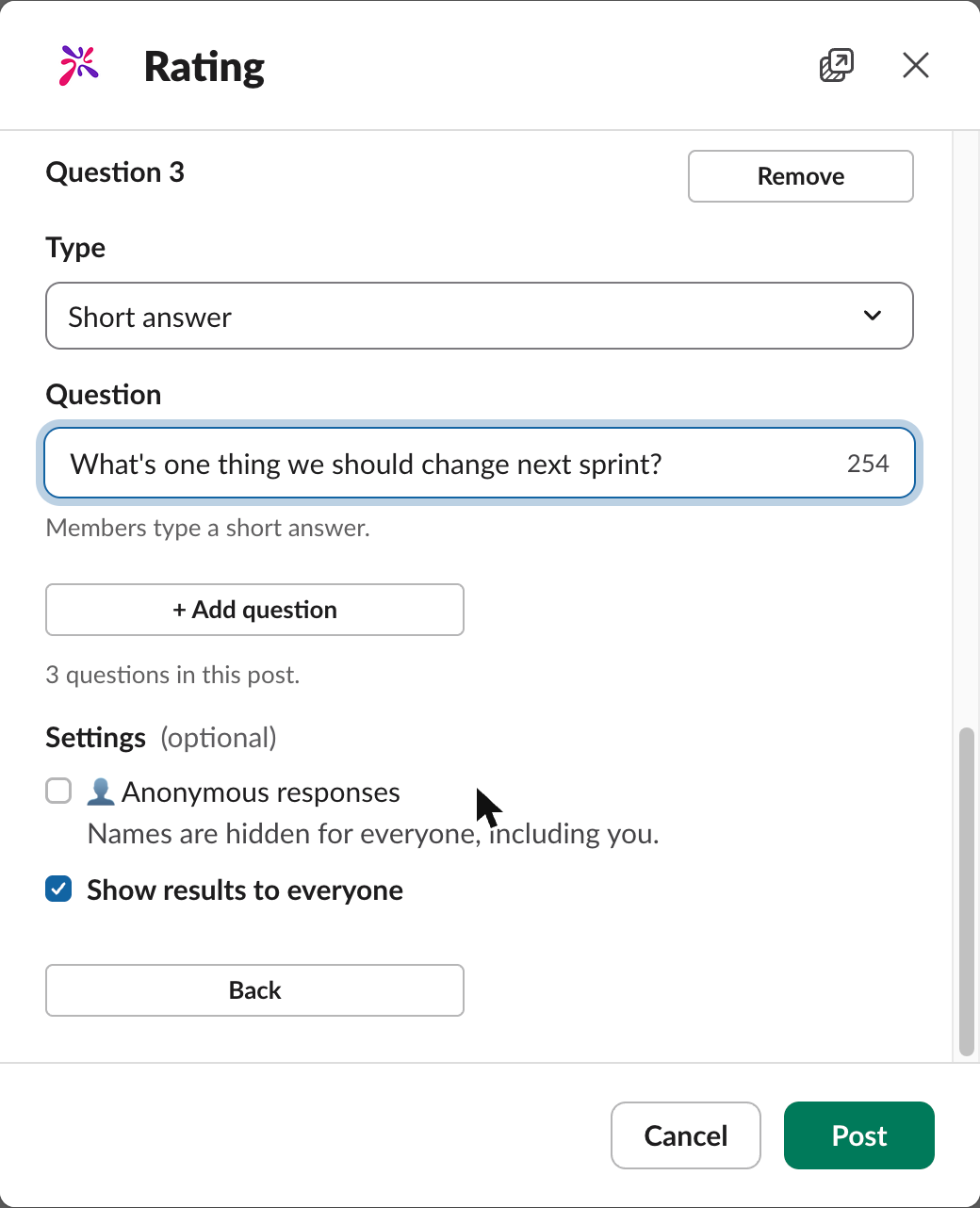
के अंतर्गत सेटिंग, टिक अनाम प्रतिक्रियाएँ if you want honest answers without names. eNPS and Wellbeing start with it ticked. Names are then hidden for everyone, you included, in Slack में और AhaSlides. परिणाम सभी को दिखाएं is ticked to start with, so the whole channel can see the results. Untick it to keep them to yourself.
Step 5: Post it and watch the answers come in
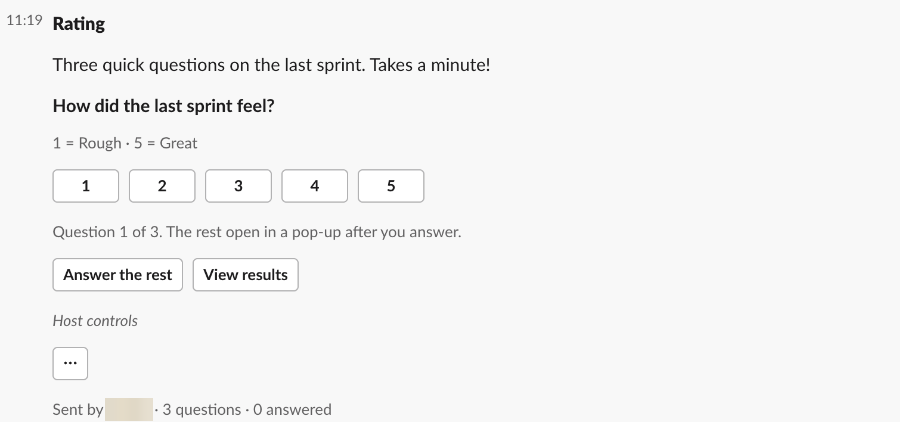
दबाएँ पद. AhaSlides creates the survey in your account and posts it to the channel. The first question sits right in the post: people tap an answer, or type one and press Enter. बाकी के उत्तर दीजिए then opens the other questions in a pop-up, one at a time. Until they finish, they can tap a different answer or press वापस to change an earlier one. The bottom of the post shows how many people have answered.
Step 6: Read the results
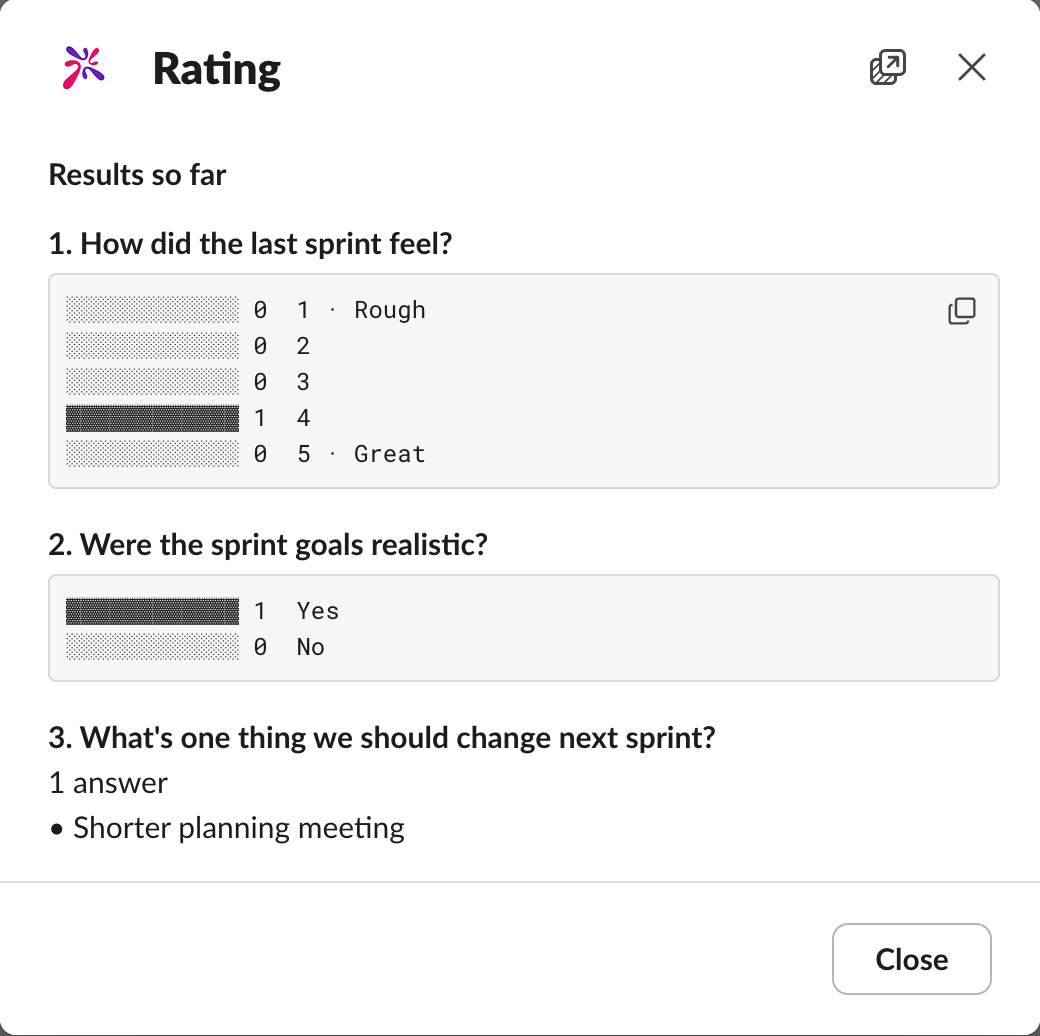
मेज़बान के रूप में, दबाएँ ... होस्ट नियंत्रण के अंतर्गत बटन परिणाम देखें, उत्तर देना समाप्त करें or में खोलें AhaSlides. If you left परिणाम सभी को दिखाएं on, everyone else gets a परिणाम देखें button too. When you end answering, the survey also closes in AhaSlides। तुंहारे AhaSlides report has every answer.
किसी चरण पर अटक गए हैं? RSI AhaSlides एसटी Slack गाइड इसमें सभी विकल्पों और सबसे आम समाधानों को शामिल किया गया है।
Already have a survey in AhaSlides?
You don't need to build it again. Type /ahaslides run। के अंतर्गत आप क्या चुनाव लड़ना चाहते हैं?, चुनें सर्वेक्षण, then pick it from your list or paste its link. Choose the channel and settings and press रन. If the survey is still a draft, it is published when you run it. Slack can't show date, grid or contact detail questions, so those are skipped, and AhaSlides sends you a direct message listing them.
Five tips to get more people answering
- इसे छोटा रखें। Three to five questions is plenty for a channel. People answer between tasks, so a survey they can finish in a minute is an easy one to say yes to.
- Say why you're asking. One line in the message ("We'll use this to plan next quarter's offsite") tells people their answer will change something.
- Go anonymous for sensitive topics. On workload, wellbeing or feedback about managers, people may feel safer being open when their name isn't attached.
- End with an open question. A short answer question such as "What's one thing we should change?" can give you the most useful reply of the lot.
- लूप को बंद करो। Post a short summary of the results and what you'll do next. Seeing the last survey change something gives people a reason to answer the next one.
सामान्य प्रश्न
Can you create a survey in Slack?
हां. Slack's Workflow Builder can collect answers with a form. For ratings, scores and multiple choice that people answer right in the channel post, with every answer saved in a report, use AhaSlides एसटी Slack: type /ahaslides बनाएं, add your questions and press पद.
Do people need an account to answer?
No. Only the person who creates the survey signs in to AhaSlides. Everyone else answers with buttons in Slack.
Can you make an anonymous survey in Slack?
Yes. Tick अनाम प्रतिक्रियाएँ before you post. Names are hidden for everyone, including you, in Slack और अपने में AhaSlides रिपोर्ट.
Can I send the same survey to several channels?
Yes. Pick more than one channel in the Create window before you post.
Is AhaSlides एसटी Slack नि: शुल्क?
हाँ। यह हर डिवाइस पर काम करता है। AhaSlides फ्री प्लान सहित।
अगर मेरे वर्कस्पेस को पहले ऐप्स की मंजूरी की जरूरत हो तो क्या होगा?
Slack यह आपसे एक इंस्टॉलेशन अनुरोध भेजने के लिए कहता है, और एक वर्कस्पेस मालिक या ऐप मैनेजर इसे स्वीकृत करता है।
संबंधित पढ़ा गया: पोल कैसे बनाएं Slack, for a single quick question.
Find out what your team thinks, right where they work. जोड़ना AhaSlides एसटी Slack and post your first survey in a few minutes.