
You can run a pulse survey in Slack con AhaSlides per Slack: genere /ahaslides create, scegli Pulsazione settimanale e premere Post. Your team answers with one tap in the channel, and every answer is saved in your AhaSlides rapporto.
When to use a pulse survey in Slack
A pulse survey is a short check-in you send on a regular rhythm, to see how people are feeling before small problems turn into big ones. Say you lead a design team and want to know how the week went. On Friday afternoon you post two questions in #team-design, and people answer between tasks. (New to the idea? Read Cos'è un'indagine a campione? Una guida per i team for the background.)
Other good moments for a pulse in Slack:
- A weekly mood check with your team
- A workload check when a busy stretch starts
- An eNPS check once a quarter
- A quick read a week after a change or an announcement
mantenere Slack for short pulses: that is what makes them quick to answer. A long, formal engagement survey is easier to answer from a full survey link, which AhaSlides può anche darti.
Why run your pulse survey in Slack
- Le persone rispondono da dove si trovano già. Nessuna nuova scheda, nessun login e nessuna email da cercare, quindi rispondere richiede solo pochi secondi.
- Puoi vedere quante persone hanno risposto. The pulse sits in the channel, and the count on the post keeps you up to date.
- Le risposte non scompaiono scorrendo. Every answer stays in your AhaSlides report, pronto per essere letto o condiviso in seguito.
Quello di cui hai bisogno
- A Slack spazio di lavoro con AhaSlides per Slack installato
- An AhaSlides account for the person who runs the pulse (any plan works, including Free)
- Niente per le persone che rispondono: non hanno bisogno di un AhaSlides account
Come condurre un sondaggio rapido in Slack, passo dopo passo
Passaggio 1: aggiungi AhaSlides per Slack
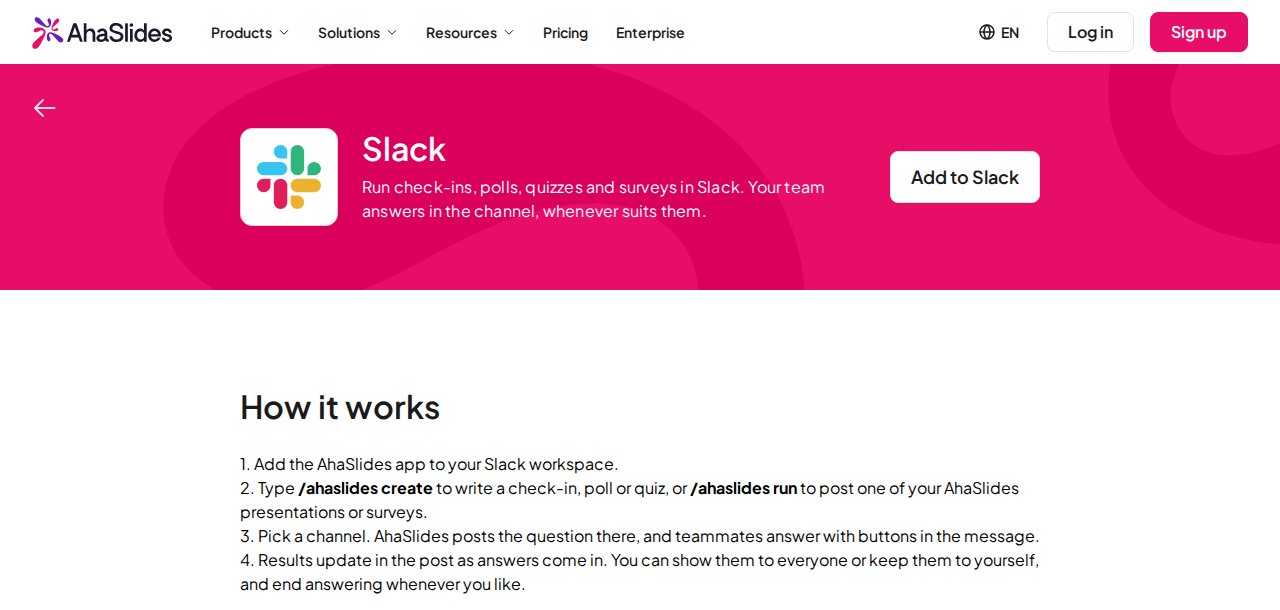
Aprire il AhaSlides per Slack pagina di installazione e aggiungi l'app al tuo spazio di lavoro. La prima volta che premi Post, AhaSlides ti chiede di accedere al tuo AhaSlides tiene traccia del tuo account e conserva la bozza mentre lo fai.
Passaggio 2: Aprire la finestra Crea
Nel canale con cui vuoi effettuare il check-in, digita /ahaslides create. The Create window opens.
Step 3: Pick Weekly pulse
Sotto Contatta il team, stampa Pulsazione settimanale. It comes ready to post with two questions: Come è stata la tua settimana?, answered on a 1 to 5 scale from Very poor to Great, and a follow-up, Cosa ha determinato questa situazione?, which people can skip. The window notes that it is best sent every Friday. For a different kind of pulse, Wellness and eNPS sit next to it, and Tutti i modelli lists more, such as Workload, Manager support and Team connection.
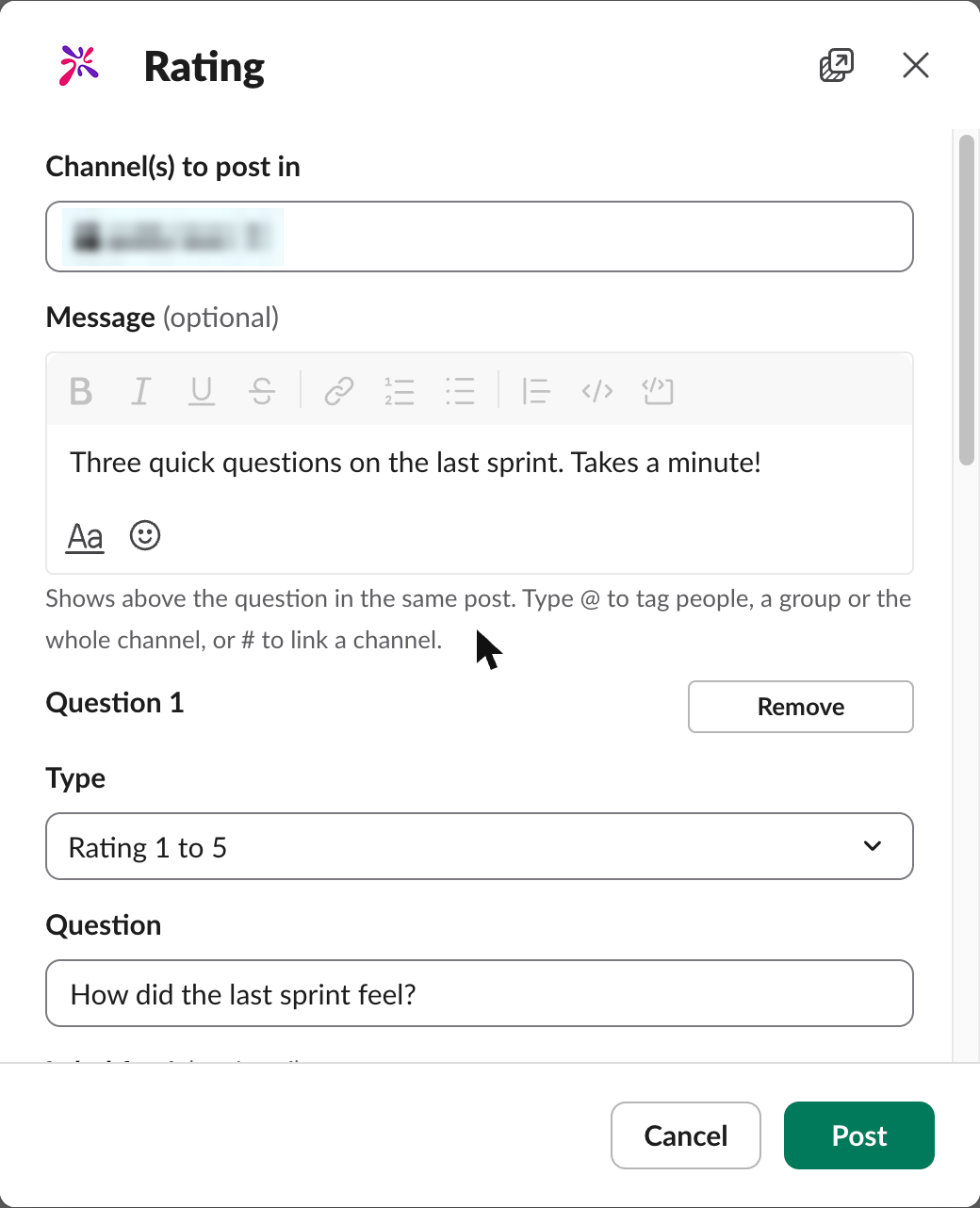
Sotto Canale/i in cui pubblicare, il canale in cui ti trovi è già selezionato e puoi aggiungerne altri. In Messaggio, add a line so people know why you're asking. Change any question or the words at each end of the scale, or press + Aggiungi domanda if you want one more. Two or three questions is plenty for a pulse.
Passaggio 4: Scegliere le risposte anonime e chi può visualizzare i risultati
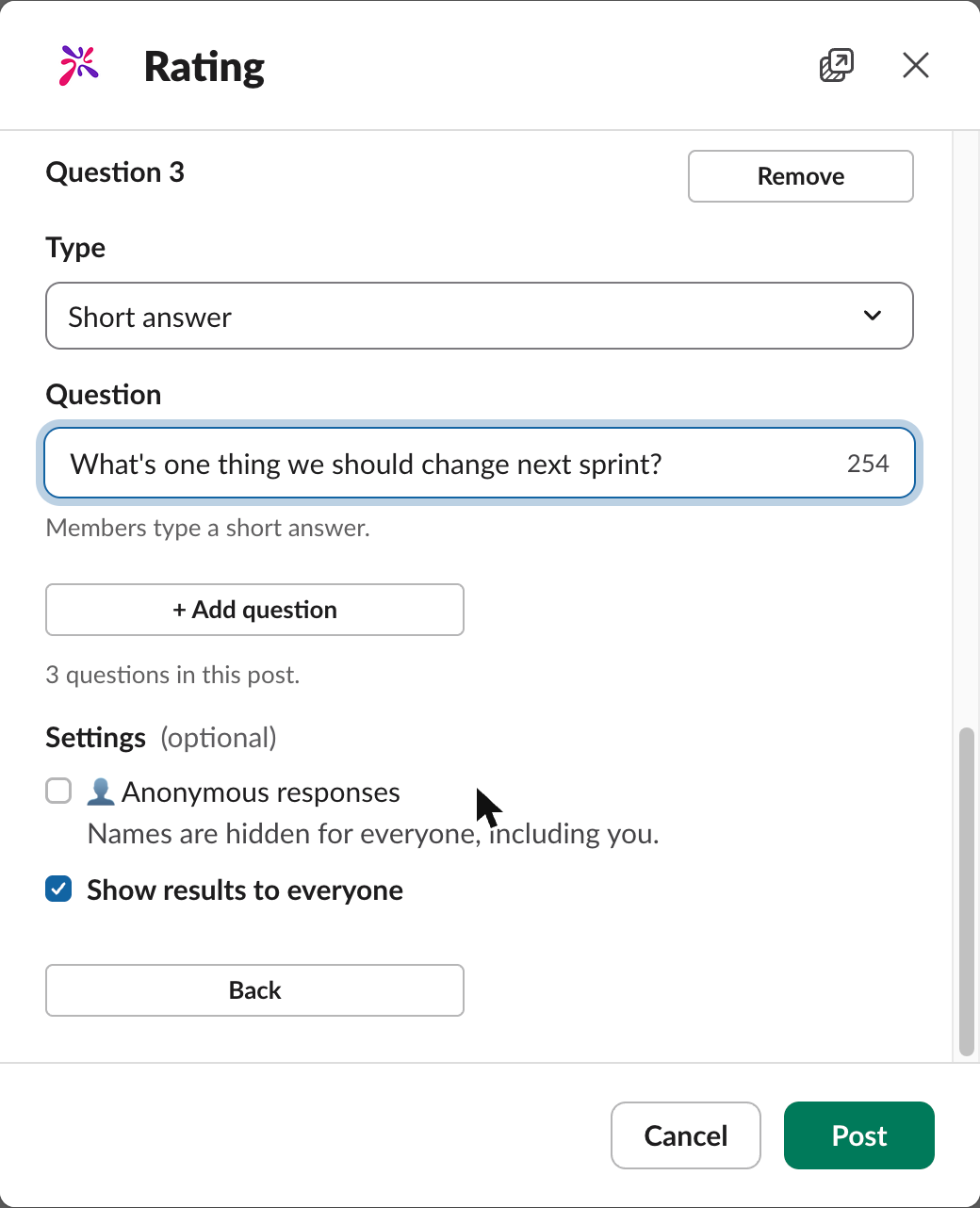
Sotto Impostazioni profilo, spuntare Risposte anonime if you want honest answers without names. Wellbeing and eNPS start with it ticked; Weekly pulse starts with it off. Names are then hidden for everyone, you included, in Slack e in AhaSlides. Mostra i risultati a tutti È selezionata per impostazione predefinita, in modo che l'intero canale possa vedere i risultati. Deselezionala per mantenerli privati.
Passaggio 5: Pubblicalo e guarda le risposte arrivare
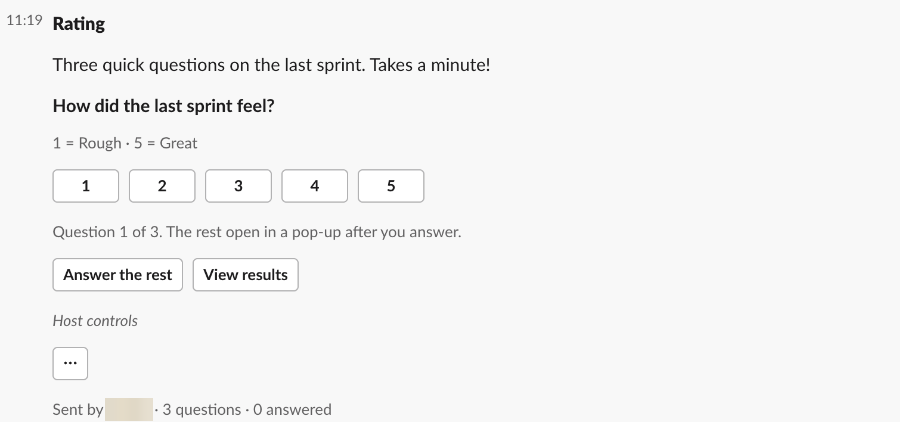
Stampa Post. AhaSlides creates the survey in your account and posts it to the channel. The first question sits right in the post: people tap an answer. Rispondi al resto opens the follow-up in a pop-up, and they can skip it. The bottom of the post shows how many people have answered.
Fase 6: leggere i risultati
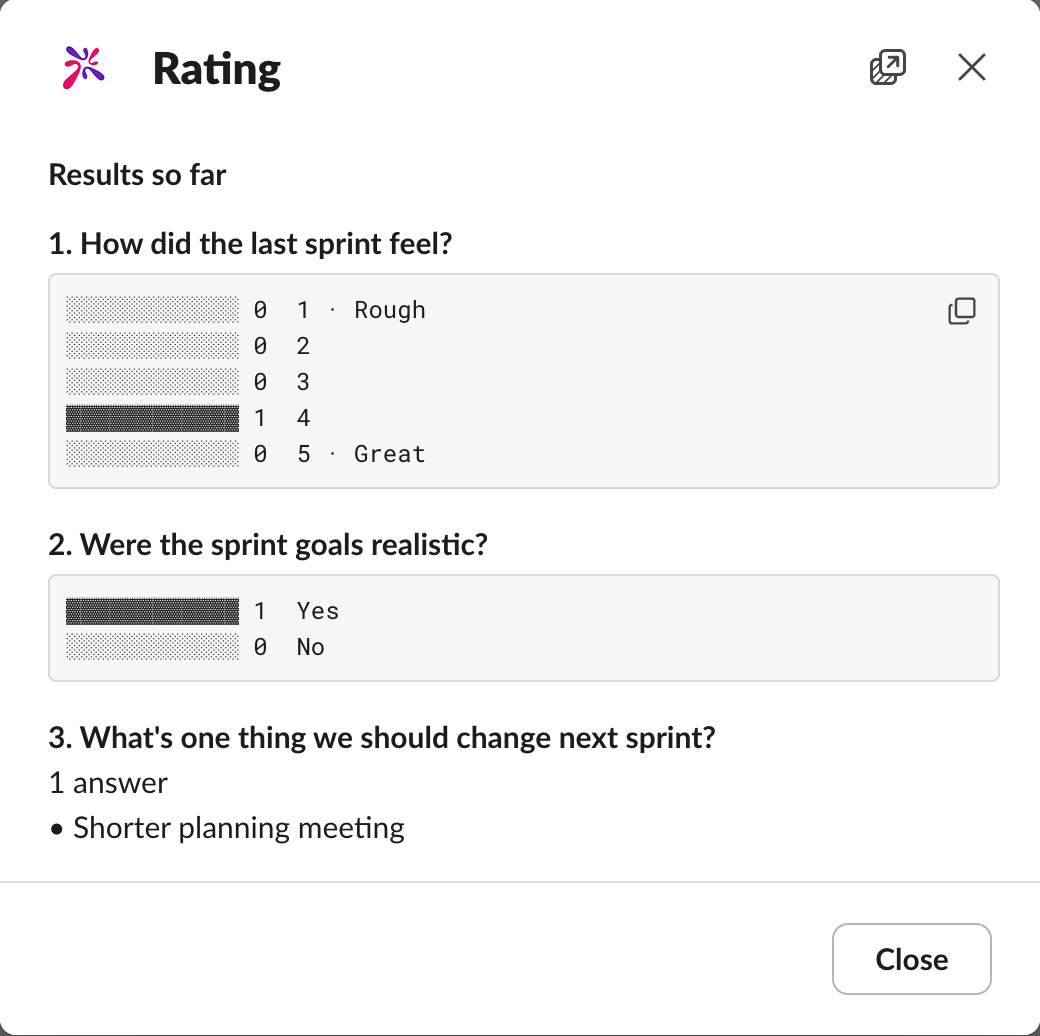
In qualità di host, premere il pulsante ... pulsante sotto i controlli host per Vedi i risultati, Fine della risposta or aprire in AhaSlidesSe te ne sei andato Mostra i risultati a tutti acceso, tutti gli altri ottengono un Vedi i risultati button too. The rating shows as a bar chart and the follow-up answers are listed. Your AhaSlides Il rapporto contiene tutte le risposte.
Sei bloccato su un gradino? Migliori AhaSlides per Slack guida Copre tutte le opzioni e le soluzioni più comuni.
Sending the pulse again
A pulse is worth most when you repeat it, and you post each one yourself, which takes a minute. Next time, type /ahaslides create e scegli Pulsazione settimanale again. To post a survey you already made, type /ahaslides runscegli Indagine, pick it from your list and press Correre. For the full tour of the Create window, read Come creare un sondaggio in Slack.
Five tips for a pulse survey people answer
- Keep it to two or three questions. A pulse people can finish in under a minute is one they will answer every time.
- Send it at the same time each week. A steady rhythm makes it a habit, and makes changes easier to spot.
- Per argomenti delicati, è preferibile rimanere anonimi. On workload or wellbeing, people may feel safer being open when their name isn't attached.
- Keep one open question. "What made it that way?" often gives you the most useful reply of the lot, and skipping it costs nothing.
- Chiudere il cerchio. Post a short summary of the results and what you'll do next. Seeing the last pulse change something gives people a reason to answer the next one.
FAQ
What is a pulse survey?
A pulse survey is a short, regular check-in, usually one to three questions, that shows how a team is feeling over time. See Cos'è un'indagine a campione? Una guida per i team per saperne di più.
Can you run a pulse survey in Slack?
Sì. Con AhaSlides per Slack, Il tipo di /ahaslides create, scegli Pulsazione settimanale e premere Post. People answer with buttons right in the channel.
È necessario un account per rispondere?
No. Only the person who runs the pulse signs in to AhaSlidesTutti gli altri rispondono con i pulsanti in Slack. La guida covers setup questions.
Can the pulse be anonymous?
Sì. Spunta Risposte anonime prima di pubblicare. I nomi sono nascosti per tutti, incluso te, in Slack e nel tuo AhaSlides rapporto.
Is AhaSlides per Slack libero?
Sì. Funziona su ogni AhaSlides piano, incluso Gratuito.
E se il mio spazio di lavoro richiedesse prima l'approvazione delle app?
Slack Ti chiede di inviare una richiesta di installazione, che verrà poi approvata dal proprietario dello spazio di lavoro o dal gestore dell'app.
Related leggi: Come creare un sondaggio in Slack, for every option in the Create window.
Find out how your team is really doing, right where they work. Aggiungi AhaSlides per Slack and post your first pulse in a few minutes.