
Passo 1: Work through the modules
Collegare il AhaSlides MCP server to Claude or ChatGPT, send each prompt and make what it builds your own.
Ask Claude or ChatGPT for an icebreaker, a team quiz or a live Q&A, and the AhaSlides MCP server builds it in your AhaSlides account, ready to run. Learn the prompts once, and getting a meeting or event ready takes minutes, not hours.
Circa 2 ore e 20 minuti · 6 moduli · Al proprio ritmo · Attestato di completamento
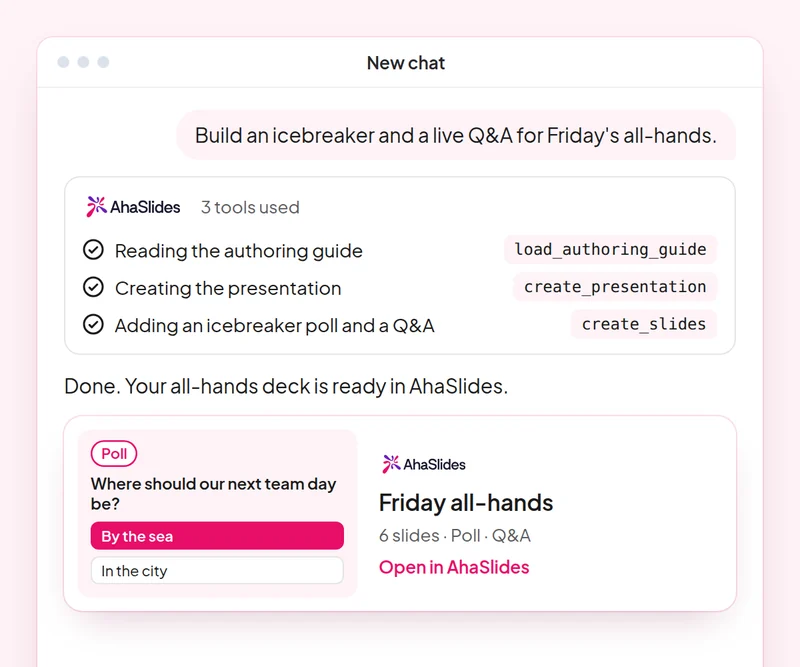
Obiettivo: Open any meeting or event with an activity everyone joins.
Abilità: build-presentation
Provare: “Build an icebreaker for a 60-person team offsite: a welcome slide, a word cloud on one word for this year and a quick poll.”
Si ottiene: A ready-to-run deck that gets everyone answering from the first minute.
Obiettivo: Build a fair team quiz with accurate answers.
Abilità: make-quiz
Provare: “Make a 15-question general knowledge quiz for our end-of-year party, played in teams.”
Si ottiene: A scored quiz and how guests join it on their phones.
Obiettivo: Change timing, order and settings of an existing deck with one prompt.
Abilità: edit-slides
Provare: “In my offsite deck, give every quiz question 20 seconds and move the feedback poll to the end.”
Si ottiene: Your changes made to the existing slides, with a summary of what changed.
Obiettivo: Run a moderated Q&A where you approve every question shown.
Abilità: moderate-live-qna
Provare: “Show me the new questions from the panel Q&A and suggest which to approve. Wait for my yes before you change anything.”
Si ottiene: Questions sorted into approve and dismiss with reasons, applied only after you agree.
Obiettivo: Read the room's feedback and plan the next event from it.
Abilità: review-results
Provare: “How did people answer the feedback poll at today's offsite?”
Si ottiene: A summary of responses with one or two ideas for your next event.
Obiettivo: Know who came, who joined in and who stayed quiet, so you follow up with the right people.
Abilità: track-participants
Provare: “From my [team offsite] session, list who joined, who answered nothing, and draft a short follow-up asking the quiet ones for their views.”
Si ottiene: An attendance and participation list, with follow-ups for the people you did not hear from. Detailed per-person reports need a paid plan.
Host one real meeting or event: open with an icebreaker, run a team quiz and a moderated Q&A, then review the feedback and note what you would change next time. Keep the prompts that worked, so next time this work is a quick routine.
A 10-question quiz on icebreakers, team quizzes, deck edits and Q&A moderation. Pass it to earn your certificate of completion.
Each course is an AhaSlides eLearning course of about 2 hours 20 minutes that issues a verifiable certificate when you finish.
Collegare il AhaSlides MCP server to Claude or ChatGPT, send each prompt and make what it builds your own.
Metti in pratica le sei competenze in un'unica sessione reale tratta dal tuo lavoro.
Take a 10-question quiz on icebreakers, team quizzes, deck edits and Q&A moderation.
Supera il quiz per ottenere una certificazione verificabile AhaSlides certificate of completion, with a verify link you can share.
Yes, the course costs nothing to take. You follow it in your own AhaSlides account e alcune funzionalità utilizzate dai moduli, come i report dettagliati, sono incluse nei piani a pagamento. Vedi prezzi per quanto riguarda ciò che ogni piano include.
Claude (su claude.ai, Cowork e Claude Code), ChatGPT e qualsiasi client che supporti server MCP remoti. In Claude, aggiungi un connettore personalizzato con https://mcp.ahaslides.com/mcp come URL del server. In ChatGPT, trova AhaSlides nella scheda Plugin. Vedi il AhaSlides Server MCP pagina per la procedura completa.
Sono i 17 pubblici AhaSlides competenze per Claude, gratuite e open source su GitHub. Ognuno dice a Claude quale AhaSlides Strumenti MCP da chiamare e puntare a AhaSlides' guide di scrittura personali.