

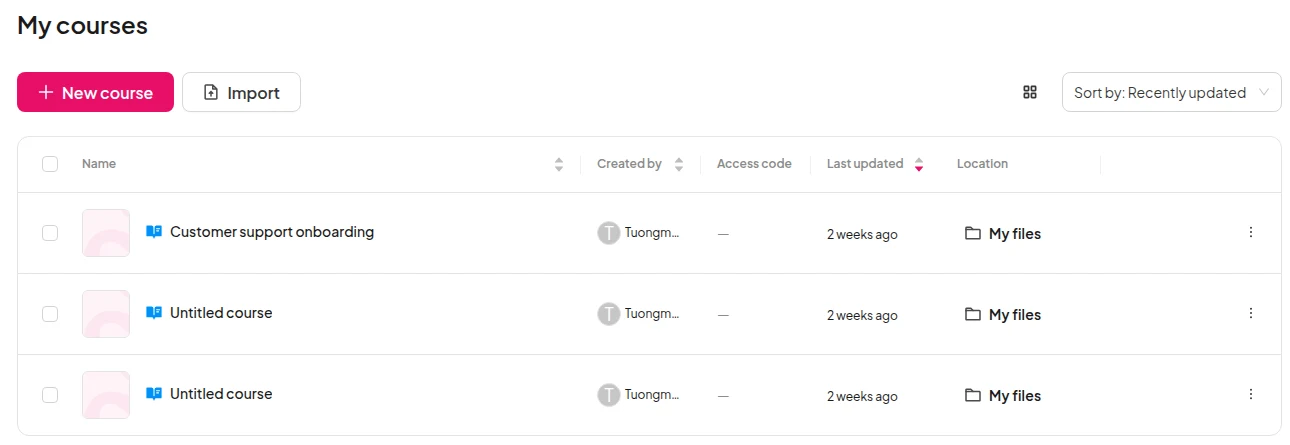
Қадам 1: Импорттау түймесін басыңыз
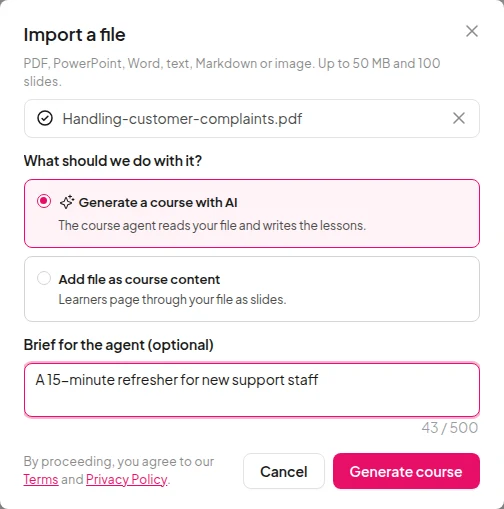
On your Courses list, click Import next to New course. In an empty course, click Import a file.
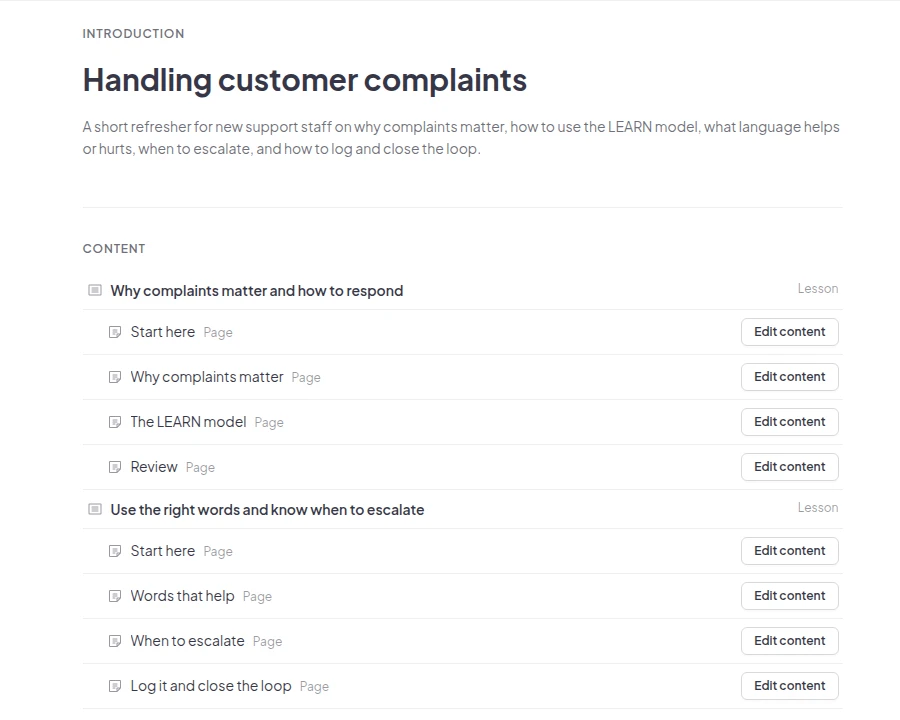
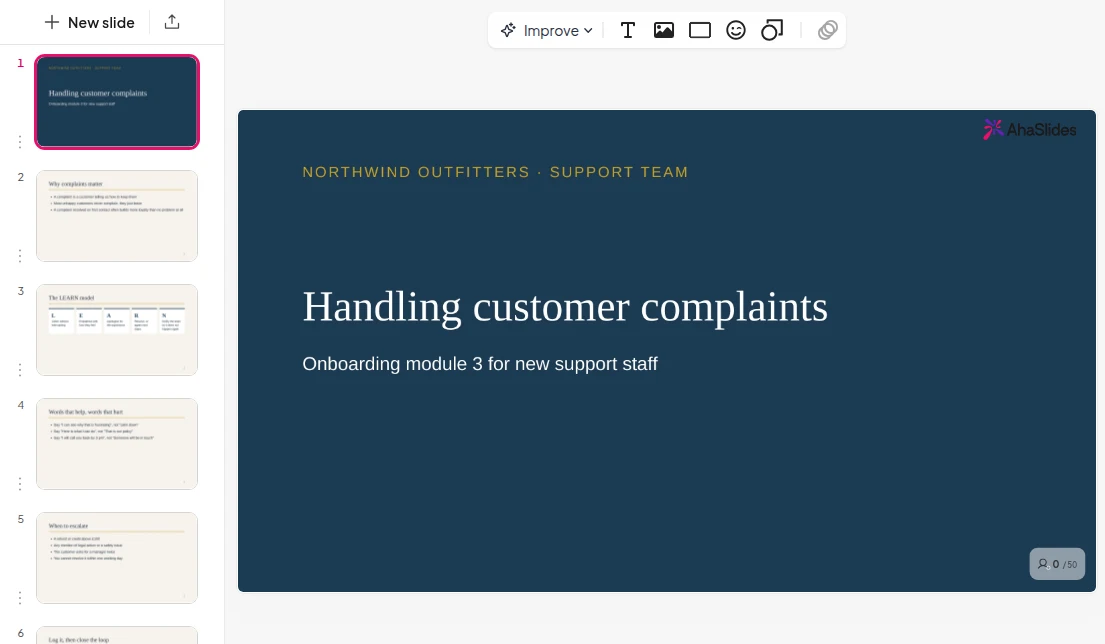
Import a PDF, slide deck, Word document or notes. The Course Agent drafts the lessons from what your file already says, ready for you to check.
Дүние жүзіндегі командалар мен мектептер сенім артады










On your Courses list, click Import next to New course. In an empty course, click Import a file.
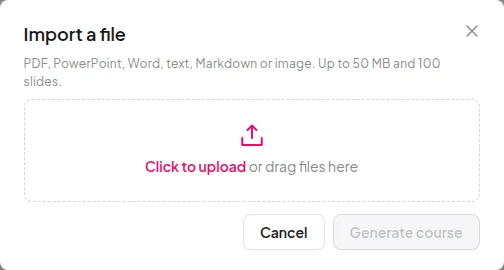
Pick one PDF, PowerPoint, Word, text, Markdown or image file, up to 50 MB and 100 slides.
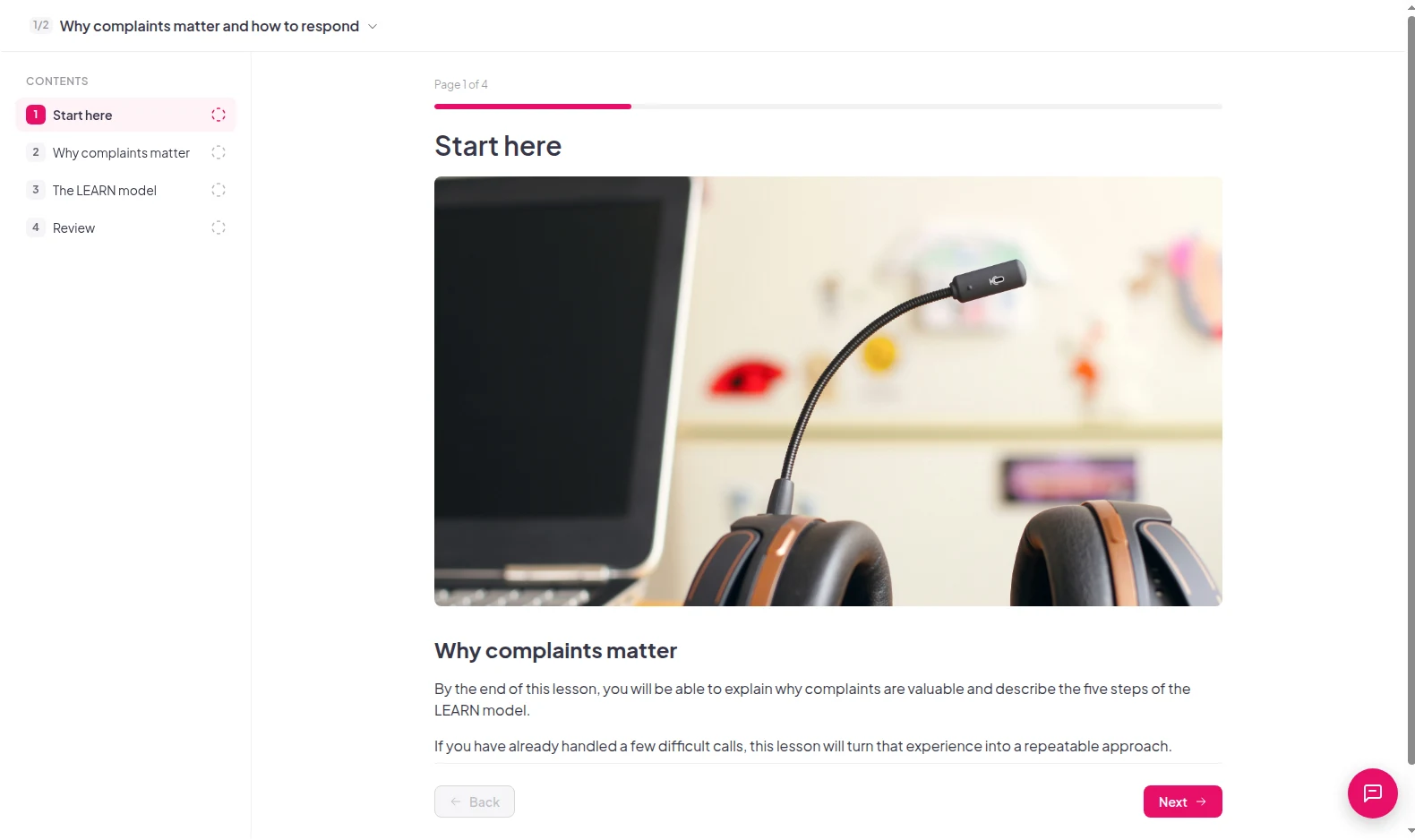
Open Preview to read the course the way learners will, edit what you want, then publish.
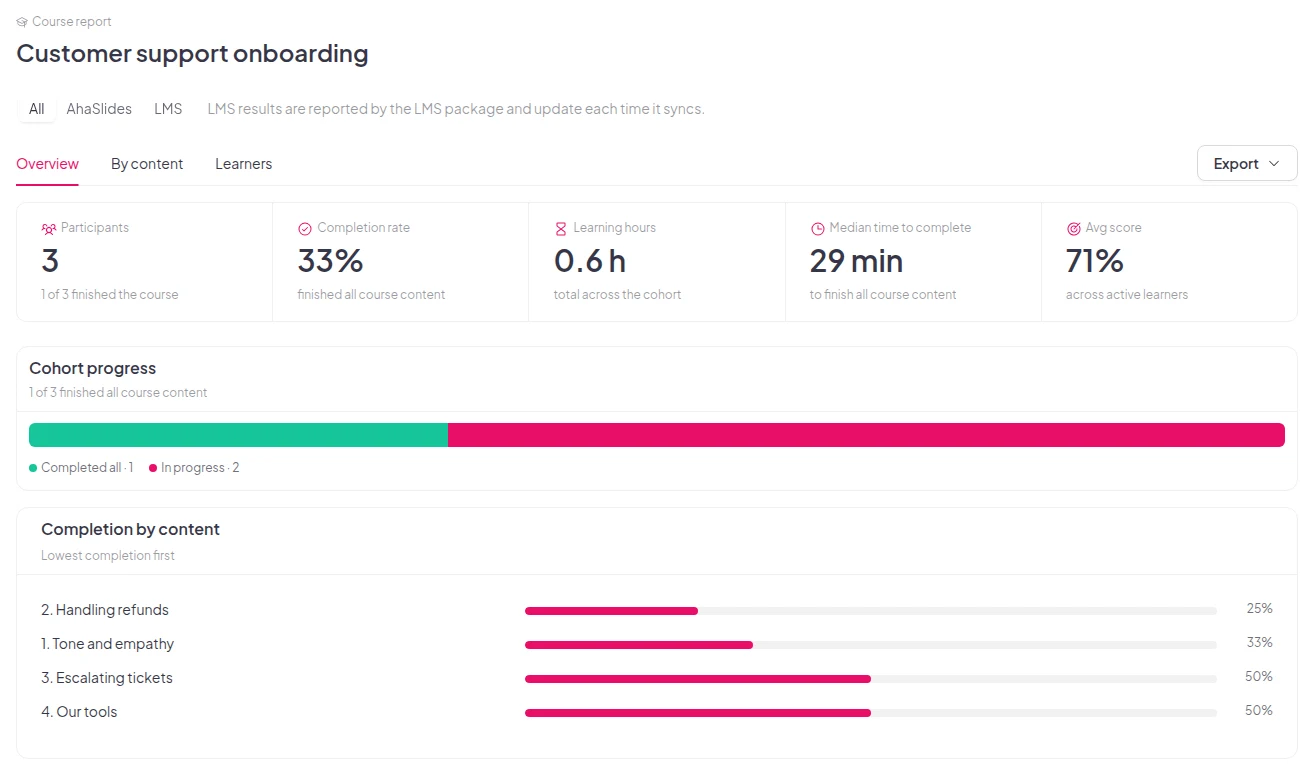
An imported lesson shows in your course report like any other lesson. You see each learner's progress, not just whether they opened the file.
PDF, PowerPoint, Word, text, Markdown, JPG and PNG.
Each file can be up to 50 MB and 100 slides.
Tell the Course Agent who the course is for and how long it should take.