Live emoji poll: hear how everyone feels in one tap

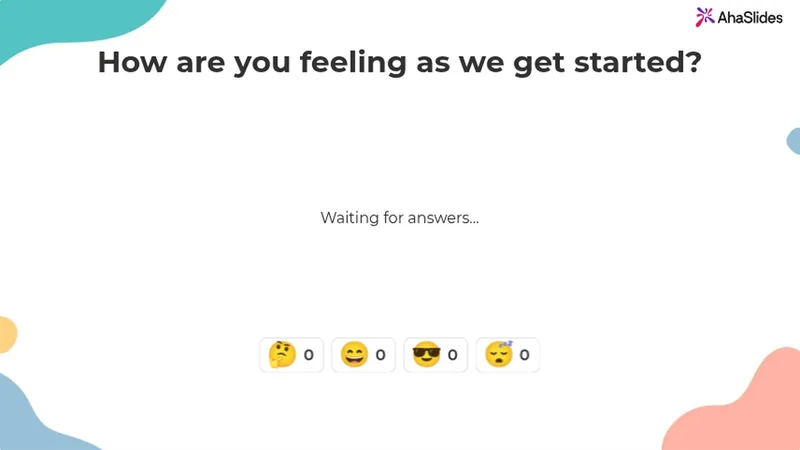
Ask one question and pick 2 to 6 emojis. Everyone answers with a tap on their phone, and the count builds live on your screen.

무료 가입

Participants need no app or sign-up.

G2에서 5점 만점에 4.7점 (리뷰 477개 기준)

다양한 팀에서 신뢰받고 있습니다.

  • 아부다비 대학교 로고
  • 에어버스 로고
  • 벤드 라 파인 학군 로고
  • BMC 로고
  • 보쉬 로고
  • 크리테오 로고
  • 페레로 로쉐 로고
  • 인텔 로고
  • 아이비 테크 커뮤니티 칼리지 로고
  • 르 퀴즈 쇼 로고

An emoji poll everyone can answer from their phone

An emoji poll is a live poll people answer by tapping an emoji. Ask "How is everyone?" out loud and you often get silence. Ask with emojis and everyone answers.

  • 한 번 탭하여 응답하세요

    Your emojis show as big buttons on any phone.

  • Tap once or keep tapping

    Allow submitting more than once is on by default. Turn it off for one answer each.
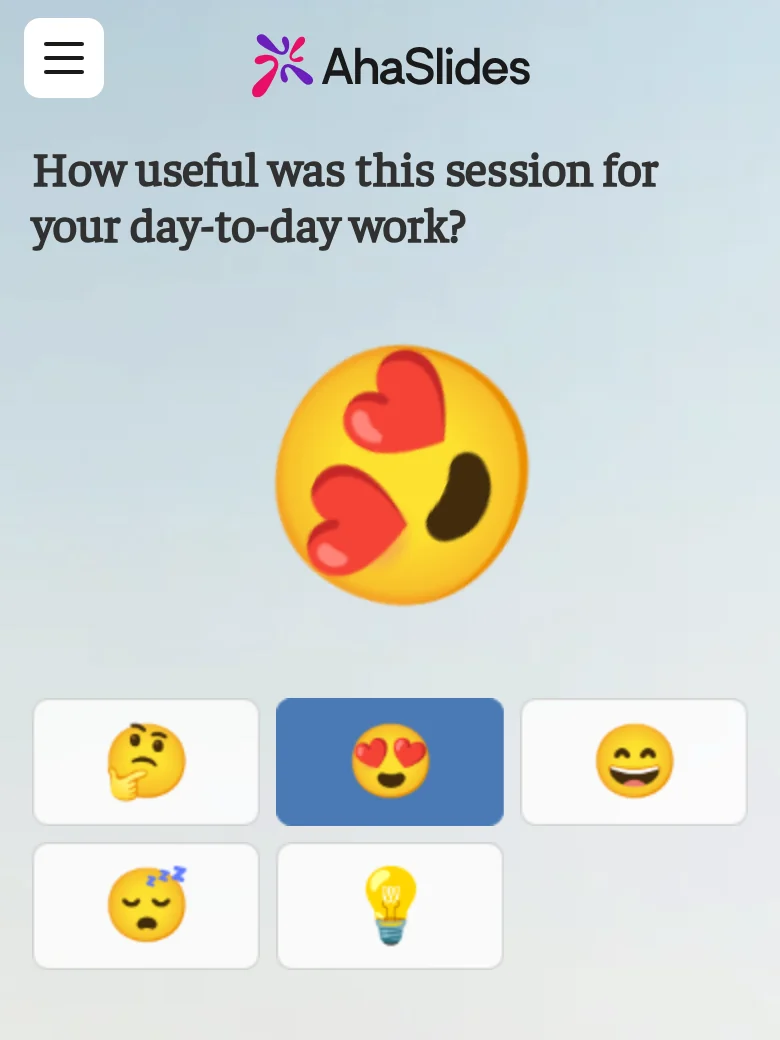
A participant answering an emoji poll on their phone, for the question "How useful was this session for your day-to-day work?", with the heart-eyes emoji just tapped and thrown large above five emoji buttons: thinking, heart-eyes, grinning, sleepy and light bulb
  • Live reactions, counted on your screen

    Each tap flies across your screen and adds to its emoji's count.

  • Close it when you have heard enough

    Turn on Close submission to stop new taps.

From the editor to the live count

Pick the emojis before you present, then watch the count build.

  • Pick your emojis in the editor

    Choose up to 6 from Reactions, Faces, Objects and symbols, or Food and nature.
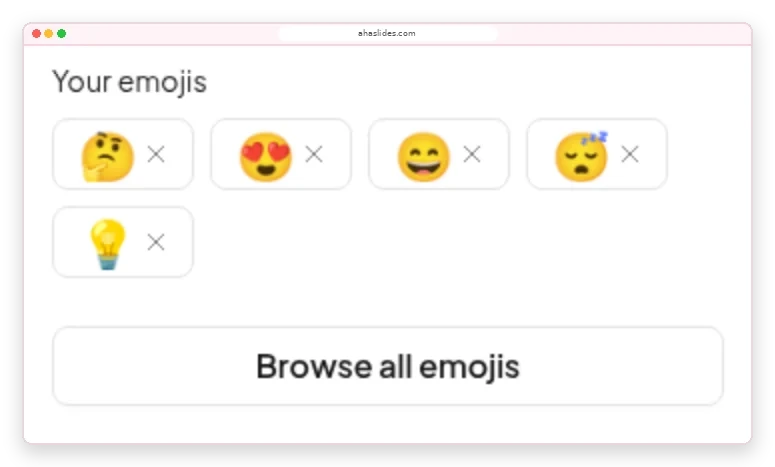
    The Emoji Poll panel in the AhaSlides editor: Your emojis showing thinking, heart-eyes, grinning, sleepy and light bulb, with a Browse all emojis button
  • Adjust to how the room feels

    A card under each emoji adds up the taps, so you know whether to recap or move on.
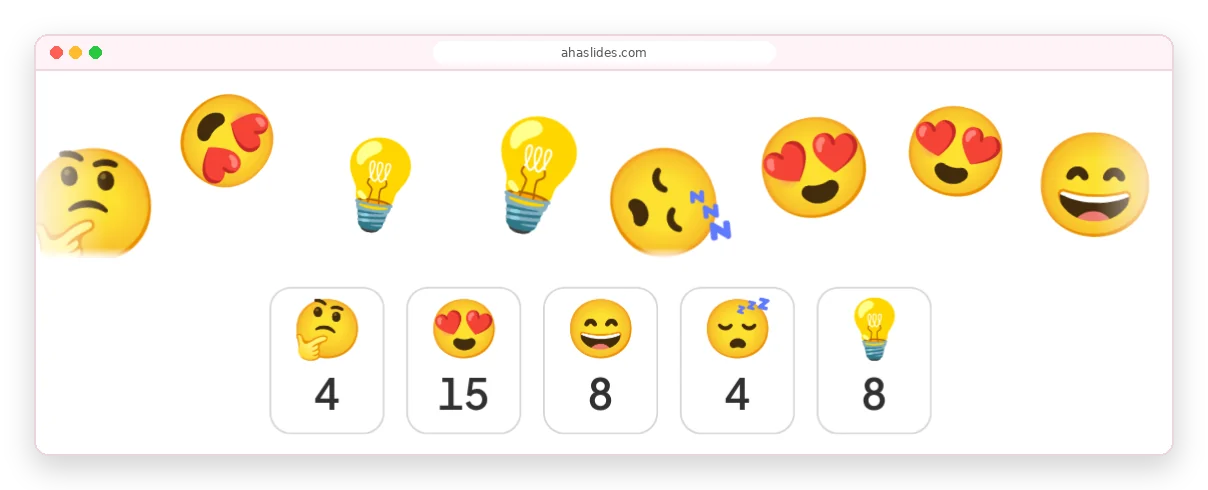
    Emojis flying across the AhaSlides presenter screen above count cards reading 4, 15, 8, 4 and 8 for thinking, heart-eyes, grinning, sleepy and light bulb

How to make an emoji poll

About two minutes from a blank slide to live answers.

1 단계 : 슬라이드를 추가하세요

Click New slide and pick Emoji Poll from the Poll group.

2 단계 : Ask how people feel

For example, "How is your energy this morning?"

3 단계 : Pick 2 to 6 emojis

Choose ones whose meaning is clear without words.

4 단계 : 코드를 발표하고 공유하세요

People join with the access code and start tapping.

무료 가입Try the ready-made emoji poll

Emoji polls for meetings, training and classes

  • 컨퍼런스

    A full hall answers at once, however far people sit from the stage.

    A conference hall with a panel on a lit stage and a large seated audience, while two big screens above show a live donut-chart poll
  • 트레이닝

    Check in with trainees before the next module.

    Trainees at round tables in a large hall face a presenter and a screen showing a slide for virtual trainers
  • 교실

    Every student answers on their own phone.

    Learners seated at round tables with laptops face a large screen showing a QR code and a join slide in a training room

Emoji poll templates for mood check-ins

모든 템플릿 찾아보기 (새 탭에서 열림)

More ways to hear from everyone

Each runs live on people's phones in your presentation.

What hosts say about AhaSlides

  • “The ability of the audience to use emojis to react also allows you to gauge how they are receiving your presentation.”

    태미 그린Ivy Tech Community College, from G2
  • "이것은 가상 회의에 활력을 불어넣고 기존 슬라이드로는 따라올 수 없는 방식으로 참여도를 높입니다."

    제니퍼 캄루딘G2에서 5점 만점에 5점
  • "이런 플랫폼 없이는 많은 가상 청중의 참여를 유도하기 어렵습니다. 팀즈 같은 도구는 기본적인 설문조사 기능을 제공하지만, 시각적 매력과 효과가 부족한 경우가 많습니다."

    라제시 B 세투라만JioBusiness의 학습 및 개발 총괄, G2에서 5점 만점에 5점 획득

Emoji poll questions

A live poll where people answer by tapping an emoji instead of reading options. You pick 2 to 6 emojis, and each tap adds to that emoji's live count.

Add an Emoji Poll slide, ask how people feel and present. Everyone joins with the access code, in the room or on a video call. The Emoji Poll guide 모든 설정을 지원합니다.

From 2 to 6. Swap any of the five defaults for any emoji in the library.

Yes, by default. Turn off Allow submitting more than once for one vote per person.

The flying emojis and counts show on your screen. Each participant sees only their own answer.

Use an emoji poll for a quick read on feelings, a 평가 척도 for a score you can track, and a standard poll to choose between written options. For an emoji rating scale, order the faces from 😞 to 😍.

A reaction responds to whatever is on screen. An emoji poll asks one question, with the emojis you choose, and counts every answer live.