
You can play games in PowerPoint two ways. Build one in PowerPoint alone with hyperlinks and animation triggers, where one person clicks and everyone else watches. Or add the AhaSlides add-in, so everyone answers on their phone and the scores appear on your slide. Below are 20 games that work either way.
Games are more than a warm-up. In a study of test-enhanced learning by Roediger and Karpicke, students who were tested on a passage recalled 56% of it a week later, against 42% for students who reread it. A quiz game is that kind of test, with a scoreboard.
How to make a game in PowerPoint (the PowerPoint-only way)
Most PowerPoint games are built from two tools: links that jump to another slide, and triggers that reveal an answer when you click it.
Step 1: build a board with links
- Make a menu slide with a box for each question, for example "Films 100".
- Make one slide per question, then select the box on the menu slide that should open it.
- Windows에서는 다음으로 이동합니다. Insert > Link > Place in This Document and pick the question slide. On a Mac, go to Insert > Link (or press Cmd+K), open the This Document tab and pick the slide.
- On each question slide, add a "Back to board" button and link it to the menu slide the same way.
Step 2: reveal answers with a trigger
- Add your answer boxes, plus a "Correct!" shape.
- Select the shape, go to the 애니메이션 tab and add an entrance effect such as 게재.
- 왼쪽 메뉴에서 Trigger > On Click of and pick the right answer box. Windows and Mac both have this option.
Step 3: stop stray clicks from skipping slides
We Buy Orders 신청서를 클릭하세요. Slide Show > Set Up Slide Show (the same on Windows and Mac) and choose Browsed at a kiosk. In this mode, clicking a slide does not move to the next one, so the game moves only through your links and triggers. Press Esc to leave the show.
For a ready-made board, our Jeopardy PowerPoint template walks through the full build.
Where a PowerPoint-only game stops
A home-made game works for a small group sitting near the screen. Past that, it runs into limits.
- One person plays for everyone. Whoever shouts first answers, and the quieter half of the group stays out of it.
- You keep score by hand. Someone counts points on a whiteboard and settles the arguments.
- Remote players watch. People on a video call can see the board, but they cannot click it.
- 아무것도 저장되지 않습니다. You do not learn who struggled with which question, or which round people liked.
The game is better when everyone plays at once. That takes everyone's phone, not only your mouse.
The live way: play PowerPoint games with the AhaSlides 추가 기능
AhaSlides is an all-in-one engagement platform for teams and classrooms. Every player joins on their own phone, so the whole group plays at once: a quiz with a live leaderboard, a duck race anyone can win, or an escape room where players race to crack the door code.
시작하는 두 가지 빠른 방법:
- 덱을 업로드하세요. 파워포인트 파일을 업로드하세요 AhaSlides AI가 설문조사와 퀴즈 문제를 추가할 수 있도록 하여 처음부터 다시 시작하지 않고도 상호작용적인 세션을 만들 수 있도록 합니다.AI 파워포인트 제작기).
- 아니면 파워포인트로 계속 발표하세요. 무료를 추가하세요 AhaSlides 추가 기능 그리고 실제 슬라이드를 여러분의 슬라이드 사이에 삽입하세요. 아래의 세 단계를 따르면 됩니다.
Step 1: install it. 파워포인트에서 다음으로 이동하세요. 홈 > 추가 기능 > 더 많은 추가 기능 (웹용 파워포인트에서) 삽입 > 추가 기능), search "AhaSlides"를 클릭하고 추가.
Step 2: add your game slides. Sign in, choose your AhaSlides 프레젠테이션 프레젠테이션을 선택하세요원하는 슬라이드를 선택하고 클릭하세요. 슬라이드 추가. PowerPoint for the web adds one slide at a time.
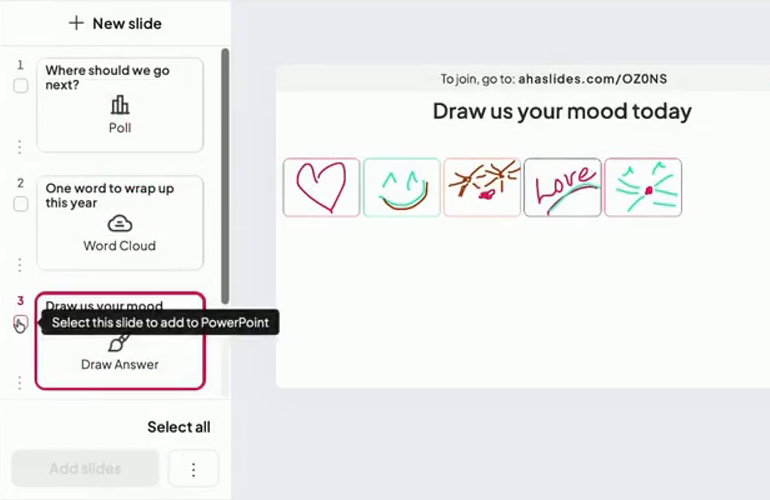
Step 3: present as normal. Start Slide Show. The join link and QR code show at the top of each live slide (press Q to show or hide the join panel), and players answer on their phones with no download.

The AhaSlides help guide to the add-in 모든 설정을 지원합니다.
A game template to start from
Our team built Office Games Showdown for exactly this. It has 12 slides of quick games: a Minute to Win It spinner wheel, Two Truths and a Lie, quiz questions, true or false, an office bingo word cloud, Pictionary on phones and a leaderboard. It works for a team meeting as well as a party.
20 PowerPoint games to play with a group
Each game names the slide type that runs it live. The ones marked "PowerPoint only" also work with the link and trigger method above.
Round 1: quiz and brain games
Set 1: quiz games
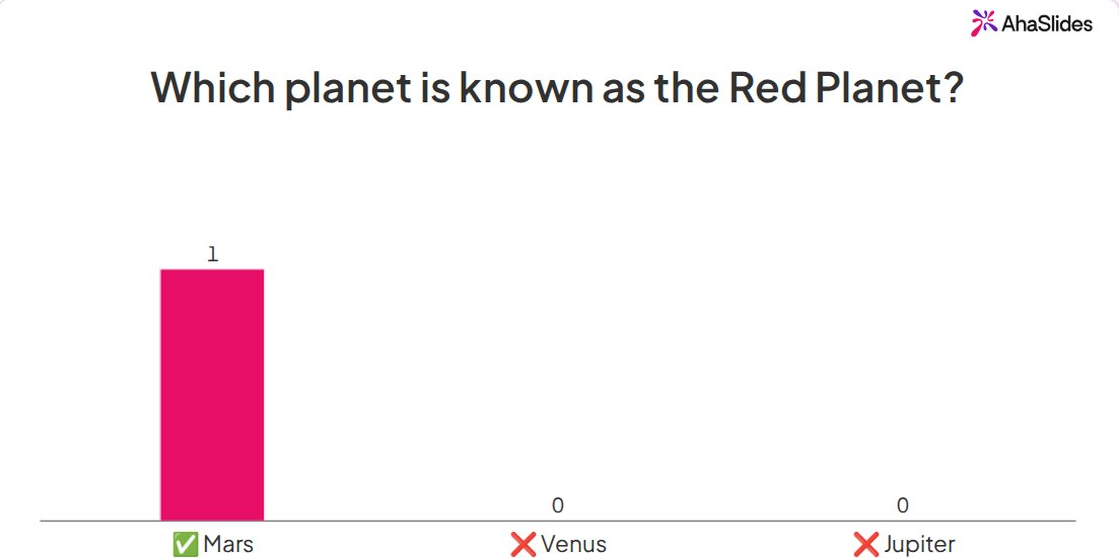
- Classic trivia quiz. Four answer options per question, points for speed, and a leaderboard after every few questions. Use Pick Answer. PowerPoint only: yes, with triggers.
- Jeopardy board. Categories across the top, points down the side, teams pick a square. PowerPoint only: yes, with links. Live, each square opens a Pick Answer question everyone answers.
- Picture round. Show a zoomed-in photo of an object, a logo or a place and ask what it is. Use Pick Answer with picture options.
- True or false sprint. Ten fast statements, 15 seconds each. Use True or False.
- Who wants to be a millionaire. Questions get harder and points climb. Give each team one "ask the audience" lifeline: run a quick Poll and show the split. PowerPoint only: yes, with links.
Set 2: brain games
- Match the pairs. Match capitals to countries, terms to definitions or products to prices. Use Match Pairs. PowerPoint only: works as a memory game, with each card a shape that disappears on click.
- Put it in order. Sort film releases by year, or the steps of a process. Use Correct Order.
- 그것을 밖으로 정렬. Drag items into the right group, such as "fruit or vegetable" or "risk or no risk". Use Categorise.
- 두 가지 진실과 한 가지 거짓. One player writes three statements and the group votes on the lie. Use Pick Answer with picture options, or a Poll.
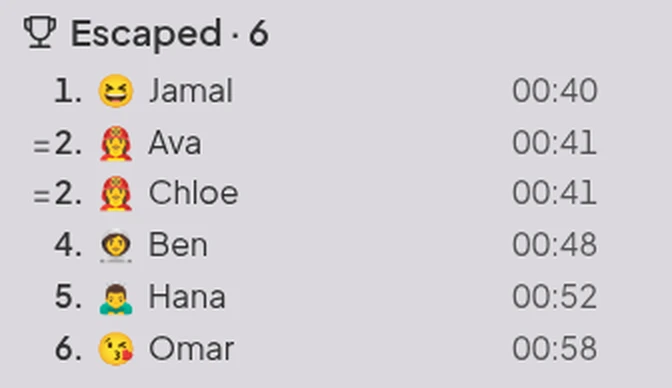
- 탈출실. Players search rooms for clues on their own phones, then enter the final door code to escape, and the board ranks everyone by escape time. Build it with 방 탈출 in AhaSlides, with 2 to 6 rooms per game.
우리의 선택 : the picture round. Nobody needs to know the topic to play, so newcomers score as often as experts.
Round 2: party and team games
Set 3: party games
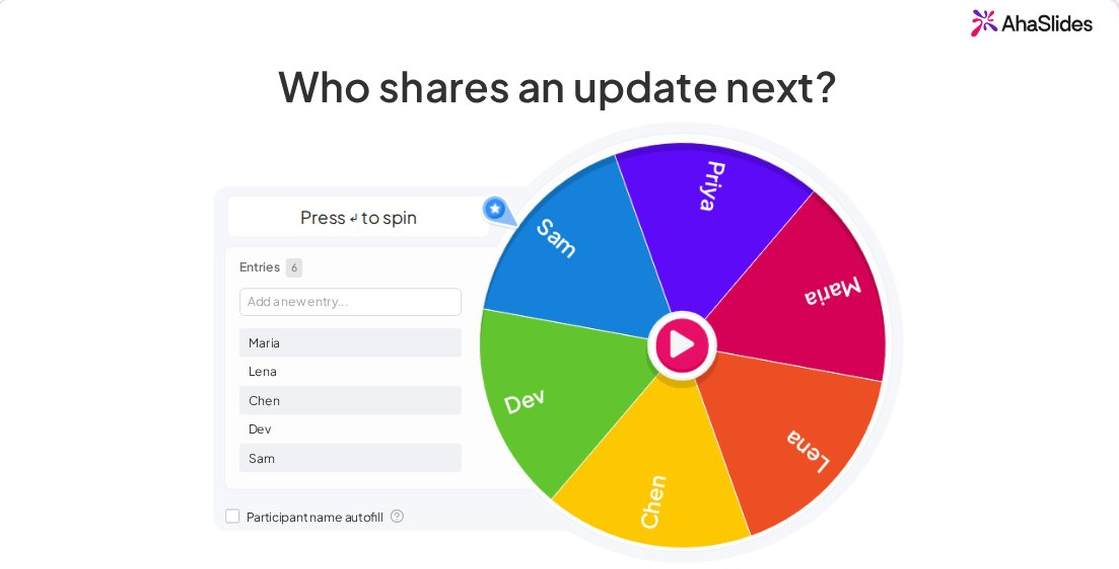
- 바퀴를 돌리다. Put names, forfeits or topics on a wheel and spin to see who or what is next. Use the 스피너 휠. 우리의 가이드 파워포인트의 회전하는 바퀴 covers the build-it-yourself version.
- Pictionary on phones. Give a word and a time limit, and every drawing appears on the slide. Use Draw Answer.
- Word association. Say a word and ask for the first thing that comes to mind. Use Word Cloud, and the biggest word wins.
- Knockout vote. Best biscuit, best film, best idea from the workshop: options face off in pairs until one wins. Use Tournament Bracket.
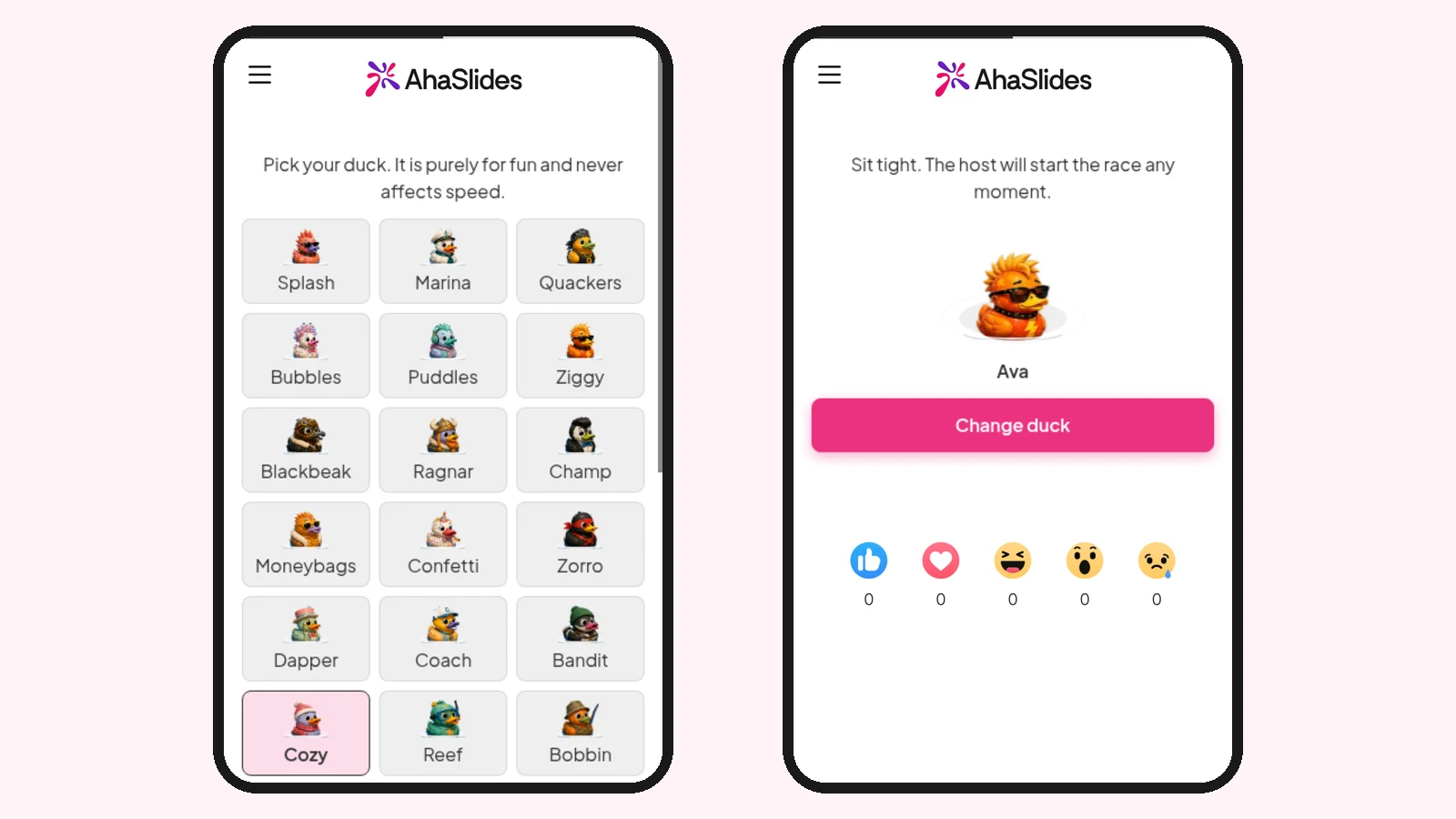
- Duck race. Everyone who joins gets a duck, and a pure-luck race picks the winner, so a newcomer has the same chance as the quiz champion. Use 오리 경주 for a prize draw or to pick who goes first.
Set 4: icebreaker games
- Would you rather. Give two options, such as "no meetings on Friday or free lunch on Monday", and let the group vote before anyone explains. Use a Poll.
- Caption this. Show a photo and ask everyone to write a caption, then vote on the best. Use Open Ended, then a Poll.
- Guess who. Everyone writes one surprising fact about themselves. Read the facts aloud and ask the group whose each one is. Use Open Ended, then Pick Answer.
- 평가해 주세요. Rate the office snacks, the meeting room or last night's film from 1 to 5. Use Rating Scale.
- Emoji charades. Show a row of emoji that spell out a film or a song and ask for the title. Use Pick Answer or Open Ended.
우리의 선택 : spin the wheel. It takes a minute to set up, and it settles "who goes next" fairly.
Tips to make your PowerPoint game work
- 질문은 간결하게 해주세요. A question people read in five seconds keeps the pace up. Save the detail for the answer reveal.
- 쉬운 것과 어려운 것을 섞으세요. Start with two easy questions so everyone scores early, then raise the difficulty.
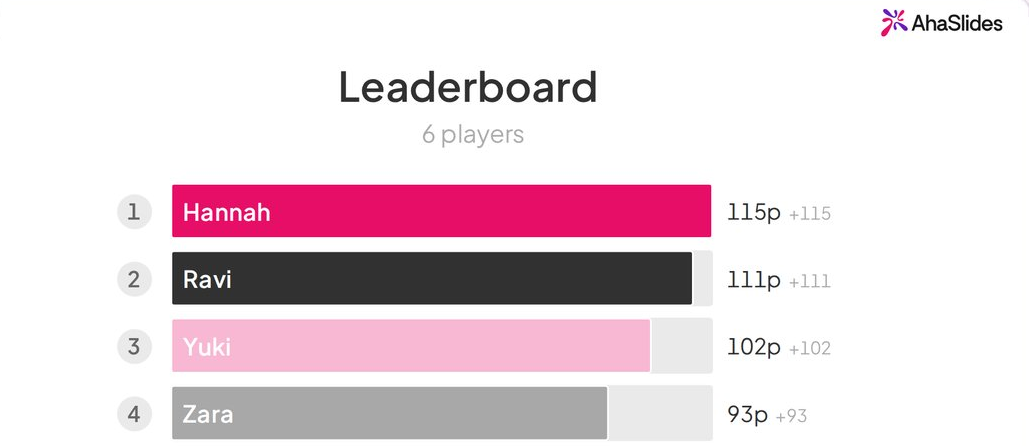
- Show the scores often. A leaderboard every five questions keeps the middle of the table trying.
- End on a recap round. Roediger and Karpicke found that being tested beat rereading a week later, so a short quiz on what you just covered helps it stick.
Want more formats that work in any tool? See our list of 대화형 프레젠테이션 게임. Hosting a social evening instead? Our PowerPoint 밤 아이디어 have topics for that, and the Christmas PowerPoint template post has festive games ready for December.
자주하는 질문
How do you create a game on PowerPoint?
Use links and triggers. Link boxes on a menu slide to question slides (Insert > Link), add a trigger animation that reveals the right answer on click, and set the show to Browsed at a kiosk so clicks only follow your links.
Can you make PowerPoint games interactive?
Yes, with an add-in. The AhaSlides add-in adds live quiz, poll, word cloud and spinner wheel slides to your deck, and players answer on their phones during Slide Show.
How do you make a quiz game in PowerPoint?
Make one slide per question with four answer boxes, and use Animations > Trigger > On Click of to show "Correct!" when the right box is clicked. Our guide on how to turn a PowerPoint into a quiz has both the trigger method and the live method.
How do you make a Jeopardy game in PowerPoint?
Build a board slide with a box per category and points value, link each box to its question slide, and add a link back to the board. The Jeopardy template post linked in the how-to above has a free board.
What games can you play on PowerPoint?
Trivia, Jeopardy, Who wants to be a millionaire, memory and matching games, picture rounds and spinner wheel games all work. With live slides, you can add drawing, voting and word games, a duck race and an escape room that everyone plays at once.
이 덱을 상호작용형으로 만드세요
A game deck people only watch keeps them as spectators. Add a quiz, a vote and a spinner wheel, and the whole group plays.
For the full method, read our guide on 인터랙티브 파워포인트 만드는 방법.
Host your PowerPoint games on AhaSlides 무료로
Keep your deck, add the games, and let everyone play from their phones.