Create surveys in ChatGPT

Tell ChatGPT what you want to find out. The AhaSlides plugin writes the questions and builds the survey in your AhaSlides account, and when the answers come in, you ask ChatGPT what people said.

ChatGPT에 추가
G2에서 5점 만점에 4.7점 (리뷰 428개 기준)
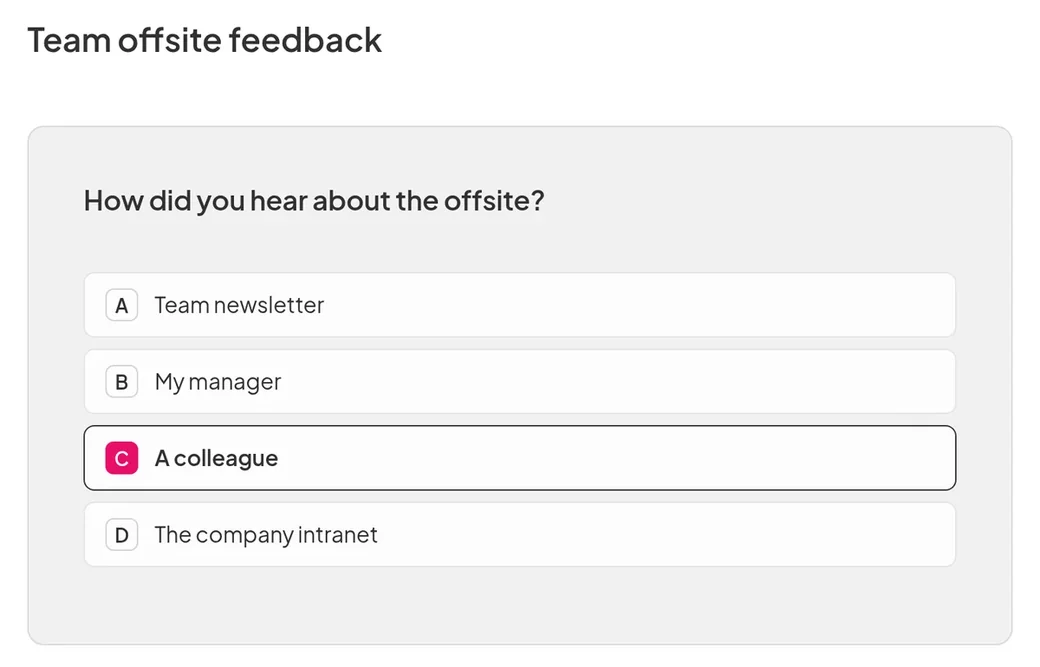
A team offsite feedback survey in AhaSlides: a multiple choice question asking how people heard about the offsite, with "A colleague" picked
  • 아부다비 대학교 로고
  • 에어버스 로고
  • 벤드 라 파인 학군 로고
  • BMC 로고
  • 보쉬 로고
  • 크리테오 로고
  • 페레로 로쉐 로고
  • 인텔 로고
  • 아이비 테크 커뮤니티 칼리지 로고
  • 르 퀴즈 쇼 로고

Ask, publish, then read the answers

  • A ready survey from one request

    Say who the survey is for and what you want to learn, such as how a training day went. ChatGPT builds it in your AhaSlides account and publishes it when you are happy.
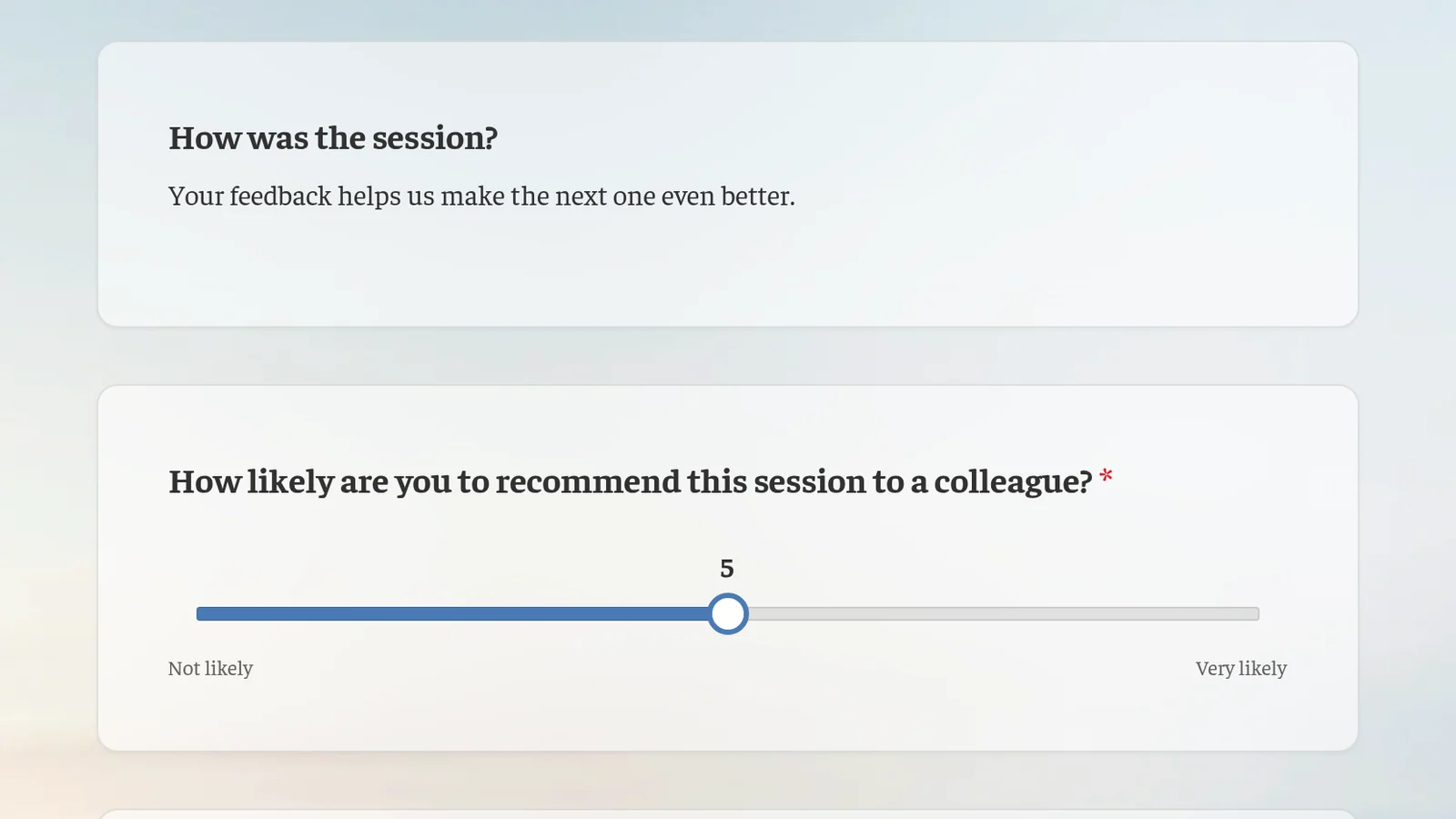
    A post-training feedback survey as people see it: how was the session, and how likely they are to recommend it to a colleague on a slider
ChatGPT에 추가

After you publish

  • Read the answers in ChatGPT

    Ask ChatGPT how people answered and what stood out, in the same chat where you built the survey.

  • Change it any time

    Open the survey in AhaSlides and edit any question yourself, or ask ChatGPT to do it.

  • In your audience's language

    Build the survey in any language ChatGPT supports.

누구를 위한 것인가

  • 트레이너

    Run quick surveys to understand your learners.

  • 비즈니스 팀

    Find out what your audience thinks, then turn what they said into next steps.

More you can do with AhaSlides in ChatGPT

자주하는 질문

Yes. Ask ChatGPT to publish it once you are happy with the questions. You can also open it in AhaSlides first and check every question yourself.

Yes. Once people have answered, ask ChatGPT how they responded and what stood out. It reads the results from your AhaSlides 계정입니다.

아니. AhaSlides plugin works with a free or paid AhaSlides account, on any ChatGPT plan.
설치 가이드를 읽어보세요 (새 탭에서 열림)