
A daily check-in takes the temperature of your team in under a minute. To run one in Slack su AhaSlides forumas Slack, įveskite /ahaslides sukurti, pasirinkite Savaitinis pulsas check-in, change its wording to “today” and press paštas. Each morning after that, post the same check-in again with /ahaslides bėgti. It takes a few seconds, and every day's answers are saved in one AhaSlides pranešti.
When to run a daily check-in in Slack
A daily check-in suits a team that wants to spot a bad day early, not find out at the end of the month. Picture a support lead who posts a check-in in #team-support at the start of every shift: a 1 to 5 rating for how people feel, plus one optional line on why. A string of 2s on a Tuesday tells her to ease the queue before anyone burns out.
Tai taip pat gerai veikia:
- A new team or a new project, where you want to hear early how people are coping
- A busy stretch such as a launch week or a big release
- Remote and hybrid teams who rarely see each other
- A short run of check-ins after a reorganisation or a big announcement
Keep a daily check-in to one or two questions. If you want to know what people are working on and what is blocking them, use a stand-up instead: Kaip paleisti asinchroninį stand-up'ą Slack jį apima.
Why a daily check-in works best in Slack
- Žmonės atsako ten, kur jau yra. The check-in sits in the channel at the start of the day, so answering is one tap, with no form to open.
- You don't chase replies. The post shows how many people have answered, so you can nudge the channel only if you need to.
- The trend is kept for you. Each day's answers are saved in the same AhaSlides survey, so you can look back at last week's mood without scrolling the channel.
Ko tau reikia
- A Slack darbo vieta su AhaSlides forumas Slack įdiegta
- An AhaSlides registracijos paskelbusio asmens paskyra (tinka bet koks planas, įskaitant nemokamą)
- Nieko tiems, kurie atsako: jiems nereikia AhaSlides sąskaita
Gera žinoti: if your workspace needs apps approved first, Slack prašo atsiųsti diegimo užklausą, o darbo srities savininkas arba programos valdytojas ją patvirtina.
Kaip atlikti kasdienį registravimą Slack, žingsnis po žingsnio
1 žingsnis: pridėkite AhaSlides forumas Slack
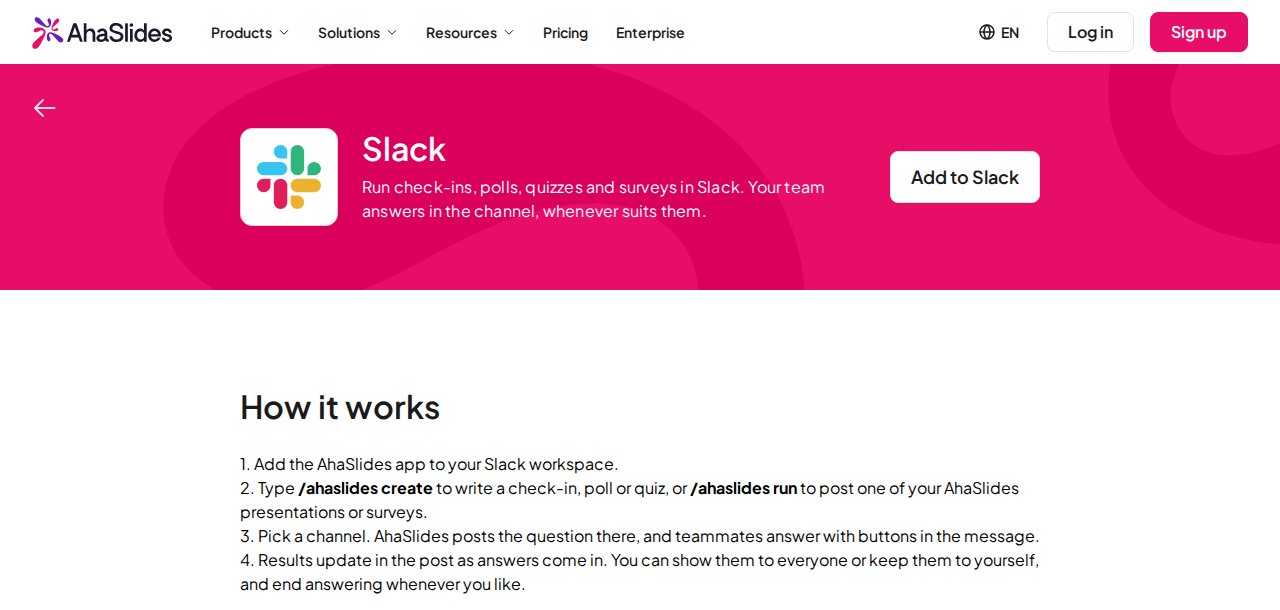
Atidarykite AhaSlides forumas Slack diegimo puslapis ir pridėkite programėlę prie savo darbo vietos. Pirmą kartą paspaudus paštas, AhaSlides prašo prisijungti prie savo AhaSlides sąskaitą ir saugo jūsų juodraštį, kol jūs tai darote.
Step 2: Pick a ready-made check-in
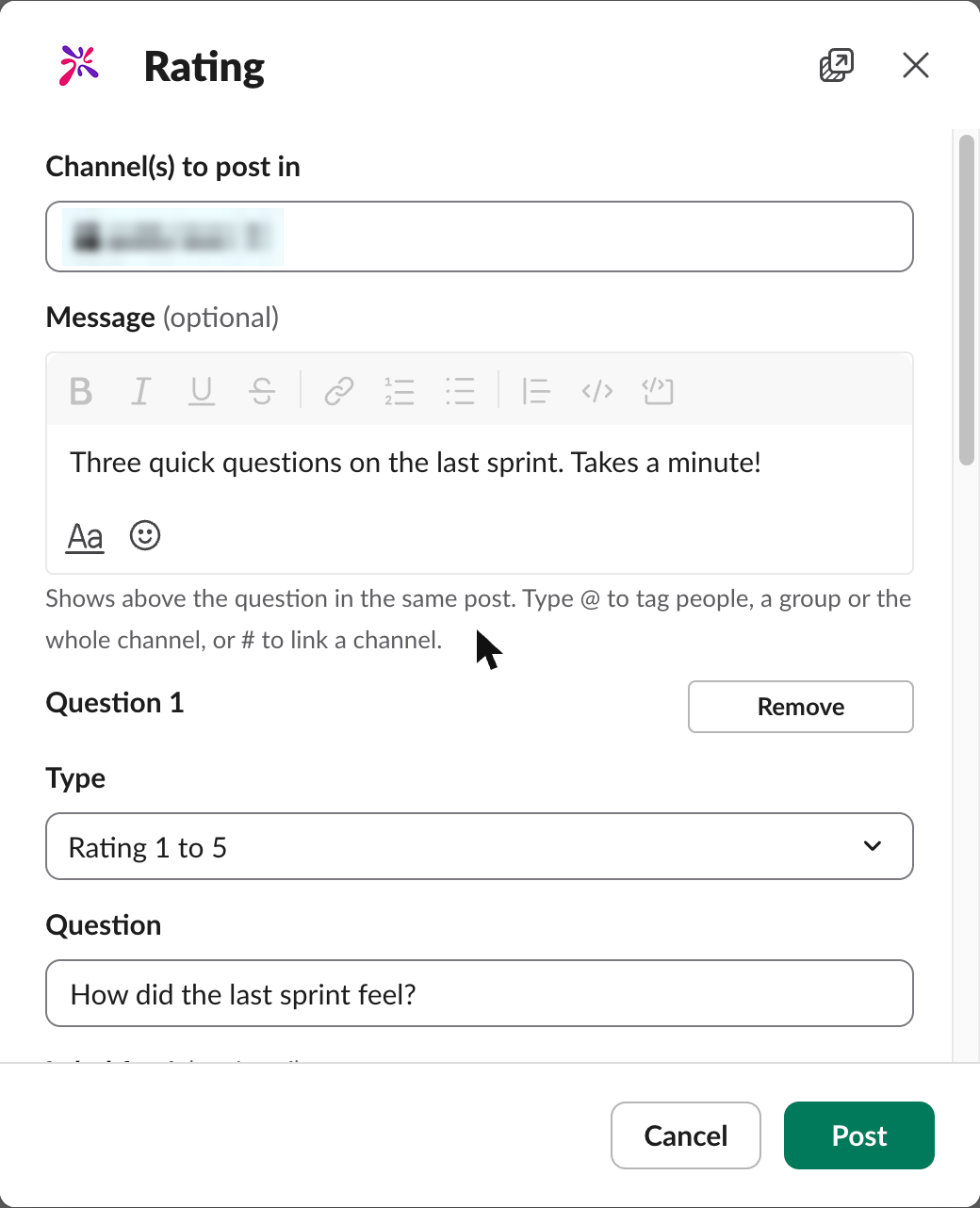
Kanale, kuriame norite užsiregistruoti, įveskite /ahaslides sukurtiAtidaromas langas „Kūrimas“. Dalyje Prisijunkite prie komandos, paspauskite Savaitinis pulsas. It comes with a rating question, “How was your week?”, and a follow-up, “What made it that way?”, that people can skip. Gerovė works the same way, and more are under Visi šablonai.
Step 3: Make it a daily check-in
The channel you're in is already picked under Kanalas(-ai), kuriame(-iuose) norima skelbti. Change the first question to “How are you feeling today?” and keep the follow-up, or reword it to something like “Anything you'd like us to know?”. In Žinutė, add a line such as “Daily check-in: one tap, and a line if you want.” It shows above the question.
The form says “Best sent: every Friday”. That is only a suggestion for the Weekly pulse: AhaSlides posts the check-in when you press paštas, and the wording and the day are yours to choose.
4 veiksmas: pasirinkite, kas matys atsakymus, tada paskelbkite
Pagal Nustatymai, pažymėkite Anoniminiai atsakymai if you want the most honest answers: names are then hidden for everyone, you included. Leave it off if you want to follow up with a person who has a rough day. Rodyti rezultatus visiems is ticked to start with, so the channel can see the mood of the team. Press paštas, and today's check-in is in the channel.
Leave answers open on this first post. Pressing Baigti atsakymą on it also closes the survey in AhaSlides, and a closed survey no longer shows in your list for tomorrow.
5 veiksmas: kiekvieną rytą paskelbkite dar kartą
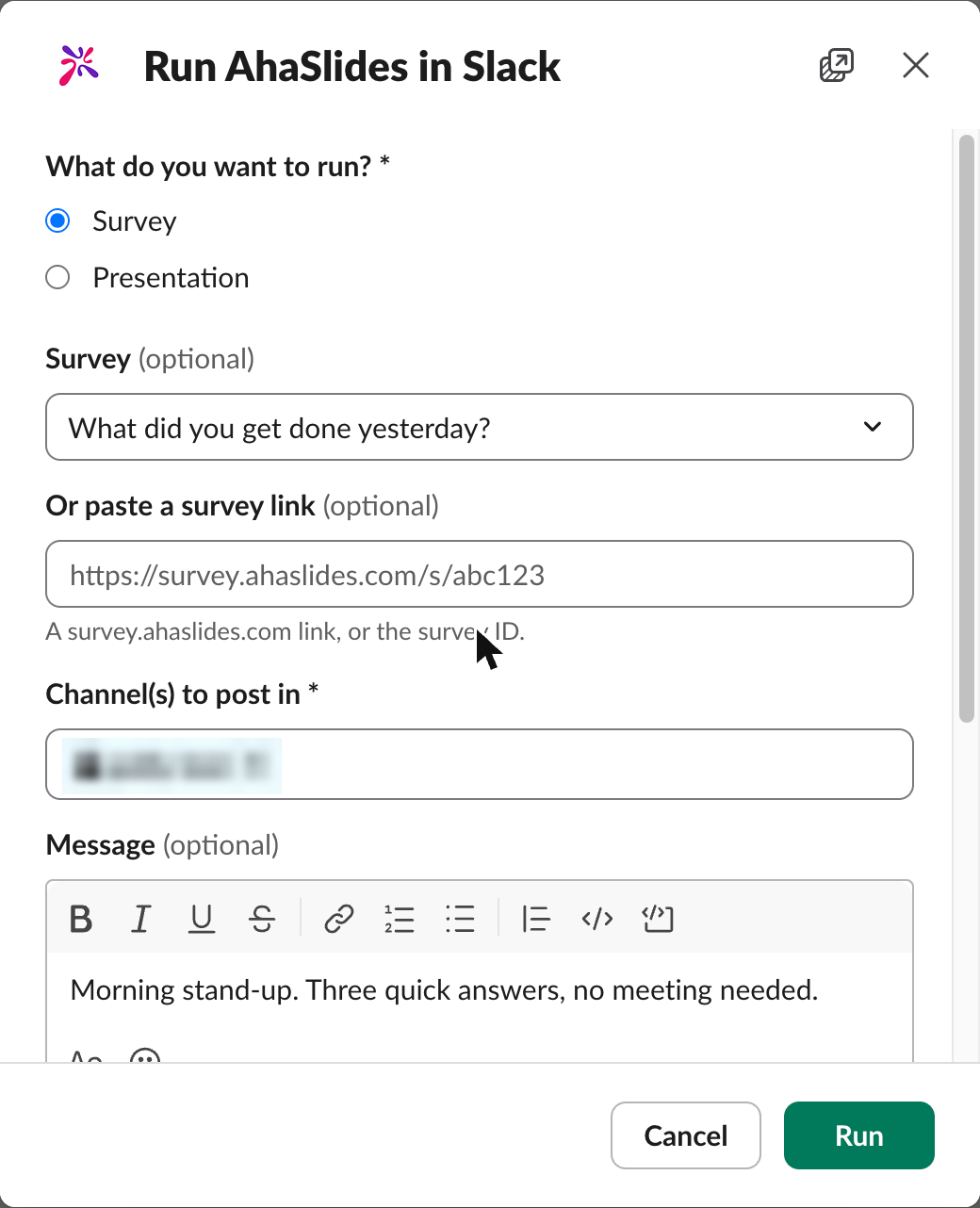
You don't rebuild it. Type /ahaslides bėgti. Pagal Ką norite bėgti?, išlaikyti Apklausa selected, pick your check-in from the list (it's listed under its first question), choose the channel and press paleisti. Each post collects a fresh round of answers, and all of them are saved in the same AhaSlides survey, so your report builds up day by day. On these daily posts, Baigti atsakymą sustabdo atsakymus Slack tik todėl apklausa lieka paruošta rytojui.
Step 6: Read the answers
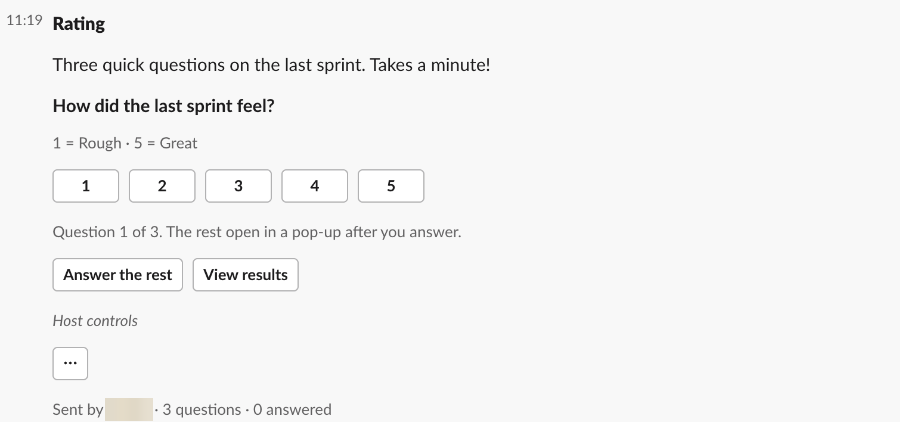
spauda Peržiūrėkite rezultatus on the post to see how the team feels, with the written follow-ups listed. As the host, the ... mygtukas po Host controls taip pat turi atidaryti AhaSlides, where the full report keeps every day's answers. A low rating with a note is your cue to send that person a quick message.
Užstrigote ant laiptelio? Geriausios AhaSlides forumas Slack vadovas apima visas parinktis ir dažniausiai pasitaikančius sprendimus.
Tips for a daily check-in people keep answering
- Skelbkite tuo pačiu metu kiekvieną dieną. A Slack priminimas padeda įpročiui išlikti, pavyzdžiui /remind me to post the check-in every weekday at 9am.
- Keep it to one rating and one optional line. A check-in that takes ten seconds survives a busy week.
- Reply to the low scores. When people see a response, they keep telling you the truth.
- Share the trend now and then. A line such as “Mood dipped on release day” shows the check-in is read.
- Sutinku, kas tai skelbia. When the usual host is on leave, decide who runs it so the habit doesn't drop.
DUK
What is a daily check-in?
A daily check-in is a short, regular question to your team, usually how people feel and whether they need anything, answered at the start of the day or the end of it. It is lighter than a stand-up and focused on people, not tasks.
How do I post the check-in each day?
Tipas /ahaslides bėgti, pasirinkite Apklausa, pick your check-in and press paleistiTai trunka kelias sekundes.
Can people answer again tomorrow?
Yes. Each day's post collects a new round of answers, and they are all saved in the same AhaSlides apklausa.
Ar žmonėms reikia AhaSlides sąskaita, į kurią reikia atsakyti?
No. Only the person who posts the check-in signs in. Everyone else answers in Slack.
Is AhaSlides forumas Slack Laisvas?
Taip. Veikia su kiekvienu AhaSlides planas, įskaitant nemokamą.
I can't find my check-in in the list. Why?
It is listed under its first question, such as “How are you feeling today?”. A survey that has been closed in AhaSlides nerodomas, kas nutinka, jei baigėte atsakymą pirmame savo įraše su /ahaslides sukurti. Geriausios AhaSlides forumas Slack vadovas paaiškina kiekvieną parinktį lange „Vykdyti“.
Susiję skaitymai: Kaip sukurti apklausą programoje Slack, for longer surveys with more question types, and Kaip paleisti asinchroninį stand-up'ą Slack, for a daily update on the work. For a weekly rhythm, see Weekly team check-in questions.
Know how your team is doing before the day gets going. papildyti AhaSlides forumas Slack today, and tomorrow's check-in is one command away.