
You can run a pulse survey in Slack ar AhaSlides forums Slack: tips /ahaslides izveidot, izvēlēties Nedēļas pulss un nospiediet amats. Your team answers with one tap in the channel, and every answer is saved in your AhaSlides ziņot.
When to use a pulse survey in Slack
A pulse survey is a short check-in you send on a regular rhythm, to see how people are feeling before small problems turn into big ones. Say you lead a design team and want to know how the week went. On Friday afternoon you post two questions in #team-design, and people answer between tasks. (New to the idea? Read Kas ir pulsa aptauja? Ceļvedis komandām for the background.)
Other good moments for a pulse in Slack:
- A weekly mood check with your team
- A workload check when a busy stretch starts
- An eNPS check once a quarter
- A quick read a week after a change or an announcement
glabāt Slack for short pulses: that is what makes them quick to answer. A long, formal engagement survey is easier to answer from a full survey link, which AhaSlides var arī jums iedot.
Why run your pulse survey in Slack
- Cilvēki atbild tur, kur viņi jau atrodas. Nav jāatver jauna cilne, nav jāpiesakās un nav jāatrod e-pasts, tāpēc atbildēšanai nepieciešamas sekundes.
- Var redzēt, cik daudzi ir atbildējuši. The pulse sits in the channel, and the count on the post keeps you up to date.
- Atbildes neaizritinās. Every answer stays in your AhaSlides ziņojums, gatavs lasīšanai vai kopīgošanai vēlāk.
Ko tev vajag
- A Slack darba vieta ar AhaSlides forums Slack uzstādītas
- An AhaSlides account for the person who runs the pulse (any plan works, including Free)
- Nekas cilvēkiem, kas atbild: viņiem tas nav vajadzīgs AhaSlides konts
Kā veikt pulsa aptauju Slack, soli pa solim
1. darbība: pievienojiet AhaSlides forums Slack
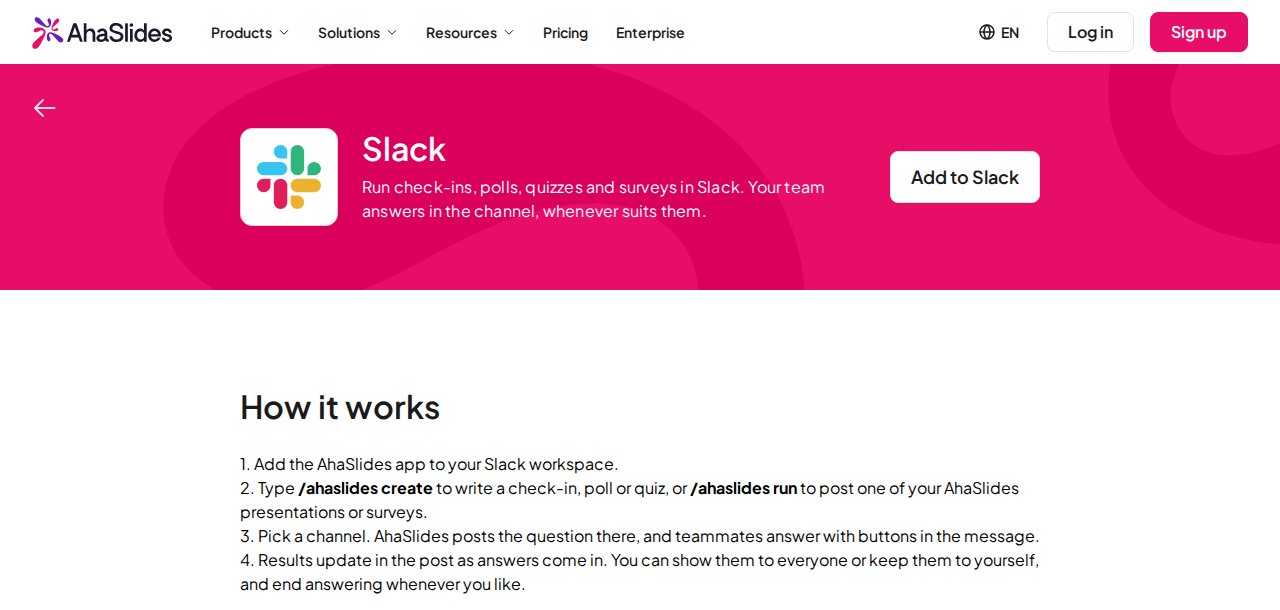
Atveriet AhaSlides forums Slack instalēšanas lapa un pievienojiet lietotni savai darba vietai. Pirmo reizi nospiežot amats, AhaSlides lūdz jūs pierakstīties savā AhaSlides kontu un saglabā jūsu melnrakstu, kamēr jūs to darāt.
2. darbība. Atveriet izveides logu.
Kanālā, kurā vēlaties reģistrēties, ierakstiet /ahaslides izveidot. The Create window opens.
Step 3: Pick Weekly pulse
Zem Sazinieties ar komandu, nospiediet Nedēļas pulss. It comes ready to post with two questions: Kā pagāja tava nedēļa?, answered on a 1 to 5 scale from Very poor to Great, and a follow-up, What made it that way?, which people can skip. The window notes that it is best sent every Friday. For a different kind of pulse, Labklājība un eNPS sit next to it, and Visas veidnes lists more, such as Workload, Manager support and Team connection.
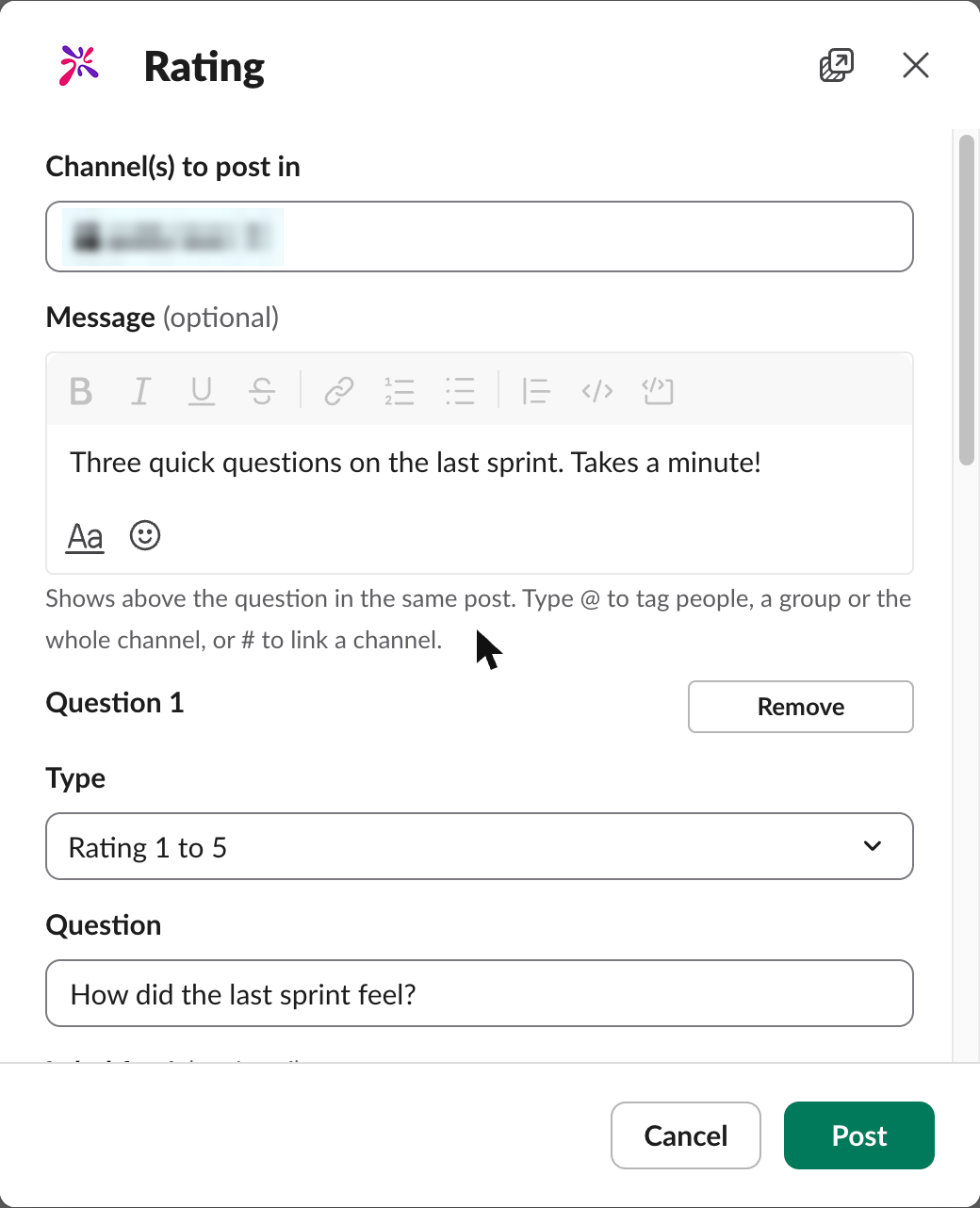
Zem Kanāls(-i), kurā publicēt ierakstu, kanāls, kurā pašlaik atrodaties, jau ir izvēlēts, un jūs varat pievienot vēl. Ziņas teksts, add a line so people know why you're asking. Change any question or the words at each end of the scale, or press + Pievienot jautājumu if you want one more. Two or three questions is plenty for a pulse.
4. darbība. Izvēlieties anonīmas atbildes un to, kas redz rezultātus
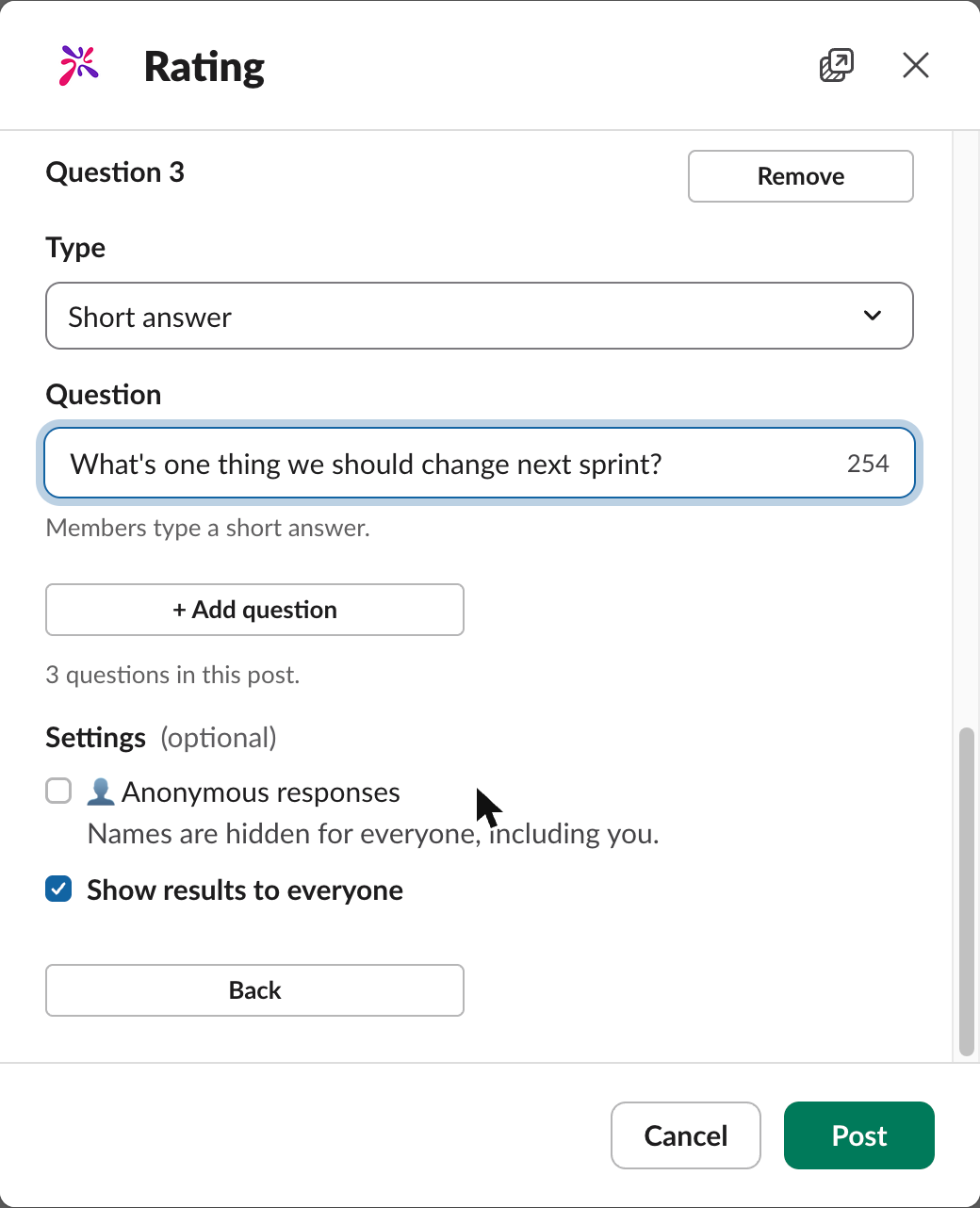
Zem Settings, atzīmējiet Anonīmas atbildes if you want honest answers without names. Wellbeing and eNPS start with it ticked; Weekly pulse starts with it off. Names are then hidden for everyone, you included, in Slack un AhaSlides. Rādīt rezultātus visiem ir atzīmēta, lai rezultātus varētu redzēt viss kanāls. Noņemiet atzīmi, lai tos paturētu tikai jūs.
5. darbība. Publicējiet to un vērojiet, kā pienāk atbildes
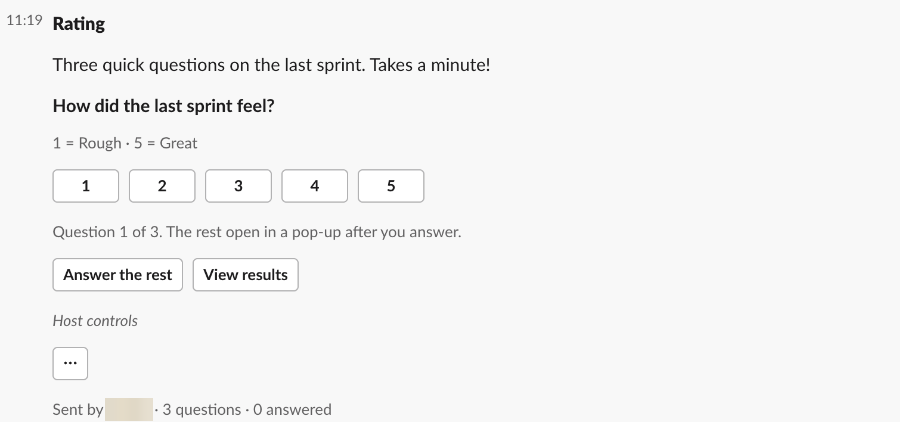
prese amats. AhaSlides creates the survey in your account and posts it to the channel. The first question sits right in the post: people tap an answer. Atbildiet uz pārējo opens the follow-up in a pop-up, and they can skip it. The bottom of the post shows how many people have answered.
6. solis: nolasiet rezultātus
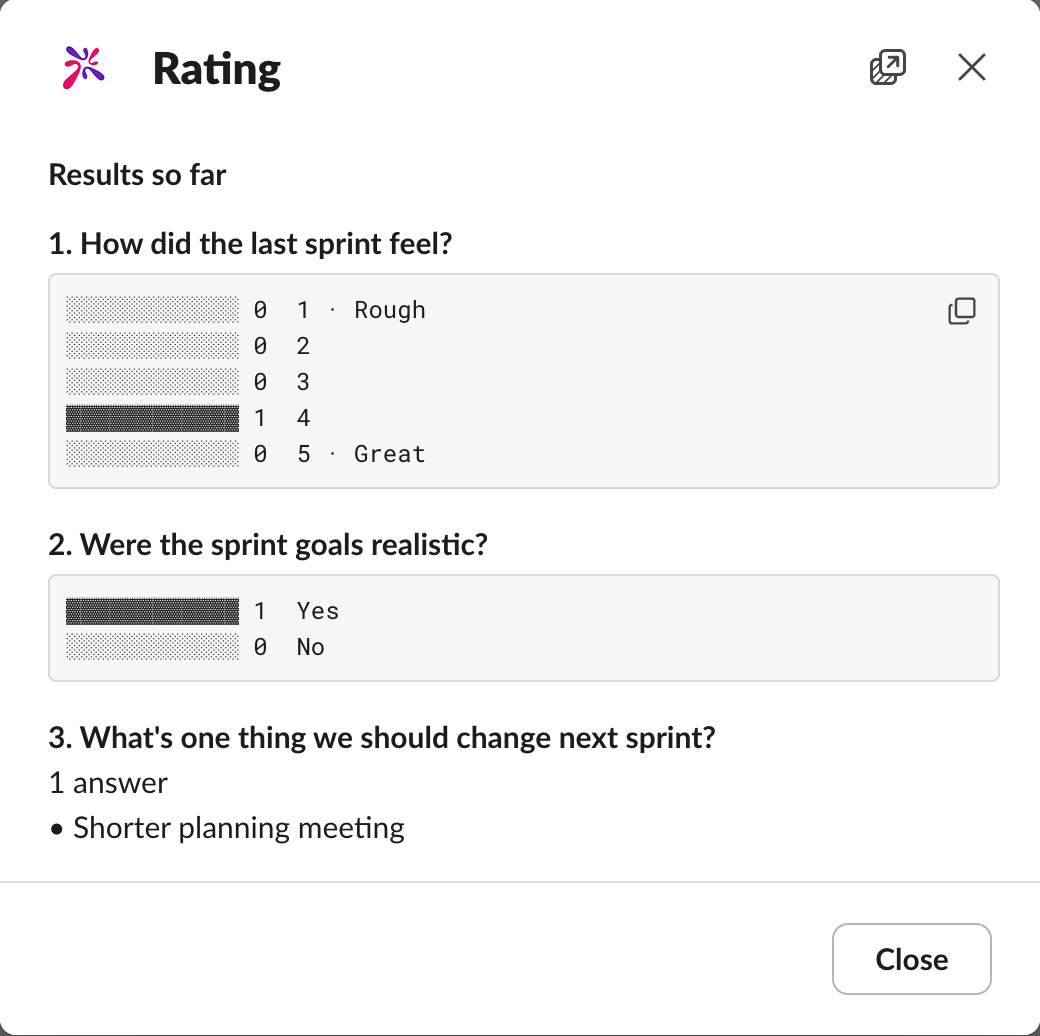
Kā saimnieks, nospiediet ... poga sadaļā Resursdatora vadīklas, lai Skatīt rezultātus, Beigt atbildēšanu or Atvērt AhaSlidesJa jūs aizgājāt Rādīt rezultātus visiem ieslēgts, visi pārējie saņem Skatīt rezultātus button too. The rating shows as a bar chart and the follow-up answers are listed. Your AhaSlides ziņojumā ir sniegtas visas atbildes.
Iestrēdzis uz pakāpiena? The AhaSlides forums Slack vadīt aptver visas iespējas un visbiežāk sastopamos risinājumus.
Sending the pulse again
A pulse is worth most when you repeat it, and you post each one yourself, which takes a minute. Next time, type /ahaslides izveidot un izvēlēties Nedēļas pulss again. To post a survey you already made, type /ahaslides skrien, izvēlēties Pārskats, pick it from your list and press skrējiens. For the full tour of the Create window, read Kā izveidot aptauju pakalpojumā Slack.
Five tips for a pulse survey people answer
- Keep it to two or three questions. A pulse people can finish in under a minute is one they will answer every time.
- Send it at the same time each week. A steady rhythm makes it a habit, and makes changes easier to spot.
- Sensitīvās tēmās saglabājiet anonimitāti. On workload or wellbeing, people may feel safer being open when their name isn't attached.
- Keep one open question. "What made it that way?" often gives you the most useful reply of the lot, and skipping it costs nothing.
- Aizveriet cilpu. Post a short summary of the results and what you'll do next. Seeing the last pulse change something gives people a reason to answer the next one.
FAQ
What is a pulse survey?
A pulse survey is a short, regular check-in, usually one to three questions, that shows how a team is feeling over time. See Kas ir pulsa aptauja? Ceļvedis komandām par vairāk.
Can you run a pulse survey in Slack?
Jā. Ar AhaSlides forums Slack, ierakstiet /ahaslides izveidot, izvēlēties Nedēļas pulss un nospiediet amats. People answer with buttons right in the channel.
Vai cilvēkiem ir nepieciešams konts, lai atbildētu?
No. Only the person who runs the pulse signs in to AhaSlidesVisi pārējie atbild ar pogām. Slack. Ceļvedis covers setup questions.
Can the pulse be anonymous?
Jā. Atzīmēt Anonīmas atbildes pirms publicēšanas. Vārdi ir paslēpti visiem, ieskaitot jūs, Slack un tavā AhaSlides ziņot.
Is AhaSlides forums Slack bez maksas?
Jā. Tas darbojas uz katra AhaSlides plāns, ieskaitot bezmaksas.
Ko darīt, ja manai darba vietai vispirms ir jāapstiprina lietotnes?
Slack lūdz nosūtīt instalēšanas pieprasījumu, un darbvietas īpašnieks vai lietotnes pārvaldnieks to apstiprina.
Saistītā lasāmviela: Kā izveidot aptauju pakalpojumā Slack, for every option in the Create window.
Find out how your team is really doing, right where they work. Pievienot AhaSlides forums Slack and post your first pulse in a few minutes.