PowerPoint icebreakers work best as one question per slide that everyone can answer in under a minute. Use the 30 below for meetings and training. Ask them as a show of hands in plain PowerPoint, or add a live poll with the free AhaSlides add-in so everyone votes from their phone and the results appear on the slide.
Kāpēc uztraukties? Leigh Thompson, a professor at the Kellogg School of Management writes that in a six-person group, three people do 70% of the talking. A good icebreaker gives the other people in the room a reason to join in before the agenda starts.
The icebreakers are sorted into 3 rounds, each split into sets of 5, so you can pick and mix. Each one says which slide type to run it as, and every round has one marked "Our pick".
30 PowerPoint icebreakers for meetings and training
Pick one or two per meeting. Round 1 suits any meeting, round 2 suits a team that meets every week, and round 3 suits training days and workshops.
Round 1: Quick polls to open a meeting
Polls take about 30 seconds and nobody has to speak first. Give four options, let people vote, then ask one person from each bar why they chose it.
Set 1: Imagine it5 icebreakers
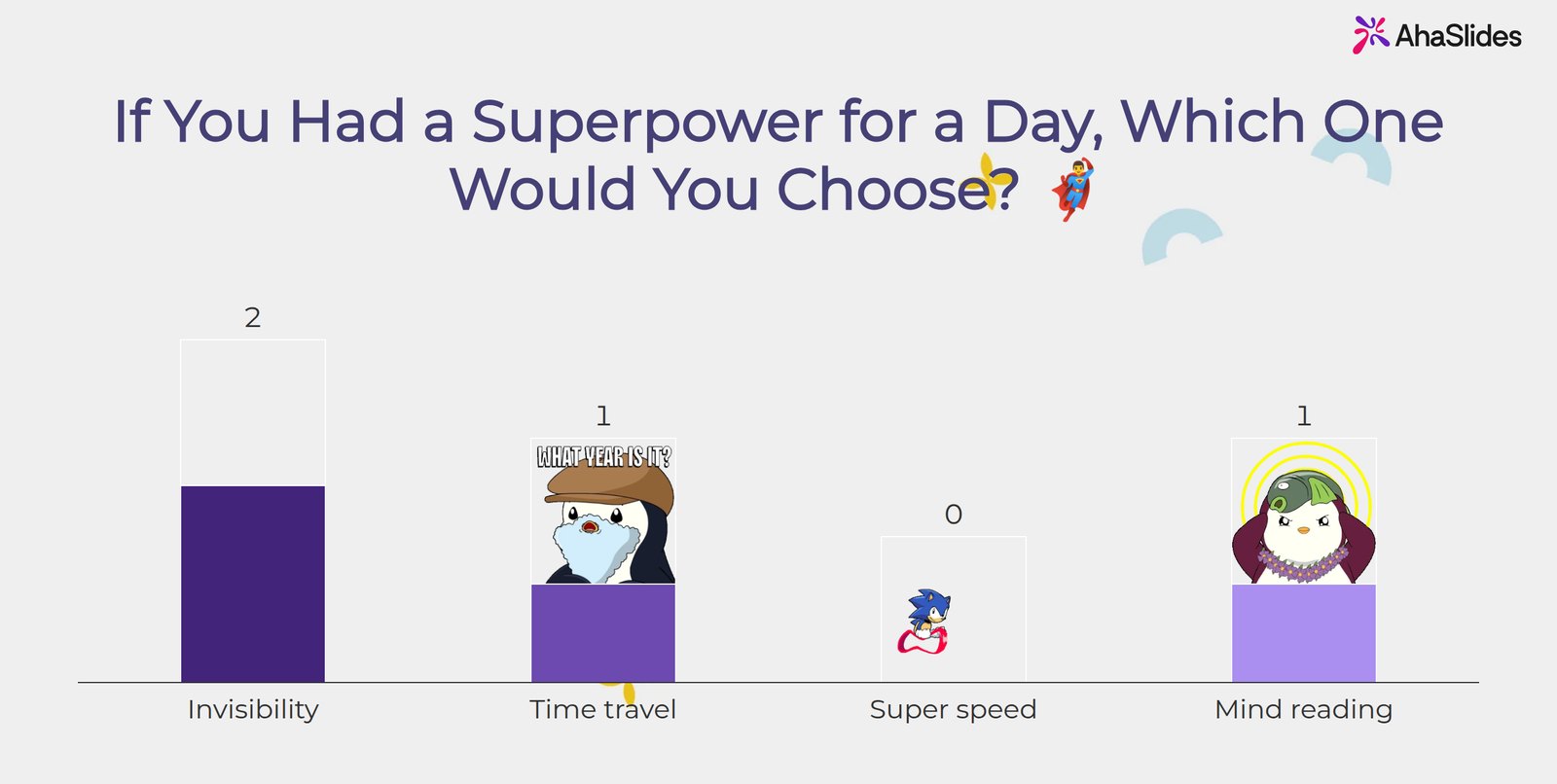
1If you had a superpower for a day, which one would you choose?
Run it asPoll: Invisibility / Time travel / Super speed / Mind reading
2Which decade would you visit for a day?
Run it asPoll: 1960s / 1970s / 1980s / 1990s
3Who would you invite to dinner: a scientist, an athlete, a musician or an explorer?
Run it asPoll with the four options
4If this team were a band, what kind would it be?
Run it asPoll: Rock / Jazz / Pop / Orchestra
5Which fictional world would you move to for a week?
Run it asOpen Ended, so people name their own
Set 2: Everyday habits5 icebreakers
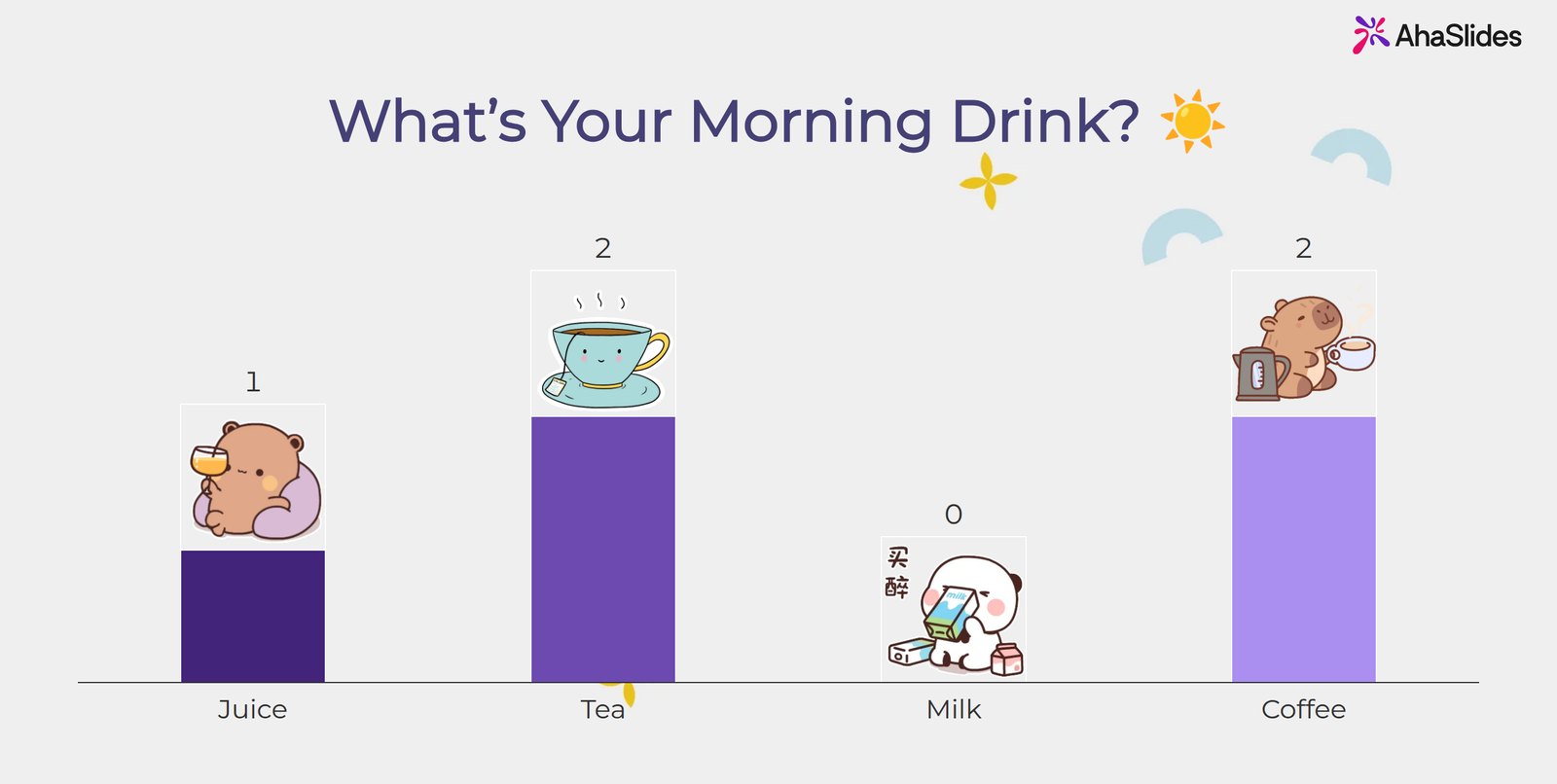
6What's your morning drink?
Run it asPoll: Juice / Tea / Milk / Coffee
7Agrs putns vai nakts pūce?
Run it asPoll with two options
8Where do you do your best thinking?
Run it asPoll: At my desk / On a walk / In the shower / On the commute
9How do you take notes in meetings?
Run it asPoll: Paper / Laptop / Phone / I trust my memory
10Notifications on your phone: all on, some on or all off?
Run it asPoll with the three options
Mūsu izvēle: icebreaker 6. Everyone has an answer, it takes five seconds, and a close vote between tea and coffee gets a laugh.
Round 2: Check-ins on how the team works
These icebreakers do a second job: the answers tell you something about how the team likes to work, which is useful for a new manager or a project kick-off.
Set 1: Work styles5 icebreakers
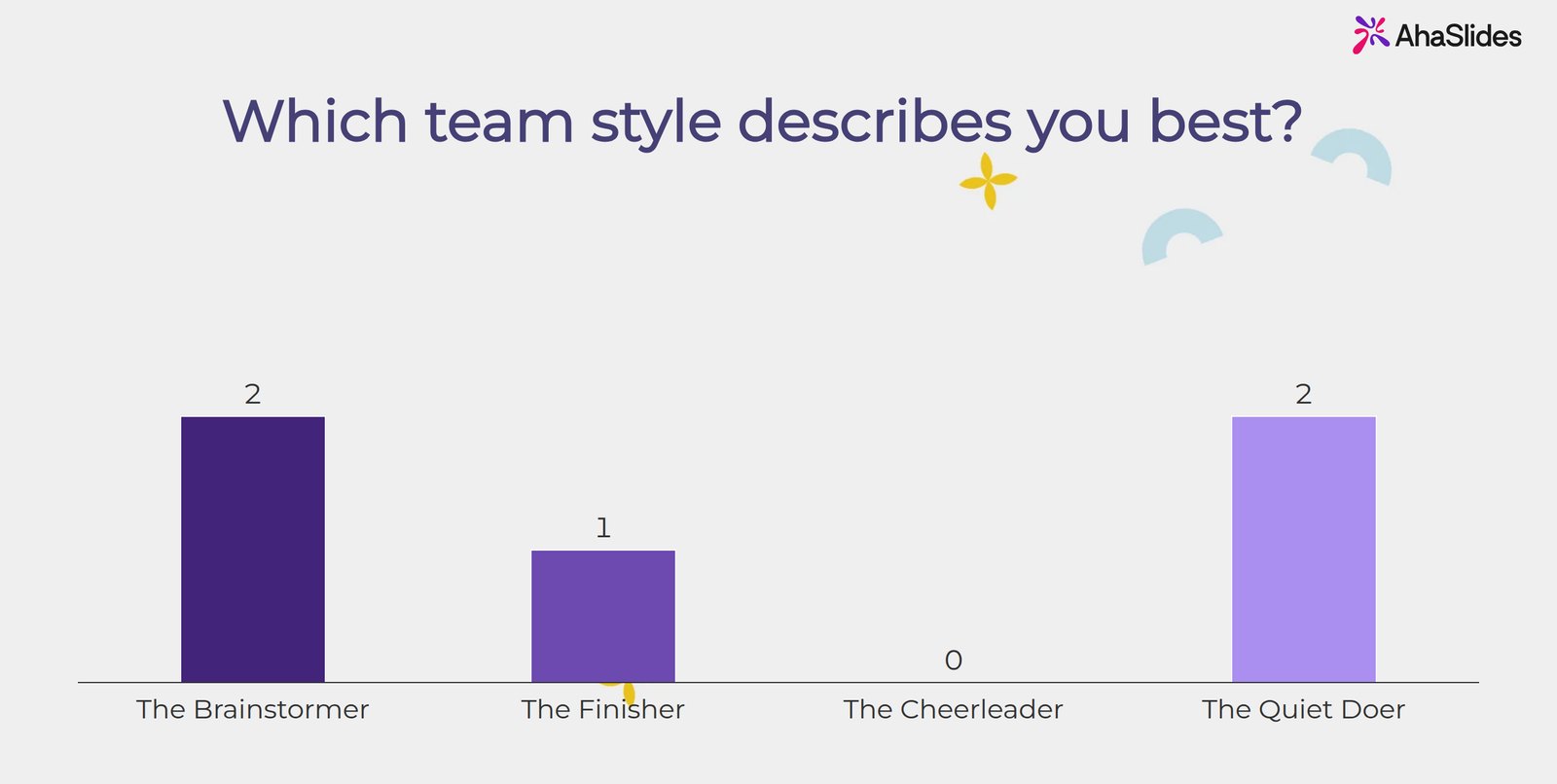
11Kurš komandas stils tevi vislabāk raksturo?
Run it asPoll: The Brainstormer / The Finisher / The Cheerleader / The Quiet Doer
12How much energy do you have today, from 1 to 5?
Run it asReitinga skala
13Which meeting do you find most useful?
Run it asPoll: Stand-up / One-to-one / Planning / Retro
14How do you like to get feedback?
Run it asPoll: In person / In writing / In the moment / At a set time
15When is your best focus time?
Run it asPoll: Morning / After lunch / Late afternoon / Evening
Set 2: One-word check-ins5 icebreakers
16Describe your week so far in one word.
Run it asVārdu mākonis
17One word for how you feel about this project.
Run it asVārdu mākonis
18Kas ir viena lieta, ko tu gaidi ar nepacietību šonedēļ?
Run it asWord Cloud, one or two words each
19What one word should describe this meeting when it ends?
Run it asVārdu mākonis
20Name one small win from the last fortnight.
Run it asAtvērts beigas
Mūsu izvēle: icebreaker 11. People recognise themselves in the options, and the result shows a manager how the team sees itself.
Round 3: Warm-ups for training and workshops
In training, an icebreaker can also show you where the group starts. Ask about the topic, not only about people, and you learn what to spend time on.
Set 1: Before the topic5 icebreakers
21How confident do you feel about today's topic, from 1 to 5?
Run it asRating Scale, asked again at the end
22What's one thing you hope to take away from today?
Run it asAtvērts beigas
23What's the biggest myth you've heard about this topic?
Run it asAtvērts beigas
24Which part of today's agenda matters most to you?
Run it asPoll with your agenda items
25One warm-up question on the topic, with three plausible answers.
Run it asPick Answer, with no points at stake
Set 2: Get to know the room5 icebreakers
26Ja tu varētu acumirklī apgūt vienu prasmi, kāda tā būtu?
Run it asPoll: Public speaking / Data analysis / Leadership / Time management
27What's the best piece of work advice you've been given?
Run it asAtvērts beigas
28What's one question you'd like answered by the end of the session?
Run it asQ&A, left open all session
29Two truths and a lie: the trainer shares three facts, everyone votes for the lie.
Run it asPoll with the three facts
30Kas tevi šodien atveda uz šejieni?
Run it asPoll: I chose it / I was sent / I was curious / All three
Mūsu izvēle: icebreaker 28. Leave the Q&A open all session. You see the questions early and can answer them at the right moment.
The PowerPoint-only way: make an icebreaker slide
PowerPoint does a good job of showing the question. The steps are the same on Windows and Mac:
- Pievienot slaidu. Gada Sākums tab, noklikšķiniet uz Jauns slaids un izvēlies Tikai nosaukums izkārtojums.
- Type one question as the title. Keep it short enough to read from the back of the room.
- Pievienojiet opcijas. Gada ielaidums tab, noklikšķiniet uz formas, draw four boxes and number them 1 to 4 with one answer in each.
- Ask for a show of hands. Read each option and count the hands, or ask people to hold up 1 to 4 fingers.
- Add a follow-up. Put "Why did you pick that?" in small text at the bottom, so the slide prompts a conversation, not just a vote.
Kur tas apstājas tiešraides auditorijai
A show of hands works in a small room, but it has limits:
- People copy each other. Hands go up after the first few, so you see the loudest answer, not the real split.
- Remote attendees drop out. In a hybrid meeting, people on the call cannot raise a hand you can count.
- Nekas netiek saglabāts. Once you move on, the result is gone, so you cannot compare the start and end of a training day.
- Open questions need speakers. A one-word check-in becomes a round of the table that takes 10 minutes.
The live way: run icebreakers with the AhaSlides PowerPoint pievienojumprogramma
AhaSlides is an all-in-one engagement platform for teams and classrooms. For an icebreaker, that means everyone answers at once on their own phone and the results appear on your slide, so the quiet people count as much as the loud ones.
Divi ātri veidi, kā sākt:
- Augšupielādējiet savu klāju. Augšupielādējiet savu PowerPoint failu vietnē AhaSlides un ļaujiet mākslīgajam intelektam pievienot aptaujas un viktorīnas jautājumus, lai tā kļūtu par interaktīvu sesiju, to nesākot no jauna (Mākslīgā intelekta PowerPoint veidotājs).
- Vai arī turpiniet prezentēt programmā PowerPoint. Pievienojiet bezmaksas AhaSlides pievienot-in un starp savējiem ievietojiet tiešraides slaidus. Tas veic trīs darbības, kas norādītas tālāk.
Step 1: Make the icebreaker slides on AhaSlides
Pierakstieties AhaSlides, atveriet prezentāciju un noklikšķiniet uz Jauns slaids. Pick the slide type each icebreaker below suggests:
- Balsošana for the four-option questions. Votes show as a live bar chart.
- Vārdu mākonis for one-word check-ins. The most common answers appear largest.
- Reitinga skala for energy and confidence checks from 1 to 5.
- Atvērts beigas for answers longer than a word, such as the best advice you have been given.
- Izvēlieties atbildi for a warm-up quiz question with one right answer.
- Jautājumi un atbildes for questions people want answered by the end.
- Pīļu sacīkstes to pick who answers first. Everyone who joins gets a duck, and a pure-luck race picks the winner (Pīļu sacīkstes).
2. darbība. Slaidu pievienošana programmai PowerPoint
Programmā PowerPoint, uz Sākums tab, noklikšķiniet uz Pievienojumprogrammas, Tad Vairāk pievienojumprogrammu. Meklēt AhaSlides un noklikšķiniet PievienotPowerPoint tīmeklim tā pati poga atrodas uz ielaidums Tab.
Piesakieties, noklikšķiniet Atlasīt prezentāciju next to your deck, tick the icebreaker slides and click Pievienojiet slaidus (PowerPoint tīmeklim pievieno vienu slaidu vienlaikus). Izstiepiet pievienojumprogrammas logu, lai aizpildītu PowerPoint slaidu.
Step 3: Present and talk about the results
Start your slideshow. People join on their phones with the QR code or link, and vote. When the bars settle, ask one person from each option why they chose it. That is where the icebreaker starts to work.
Sākt no veidnes
The Engaging icebreaker polls template has the superpower, morning drink and team style polls from this post, and ends on a Q&A slide. Copy it, change the questions and add the slides to your deck with the add-in.
Tips for icebreakers that people join in
- Lai visi atbild uzreiz. Thompson's finding that in a six-person group, three people do 70% of the talking leaves the other half with only 30%. A vote from every phone gives those three a say in the first minute, before the usual voices set the tone.
- Aprobežojieties ar vienu vai diviem jautājumiem. An icebreaker opens the meeting; it should not replace it.
- Talk about the result. The vote is the start. Ask one person per option to explain their choice.
- Avoid personal or loaded questions. Nobody should have to share something they would rather keep private at work.
- Repeat a good one. The same energy check every Monday becomes a quick read of how the team is doing.
Biežāk uzdotie jautājumi
What is a good icebreaker for a meeting?
One question everyone can answer in under a minute. A four-option poll such as "What's your morning drink?" works because nobody has to speak first and the result gives you something to talk about.
How long should an icebreaker take?
About 5 minutes. One or two poll questions, a look at the results and a short follow-up is enough for a one-hour meeting. In a half-day training session, run one after each break.
What are good icebreakers for virtual meetings?
Ones people answer on screen, not out loud. Polls, word clouds and open-ended questions let remote attendees take part at the same time as the people in the room, so a hybrid meeting does not split into two groups.
How do you start a training session with an icebreaker?
Ask about the topic as well as the people. A confidence rating from 1 to 5 at the start, asked again at the end, shows the group and the trainer how far they have come.
Can you run icebreakers in PowerPoint?
Yes. PowerPoint shows the question and you count hands. With the AhaSlides add-in, people vote from their phones and the results appear on your slide.
Padarīt šo klāju interaktīvu
Aptaujas, viktorīnas un jautājumu un atbilžu sadaļas pārvērš runu par kaut ko tādu, kurā cilvēki piedalās. Mūsu ceļvedis par Kā izveidot interaktīvu PowerPoint prezentāciju iepazīstina jūs ar to, un sākuma komplektā ir pieejami slaidi, kas ir gatavi pievienošanai.
Saistītie raksti
- Need more questions? Browse 150 ledlauža jautājumi darbam.
- Want something more active? Try these ledlauža spēles.
- Take questions all meeting with a live Q&A in PowerPoint.
- Help people join fast with a QR code in PowerPoint.
- See what else you can ask with the AhaSlides tiešsaistes aptauju veidotājs.
Host your icebreaker on AhaSlides par brīvu
Add a live poll to your next PowerPoint deck. Everyone answers from their phone, and everyone sees the results in seconds.