
Your daily stand-up shouldn't eat into your team's best focus hours. To run an async stand-up in Slack, post the same short survey to your team channel each day with AhaSlides dla Slack. Build the questions once with /ahaslides tworzy, then post them each morning with /ahaslides biegnie. Everyone answers when they start work, and every day's answers are saved in one AhaSlides zgłosić.
Posting it each morning takes a few seconds.
When an async stand-up makes sense
An async stand-up replaces the daily call with three questions people answer in writing. Think of an engineering team split between London and Ho Chi Minh City. No call time suits everyone, so the team lead posts the stand-up in #team-platform at the start of their day, and each person answers when they log on.
Dobrze sprawdza się również w przypadku:
- Teams with a lot of focus work, where a fixed meeting breaks up the morning
- Part-time or flexible teams who don't all start at the same time
- Busy weeks, when you want the updates without one more meeting
Async standups aren't a full replacement for talking. When something is blocked or complicated, a quick call still sorts it out faster, and the stand-up answers tell you who to call.
Why take your stand-up async
Updates work best when they happen where the work already is. Moving the stand-up into your team channel means:
- Everyone gets their morning back. No call to join, so people keep the hours when they focus best.
- Time zones stop getting in the way. People answer when their day starts, not when the meeting is.
- You keep a record. Every answer is saved in your AhaSlides report, so you can look back at last week's blockers without scrolling through the channel.
Czego potrzebujesz
- A Slack przestrzeń robocza z AhaSlides dla Slack zainstalowany
- An AhaSlides account for the person who posts the stand-up (any plan works, including Free)
- Nothing for the team: they answer in Slack bez AhaSlides konto
Jak uruchomić asynchroniczną sesję stand-up w Slack, krok po kroku
Krok 1: Dodaj AhaSlides dla Slack
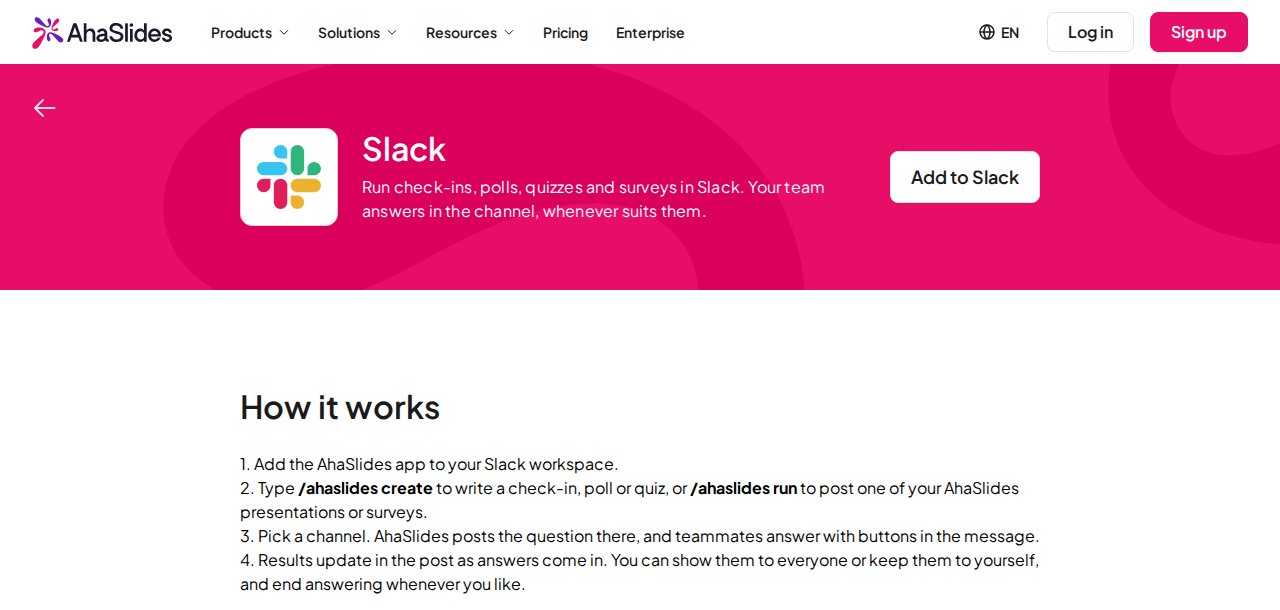
Otwórz AhaSlides dla Slack strona instalacji i dodaj aplikację do swojego obszaru roboczego. Przy pierwszym naciśnięciu Post, AhaSlides prosi Cię o zalogowanie się do Twojego AhaSlides konto i zachowuje Twój szkic. Logujesz się tylko raz.
Step 2: Build your stand-up questions once
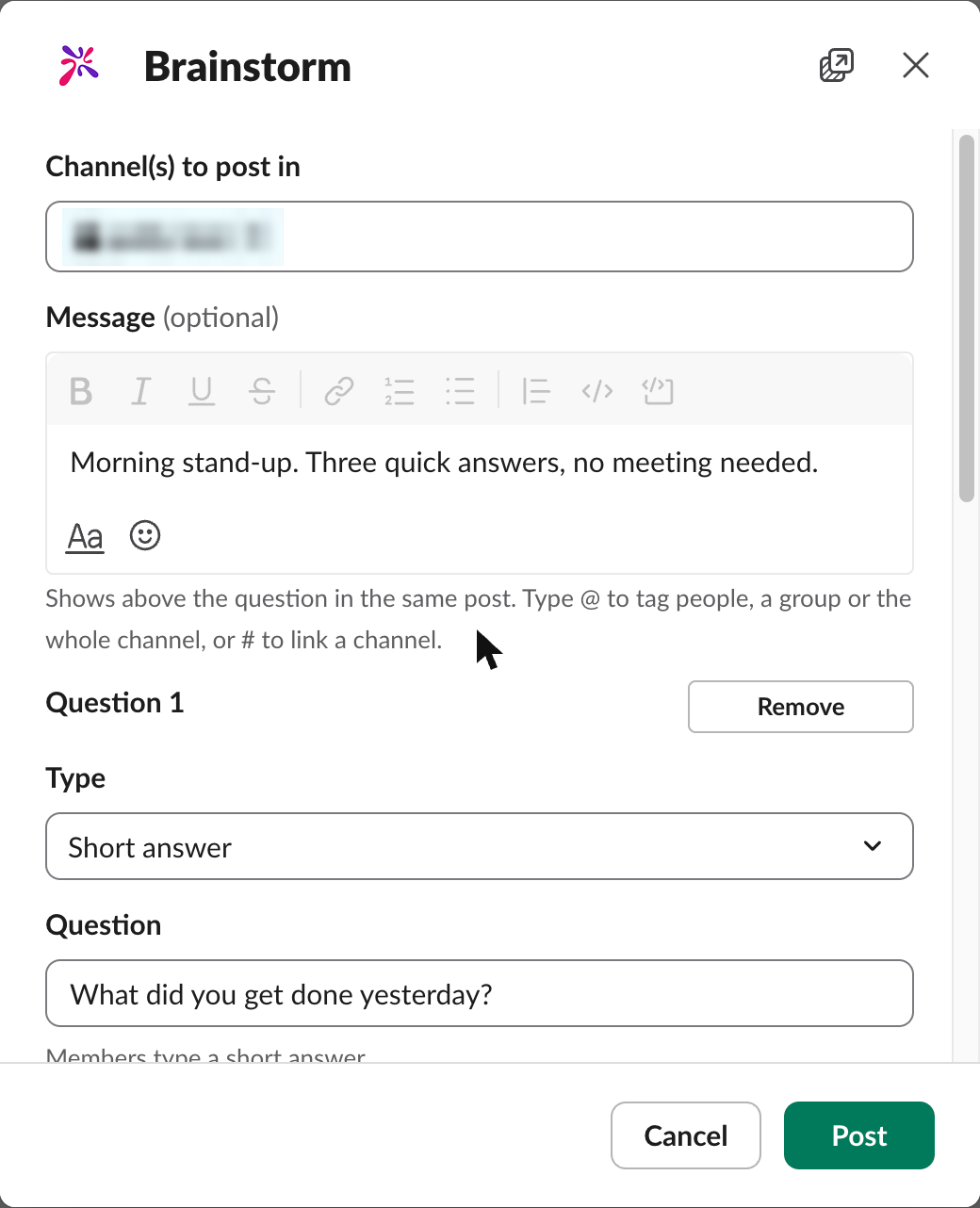
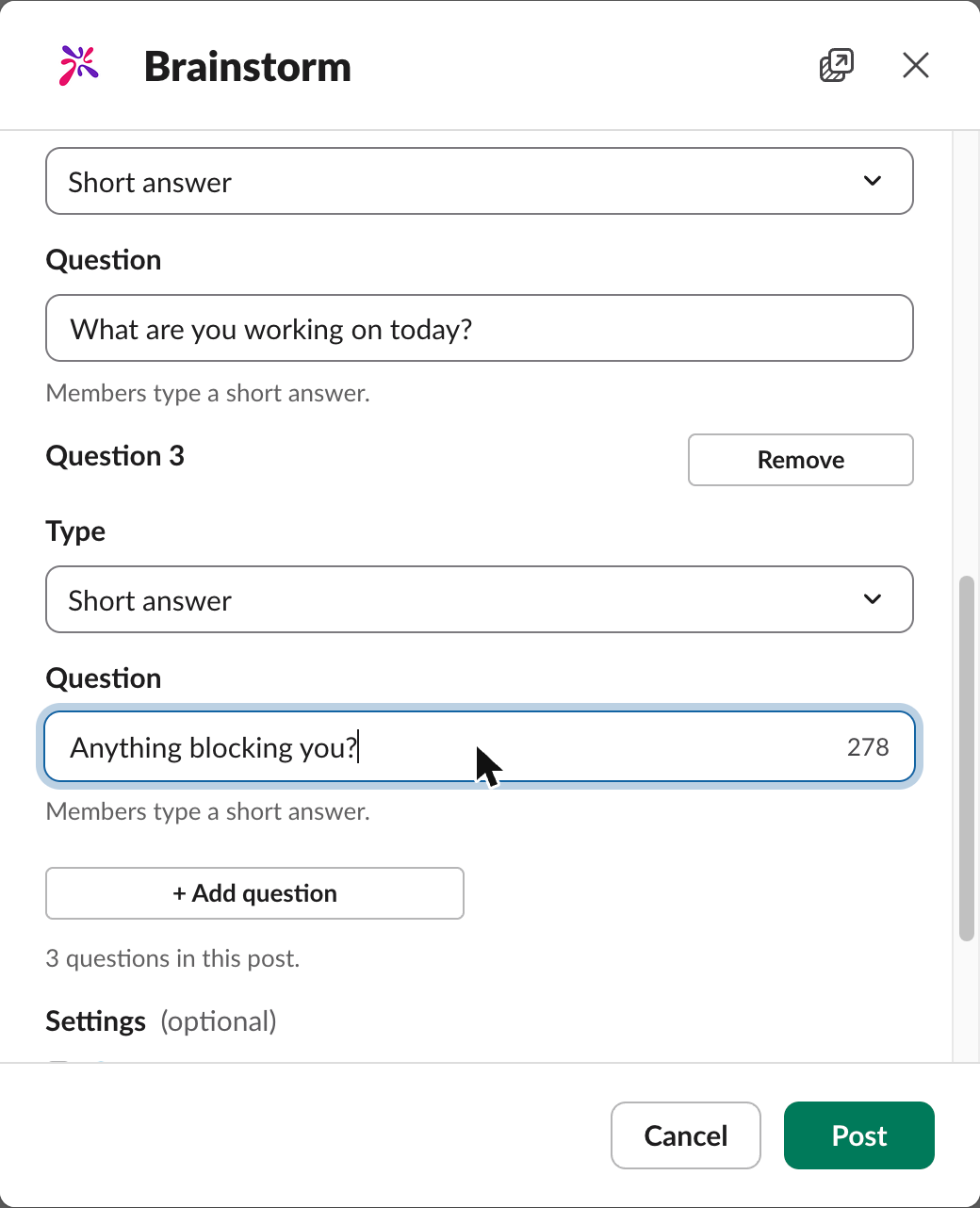
In your team channel, type /ahaslides tworzy i wybierz Brainstorm dla Zadać pytanie. Brainstorm starts with a Short answer question, and every question you add after it starts as Short answer too. That suits a stand-up, where people write their update in a sentence. Set up the classic three questions, pressing + Dodaj pytanie for each new one:
- Krótka odpowiedź: What did you get done yesterday?
- Krótka odpowiedź: Nad czym dzisiaj pracujesz?
- Krótka odpowiedź: Anything blocking you?
In Treść wiadomości , add a line such as "Daily stand-up: one line per question is plenty." The survey is saved in your AhaSlides account under its first question, so you can find it tomorrow. For a lighter weekly check, use Focus and blockers dla Wszystkie szablony.
Step 3: Choose who sees the answers, then post
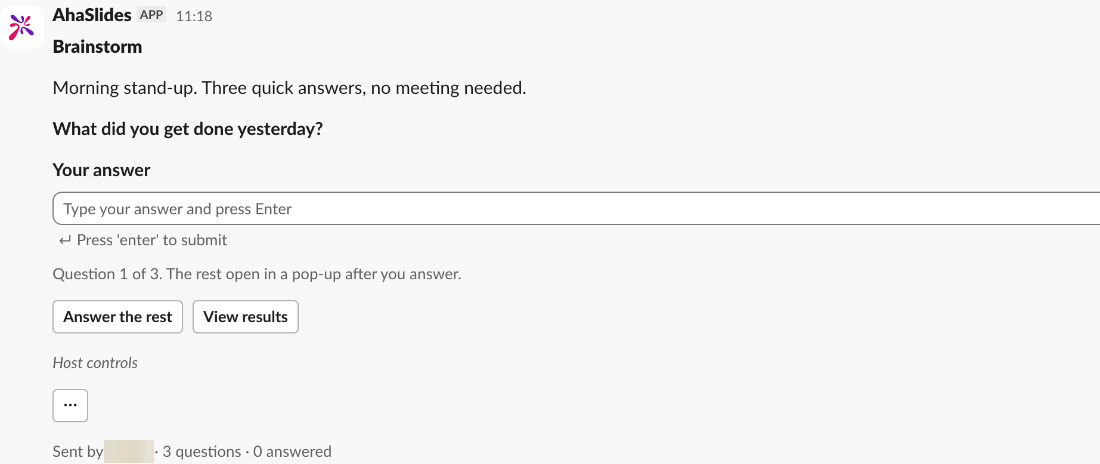
Pod Ustawienia, opuszczać Pokaż wyniki wszystkim ticked so the team can see each other's updates, and leave Anonimowe odpowiedzi off so each update has a name in your AhaSlides report. Press Post, and today's stand-up is in the channel. Leave answers open on this first post: ending answering on it also closes the survey in AhaSlides, and a closed survey no longer shows in your list.
Step 4: Post it again each morning
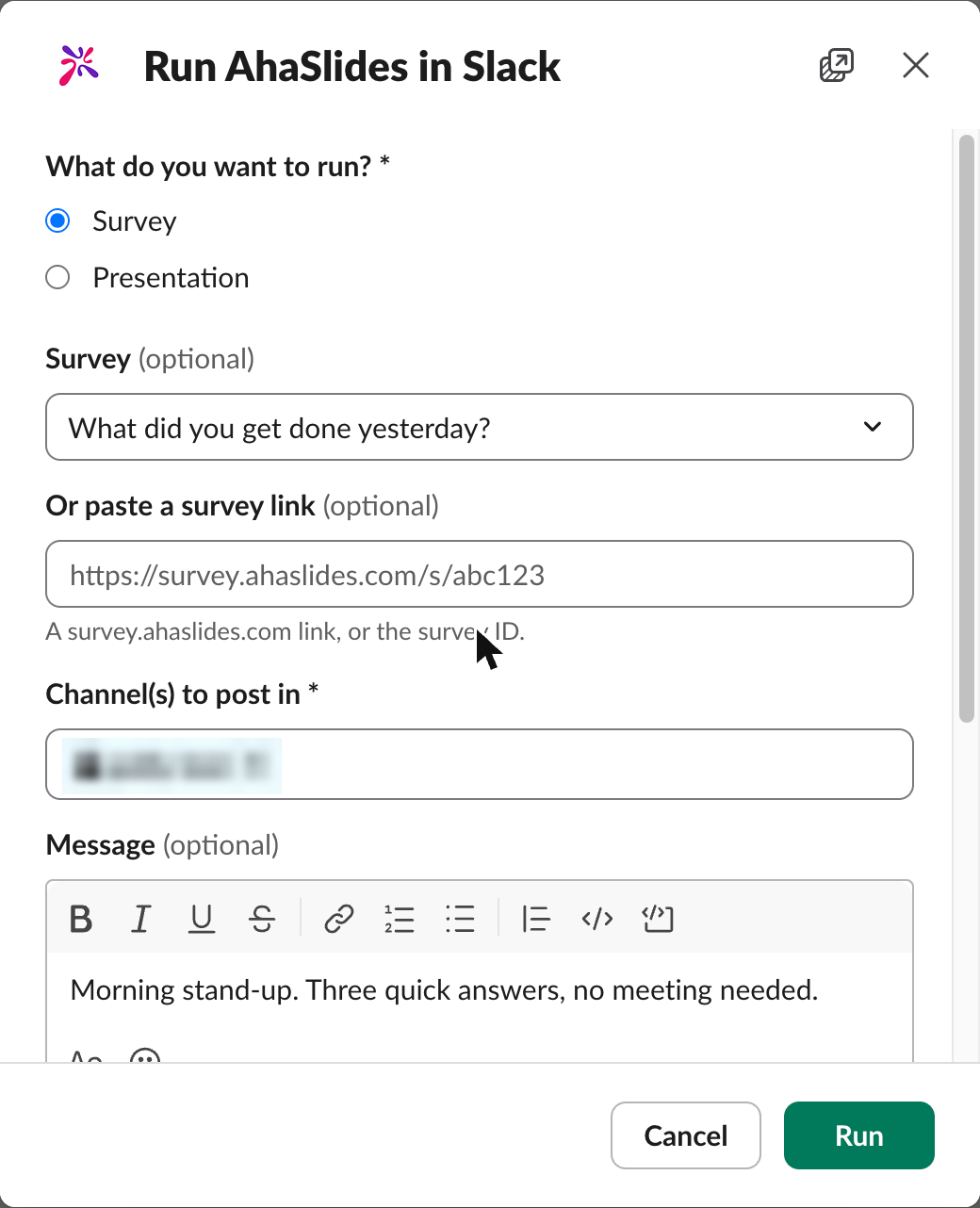
Each morning, post the same survey again. You don't need to rebuild it. Type /ahaslides biegnie. Pod Co chcesz uruchomić?wybierz Badanie, pick your stand-up from your list, choose the channel and press Uruchom.
Each post collects a fresh round of answers, so people answer again every day. All the answers are saved in the same AhaSlides survey, so the report builds up day by day. On these daily posts, Zakończ odpowiadanie stops answers in Slack only, so the survey stays ready for tomorrow.
Step 5: Read the updates and follow up on blockers
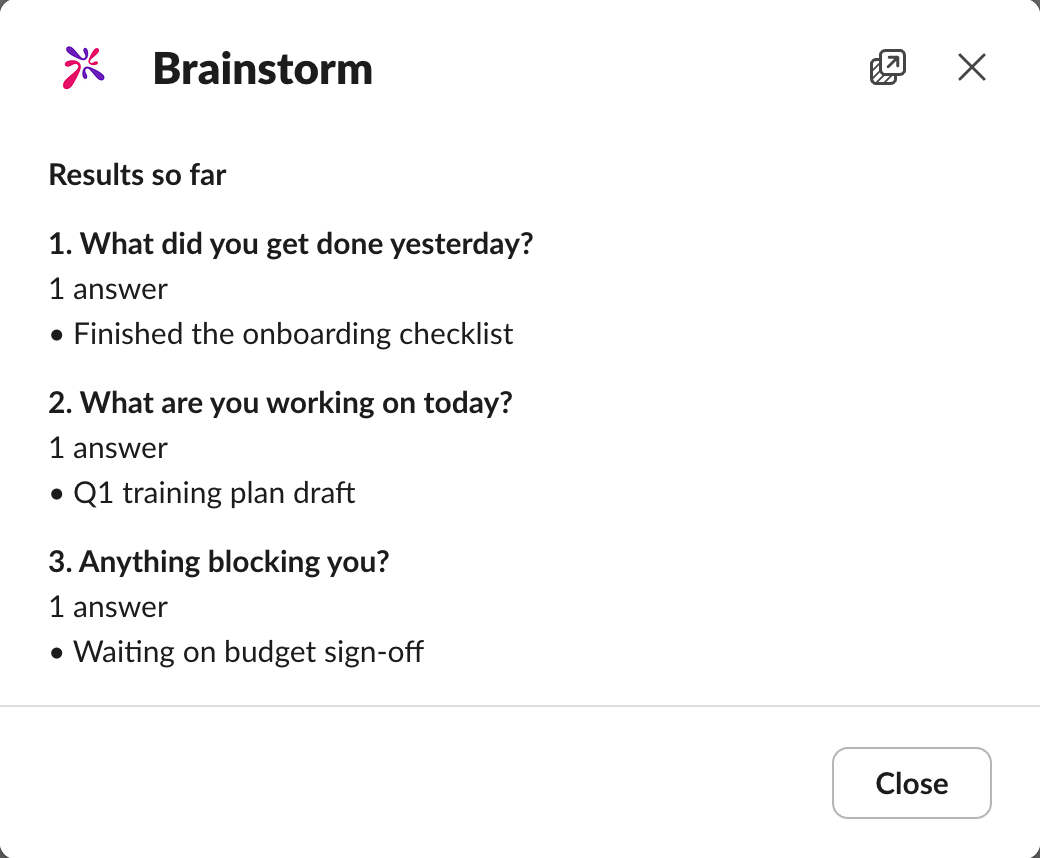
As the host, press the ... przycisk pod elementami sterowania hosta, aby Wyświetl wyniki, which lists the written answers without names. Press Otwórz w AhaSlides to see who said what. When someone names a blocker under "Anything blocking you?", that's your cue to message them or set up a quick call.
Utknąłeś na stopniu? AhaSlides dla Slack obejmuje wszystkie opcje i najczęstsze rozwiązania.
Tips for a stand-up your team keeps up with
- Post it at the same time every day. A Slack reminder helps the habit stick, for example /remind me to post the stand-up every weekday at 9am.
- Zadawaj krótkie pytania. Three short questions are easier to keep up with every day than six.
- Ask for a sentence, not an essay. Say so in the post message: "One line per question is plenty."
- Act on blockers fast. When flagged blockers go unanswered, people may stop flagging them. A quick reply shows the stand-up is worth filling in.
- Agree who posts it. When the usual host is on leave, decide who posts it so the habit doesn't drop.
FAQ
What is an async stand-up?
An async stand-up (or asynchronous daily standup) is a daily team update done in writing instead of a meeting. Each person answers a few short questions, usually what they did yesterday, what they're doing today and whether anything is blocking them, whenever their day starts.
How do I post the stand-up each day?
Typ /ahaslides biegniewybierz Badanie, pick your stand-up and press Uruchom. It takes a few seconds.
Can people answer the stand-up again tomorrow?
Yes. Each day's post collects a new round of answers, and they're all saved in the same AhaSlides Ankieta.
Does my team need an AhaSlides konto?
No. Only the person who posts the stand-up signs in. Everyone else answers in Slack.
Is AhaSlides dla Slack wolny?
Tak. Działa na każdym AhaSlides plan, w tym Bezpłatny.
Co zrobić, jeśli moja przestrzeń robocza wymaga najpierw zatwierdzenia aplikacji?
Slack prosi o wysłanie prośby o instalację, a właściciel obszaru roboczego lub menedżer aplikacji ją zatwierdza.
I can't find my stand-up survey in the list. Why?
It's listed under its first question, such as "What did you get done yesterday?". A survey that has been closed in AhaSlides doesn't show, which happens if you ended answering on the first post you made with /ahaslides tworzy. AhaSlides dla Slack explains each option in the Run window.
Powiązane artykuły: Jak utworzyć ankietę w Slack, for a single quick question, such as picking a day for the team retro.
Get your team's updates without another meeting. Dodaj AhaSlides dla Slack today, and tomorrow's stand-up is one command away.