
You can run a pulse survey in Slack implementate cu AhaSlides pentru Slacktip /ahaslides creează, alege Puls săptămânal și apăsați Post. Your team answers with one tap in the channel, and every answer is saved in your AhaSlides raport.
When to use a pulse survey in Slack
A pulse survey is a short check-in you send on a regular rhythm, to see how people are feeling before small problems turn into big ones. Say you lead a design team and want to know how the week went. On Friday afternoon you post two questions in #team-design, and people answer between tasks. (New to the idea? Read Ce este un sondaj de puls? Un ghid pentru echipe for the background.)
Other good moments for a pulse in Slack:
- A weekly mood check with your team
- A workload check when a busy stretch starts
- An eNPS check once a quarter
- A quick read a week after a change or an announcement
A pastra Slack for short pulses: that is what makes them quick to answer. A long, formal engagement survey is easier to answer from a full survey link, which AhaSlides îți poate oferi și tu.
Why run your pulse survey in Slack
- Oamenii răspund unde se află deja. Fără filă nouă, fără conectare și fără adresă de e-mail de căutat, așa că răspunsul durează câteva secunde.
- Poți vedea câți au răspuns. The pulse sits in the channel, and the count on the post keeps you up to date.
- Răspunsurile nu se derulează. Every answer stays in your AhaSlides raport, gata de citit sau partajat ulterior.
De ce ai nevoie
- A Slack spațiu de lucru cu AhaSlides pentru Slack instalat
- An AhaSlides account for the person who runs the pulse (any plan works, including Free)
- Nimic pentru cei care răspund: nu au nevoie de un AhaSlides cont
Cum se desfășoară un sondaj pulsual în Slack, pas cu pas
Pasul 1: Adăugați AhaSlides pentru Slack
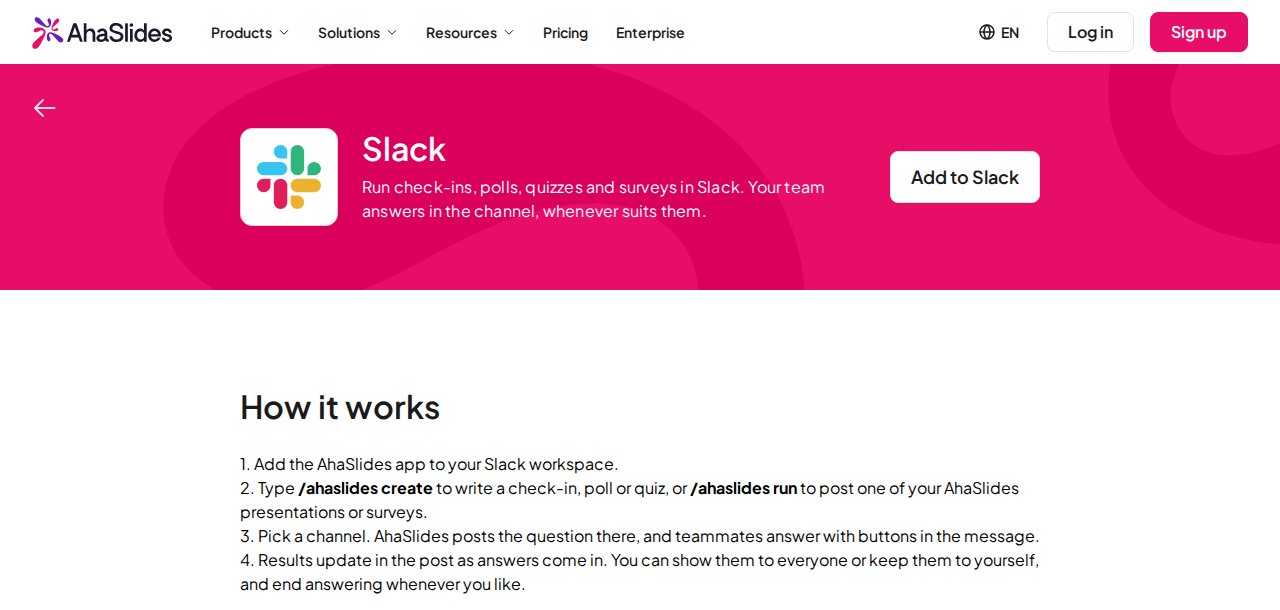
Deschideți AhaSlides pentru Slack pagină de instalare și adăugați aplicația în spațiul dvs. de lucru. Prima dată când apăsați Post, AhaSlides vă solicită să vă conectați la AhaSlides cont și îți păstrează schița în timp ce tu o faci.
Pasul 2: Deschideți fereastra Creare
În canalul pe care doriți să vă conectați, tastați /ahaslides creează. The Create window opens.
Step 3: Pick Weekly pulse
În Verificați cu echipa, presa Puls săptămânal. It comes ready to post with two questions: Cum a fost săptămâna ta?, answered on a 1 to 5 scale from Very poor to Great, and a follow-up, Ce a făcut-o așa?, which people can skip. The window notes that it is best sent every Friday. For a different kind of pulse, Bunăstare și eNPS sit next to it, and Toate șabloanele lists more, such as Workload, Manager support and Team connection.
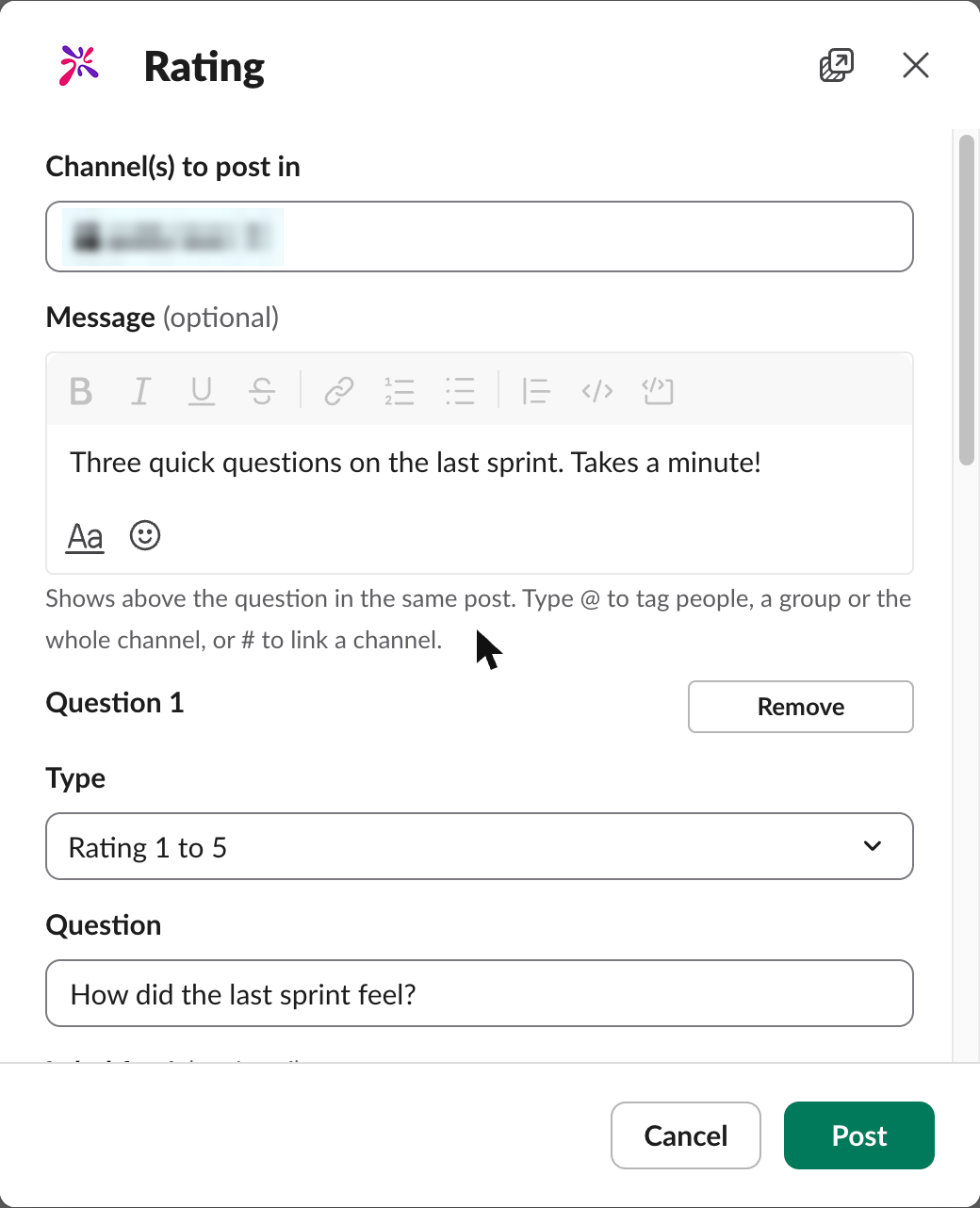
În Canal(e) în care să postați, canalul pe care te afli este deja ales și poți adăuga mai multe. În Mesaj, add a line so people know why you're asking. Change any question or the words at each end of the scale, or press + Adăugați o întrebare if you want one more. Two or three questions is plenty for a pulse.
Pasul 4: Alegeți răspunsuri anonime și cine vede rezultatele
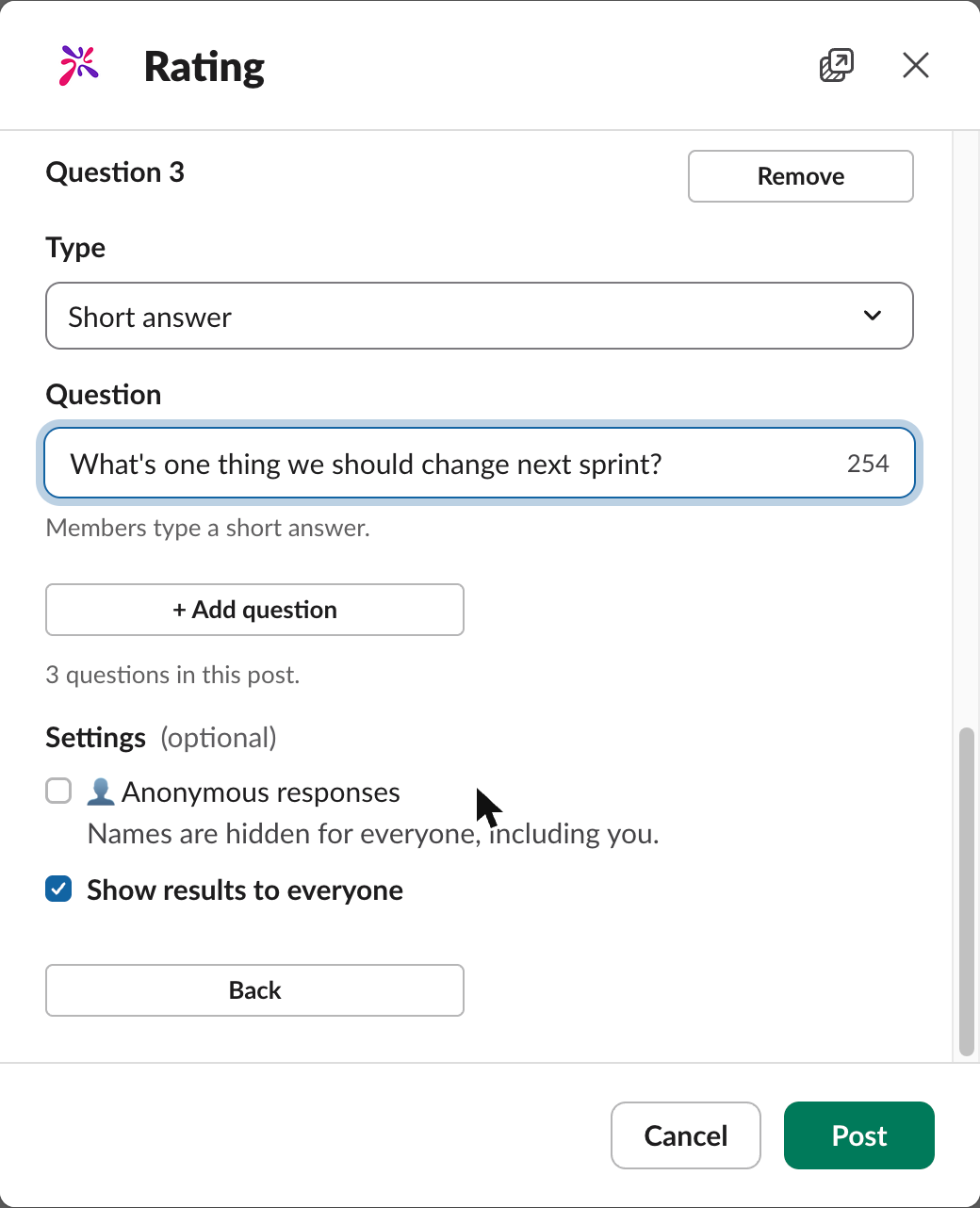
În Setări cont, bifați Răspunsuri anonime if you want honest answers without names. Wellbeing and eNPS start with it ticked; Weekly pulse starts with it off. Names are then hidden for everyone, you included, in Slack și, în AhaSlides. Afișați rezultatele tuturor este bifată de la început, astfel încât întregul canal să poată vedea rezultatele. Debifați-o pentru a le păstra doar pentru dvs.
Pasul 5: Postează-l și urmărește cum vin răspunsurile
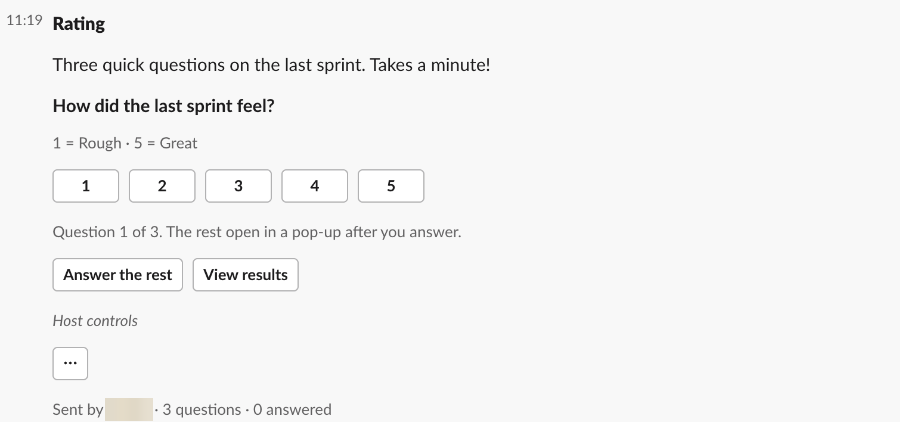
Anunturi Post. AhaSlides creates the survey in your account and posts it to the channel. The first question sits right in the post: people tap an answer. Răspundeți la restul opens the follow-up in a pop-up, and they can skip it. The bottom of the post shows how many people have answered.
Pasul 6: Citiți rezultatele
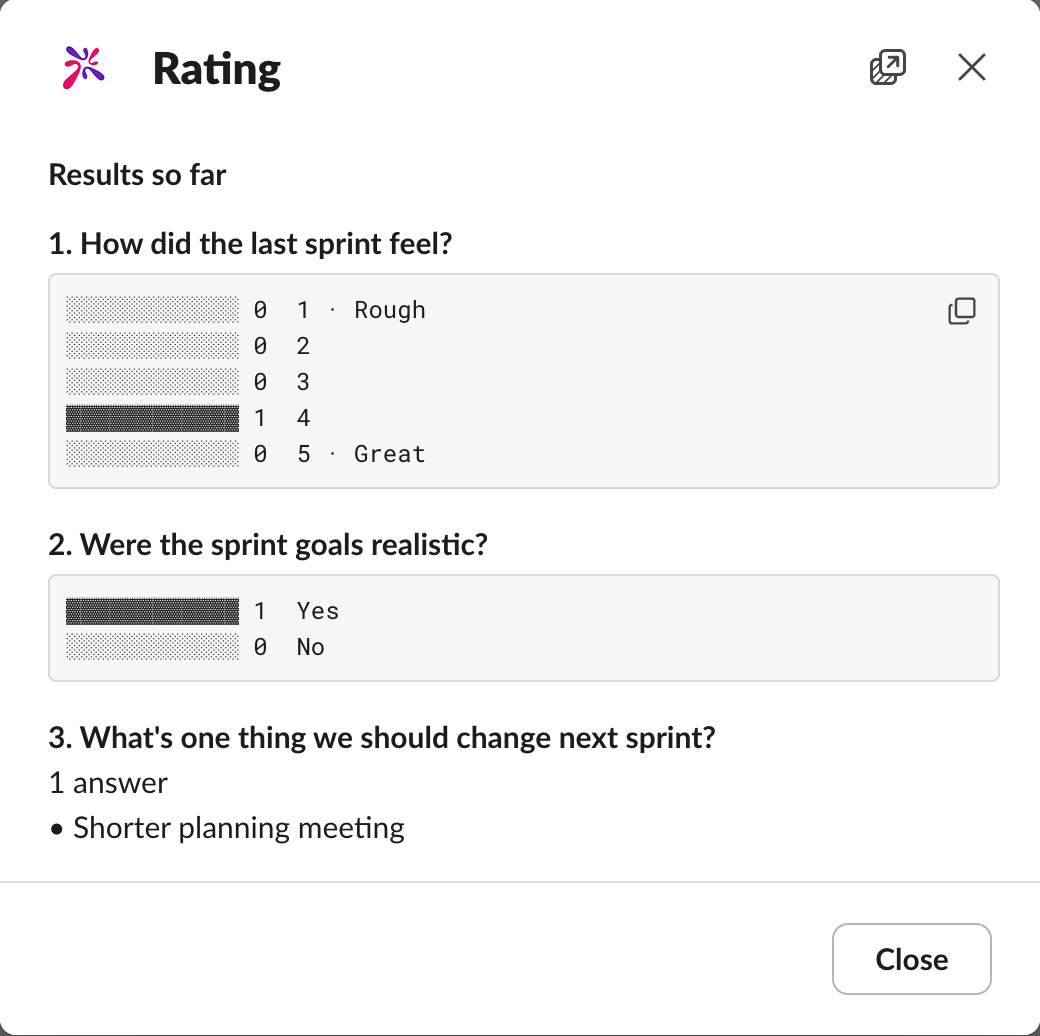
În calitate de gazdă, apăsați butonul ... butonul de sub Controale gazdă pentru a Vezi rezultate, Încheiați răspunsul or Deschideți AhaSlidesDacă ai plecat Afișați rezultatele tuturor pornit, toți ceilalți primesc un Vezi rezultate button too. The rating shows as a bar chart and the follow-up answers are listed. Your AhaSlides Raportul are toate răspunsurile.
Blocat pe o treaptă? AhaSlides pentru Slack ghida acoperă fiecare opțiune și cele mai comune soluții.
Sending the pulse again
A pulse is worth most when you repeat it, and you post each one yourself, which takes a minute. Next time, type /ahaslides creează și alege Puls săptămânal again. To post a survey you already made, type /ahaslides rulează, alege Sondaj de opinie, pick it from your list and press Alerga. For the full tour of the Create window, read Cum să creezi un sondaj în Slack.
Five tips for a pulse survey people answer
- Keep it to two or three questions. A pulse people can finish in under a minute is one they will answer every time.
- Send it at the same time each week. A steady rhythm makes it a habit, and makes changes easier to spot.
- Alege anonim pentru subiecte sensibile. On workload or wellbeing, people may feel safer being open when their name isn't attached.
- Keep one open question. "What made it that way?" often gives you the most useful reply of the lot, and skipping it costs nothing.
- Închide bucla. Post a short summary of the results and what you'll do next. Seeing the last pulse change something gives people a reason to answer the next one.
FAQ
What is a pulse survey?
A pulse survey is a short, regular check-in, usually one to three questions, that shows how a team is feeling over time. See Ce este un sondaj de puls? Un ghid pentru echipe pentru mai mult.
Can you run a pulse survey in Slack?
Da. Cu AhaSlides pentru Slack, tip /ahaslides creează, alege Puls săptămânal și apăsați Post. People answer with buttons right in the channel.
Au nevoie oamenii de un cont pentru a răspunde?
No. Only the person who runs the pulse signs in to AhaSlidesToți ceilalți răspund cu butoane în Slack. Ghidul covers setup questions.
Can the pulse be anonymous?
Da. Bifează Răspunsuri anonime înainte de a posta. Numele sunt ascunse pentru toată lumea, inclusiv pentru tine, în Slack iar în al tău AhaSlides raport.
Is AhaSlides pentru Slack gratuit?
Da. Funcționează pe fiecare AhaSlides plan, inclusiv Gratuit.
Ce se întâmplă dacă spațiul meu de lucru necesită mai întâi aprobarea aplicațiilor?
Slack vă solicită să trimiteți o solicitare de instalare, iar proprietarul spațiului de lucru sau un administrator de aplicație o aprobă.
Citiți în legătură: Cum să creezi un sondaj în Slack, for every option in the Create window.
Find out how your team is really doing, right where they work. Adăuga AhaSlides pentru Slack and post your first pulse in a few minutes.