Skip to content
Claim this template

Free course template · Global

Deepfakes and AI-enabled fraud: Spot, stop and report synthetic voice, video and image scams

A ready-made course, live deck and two surveys for all staff. 35 minutes, 6 lessons, 10-question final check. Last reviewed 21 October 2026; not legal advice.

Claim the templatePreview the courseDownload SCORM for your LMS

Free. No credit card. Edit everything.

Play a game from the course

Deepfakes and AI-enabled fraud: try 3 questions

Three questions from this course. Pick an answer, then see why.

Play the game

Game not loading? Open it in a new tab (opens in a new tab)

Three pieces that work together

Learners sign in, so every finish and score is recorded. 10 fields to fill in with your details.
Claim the template
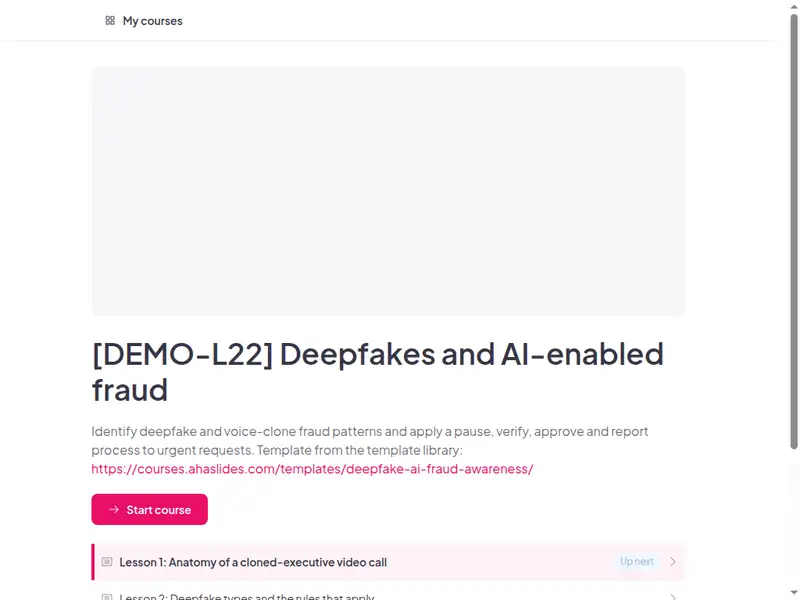
The Deepfakes and AI-enabled fraud: Spot, stop and report synthetic voice, video and image scams course as a learner first sees it

6 lessons, about 35 minutes

Minutes are an estimate.

  • Lesson 1: Anatomy of a cloned-executive video call · 7 min

    Before you begin · The call from "the CFO" · Check

  • Lesson 2: Deepfake types and the rules that apply · 7 min

    Four types · Why spotting fails · The rules in plain words

  • Lesson 3: Pause, verify, approve, report: the process · 7 min

    Four steps · Verify or proceed? · Branching decision

  • Lesson 4: Grey areas: voice notes, candidates, circulating images · 6 min

    Real or AI? · The candidate interview · An image going round the office

  • Lesson 5: Speaking up and supporting targeted colleagues · 4 min

    What to say and do · Check

  • Lesson 6: Final assessment · 4 min

    10 questions, 80% to pass. The result is saved to the learner's record.

Claim the template

Inside this course

Taken from the course itself.

By the end, learners can

  • Recognise common deepfake and voice-clone fraud patterns: fake executive call, fake supplier, fake candidate, sextortion
  • Explain why visual or audio spotting alone is no longer reliable and use out-of-band verification instead
  • Apply the organisation's call-back and dual-approval rules to an urgent payment or data request
  • Respond correctly if you or a colleague are targeted by a non-consensual synthetic image
  • Report a suspected deepfake quickly through the security channel

Sample questions, with answers

  1. What should Maya do first?

    • Make the transfer, then ask Daniel to confirm by email
    • End the call and verify through a number she already holds
    • Ask Daniel to wave at the camera
    • Ask a colleague on the call whether it is really Daniel

    Answer: End the call and verify through a number she already holds. She should end the call and verify through a number she already holds. Everyone on the call could be synthetic, so asking them to prove who they are, or checking with a colleague on the same call, proves nothing. A call-back on a number from a trusted record is the most reliable way to reach the real person.

    Lesson 1: Anatomy of a cloned-executive video call

  2. You call the director back on the stored number and she confirms the bank-detail change. What is the next step?

    • Make the change straight away
    • Follow dual approval: a second approver checks the change
    • Ask her to send the new details by voice note
    • Post the new bank details in the team chat

    Answer: Follow dual approval: a second approver checks the change. A confirmed change of bank details still needs dual approval. The call-back checks who asked; the second approver checks the change itself. Details should never be sent by voice note or posted in chat.

    Lesson 3: Pause, verify, approve, report: the process

  3. A colleague tells you someone has made a fake image of them. What do you say first?

    • 'Are you sure it is fake?'
    • 'I believe you, and I am sorry this is happening. Would you like help reporting it?'
    • 'You should have been more careful online.'
    • 'Show me the image so I can judge.'

    Answer: 'I believe you, and I am sorry this is happening. Would you like help reporting it?'. Start by believing them and offering help. Questioning whether it is fake, blaming them or asking to see the image adds to the harm. Reporting and evidence come after.

    Lesson 5: Speaking up and supporting targeted colleagues

A scenario from "Pause, verify, approve, report: the process"

A voice note from your director asks you to change a supplier's bank account today.

Best response: Pause, call back on the stored number, follow dual approval, report.

Weaker responses: Reply to confirm; Ask the sender to prove it by video; Comply and tell no one.

Related articles

2 articles from the AhaSlides blog that use this course, newest first.

Common questions

Yes. Claiming the template and editing it are free.

Yes. The course is self-paced and online, and the live deck lets you add a live session in the room or online.

At hire, annually, and after any publicised deepfake fraud affecting your sector.

All staff.

Record completion in your own LMS or record system, so you can show who finished the course and when.

Your own details, each highlighted inside the course:
  • How to verify a request: which stored numbers or channels to use
  • Payment threshold or change types needing a second approver
  • Where to report a suspected deepfake
  • HR contact and candidate verification step
  • HR contact and candidate verification step
  • Employee assistance route for targeted colleagues
  • Policy, survey and completion record
  • Policy, survey and completion record
Then edit anything else you like: wording, scenarios, your logo.
Visit the help centre (opens in a new tab)