
ขั้นตอนที่ 1: ดำเนินการตามโมดูลต่างๆ
เชื่อมต่อ AhaSlides เซิร์ฟเวอร์ MCP ส่งข้อมูลไปยัง Claude หรือ ChatGPT ส่งข้อความแจ้งเตือนแต่ละข้อความ แล้วปรับแต่งสิ่งที่สร้างขึ้นให้เป็นของคุณเอง
Paste your call notes into Claude or ChatGPT, and the AhaSlides MCP server builds an interactive pitch deck in your house style, right in your AhaSlides account. Learn the prompts, and each call takes far less time to prepare.
About 2 hours 20 minutes · 6 modules · At your own pace · Certificate of completion
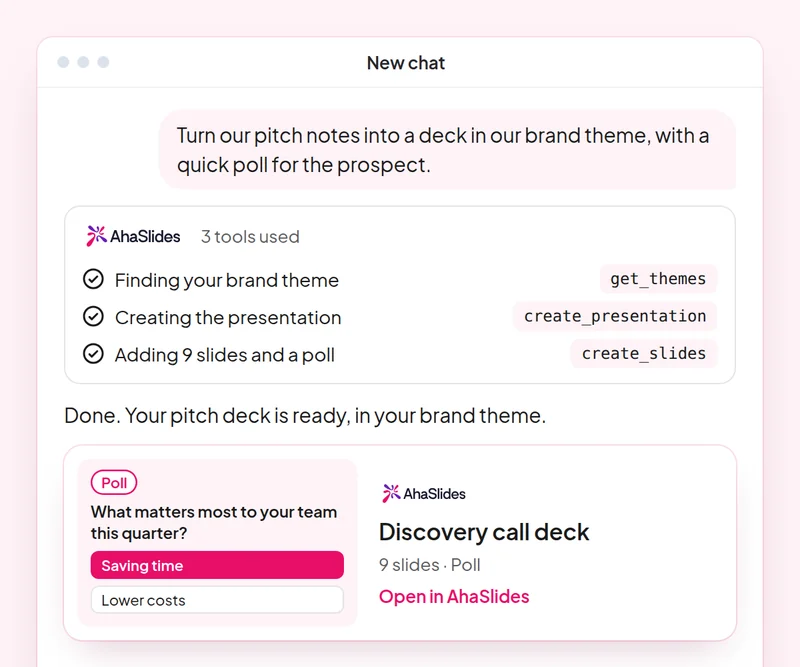
เป้าหมาย: Build a discovery deck where the prospect answers, not only listens.
สกิล: build-presentation
ลอง: “Build a 10-slide discovery presentation for a prospect in retail, with a poll on their biggest customer engagement challenge and speaker notes.”
คุณได้รับ: An editable deck where the prospect answers on their own phone.
เป้าหมาย: Check the team's product knowledge with a quiz built only from your own material.
สกิล: make-quiz
ลอง: “Make an 8-question quiz for our sales team on our new pricing tiers, using only this sheet: [paste the sheet].”
คุณได้รับ: A scored team quiz you can run in your next sales meeting.
เป้าหมาย: Run live AhaSlides polls inside a PowerPoint pitch.
สกิล: powerpoint-addin
ลอง: “Add a live poll and a word cloud to my pitch as a PowerPoint file, so I can run them in the meeting.”
คุณได้รับ: A .pptx with live AhaSlides slides, which run through the AhaSlides ส่วนเสริมสำหรับ PowerPoint
เป้าหมาย: Share decks with the right people and role, confirmed before any invite goes out.
สกิล: share-and-collaborate
ลอง: “Share my retail discovery deck with my sales manager at [their email] as an editor.”
คุณได้รับ: The invitation sent only after you confirm the person and their role.
เป้าหมาย: Save a house style once so every new deck follows it.
สกิล: personal-skills
ลอง: “Save our sales deck style as a skill: one idea per slide, a poll every third slide and a clear next step on the last slide.”
คุณได้รับ: A saved skill AhaSlides applies to your next presentations, shown to you before it is saved.
เป้าหมาย: Know what each person in the room cared about, so every follow-up is specific.
สกิล: track-participants
ลอง: “From my [Acme pitch] session, list what each person answered in the polls and draft a follow-up email to each one on the topic they rated highest.”
คุณได้รับ: A note per stakeholder on what they said, with a tailored follow-up email. Detailed per-person reports need a paid plan.
Prepare one real discovery call: build the deck in your house style, add a live poll for the prospect, share it with your manager for review, then quiz the team on what you learned. Keep the prompts that worked, so next time this work is a quick routine.
A 10-question quiz on pitch decks, PowerPoint polls, sharing and saving a house style. Pass it to earn your certificate of completion.
Each course is an AhaSlides eLearning course of about 2 hours 20 minutes that issues a verifiable certificate when you finish.
เชื่อมต่อ AhaSlides เซิร์ฟเวอร์ MCP ส่งข้อมูลไปยัง Claude หรือ ChatGPT ส่งข้อความแจ้งเตือนแต่ละข้อความ แล้วปรับแต่งสิ่งที่สร้างขึ้นให้เป็นของคุณเอง
นำทักษะทั้งหกมาใช้ร่วมกันในการทำงานจริงหนึ่งครั้ง
Take a 10-question quiz on pitch decks, PowerPoint polls, sharing and saving a house style.
Pass the quiz to earn a verifiable AhaSlides certificate of completion, with a verify link you can share.
ใช่แล้ว หลักสูตรนี้เรียนฟรี คุณเรียนด้วยตนเองก็ได้ AhaSlides บัญชีผู้ใช้ และฟีเจอร์บางอย่างที่โมดูลใช้ เช่น รายงานโดยละเอียด เป็นส่วนหนึ่งของแพ็กเกจแบบชำระเงิน โปรดดูรายละเอียดเพิ่มเติม การตั้งราคา สำหรับรายละเอียดเกี่ยวกับสิ่งที่แต่ละแผนรวมอยู่ด้วย
Claude (บน claude.ai, Cowork และ Claude Code), ChatGPT และไคลเอ็นต์ใด ๆ ที่รองรับเซิร์ฟเวอร์ MCP ระยะไกล ใน Claude ให้เพิ่มตัวเชื่อมต่อแบบกำหนดเองด้วย https://mcp.ahaslides.com/mcp เป็น URL ของเซิร์ฟเวอร์ ใน ChatGPT ให้ค้นหา AhaSlides ในแท็บปลั๊กอิน ดูที่นี่ AhaSlides เซิร์ฟเวอร์ MCP ดูรายละเอียดขั้นตอนทั้งหมดได้ที่หน้านี้
พวกเขาคือบุคคลสาธารณะทั้ง 17 คน AhaSlides ทักษะสำหรับ Claude, ซอฟต์แวร์โอเพนซอร์สฟรีบน GitHubแต่ละคนบอกคล็อดว่า... AhaSlides เครื่องมือ MCP สำหรับการโทรและชี้ไปยัง AhaSlidesคู่มือการเขียนของตนเอง