
Everyone takes a guess
and the closest one scores most

With Guess the Number, everyone types or slides one guess on their phone. Then the answer lands on a number line, with every guess beside it, and the closest ones earn the most points.
Try the ready-made Guess the Number
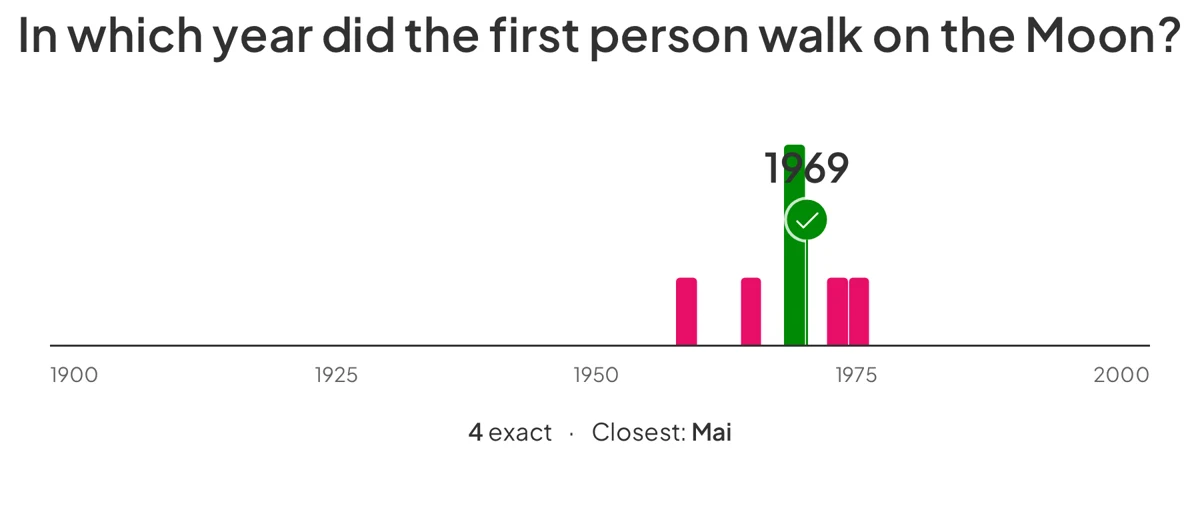
Команда  AhaSlides Guess the Number reveal screen: the question In which year did the first person walk on the Moon? above a number line from 1900 to 2000, with pink guess bars either side of a green bar and pin at 1969, and the line 4 exact and Closest: Mai underneath

A guess is all it takes to play

There is nothing to read through and no wrong button to press, so a quiet room joins in as fast as a loud one.

  • Type it or slide it

    Everyone types a guess or drags a slider on their phone, then locks it in with Submit.

  • A guess counter fills the screen

    You see how many guesses are in while people think, so you know when to move on.
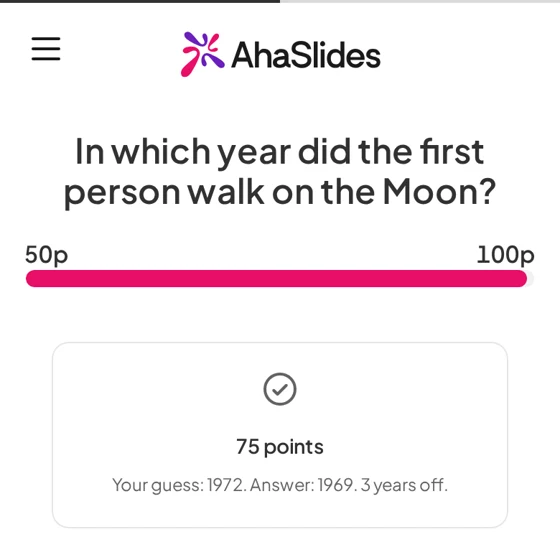
A participant phone after the reveal on the question In which year did the first person walk on the Moon?, showing a points bar from 50p to 100p and a result card: 75 points, Your guess: 1972, Answer: 1969, 3 years off
  • A reveal worth waiting for

    Guess bars rise on a number line and a pin lands on the answer, with how many were exact and who was closest.

  • Closer guesses score more

    Points go up the nearer a guess lands, and they count towards your leaderboard.

Try the ready-made Guess the Number (відкривається в новій вкладці)

Run your first Guess the Number

Four steps take you from a blank slide to a room full of guesses.

Крок 1: Додати слайд

In the editor, click New slide and search for Guess the Number.

Крок 2: Ask for a number or a year

Choose Number or Year, then type the correct answer. Numbers can have up to 2 decimal places.

Крок 3: Set the range and a unit

Type where the number line starts and ends. For a number, add a unit such as people or km, shown after it.

Крок 4: Present and share the code

People join on their phone with the access code. The time limit starts at 120 seconds, and you can change it.

Try the ready-made Guess the Number (відкривається в новій вкладці)

Where Guess the Number fits

Any moment when a question has a number for an answer and you want the room to commit before the reveal.

  • Maths and science lessons

    Ask students to estimate a length, a mass or a year before you teach it, then compare their guesses with the answer.

  • Team meeting warm-ups

    Ask how many cups of coffee the team drank last week, and see who gets closest.

  • Семінари та навчання

    Ask for an estimate, such as how many minutes a task takes, and use the spread of guesses to start the discussion.

  • Events and icebreakers

    Ask how many jellybeans are in the jar and let the leaderboard crown the closest guesser.

  • Quizzes with a twist

    Add one to a quiz so a question has no right or wrong, only closer or further away.

  • Онлайн сесії

    Everyone guesses from wherever they are, so remote players take part on equal terms.

Запитання перед початком

A slide where you ask a question with a number or a year as the answer. Everyone enters one guess on their phone, and at the reveal the guesses show on a number line with a pin on the correct answer. The довідкова стаття shows how to set one up.

Every plan, with no upgrade needed. It is in Beta and available now on the Global and US regions. It is not on the EU region yet.

Yes. The closer a guess is to the answer, the more points it earns, and the points count towards the leaderboard.

Yes. Choose Year or Number when you set up the slide. A number answer can have up to 2 decimal places.

Yes. A unit, such as people or km, shows after a number answer. The range sets where the number line starts and ends, and a year always needs one.

Not until you reveal it. Each phone shows Your guess until then, and a guess is locked when the person taps Submit.

The time limit starts at 120 seconds, and you can change it in the slide settings.
Try the ready-made Guess the Number (відкривається в новій вкладці)