
Lesson 1: Why EEO matters · 6 min
Explain what EEO means and our commitment.
Learners sign in, so every finish and score is recorded. 9 fields to fill in with your details.
Minutes are an estimate.
Explain what EEO means and our commitment.
Name the federal EEO laws, the characteristics they protect and employer-size thresholds.
Recognise disparate treatment, disparate impact, and discrimination in everyday decisions.
Explain the right to reasonable accommodation (disability, pregnancy, religion).
Report discrimination internally or to the EEOC.
Practice · Practice
12 questions, 80% to pass. The result is saved to the learner's record.
Taken from the course itself.
Which is the best reason to choose one candidate over another?
Answer: They fit the skills and requirements of the job better. EEO means decisions are based on job-related reasons, not on traits like race, sex, age or other protected characteristics.
Lesson 1: Why EEO matters
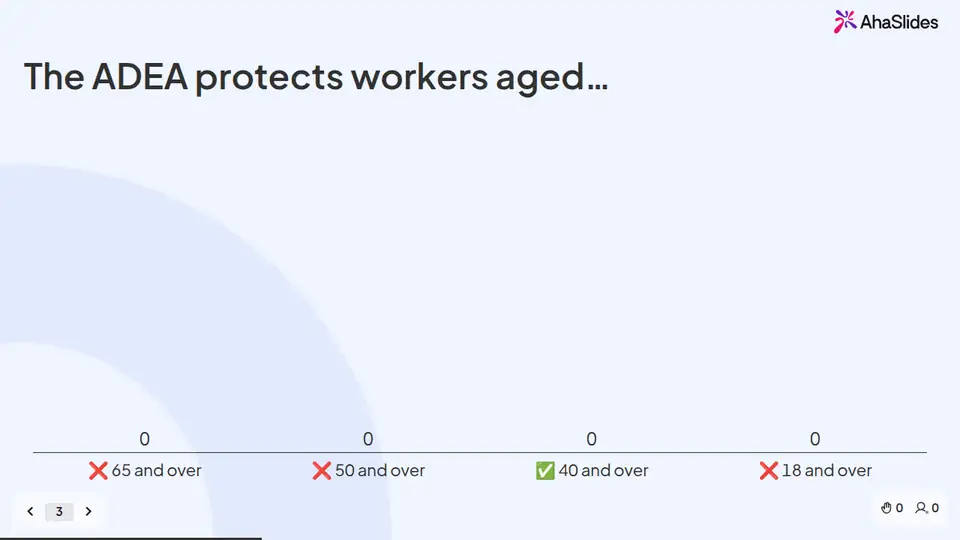
Which law protects workers aged 40 and older?
Answer: ADEA. The Age Discrimination in Employment Act (ADEA) protects workers aged 40 and older.
Lesson 2: The laws
Which is an accommodation that might help a pregnant worker?
Answer: Extra breaks to drink water. Simple changes like extra breaks can be reasonable accommodations. Penalties are not.
Lesson 4: Accommodations
Warehouse worker asks for a stool during pregnancy.
Best response: Route to HR.
Weaker response: Rules are rules.
Title VII (42 U.S.C. 2000e); ADA Title I (42 U.S.C. 12101 et seq.); ADEA (29 U.S.C. 621); Pregnant Workers Fairness Act (42 U.S.C. 2000gg) + 29 CFR Part 1636; GINA Title II (42 U.S.C. 2000ff); Equal Pay Act (29 U.S.C. 206(d)); Bostock v. Clayton County (2020); Muldrow v. City of St. Louis (2024); Ames v. Ohio DYS (2025).
Courses teams often run alongside this one.

Sexual Harassment Prevention Training

Sexual Harassment Prevention Training

Sexual Harassment Prevention Training
7 articles from the AhaSlides blog that use this course, newest first.







Comments from trainers
No comments yet. Tell other trainers how the course went.
Your comment
Comments are public. We remove spam and personal details.