
A daily check-in takes the temperature of your team in under a minute. To run one in Slack med AhaSlides forum SlackSkriv /ahaslides oprettervælg Ugentlig puls check-in, change its wording to “today” and press Indlæg. Each morning after that, post the same check-in again with /ahaslides kører. It takes a few seconds, and every day's answers are saved in one AhaSlides indberette.
When to run a daily check-in in Slack
A daily check-in suits a team that wants to spot a bad day early, not find out at the end of the month. Picture a support lead who posts a check-in in #team-support at the start of every shift: a 1 to 5 rating for how people feel, plus one optional line on why. A string of 2s on a Tuesday tells her to ease the queue before anyone burns out.
Det fungerer også godt til:
- A new team or a new project, where you want to hear early how people are coping
- A busy stretch such as a launch week or a big release
- Remote and hybrid teams who rarely see each other
- A short run of check-ins after a reorganisation or a big announcement
Keep a daily check-in to one or two questions. If you want to know what people are working on and what is blocking them, use a stand-up instead: Sådan kører du en asynkron stand-up Slack dækker det.
Why a daily check-in works best in Slack
- Folk svarer der, hvor de allerede er. The check-in sits in the channel at the start of the day, so answering is one tap, with no form to open.
- You don't chase replies. The post shows how many people have answered, so you can nudge the channel only if you need to.
- The trend is kept for you. Each day's answers are saved in the same AhaSlides survey, so you can look back at last week's mood without scrolling the channel.
Hvad du har brug for
- A Slack arbejdsområde med AhaSlides forum Slack installeret
- An AhaSlides konto for den person, der poster check-in (enhver plan fungerer, inklusive Gratis)
- Intet for de folk, der svarer: de behøver ikke en AhaSlides konto
Godt at vide: if your workspace needs apps approved first, Slack beder dig om at sende en installationsanmodning, og en ejer af arbejdsområdet eller appadministratoren godkender den.
Sådan kører du en daglig check-in Slack, trin for trin
Trin 1: Tilføj AhaSlides forum Slack
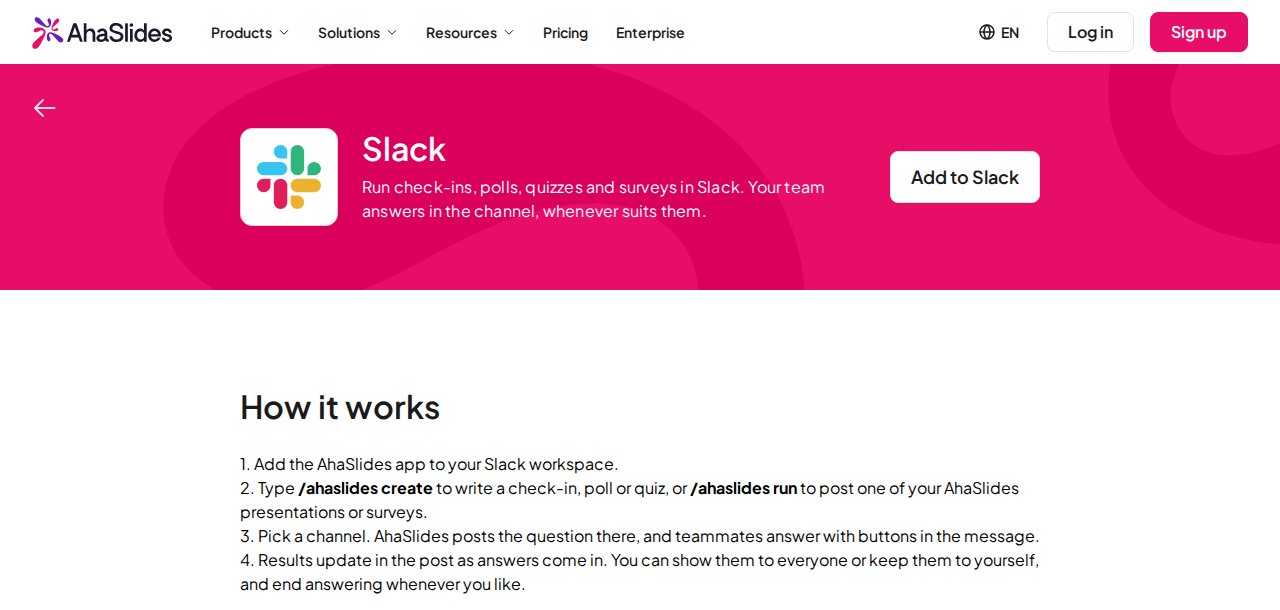
Åbne AhaSlides forum Slack installationsside og tilføj appen til dit arbejdsområde. Første gang du trykker på Indlæg, AhaSlides beder dig om at logge ind på din AhaSlides konto og gemmer dit udkast, mens du gør det.
Step 2: Pick a ready-made check-in
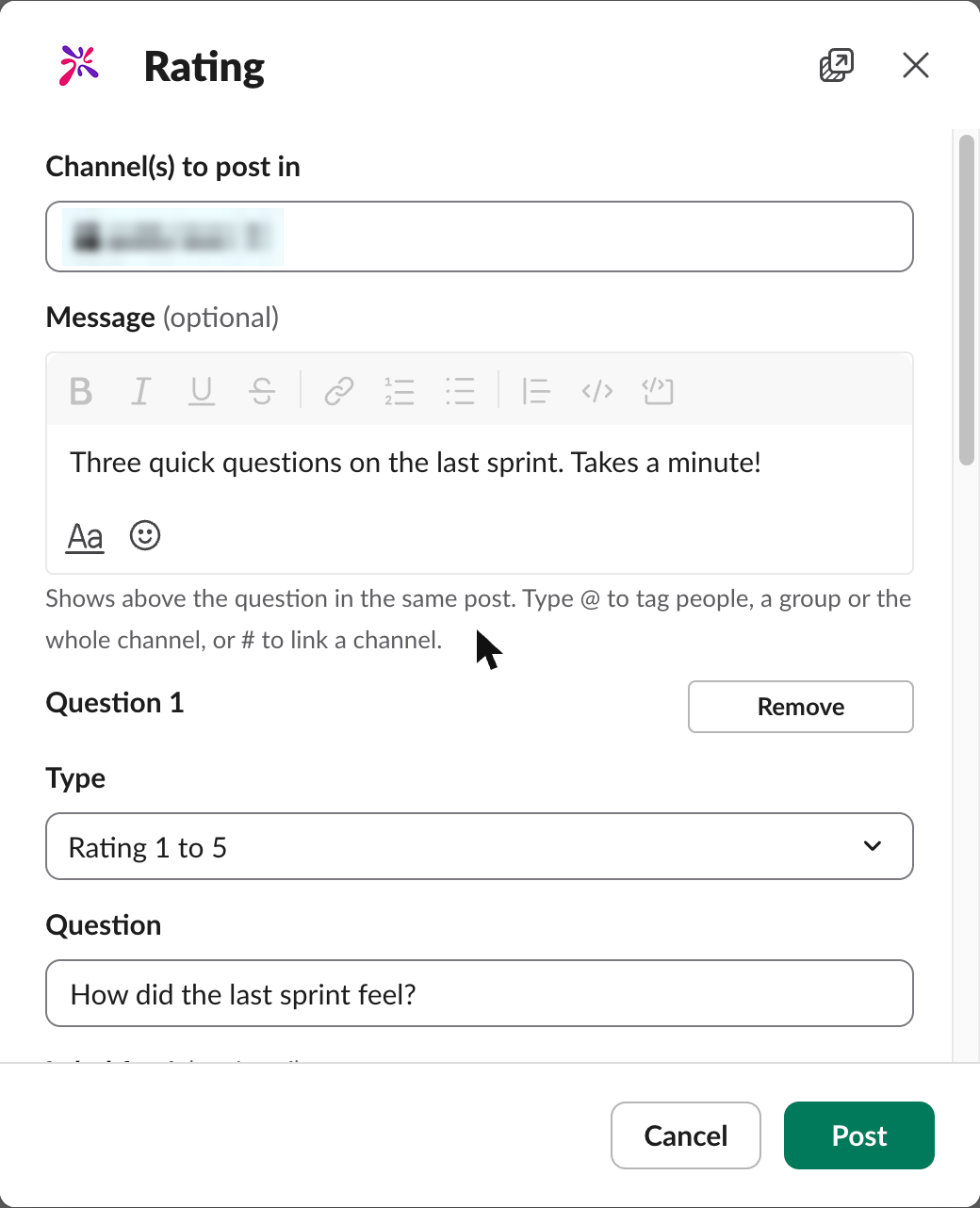
I den kanal, du vil tjekke ind med, skal du skrive /ahaslides opretterVinduet Opret åbnes. Under Tjek ind med teamet, tryk på Ugentlig puls. It comes with a rating question, “How was your week?”, and a follow-up, “What made it that way?”, that people can skip. Wellbeing works the same way, and more are under Alle skabeloner.
Step 3: Make it a daily check-in
The channel you're in is already picked under Kanal(er) at poste i. Change the first question to “How are you feeling today?” and keep the follow-up, or reword it to something like “Anything you'd like us to know?”. In Besked, add a line such as “Daily check-in: one tap, and a line if you want.” It shows above the question.
The form says “Best sent: every Friday”. That is only a suggestion for the Weekly pulse: AhaSlides posts the check-in when you press Indlæg, and the wording and the day are yours to choose.
Trin 4: Vælg, hvem der ser svarene, og skriv derefter
Under Indstillinger, kryds Anonyme svar if you want the most honest answers: names are then hidden for everyone, you included. Leave it off if you want to follow up with a person who has a rough day. Vis resultater til alle is ticked to start with, so the channel can see the mood of the team. Press Indlæg, and today's check-in is in the channel.
Leave answers open on this first post. Pressing Afslut besvarelse on it also closes the survey in AhaSlides, and a closed survey no longer shows in your list for tomorrow.
Trin 5: Send det op igen hver morgen
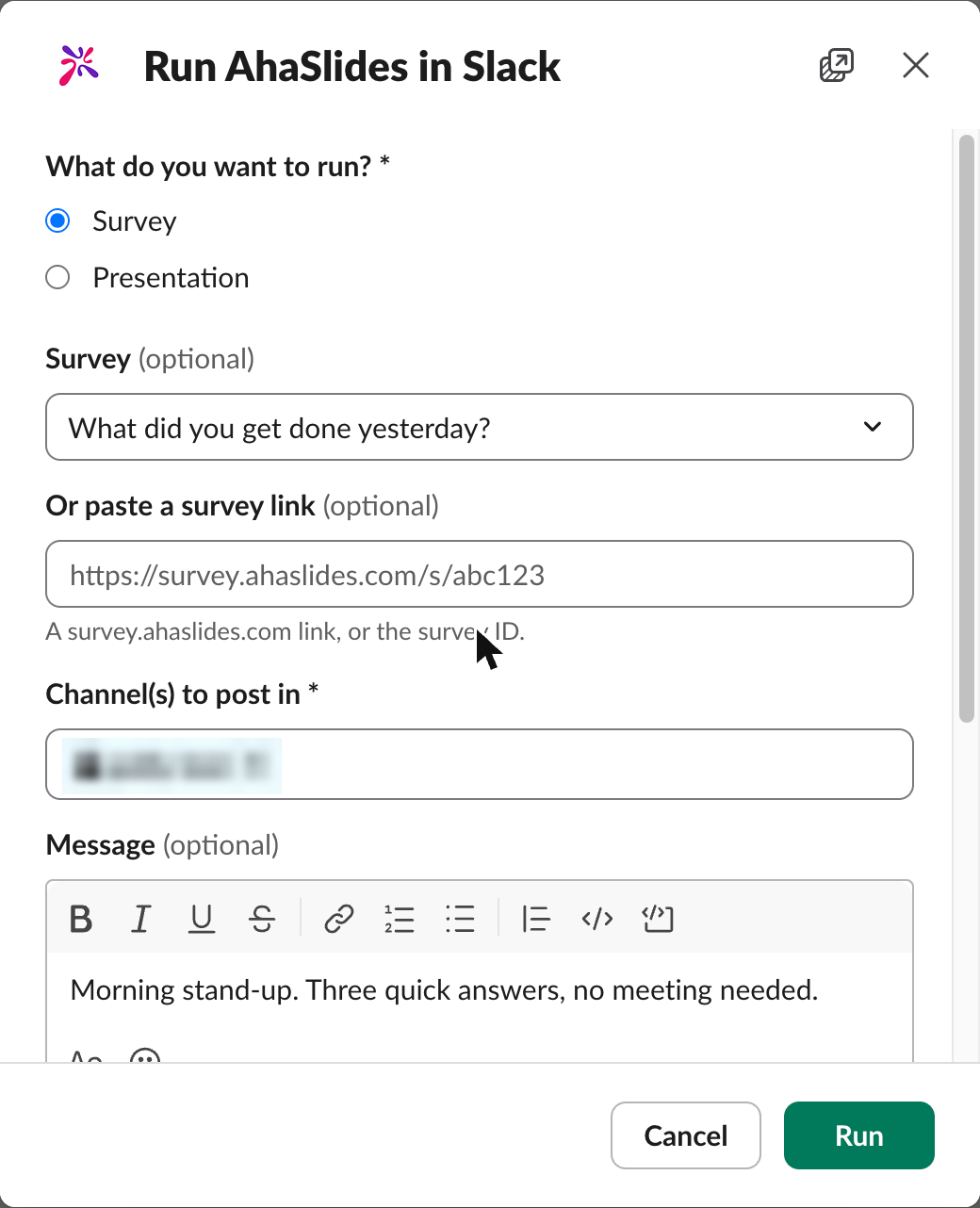
You don't rebuild it. Type /ahaslides kører. Under Hvad vil du køre?, hold Kortlægge selected, pick your check-in from the list (it's listed under its first question), choose the channel and press Kør. Each post collects a fresh round of answers, and all of them are saved in the same AhaSlides survey, so your report builds up day by day. On these daily posts, Afslut besvarelse stopper svar i Slack kun, så undersøgelsen forbliver klar til i morgen.
Step 6: Read the answers
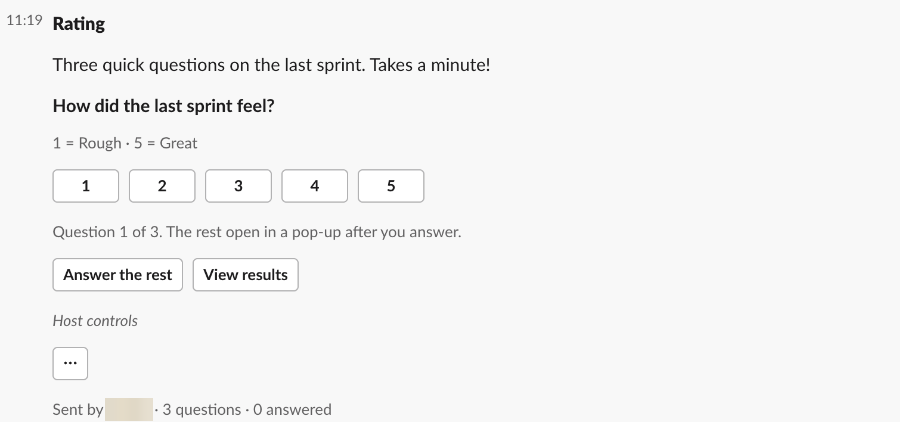
Presse Se resultater on the post to see how the team feels, with the written follow-ups listed. As the host, the ... knappen under Host controls har også Åbn i AhaSlides, where the full report keeps every day's answers. A low rating with a note is your cue to send that person a quick message.
Sidder du fast på et trin? AhaSlides forum Slack vejlede dækker alle muligheder og de mest almindelige løsninger.
Tips for a daily check-in people keep answering
- Send det på samme tidspunkt hver dag. A Slack påmindelse hjælper vanen med at holde, for eksempel /remind me to post the check-in every weekday at 9am.
- Keep it to one rating and one optional line. A check-in that takes ten seconds survives a busy week.
- Reply to the low scores. When people see a response, they keep telling you the truth.
- Share the trend now and then. A line such as “Mood dipped on release day” shows the check-in is read.
- Enig med hvem der poster det. When the usual host is on leave, decide who runs it so the habit doesn't drop.
Ofte stillede spørgsmål
What is a daily check-in?
A daily check-in is a short, regular question to your team, usually how people feel and whether they need anything, answered at the start of the day or the end of it. It is lighter than a stand-up and focused on people, not tasks.
How do I post the check-in each day?
Type /ahaslides kører, vælg Kortlægge, pick your check-in and press KørDet tager et par sekunder.
Can people answer again tomorrow?
Yes. Each day's post collects a new round of answers, and they are all saved in the same AhaSlides undersøgelsen.
Har folk brug for en AhaSlides konto at svare på?
No. Only the person who posts the check-in signs in. Everyone else answers in Slack.
Is AhaSlides forum Slack gratis?
Ja. Det virker på alle AhaSlides plan, inklusive gratis.
I can't find my check-in in the list. Why?
It is listed under its first question, such as “How are you feeling today?”. A survey that has been closed in AhaSlides vises ikke, hvilket sker, hvis du sluttede med at svare på det første indlæg, du lavede med /ahaslides opretter. AhaSlides forum Slack vejlede forklarer hver mulighed i Kør-vinduet.
Relaterede læses: Sådan opretter du en undersøgelse i Slack, for longer surveys with more question types, and Sådan kører du en asynkron stand-up Slack, for a daily update on the work. For a weekly rhythm, see Weekly team check-in questions.
Know how your team is doing before the day gets going. Tilføj AhaSlides forum Slack today, and tomorrow's check-in is one command away.