
You can run a pulse survey in Slack med AhaSlides forum Slack: type /ahaslides opretter, vælg Ugentlig puls og tryk Indlæg. Your team answers with one tap in the channel, and every answer is saved in your AhaSlides indberette.
When to use a pulse survey in Slack
A pulse survey is a short check-in you send on a regular rhythm, to see how people are feeling before small problems turn into big ones. Say you lead a design team and want to know how the week went. On Friday afternoon you post two questions in #team-design, and people answer between tasks. (New to the idea? Read What is a pulse survey? A guide for teams for the background.)
Other good moments for a pulse in Slack:
- A weekly mood check with your team
- A workload check when a busy stretch starts
- An eNPS check once a quarter
- A quick read a week after a change or an announcement
Holde Slack for short pulses: that is what makes them quick to answer. A long, formal engagement survey is easier to answer from a full survey link, which AhaSlides kan også give dig.
Why run your pulse survey in Slack
- Folk svarer der, hvor de allerede er. Ingen ny fane, intet login og ingen e-mail at finde frem til, så det tager kun få sekunder at besvare det.
- Du kan se, hvor mange der har svaret. The pulse sits in the channel, and the count on the post keeps you up to date.
- Svarene ruller ikke væk. Every answer stays in your AhaSlides rapport, klar til at læse eller dele senere.
Hvad du har brug for
- A Slack arbejdsområde med AhaSlides forum Slack installeret
- An AhaSlides account for the person who runs the pulse (any plan works, including Free)
- Intet for de folk, der svarer: de behøver ikke en AhaSlides konto
Sådan udfører du en pulsundersøgelse Slack, trin for trin
Trin 1: Tilføj AhaSlides forum Slack
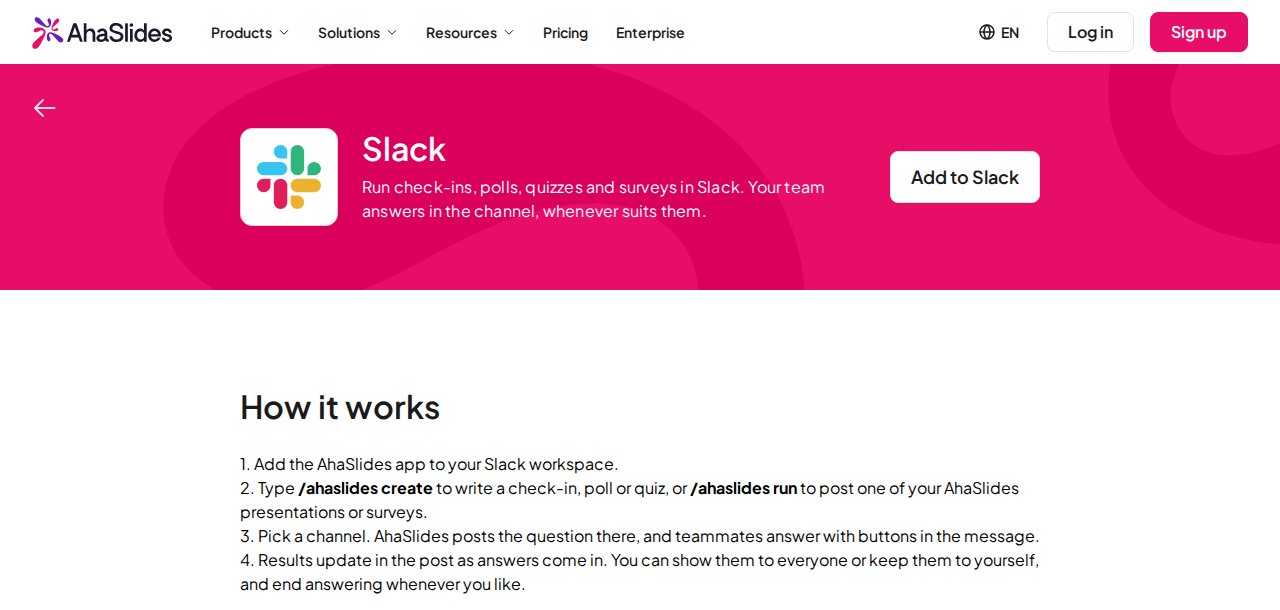
Åbne AhaSlides forum Slack installationsside og tilføj appen til dit arbejdsområde. Første gang du trykker på Indlæg, AhaSlides beder dig om at logge ind på din AhaSlides account and keeps your draft while you do.
Trin 2: Åbn vinduet Opret
In the channel you want to check in with, type /ahaslides opretter. The Create window opens.
Step 3: Pick Weekly pulse
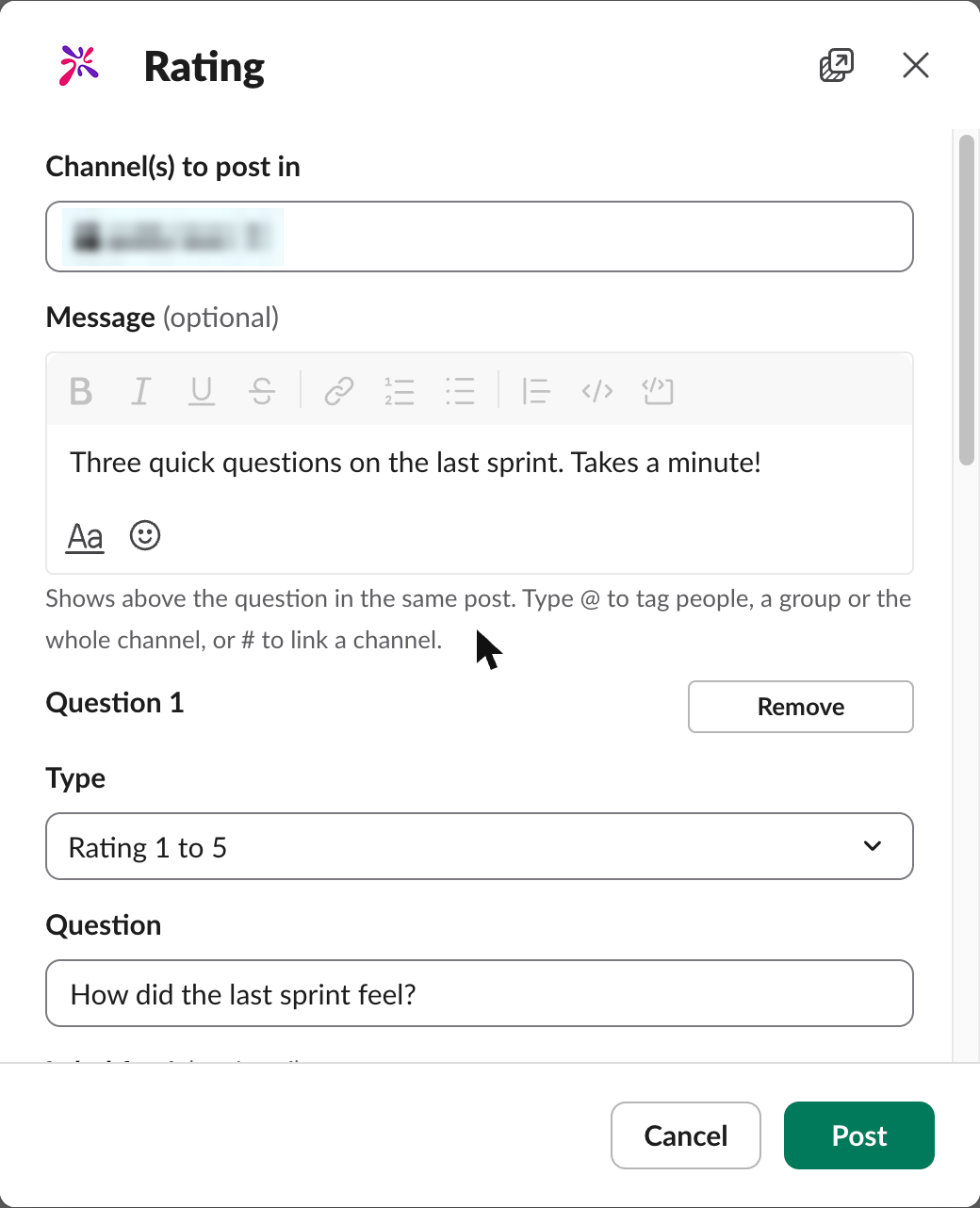
Under Tjek ind med teamet, tryk på Ugentlig puls. It comes ready to post with two questions: Hvordan var din uge?, answered on a 1 to 5 scale from Very poor to Great, and a follow-up, What made it that way?, which people can skip. The window notes that it is best sent every Friday. For a different kind of pulse, Wellbeing og ENPS sit next to it, and Alle skabeloner lists more, such as Workload, Manager support and Team connection.
Under Kanal(er) at poste i, den kanal, du er i, er allerede valgt, og du kan tilføje flere. I Besked, add a line so people know why you're asking. Change any question or the words at each end of the scale, or press + Tilføj spørgsmål if you want one more. Two or three questions is plenty for a pulse.
Trin 4: Vælg anonyme svar, og hvem der ser resultaterne
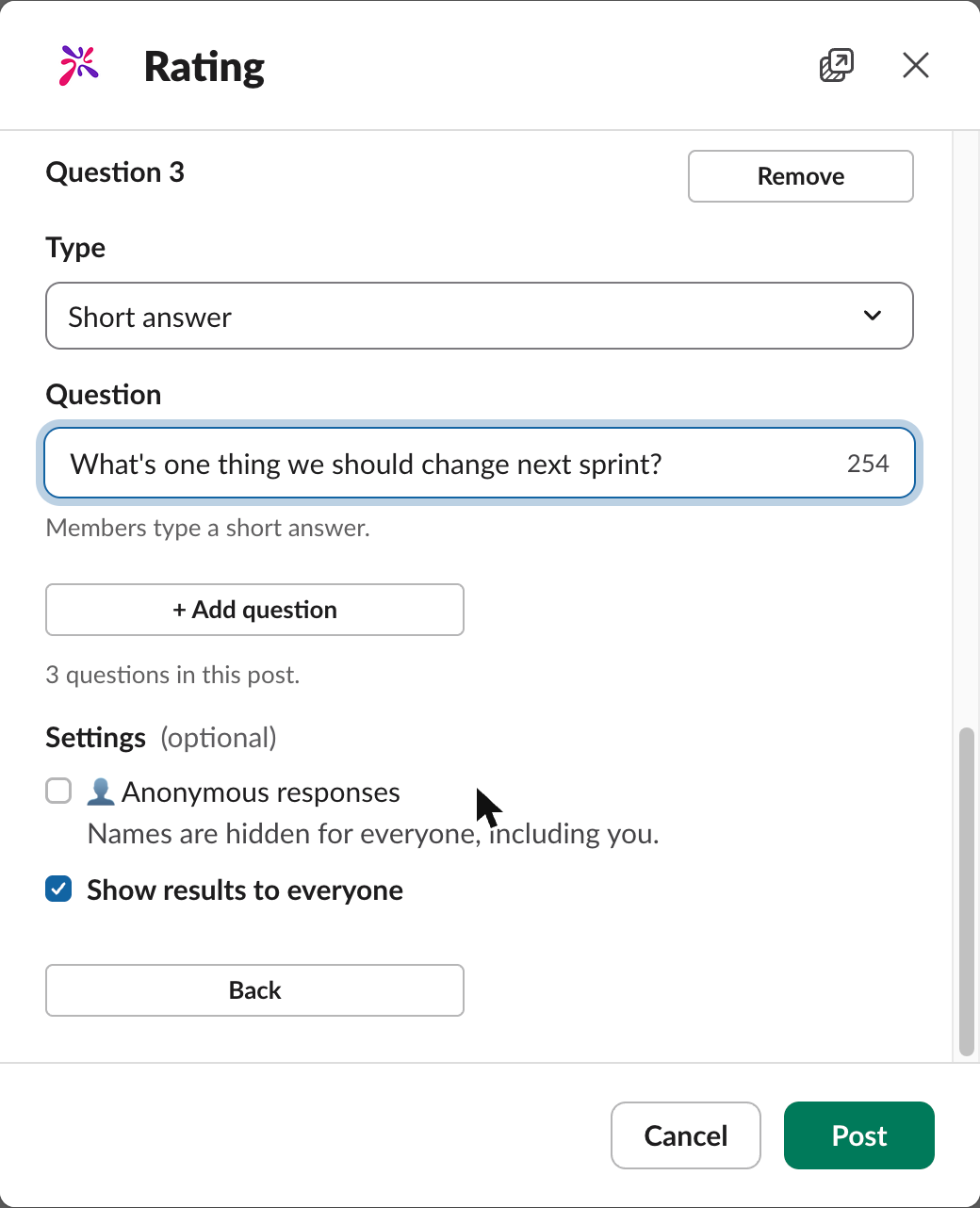
Under Indstillinger, kryds Anonyme svar if you want honest answers without names. Wellbeing and eNPS start with it ticked; Weekly pulse starts with it off. Names are then hidden for everyone, you included, in Slack og i AhaSlides. Vis resultater til alle er markeret til at starte med, så hele kanalen kan se resultaterne. Fjern markeringen for at holde dem for dig selv.
Trin 5: Send det op, og se svarene komme ind
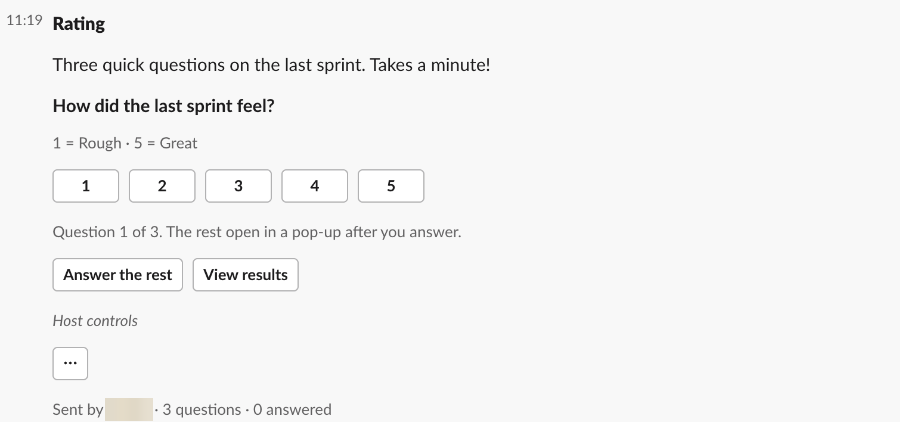
Presse Indlæg. AhaSlides creates the survey in your account and posts it to the channel. The first question sits right in the post: people tap an answer. Svar på resten opens the follow-up in a pop-up, and they can skip it. The bottom of the post shows how many people have answered.
Trin 6: Læs resultaterne
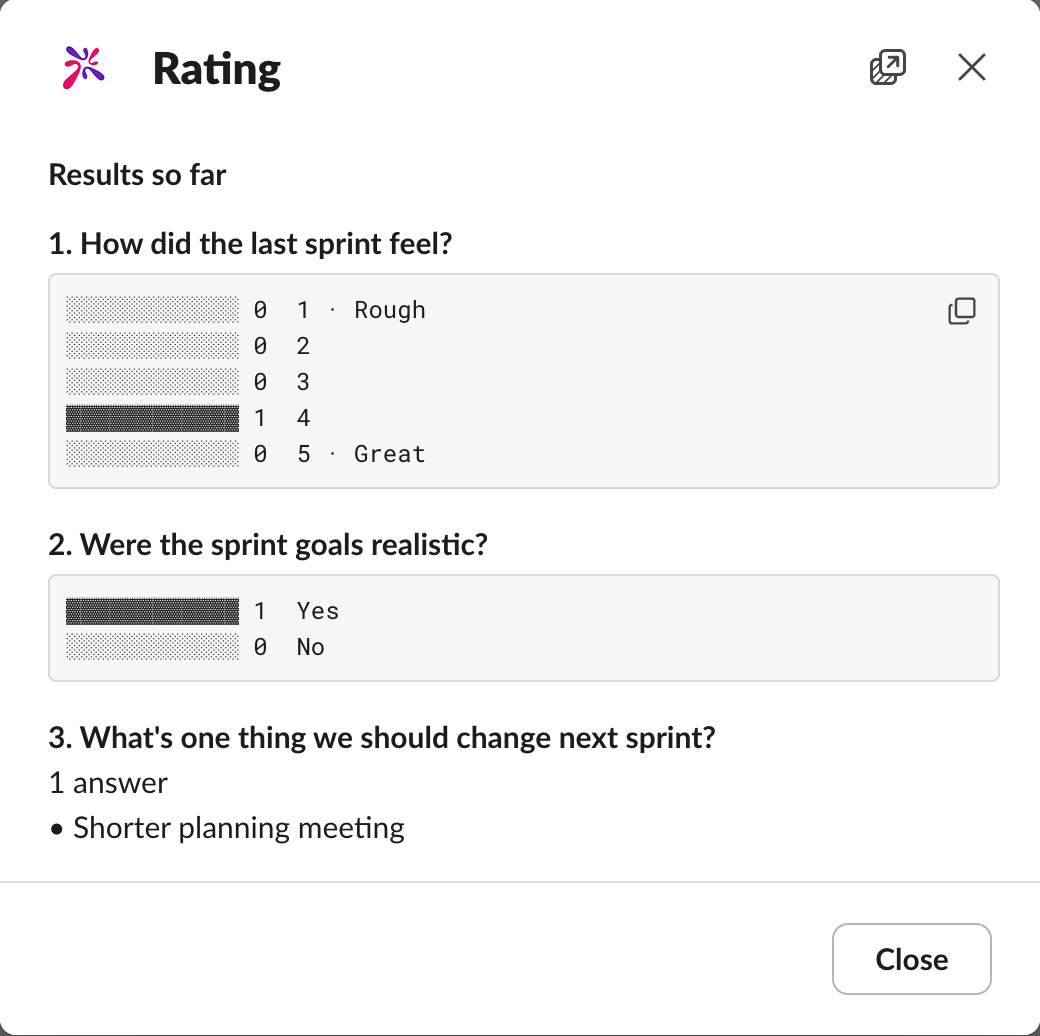
Som vært skal du trykke på ... knappen under Værtskontroller til Se resultater, Afslut besvarelse or Åbn i AhaSlidesHvis du tog afsted Vis resultater til alle på, alle andre får en Se resultater button too. The rating shows as a bar chart and the follow-up answers are listed. Your AhaSlides Rapporten har svaret på alle spørgsmål.
Sidder du fast på et trin? AhaSlides forum Slack vejlede dækker alle muligheder og de mest almindelige løsninger.
Sending the pulse again
A pulse is worth most when you repeat it, and you post each one yourself, which takes a minute. Next time, type /ahaslides opretter og vælg Ugentlig puls again. To post a survey you already made, type /ahaslides kører, vælg Kortlægge, pick it from your list and press Kør. For the full tour of the Create window, read Sådan opretter du en undersøgelse i Slack.
Five tips for a pulse survey people answer
- Keep it to two or three questions. A pulse people can finish in under a minute is one they will answer every time.
- Send it at the same time each week. A steady rhythm makes it a habit, and makes changes easier to spot.
- Vær anonym for følsomme emner. On workload or wellbeing, people may feel safer being open when their name isn't attached.
- Keep one open question. "What made it that way?" often gives you the most useful reply of the lot, and skipping it costs nothing.
- Luk løkken. Post a short summary of the results and what you'll do next. Seeing the last pulse change something gives people a reason to answer the next one.
Ofte stillede spørgsmål
What is a pulse survey?
A pulse survey is a short, regular check-in, usually one to three questions, that shows how a team is feeling over time. See What is a pulse survey? A guide for teams for mere.
Can you run a pulse survey in Slack?
Ja. Med AhaSlides forum SlackSkriv /ahaslides opretter, vælg Ugentlig puls og tryk Indlæg. People answer with buttons right in the channel.
Skal folk have en konto for at svare?
No. Only the person who runs the pulse signs in to AhaSlidesAlle andre svarer med knapper i Slack. Guiden covers setup questions.
Can the pulse be anonymous?
Ja. Kryds af. Anonyme svar før du poster. Navne er skjult for alle, inklusive dig, i Slack og i din AhaSlides indberette.
Is AhaSlides forum Slack gratis?
Ja. Det virker på alle AhaSlides plan, inklusive gratis.
Hvad hvis mit arbejdsområde først skal godkende apps?
Slack beder dig om at sende en installationsanmodning, og en ejer af arbejdsområdet eller appadministratoren godkender den.
Relateret læsning: Sådan opretter du en undersøgelse i Slack, for every option in the Create window.
Find out how your team is really doing, right where they work. Tilføj AhaSlides forum Slack and post your first pulse in a few minutes.