
Trin 1: Work through the modules
Tilslut AhaSlides MCP-server til Claude eller ChatGPT, send hver prompt og gør det, den bygger, til dit eget.
Ask Claude or ChatGPT for an icebreaker, a team quiz or a live Q&A, and the AhaSlides MCP server builds it in your AhaSlides account, ready to run. Learn the prompts once, and getting a meeting or event ready takes minutes, not hours.
About 2 hours 20 minutes · 6 modules · At your own pace · Certificate of completion
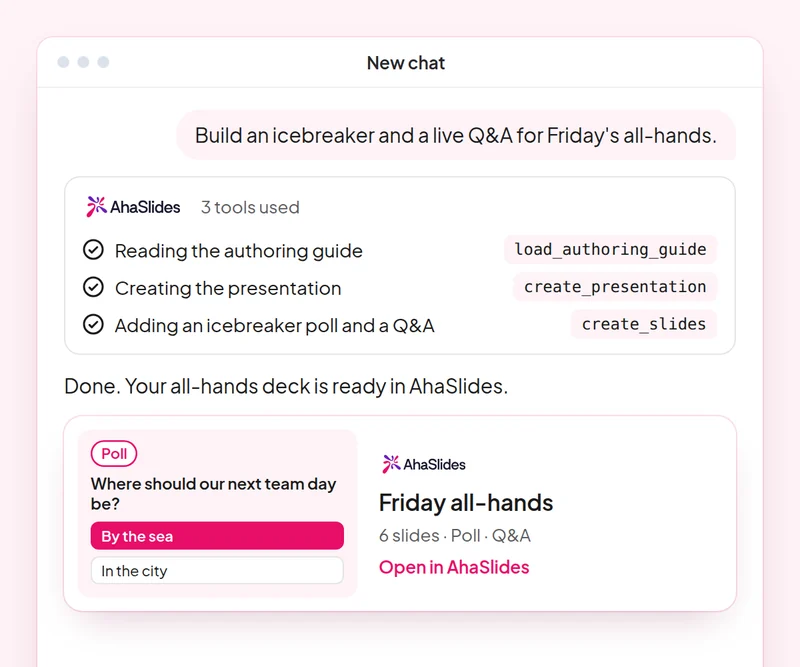
Mål: Open any meeting or event with an activity everyone joins.
Dygtighed: build-presentation
Prøv evt. “Build an icebreaker for a 60-person team offsite: a welcome slide, a word cloud on one word for this year and a quick poll.”
Du får: A ready-to-run deck that gets everyone answering from the first minute.
Mål: Build a fair team quiz with accurate answers.
Dygtighed: make-quiz
Prøv evt. “Make a 15-question general knowledge quiz for our end-of-year party, played in teams.”
Du får: A scored quiz and how guests join it on their phones.
Mål: Change timing, order and settings of an existing deck with one prompt.
Dygtighed: edit-slides
Prøv evt. “In my offsite deck, give every quiz question 20 seconds and move the feedback poll to the end.”
Du får: Your changes made to the existing slides, with a summary of what changed.
Mål: Run a moderated Q&A where you approve every question shown.
Dygtighed: moderate-live-qna
Prøv evt. “Show me the new questions from the panel Q&A and suggest which to approve. Wait for my yes before you change anything.”
Du får: Questions sorted into approve and dismiss with reasons, applied only after you agree.
Mål: Read the room's feedback and plan the next event from it.
Dygtighed: review-results
Prøv evt. “How did people answer the feedback poll at today's offsite?”
Du får: A summary of responses with one or two ideas for your next event.
Mål: Know who came, who joined in and who stayed quiet, so you follow up with the right people.
Dygtighed: track-participants
Prøv evt. “From my [team offsite] session, list who joined, who answered nothing, and draft a short follow-up asking the quiet ones for their views.”
Du får: An attendance and participation list, with follow-ups for the people you did not hear from. Detailed per-person reports need a paid plan.
Host one real meeting or event: open with an icebreaker, run a team quiz and a moderated Q&A, then review the feedback and note what you would change next time. Keep the prompts that worked, so next time this work is a quick routine.
A 10-question quiz on icebreakers, team quizzes, deck edits and Q&A moderation. Pass it to earn your certificate of completion.
Hvert kursus er et AhaSlides eLearning course of about 2 hours 20 minutes that issues a verifiable certificate when you finish.
Tilslut AhaSlides MCP-server til Claude eller ChatGPT, send hver prompt og gør det, den bygger, til dit eget.
Sæt de seks færdigheder sammen i én rigtig session fra dit arbejde.
Take a 10-question quiz on icebreakers, team quizzes, deck edits and Q&A moderation.
Pass the quiz to earn a verifiable AhaSlides færdiggørelsesbevis med et bekræftelseslink, du kan dele.
Yes, the course costs nothing to take. You follow it in your own AhaSlides account, and some features the modules use, such as detailed reports, are part of the paid plans. See prissætning for hvad hver plan indeholder.
Claude (on claude.ai, Cowork and Claude Code), ChatGPT and any client that supports remote MCP servers. In Claude, add a custom connector with https://mcp.ahaslides.com/mcp as the server URL. In ChatGPT, find AhaSlides i fanen Plugins. Se AhaSlides MCP-server side for de fulde trin.
They are the 17 public AhaSlides færdigheder for Claude, gratis og open source på GitHub. Each one tells Claude which AhaSlides MCP tools to call and points it at AhaSlides' own authoring guides.