
De crisis rond virtuele vergaderingen waar niemand het over heeft.
Je team is in gesprek. Camera's uit. Stilte.
Iemand stelt een vraag. Niets. Je wacht. Nog steeds niets.
Vervolgens typen drie mensen tegelijkertijd reacties, iemand anders mengt zich er verbaal in, en tegen de tijd dat je de chatberichten hebt gelezen, is het gesprek alweer verder gegaan.
Dit is geen probleem van Zoom. Het is een probleem met de betrokkenheid van de deelnemers.
Volgens onderzoek van Fellow uit 2024 onder meer dan 500 kenniswerkers geeft 67% van de werknemers toe dat ze multitasken tijdens virtuele vergaderingen, en slechts 17% van de leidinggevenden gelooft dat vergaderingen daadwerkelijk productief zijn. Na de pandemie nam de vergaderfrequentie toe – uit het rapport van My Hours uit 2025 bleek dat 54% van de professionals nu meer vergaderingen bijwoont dan vóór COVID-19 – maar we organiseren ze nog steeds op dezelfde manier als in 2020.
Het resultaat? Verspilde tijd, verloren ideeën en teams die opzien tegen elke agenda-afspraak.
Er bestaat echter een betere manier om vergaderingen te leiden.

4 cruciale problemen bij virtuele vergaderingen
1. Chatchaos maakt een einde aan goede ideeën. Tijdens actieve vergaderingen verschijnen er 10-15 berichten terwijl je midden in een zin bent. Iemand komt met een briljante suggestie. Er verschijnen nog drie reacties voordat je de kans krijgt om erop te reageren. Je kunt niet pauzeren om te overleggen. Je kunt geen vergelijkbare ideeën groeperen. Je kunt niet stemmen over opties. Chatten voelt productief aan, maar zorgt voor organisatorische chaos.
2. Bijdragen zijn overal verspreid. De een zegt iets hardop. De ander deelt een gedachte in de chat. Iemand stuurt je een privébericht. Weer een ander reageert alleen met emoji's. Na de vergadering: je probeert te reconstrueren wat er precies gezegd is aan de hand van je geheugen en fragmentarische aantekeningen. Dat baanbrekende idee van je junior developer? Ergens rond minuut 12 verloren gegaan.
3. Zachte stemmen verdwijnen Onderzoek van Voltage Control (2024) naar het betrekken van stille deelnemers laat zien dat introverte teamleden luide stemmen niet zullen onderbreken. Ze typen wel iets in de chat, maar als niemand er meteen op reageert, stoppen ze ermee. Je mist hun inbreng volledig.
4. Inclusieve begeleiding is uitputtend. Wil je dat iedereen meedoet én dat er georganiseerde input én aantekeningen zijn? Constant check-ins. Haastig typen. Allerlei facilitatieoefeningen. Voor leiders die het al druk genoeg hebben, is dat gewoon te veel werk.
6 methoden om interactieve online vergaderingen te houden
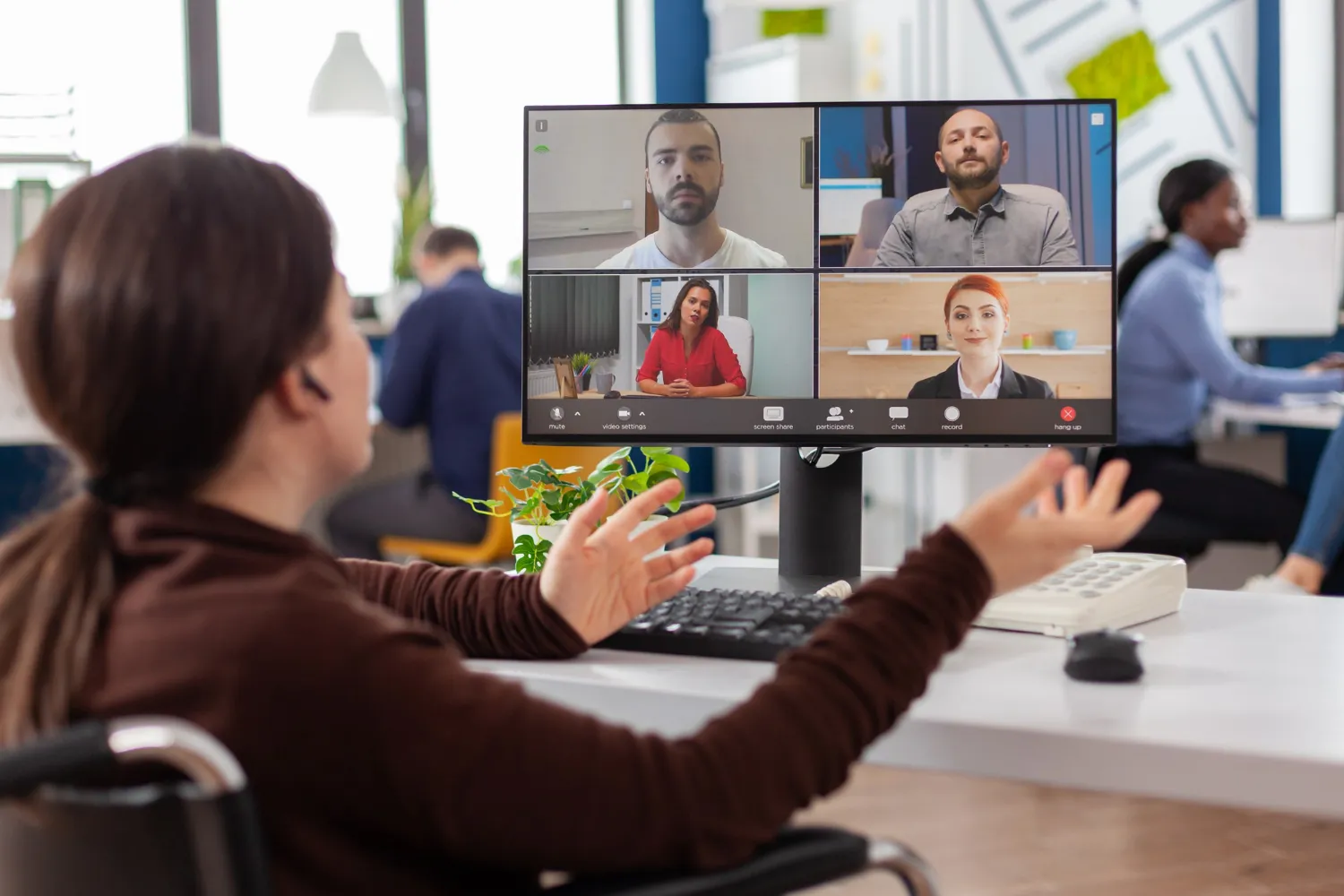
Methode 1: Visuele controles die de werkelijke stemming onthullen.
Het probleem: De wekelijkse synchronisatie begint stroef. De helft van het team is afgeleid. Je vraagt "Hoe gaat het met iedereen?" en krijgt een ongemakkelijke stilte of algemene "prima" antwoorden die je niets vertellen.
Maak het interactief: Begin met een visuele aanwijzing waarop iedereen tegelijk kan reageren. In plaats van de vragen mondeling te stellen, vraag je iedereen om één woord te noemen dat hun week omschrijft. Toon alle antwoorden op een zichtbare plek, bijvoorbeeld: "overweldigd", "geconcentreerd", "verstrooid", "energiek".
Stel vervolgens een korte groepsvraag: "Wat is vandaag je grootste prioriteit?" Laat iedereen tegelijk antwoorden in plaats van te wachten tot ze aan de beurt zijn.
Waarom het werkt: Laagdrempelige opdrachten stimuleren stille deelnemers om direct bij te dragen. Doordat iedereen tegelijkertijd inzendingen doet, hoeven introverten niet te concurreren met luide stemmen. Visuele reacties creëren een gedeelde context.
Methode 2: Gestructureerde brainstormsessie waarbij ieders stem wordt vastgelegd
Het probleem: Je vraagt: "Welke functies moeten we prioriteren voor het eerste kwartaal?" Drie mensen domineren het gesprek. De chat loopt vol met overlappende suggesties. Junior teamleden blijven stil. Na 30 minuten heb je verspreide ideeën en geen duidelijke richting.
Maak het interactief: Hanteer een gestructureerde aanpak waarbij iedereen tegelijkertijd ideeën schriftelijk indient – alles zichtbaar in één overzichtelijke ruimte. Niemand wordt onderbroken. Ideeën verschijnen in eerste instantie zonder naam, zodat junior ontwikkelaars zich veilig voelen om gedurfde concepten voor te stellen.
Zodra er minder inzendingen binnenkomen, laat het team stemmen op hun favorieten. Dit zorgt voor echte consensus zonder dat luide stemmen de overhand krijgen.
Waarom het werkt: Anoniem inzenden heft hiërarchische barrières op. Gelijktijdige inzendingen betekenen dat introverte mensen niemand hoeven te onderbreken. Stemmen laat zien wat de groep daadwerkelijk belangrijk vindt. Je legt elk idee vast zonder chatchaos in 15 minuten in plaats van 40.
Methode 3: Virtuele training die de aandacht vasthoudt
Het probleem: Je introductiepresentatie is bij dia 15 aangekomen. De deelnemers haken af. Je vraagt: "Zijn er nog vragen?" en krijgt geen antwoord – maar je weet dat ze in de war zijn, omdat er na de training steeds weer fouten worden gemaakt.
Maak het interactief: Voer tussendoor kenniscontroles uit. Leg na het uitleggen van het retourbeleid een kort scenario uit: "Een klant heeft 35 dagen geleden een product gekocht en wil zijn geld terug. Wat doe je?" Direct is duidelijk wie het antwoord weet en wie aan het gissen is.
Na elke sectie volgt een open vraag: "Wat is één ding waar je nog steeds niet helemaal zeker van bent?" In de anonieme modus krijg je eerlijke bekentenissen, zoals: "Ik snap het escalatieproces helemaal niet."
Waarom het werkt: Kenniscontroles zorgen ervoor dat de aandacht weer wordt gefocust wanneer deze afdwaalt. Directe feedback stelt je in staat om onduidelijkheden tijdens de training op te helderen, in plaats van weken later wanneer er fouten worden gemaakt.
Methode 4: Besluitvorming die daadwerkelijk vooruitgang boekt
Het probleem: Het leiderschapsteam bespreekt drie benaderingen gedurende 40 minuten. Iedereen heeft een mening. Je vraagt mensen om te "stemmen in de chat" en krijgt 12 verschillende antwoordvormen, waarvan de telling 10 minuten duurt.
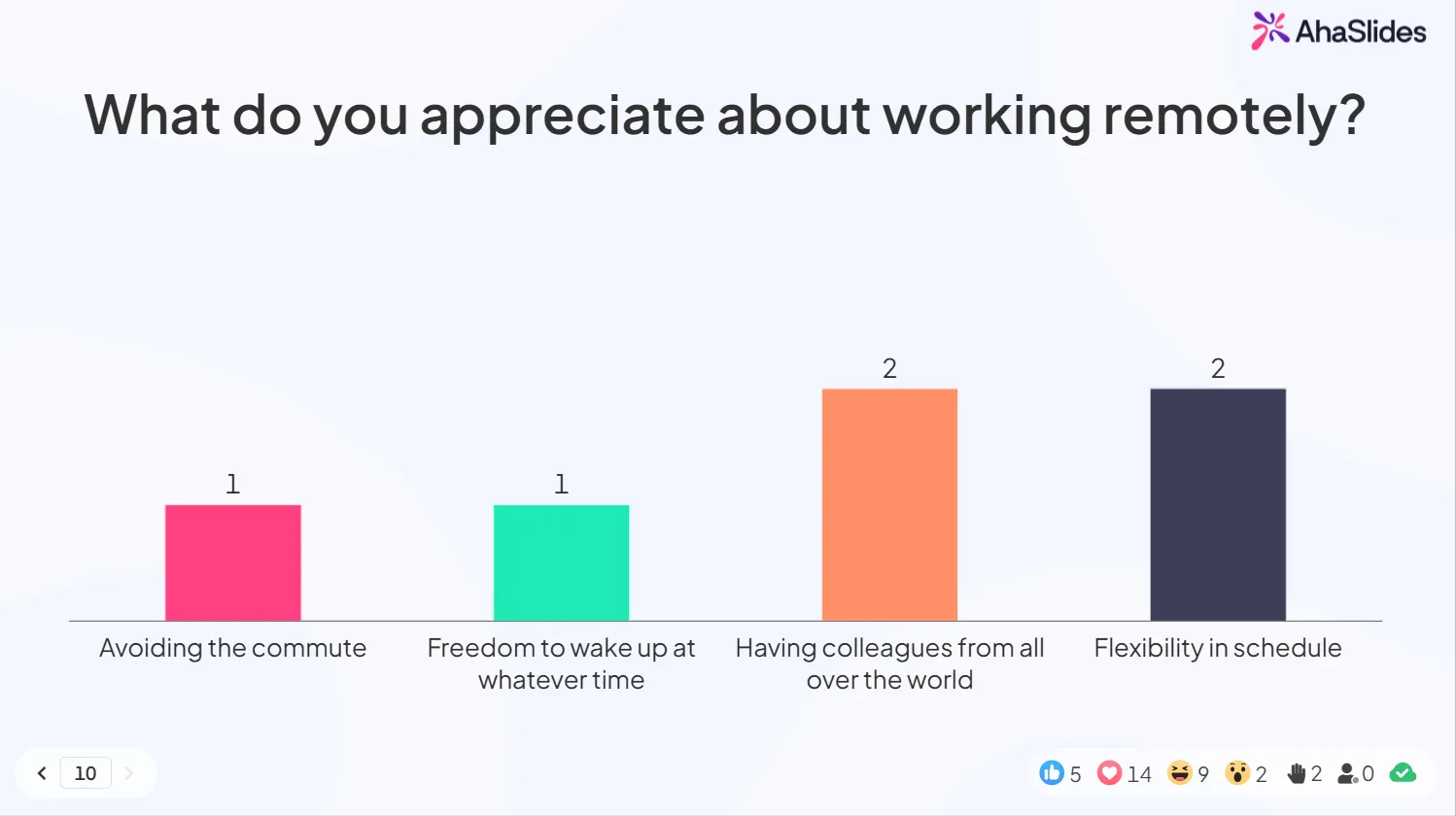
Maak het interactief: Presenteer drie opties duidelijk. Houd een live poll: "Welke aanpak moeten we kiezen?" De resultaten verschijnen direct, inclusief percentages. Bespreek kort de twee meest populaire opties. Neem een besluit. Ga verder.
Totale duur: 8 minuten in plaats van 40.
Waarom het werkt: Visuele resultaten verduidelijken direct de consensus. Geen dubbelzinnige gissingen zoals "het lijkt erop dat de meeste mensen optie B willen". Schone data leiden tot snellere besluitvorming.
Methode 5: Retrospectieven die eerlijke feedback opleveren
Het probleem: Je moet weten wat er mis is tijdens een sprint. Maar in een synchrone discussie houden mensen zich in. Junior ontwikkelaars zullen de snelheid waarmee senior ontwikkelaars code beoordelen niet bekritiseren. Niemand wil "die vervelende persoon" zijn.
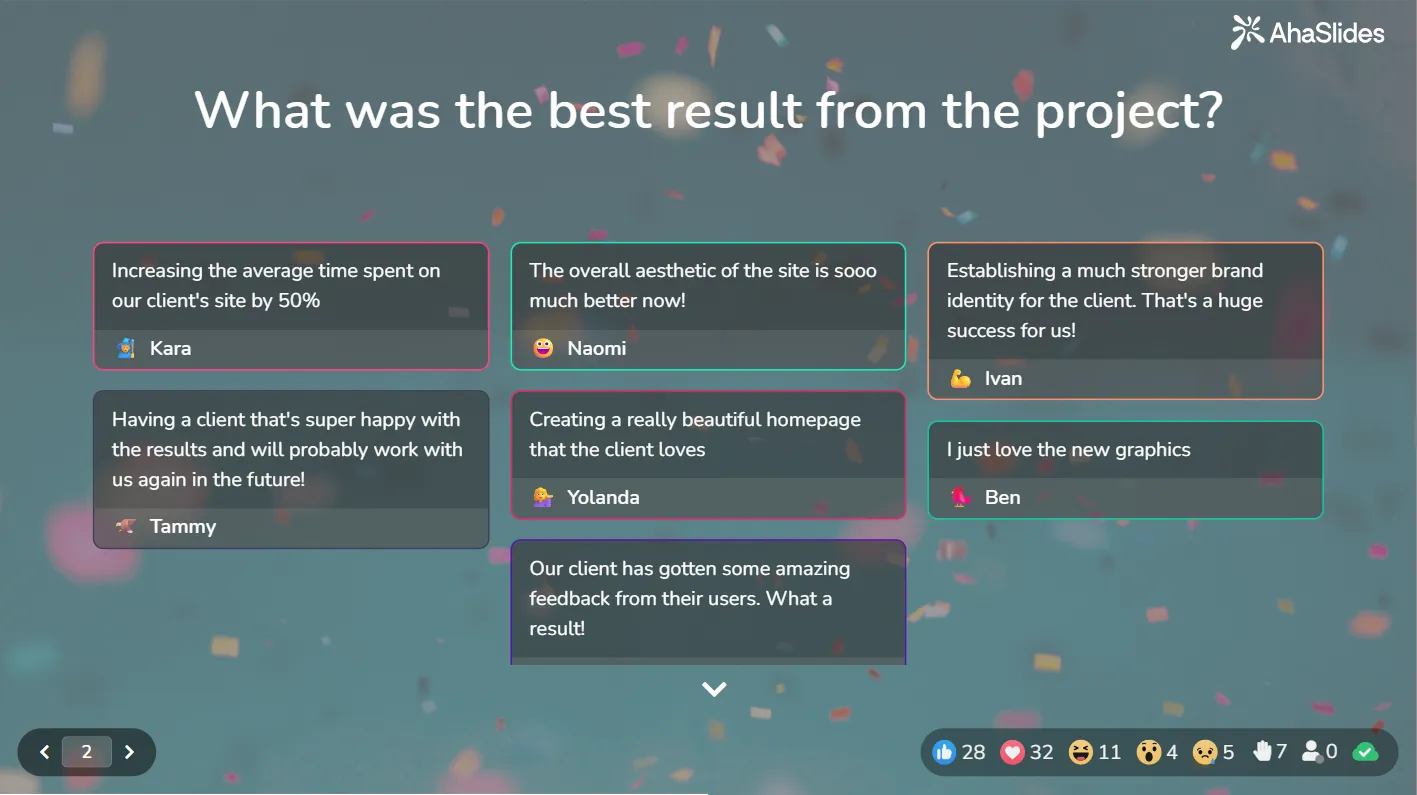
Maak het interactief: Stel de vragen "Wat ging er goed?" en "Wat kunnen we verbeteren?" via anonieme schriftelijke inzendingen. De antwoorden worden gegroepeerd per onderwerp weergegeven, zodat je niet door de chat hoeft te scrollen om te onthouden wie wat heeft gezegd.
Als drie mensen onafhankelijk van elkaar "onduidelijke eisen tijdens de sprintplanning" noemen, weet je dat het een patroon is en niet slechts één klacht.
Waarom het werkt: Anonimiteit maakt eerlijke feedback mogelijk die anders nooit mondeling naar boven zou komen. Gegroepeerde reacties onthullen patronen die je in losse gesprekken zou missen.
Methode 6: Grootschalige bijeenkomsten die persoonlijk aanvoelen
Het probleem: Een bedrijfsbijeenkomst voor 100 personen organiseren. Je wilt interactie, maar het lukt niet om 100 mensen tegelijkertijd hun microfoon aan te laten zetten. De chat loopt volledig uit de hand. Vragen en antwoorden verdwijnen in de massa. Mensen haken af.
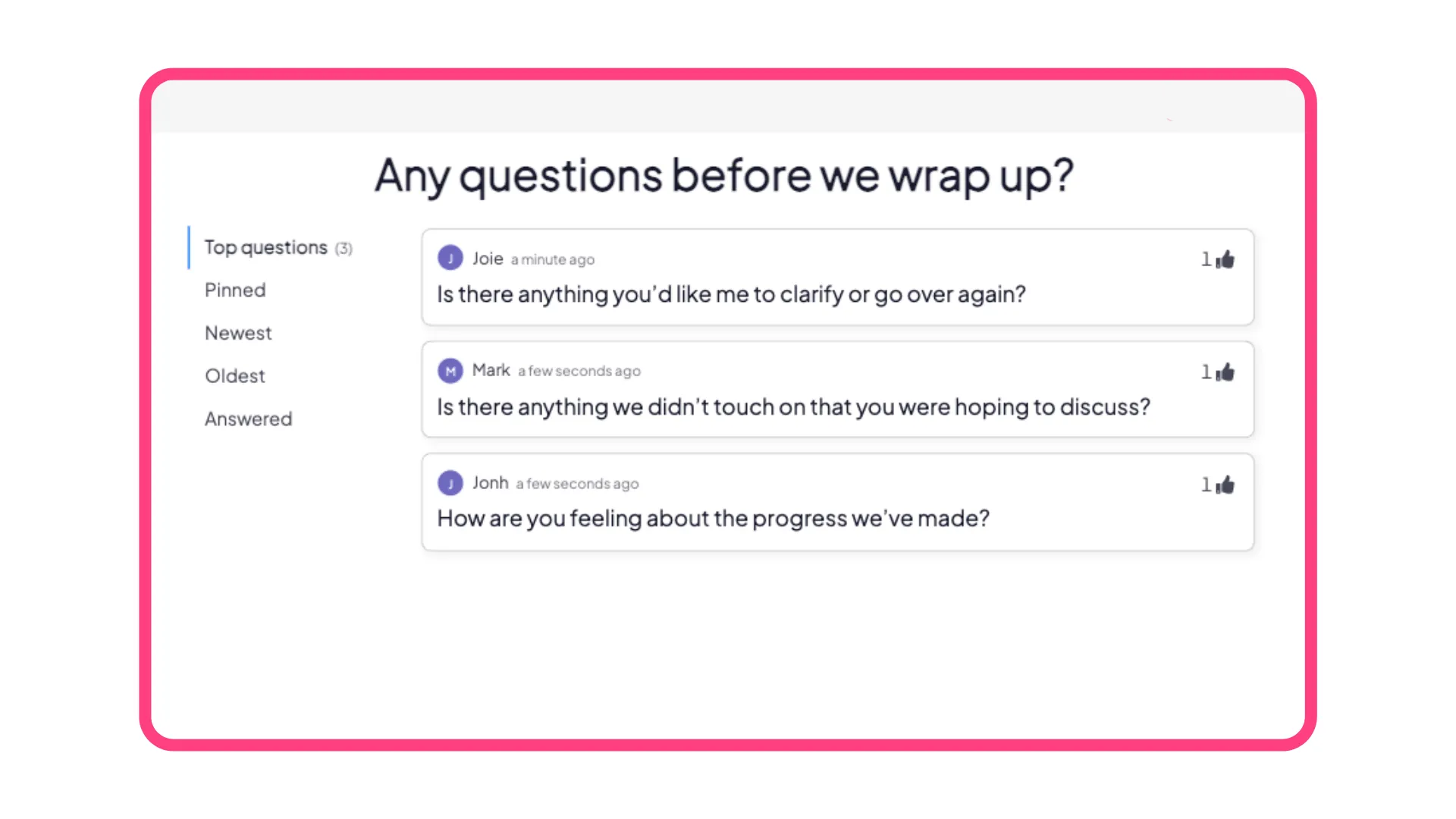
Maak het interactief: Gebruik een gestructureerde vraag- en antwoordsessie waarbij vragen op één plek verschijnen en deelnemers op de beste vragen stemmen – zo behandel je de belangrijkste onderwerpen. Toon de pollresultaten in realtime: "Welk team heeft zijn kwartaaldoel bereikt?" Voeg quizvragen toe tussen de serieuze onderdelen: "In welk jaar is het bedrijf opgericht?"
Waarom het werkt: Gestructureerde vraag- en antwoordsessies brengen de beste vragen naar boven zonder dat moderators door de chat hoeven te zoeken. Peilingen en quizvragen creëren korte momenten van betrokkenheid die afleiding tegengaan.
Waarom AhaSlides de gemakkelijkste manier is om interactieve online vergaderingen te houden
De zes bovenstaande methoden werken handmatig, maar vereisen voortdurende begeleiding. AhaSlides is specifiek ontwikkeld om interactieve online vergaderingen soepel te laten verlopen voor Zoom en Microsoft Teams.
Omvat alle 6 methoden op één platform.
Methode 1: Visuele controles → Woordwolken geven direct de teamstemming weer. "Eén woord voor jouw week" verschijnt als een visuele cluster die iedereen tegelijk ziet.
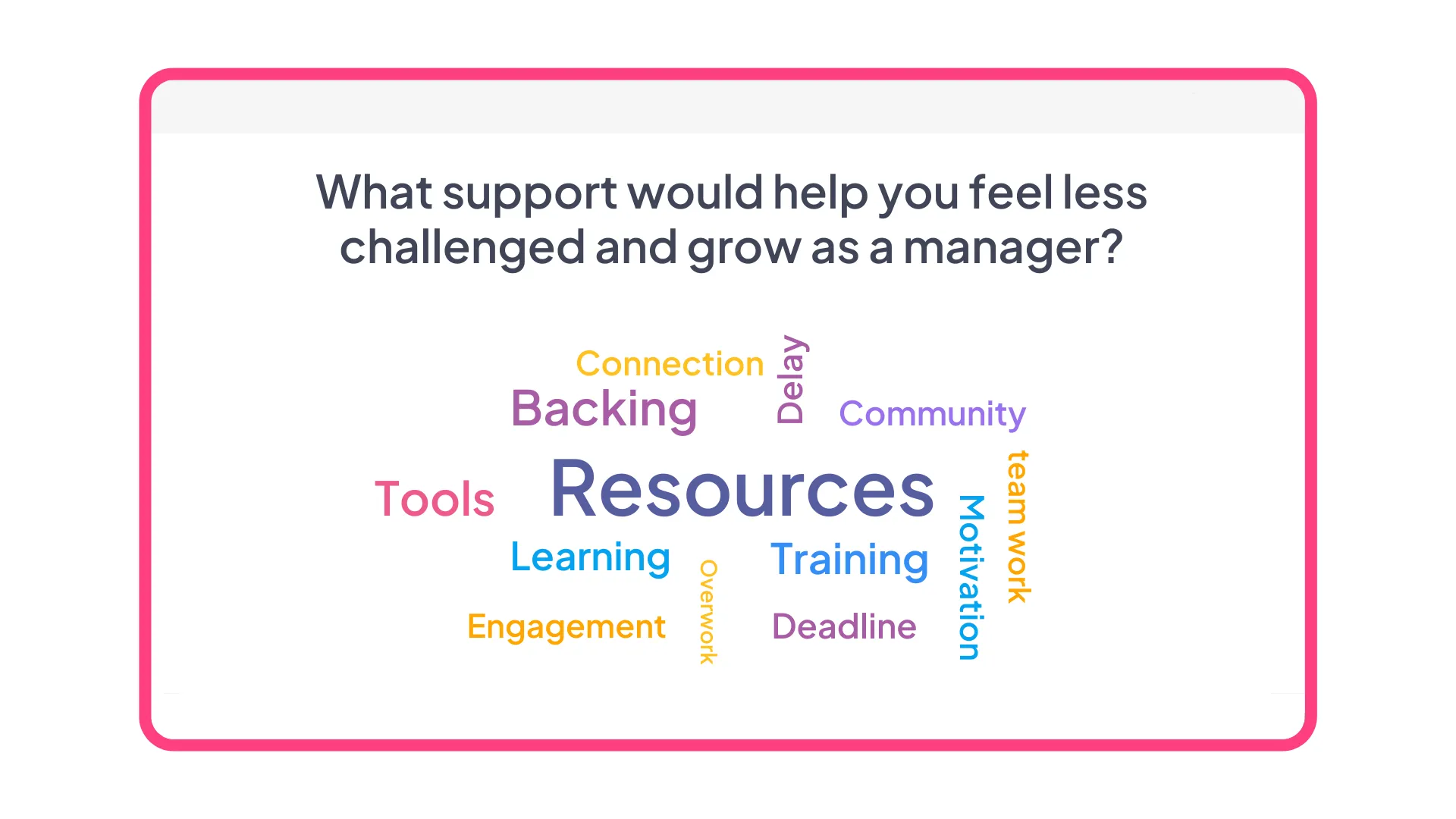
Methode 2: Gestructureerde brainstormsessie → Open brainstormsessies met ingebouwde stemfunctie. Ideeën kunnen anoniem worden ingediend, verschijnen in realtime en het team stemt over prioriteiten – zonder van tool te hoeven wisselen.
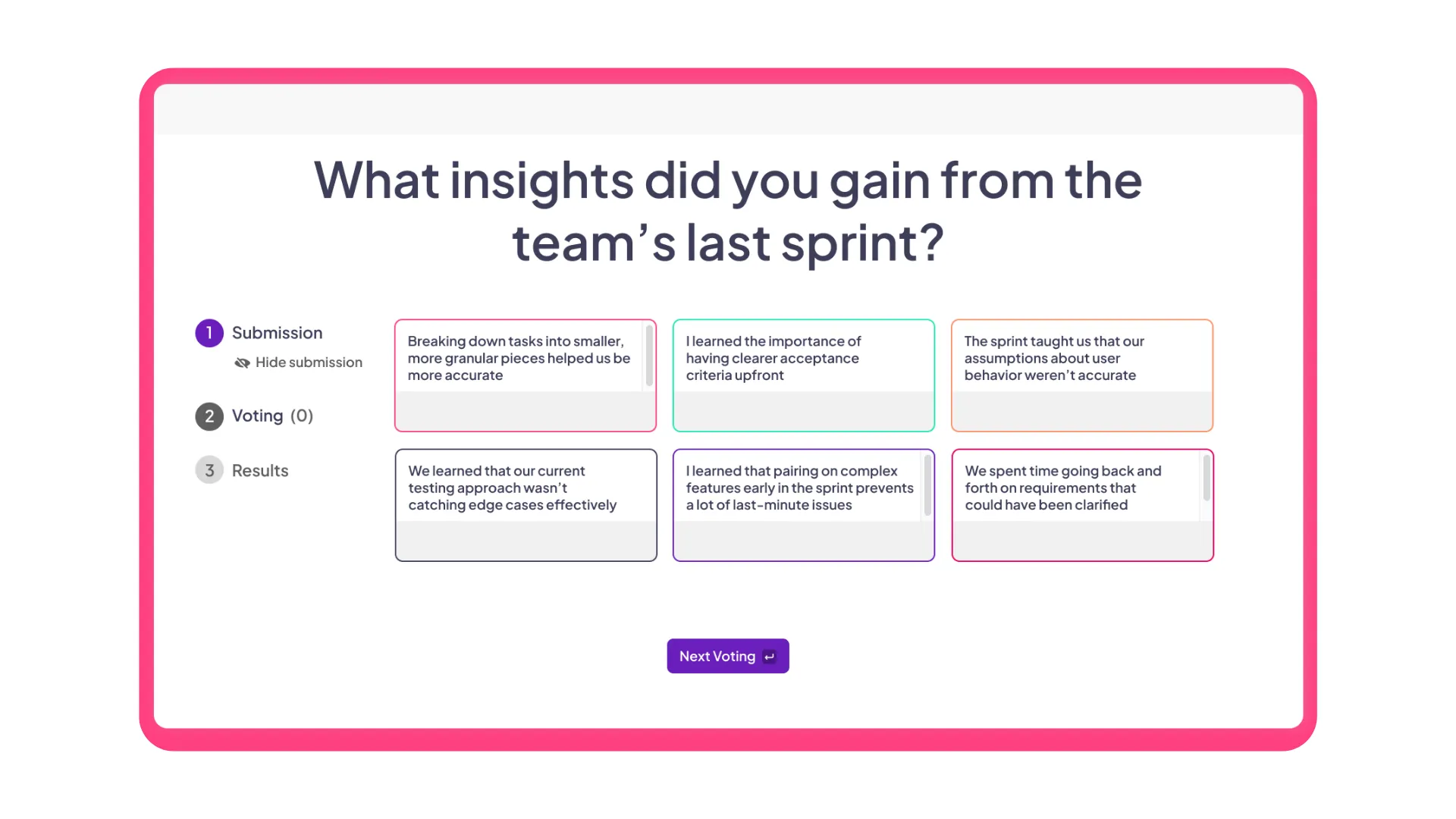
Methode 3: Virtuele training → Meerkeuzevragen om de kennis te toetsen. Open reflectievragen om onduidelijkheden op te sporen. Combineer beide in elke trainingspresentatie.
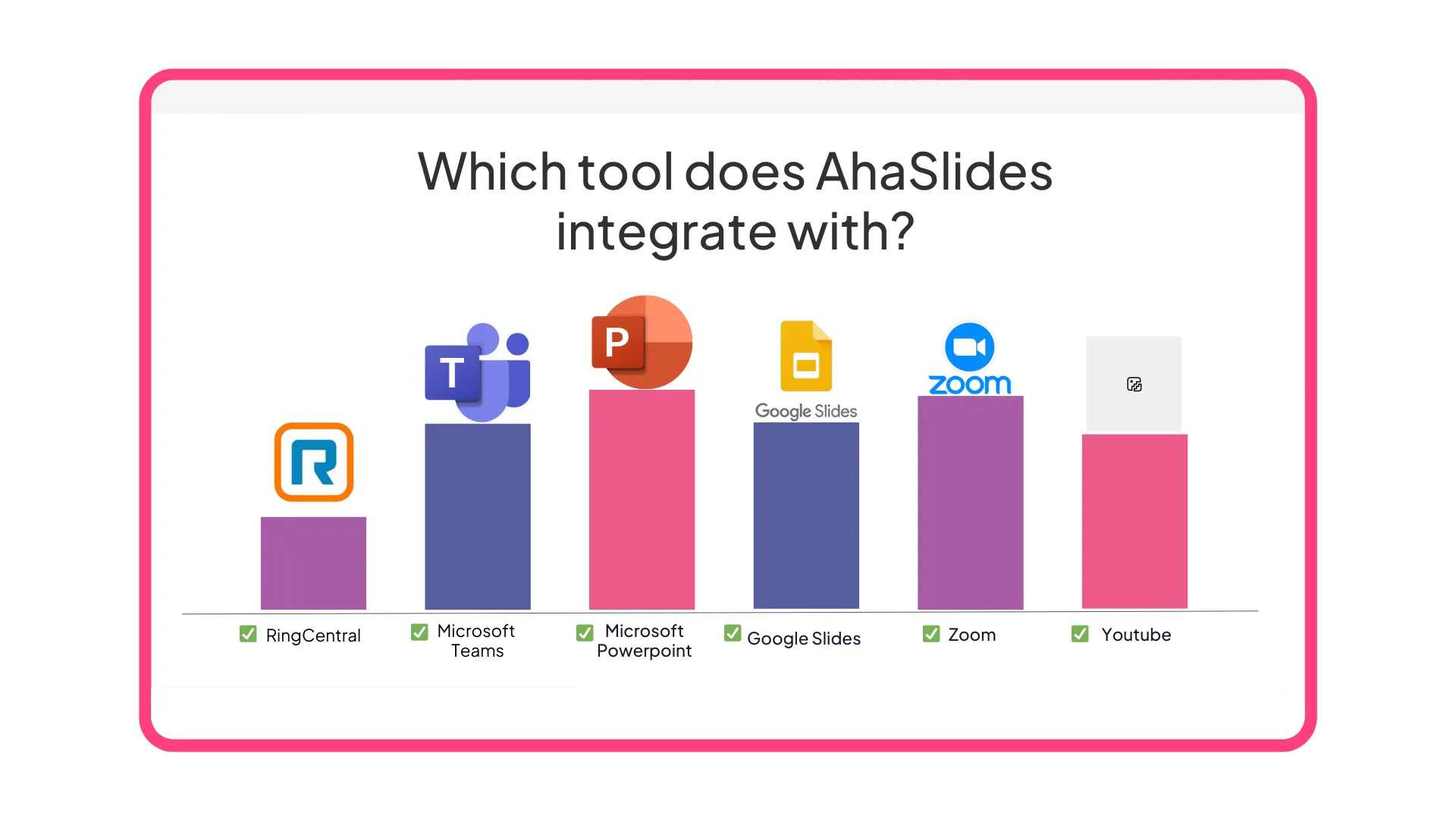
Methode 4: Besluitvorming → Live peilingen met direct zichtbare resultaten. Meerkeuzevragen, schalen of rangschikkingen – wat uw beslissingsbehoeften ook zijn.
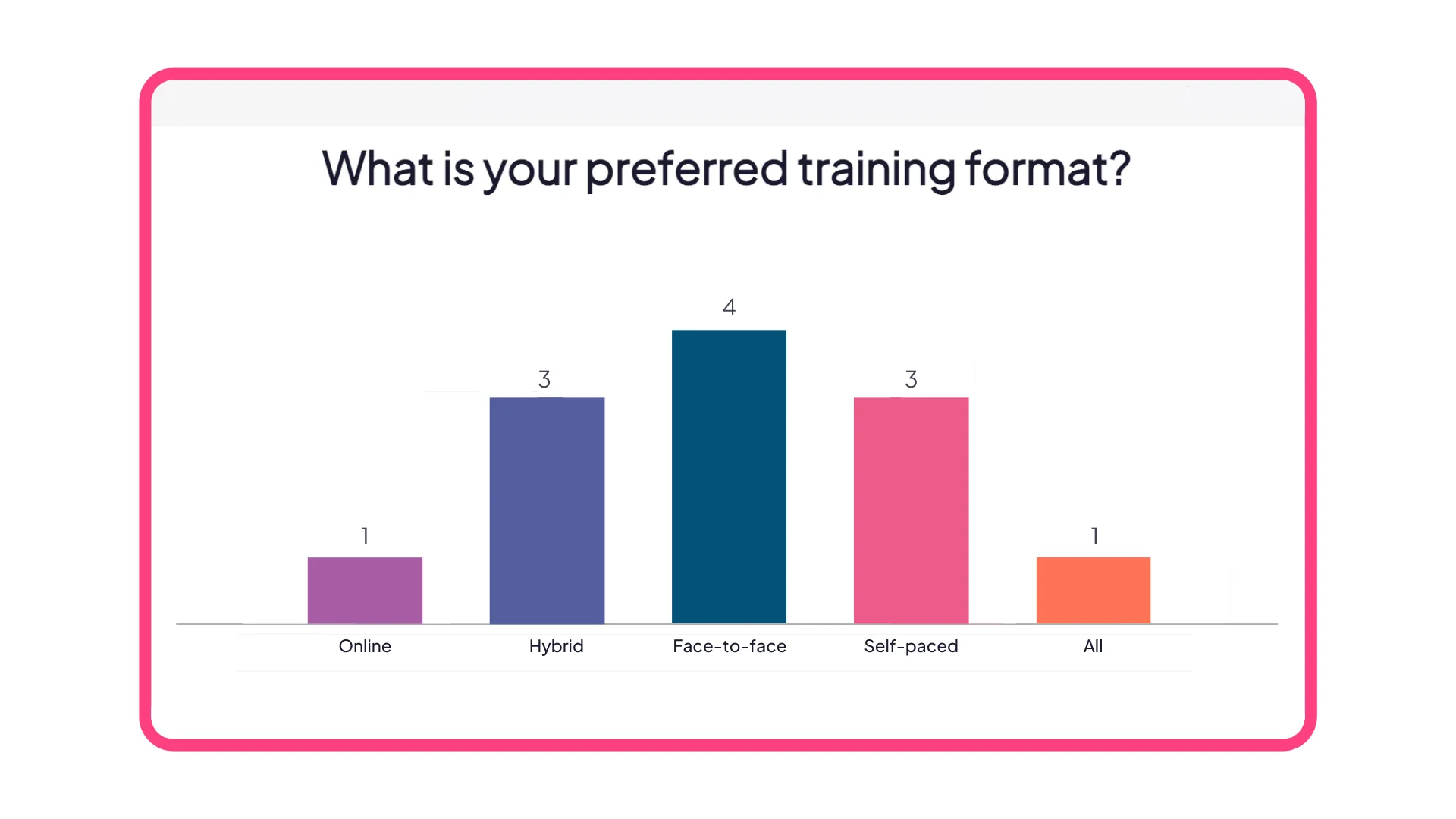
Methode 5: Retrospectieven → Anonieme, open antwoorden, georganiseerd per onderwerp. Vragen als "Wat ging er goed?" en "Wat kunnen we verbeteren?" verzamelen eerlijke feedback zonder iemand bij naam te noemen.
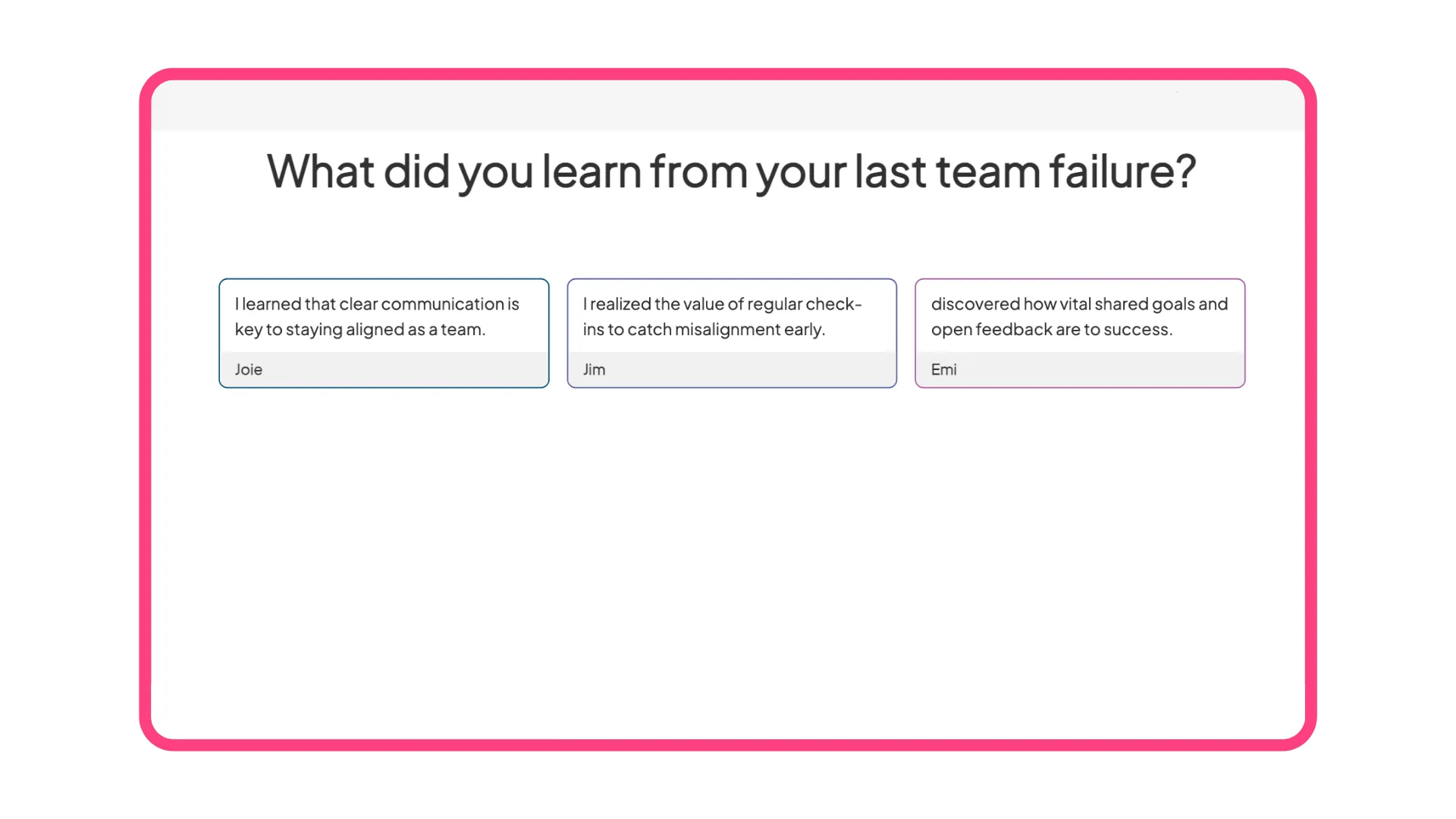
Methode 6: Grootschalige bijeenkomsten → Vraag- en antwoordsessies waarbij deelnemers vragen kunnen upvoten. Live polls voor realtime peilingen van de stemming. Quizmomenten met quizdia's. Alles ontworpen voor meer dan 100 deelnemers.
Naadloze integratie met Zoom en Teams
Installeer de app binnen 2 minuten via de Zoom App Marketplace of Microsoft AppSource. Deelnemers communiceren via een paneel in het vergadervenster – geen aparte browsertabs die om aandacht strijden. Mobiele gebruikers scannen een QR-code en nemen deel vanaf hun telefoon, terwijl het hoofdscherm gericht blijft op de presentatie-inhoud.
De eenvoudigste manier om te beginnen
Kies drie dia's voor uw volgende vergadering:
- Woordwolk openen – "Eén woord om te omschrijven hoe je je vandaag voelt"
- Peiling over de beslissing halverwege de vergadering – "Welke aanpak moeten we kiezen?"
- Afsluitende feedback – "Wat is één ding dat we de volgende keer zouden moeten verbeteren?"
Dat is alles. Drie interactiepunten. Verandert de dynamiek van vergaderingen compleet.
Ontwikkeld voor begeleiders zonder technische achtergrond.
Geen training vereist. Sjablonen voor elk type vergadering: teamsynchronisaties, retrospectieven, trainingssessies, algemene bijeenkomsten. Een retrospectief nodig? Pak het sjabloon. Onboarding organiseren? Gebruik het trainingssjabloon. Pas aan naar behoefte of gebruik het zoals het is.
Alle reacties komen samen in één overzichtelijk dashboard in plaats van verspreid over chatberichten, privéberichten en mondelinge opmerkingen. Na de vergadering kunt u gedetailleerde rapporten exporteren met een overzicht van wat er is gezegd, wie er heeft deelgenomen en waar consensus is bereikt.
5 beste praktijken voor betrokkenheid bij virtuele vergaderingen
Zorg dat je verwachtingen tijdig worden vastgelegd. Deel vergaderlinks of toegangsinstructies in agenda-uitnodigingen. Laat mensen weten dat ze actief zullen deelnemen en niet alleen zullen toekijken.
Wees strategisch in je interactiemogelijkheden. Houd niet elke 3 minuten een peiling. Kies 3-5 momenten waarop input er echt toe doet: openingsmomenten, beslissingsmomenten en afsluitende feedback.
Zet bijdragen die ertoe doen in de schijnwerpers. Lees goede ideeën hardop voor en vermeld de bron (tenzij anoniem). Volgens onderzoek van Workhuman uit 2025 naar betrokkenheid bij virtuele vergaderingen stimuleert erkenning toekomstige deelname.
Gebruik de anonieme modus voor gevoelige onderwerpen. Hiërarchische teams en lastige gesprekken vereisen psychologische veiligheid. Anonieme reacties brengen inzichten aan het licht die nooit boven zouden komen als er namen aan verbonden waren.
Sluit de feedbacklus. Als je tijdens een retrospectieve vraag stelt: "Wat kunnen we verbeteren?", laat dan in de volgende bijeenkomst zien wat er is veranderd. Mensen zijn meer betrokken als ze zien dat hun inbreng ertoe doet.
Veelgestelde vragen over interactieve online vergaderingen
Hoe maak je Zoom-vergaderingen interactief? Installeer interactieve tools uit de Zoom App Marketplace waarmee je live polls, woordwolken, vraag- en antwoordsessies en quizzen rechtstreeks in je vergadering kunt houden. Je kunt ook een QR-code of link delen waarmee deelnemers de interactieve functies op hun telefoon kunnen gebruiken. De sleutel is gestructureerde input waaraan iedereen tegelijkertijd kan bijdragen – en niet alleen vertrouwen op chat of mondelinge discussie.
Welke activiteiten werken het beste in virtuele vergaderingen? Begin met visuele check-ins (woordwolken, korte peilingen) om de stemming en prioriteiten te peilen. Gebruik live peilingen voor besluitvorming, anonieme brainstormsessies voor het genereren van ideeën en kenniscontroles voor trainingen. Houd elke activiteit onder de 5 minuten en koppel deze aan een specifiek doel.
Zijn live peilingen anoniem tijdens virtuele vergaderingen? Het hangt af van de instellingen van je tool. De meeste interactieve vergaderplatformen laten hosts kiezen tussen anonieme reacties (wat de eerlijkheid bevordert, vooral bij gevoelige onderwerpen) of reacties met naam en toenaam (wat de verantwoordelijkheid vergroot). Bij terugblik- en feedbacksessies levert de anonieme modus doorgaans eerlijkere input op.
Hoe lang moeten interactieve segmenten duren in virtuele vergaderingen? Houd individuele interactieve momenten beperkt tot 2-5 minuten per stuk. Gebruik 3-5 interactieve segmenten verspreid over een vergadering in plaats van één lange activiteit. Bijvoorbeeld: een korte check-in van 2 minuten, een brainstormsessie van 4 minuten halverwege de vergadering, een stemming van 3 minuten over de besluitvorming en een afsluitende feedbacksessie van 2 minuten.
Kun je interactieve vergaderingen leiden met meer dan 100 mensen? Ja, maar de opzet verandert. Gebruik voor grote virtuele evenementen vraag-en-antwoordsessies met upvotes (zodat je de meest gestelde vragen beantwoordt), live polls met direct zichtbare resultaten en quizzen tussen de inhoudelijke onderdelen. Vermijd activiteiten waarbij individuele reacties begeleid moeten worden; focus op geaggregeerde input waar patronen vanzelf ontstaan.
Verbeteren interactieve online vergaderingen de betrokkenheid echt? Onderzoek van Harvard Business Review (2024) naar hybride werkvergaderingen toont aan dat gestructureerde participatie de bijdragegraad en de kwaliteit van ideeën aanzienlijk verhoogt. Wanneer iedereen tegelijkertijd input kan leveren in plaats van te moeten concurreren om spreektijd, nemen ook de meer ingetogen stemmen meer deel.
Maak vergaderingen vandaag nog interactief.
Interactieve online vergaderingen zijn niet langer optioneel, maar essentieel voor moderne teams. Zoals het onderzoek van Harvard Business Review uit 2024 naar hybride werken bevestigt, vormen virtuele vergaderformats een permanente infrastructuur, geen tijdelijke oplossing.
De aandachtsspanne wordt korter. Passieve aanwezigheid is verleden tijd. Teams verwachten interactieve online vergaderingen waarin iedereen praat, ideeën deelt en daadwerkelijk bijdraagt.
Doordat AhaSlides is geïntegreerd in Zoom en Microsoft TeamsZelfs grote virtuele vergaderingen worden zo georganiseerde, levendige ervaringen waarbij iedereen een bijdrage levert en elk idee wordt vastgelegd – zonder dat de facilitator tegelijkertijd chat, notities en mondelinge reacties hoeft te verwerken.
Begin met één vergadering. Voeg één interactieve opdracht toe. Kijk wat er gebeurt.
Sjablonen om u op weg te helpen
Referenties
Fellow. (2024). "45 Meeting Statistics and Behaviors Trends for 2025." https://fellow.ai/blog/meeting-statistics-the-future-of-meetings-report/
Mijn uren. (2025). "Meer dan 30 vergaderstatistieken voor 2025: Verspillen ze onze tijd?" https://myhours.com/articles/meeting-statistics-2025
Harvard Business Review (juni 2024): "Hybride werken heeft vergaderingen voorgoed veranderd." https://hbr.org/2024/06/hybrid-work-has-changed-meetings-forever
Workhuman. (mei 2025). "Hoe maak je virtuele vergaderingen interactiever, leuker en boeiender?" https://www.workhuman.com/blog/how-to-make-virtual-meetings-more-interactive-fun-engaging/
Spanningsregeling. (augustus 2024). "Hoe stille deelnemers te betrekken." https://voltagecontrol.com/blog/how-to-engage-quiet-participants/