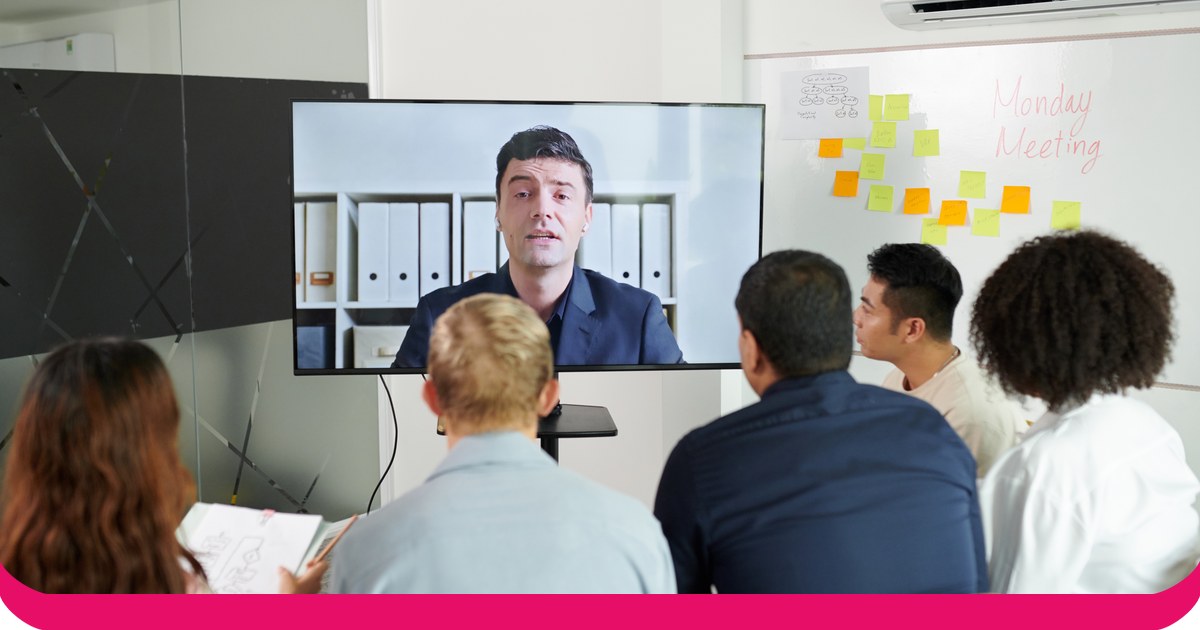
The best PowerPoint presentation examples hold a room because they make the audience do something: guess, answer or react. Hans Rosling opened with a quiz, Steve Jobs asked "are you getting it?" and Bill Gates let mosquitos loose. Below are 10 real examples, what each one does, and how to borrow the move for your own deck.
Each example has a source, so you can watch the talk or read the document yourself. After the list, you will find how to add the same kind of question to your own slides, first in plain PowerPoint and then live with the AhaSlides добавить в.
10 PowerPoint presentation examples that hold a room
The examples fall into four groups: talks that make the audience answer, talks that show instead of tell, formats that keep a deck tight, and two famous cases of what not to do.
Examples that make the audience answer
1. Hans Rosling, "The best stats you've ever seen" (TED, 2006)
Rosling opens with a quiz he gave top Swedish students on child mortality: which of two countries had the higher rate? The students did worse than chimpanzees would by picking at random, and he says so with a chart. The rest of the talk is moving bubble charts of health and income over time. (TED)
Why it holds the room: Before he shows a single fact, the audience has made a guess. Now they want to know if they were right.
Borrow it: Open with one question your audience will probably get wrong, then show the answer.
2. Hans and Ola Rosling, "How not to be ignorant about the world" (TED, 2014)
Eight years later, the Roslings asked the TED audience the same kind of multiple-choice questions, and the audience answered them. The results went up next to the answers of the Swedish public and the chimpanzees. "You were beaten by the chimps," Hans Rosling told them. (TED)
Why it holds the room: Every person in the room voted, so every person was in the result. The joke works because it is about them.
Borrow it: Ask the whole room, not one volunteer, and show their answers next to the right one.
3. Steve Jobs, the iPhone launch (Macworld San Francisco, 2007)
On 9 January 2007, Jobs announced three products: "an iPod, a phone, and an Internet communicator". He repeated them, faster each time, and asked "are you getting it?" before revealing that they were one device. (Отдел новостей Apple, Macworld)
Why it holds the room: The audience works out the reveal a second before he says it. That moment of getting it is the applause.
Borrow it: Lead up to your main point with a question, and let people answer it in their heads first.
4. Bill Gates, "Mosquitos, malaria and education" (TED, 2009)
Talking about malaria, Gates let a few mosquitos loose in the auditorium, saying there was no reason only poor people should experience malaria. He then told the room they were not infected. (TED transcript)
Why it holds the room: Nobody in the room is passive when mosquitos are loose. The point about who lives with malaria is felt, not only heard.
Borrow it: Give the audience something to react to. A live vote is a safer version than insects.
Examples that show instead of tell
5. Jill Bolte Taylor, "My stroke of insight" (TED, 2008)
The brain scientist describes her own stroke, and early in the talk she shows a real human brain. She uses it to show the two hemispheres she is talking about. (TED)
Why it holds the room: An object turns an abstract idea into something the audience can see from their seat.
Borrow it: If the thing you are explaining exists, bring it or show a photo of it, not a bullet point about it.
6. Simon Sinek, "How great leaders inspire action" (TEDxPuget Sound, 2009)
Sinek builds the whole talk on one simple model he calls the golden circle: why, how and what. Examples from Apple to the Wright brothers all come back to it. (TED)
Why it holds the room: One idea, repeated, is easy to remember and easy to retell. People leave able to draw it.
Borrow it: Pick the one idea you want people to repeat after the meeting, and come back to it on every slide.
Examples that keep a deck tight
7. PechaKucha 20x20
Each presenter shows 20 images for 20 seconds each, and the slides move on automatically. The format was created in Tokyo in 2003 by the architects Astrid Klein and Mark Dytham. (ПечаКуча)
Why it holds the room: The clock makes the speaker cut everything that does not matter, and the audience knows each slide will not outstay its welcome.
Borrow it: Set a time limit per slide when you rehearse, even if you never use auto-advance on the day.
8. Guy Kawasaki's 10/20/30 rule
For a pitch, the venture capitalist Guy Kawasaki recommends no more than 10 slides, no more than 20 minutes and no font smaller than 30 points. (Гай Кавасаки)
Why it holds the room: A big font forces you to put less on each slide, so people listen to you instead of reading ahead.
Borrow it: Try your deck at 30-point text. Whatever no longer fits probably belongs in a handout.
Examples of what not to do
9. The Columbia accident slides (NASA, 2003)
The board that investigated the loss of the space shuttle Columbia criticised a Boeing PowerPoint briefing on the foam strike, and wrote about "the endemic use of PowerPoint briefing slides instead of technical papers" at NASA. (Columbia Accident Investigation Board report, Volume I, pages 190 to 191)
Урок: The report, drawing on Edward Tufte's analysis, points out that the slide's title was confusing, and that the key finding, that the debris was 640 times larger than the test data, appeared only at the bottom of a slide with six levels of bullets.
Borrow it: Put your most important finding in the headline of the slide, in a full sentence.
10. Amazon's six-page memos
In his 2017 letter to shareholders, Jeff Bezos wrote: "We don't do PowerPoint (or any other slide-oriented) presentations at Amazon." Instead, staff write "narratively structured six-page memos", and meetings start with everyone reading one in silence. (Amazon)
Урок: Not every meeting needs slides. When the goal is a decision on a complex plan, a document everyone reads together can do more.
Borrow it: If your deck is mostly paragraphs, send it as a document and use the meeting for questions.
What the best examples have in common
Look at the first four examples again. Rosling asks, Jobs asks, Gates gives people something to react to. Even the "show, don't tell" talks are built around a moment the audience takes part in. The pattern is simple: many of the most memorable presentations ask questions, and the audience answers before the speaker does.
The two "what not to do" examples are the other side of it. A slide that only transmits information, however careful, is easy to stop reading.
The PowerPoint-only way: build a question into your deck
You can add a Rosling-style question to any deck with PowerPoint alone. The steps are the same on Windows and Mac:
- Добавить слайд с вопросом. На Главная вкладку нажмите Новый слайд and type the question as the title.
- Добавьте параметры. Type three or four answers as a list, or draw them as boxes from Вставить, Формы.
- Hide the answer. Add a shape or text box with the right answer, then on the Развлечения вкладка выбрать Появляться. It now shows only when you click.
- Ask for a guess. Read the options and ask for a show of hands for each one.
- Reveal it. Click to show the answer and say how people did.
Там, где заканчивается представление для живой аудитории.
- You only see hands. People wait to see what others pick, so the count shows how confident people feel, not what they think.
- Remote attendees are left out. In a hybrid meeting or webinar, nobody on the call can vote.
- You cannot show the result. Rosling's TED 2014 moment needs everyone's answers on screen next to the right one. A show of hands gives you a rough count, not a chart.
- Nothing is kept. After the session, you have no record of what people answered.
The live way: ask the room with the AhaSlides Надстройка PowerPoint
AhaSlides is an all-in-one engagement platform for teams and classrooms. Add it to your deck and the examples above stop being slides people watch: everyone answers the question on their own phone and the results appear on your slide.
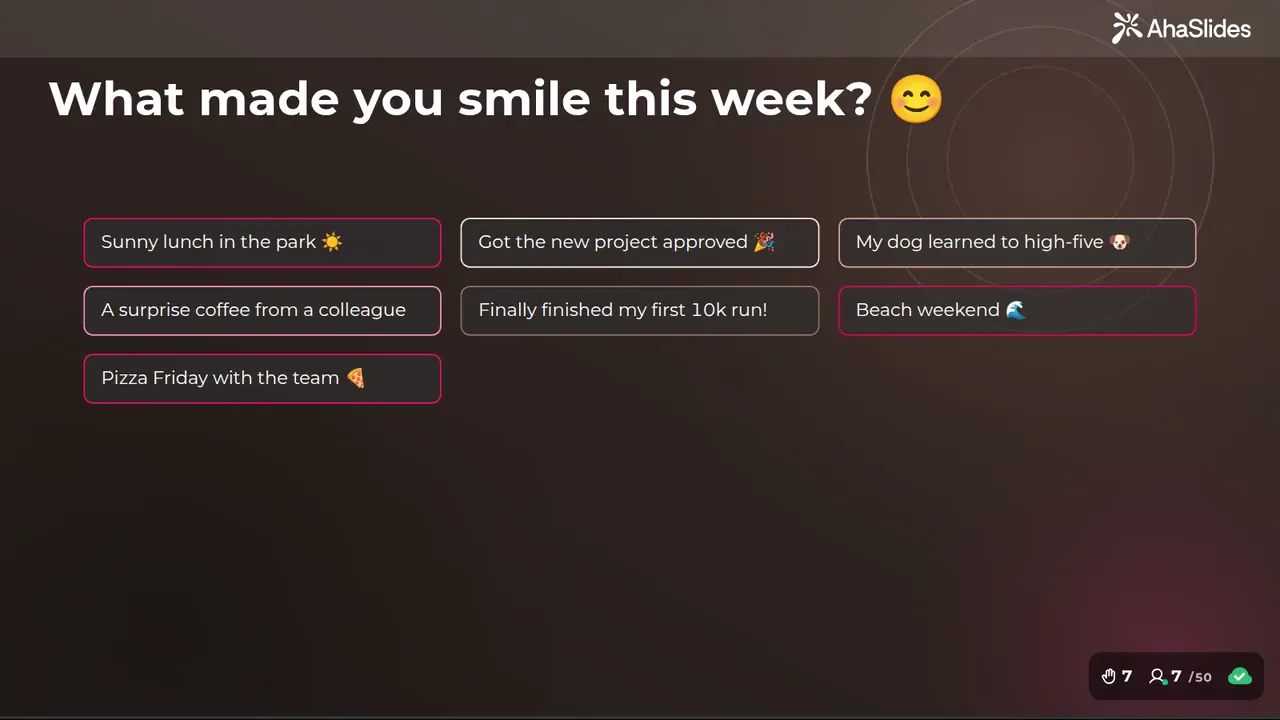
Два простых способа начать:
- Загрузите свою колоду. Загрузите свой файл PowerPoint на AhaSlides и позволить ИИ добавлять опросы и вопросы викторины, чтобы сессия стала интерактивной и не требовала повторного запуска.Создатель презентаций PowerPoint с использованием ИИ).
- Или продолжайте проводить презентации в PowerPoint. Добавить бесплатно AhaSlides добавить в и вставляйте слайды в режиме реального времени между своими. Для этого нужно выполнить три шага, описанных ниже.
Step 1: Make the question slides on AhaSlides
Войдите в AhaSlides, open a presentation and click Новый слайд. Choose the slide type that fits the moment:
- Выберите ответ for a quiz question with a right answer, like Rosling's.
- Голосование for an opinion with no right answer. Votes show as a live bar chart.
- Открытый or Облако слов for one-word reactions.
- Вопросы и ответы for questions the audience wants to ask you.
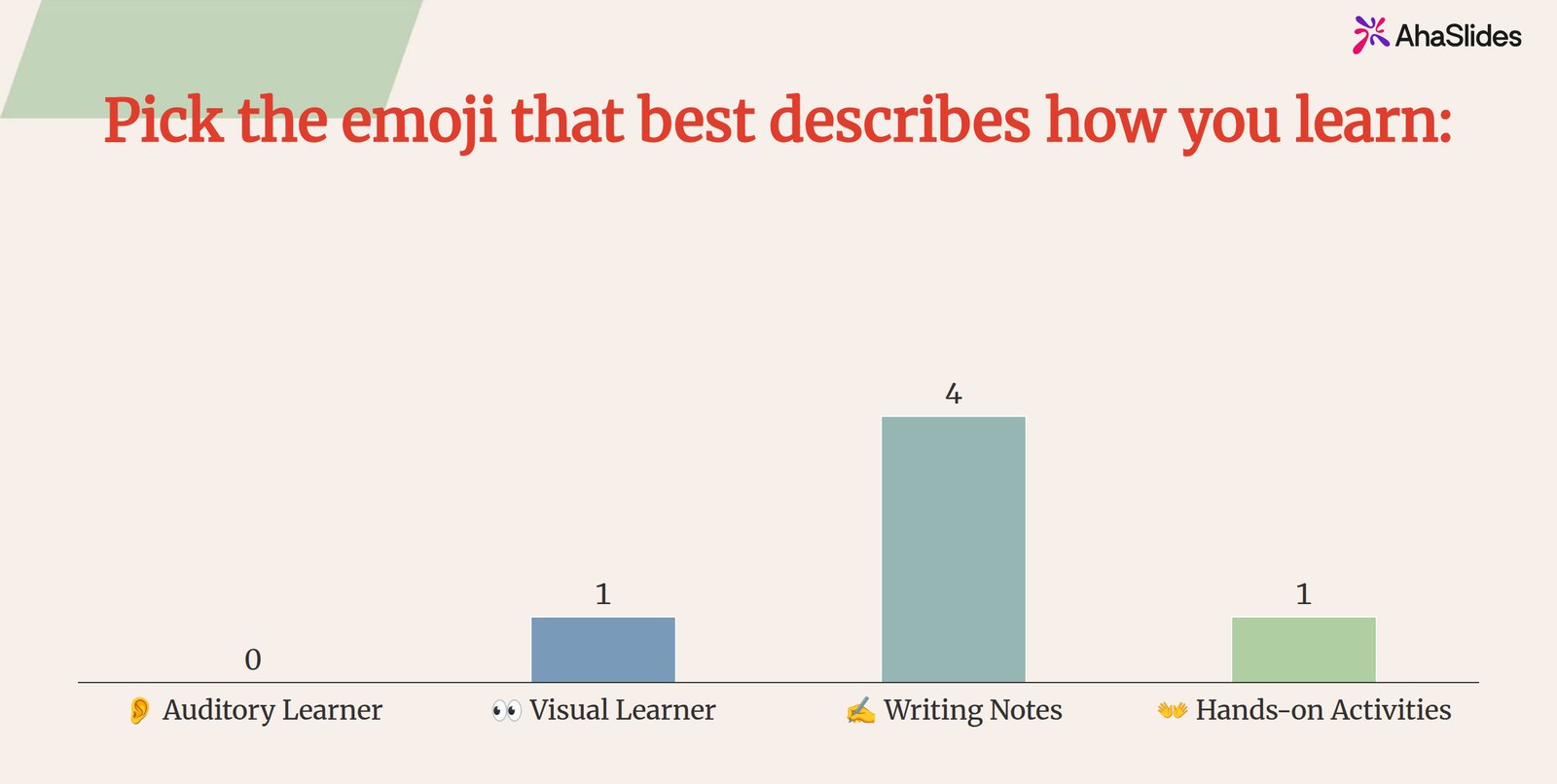
Step 2: Add the slides to PowerPoint
В PowerPoint, на Главная вкладку нажмите Надстройки, то Больше надстроек, Ищи AhaSlides и нажмите ДобавитьВ веб-версии PowerPoint та же кнопка находится на Вставить меню.
Войдите, нажмите Выберите презентацию next to your deck, tick the slides you want and click Добавить слайды (PowerPoint for the web adds one slide at a time). Stretch the add-in window to fill the PowerPoint slide.
Step 3: Present, ask and reveal
Start your slideshow. People join on their phones with the QR code or link and answer. When the votes are in, talk about the result, then move on to the slide that explains it. That is the Rosling move, with every person in the room counted.
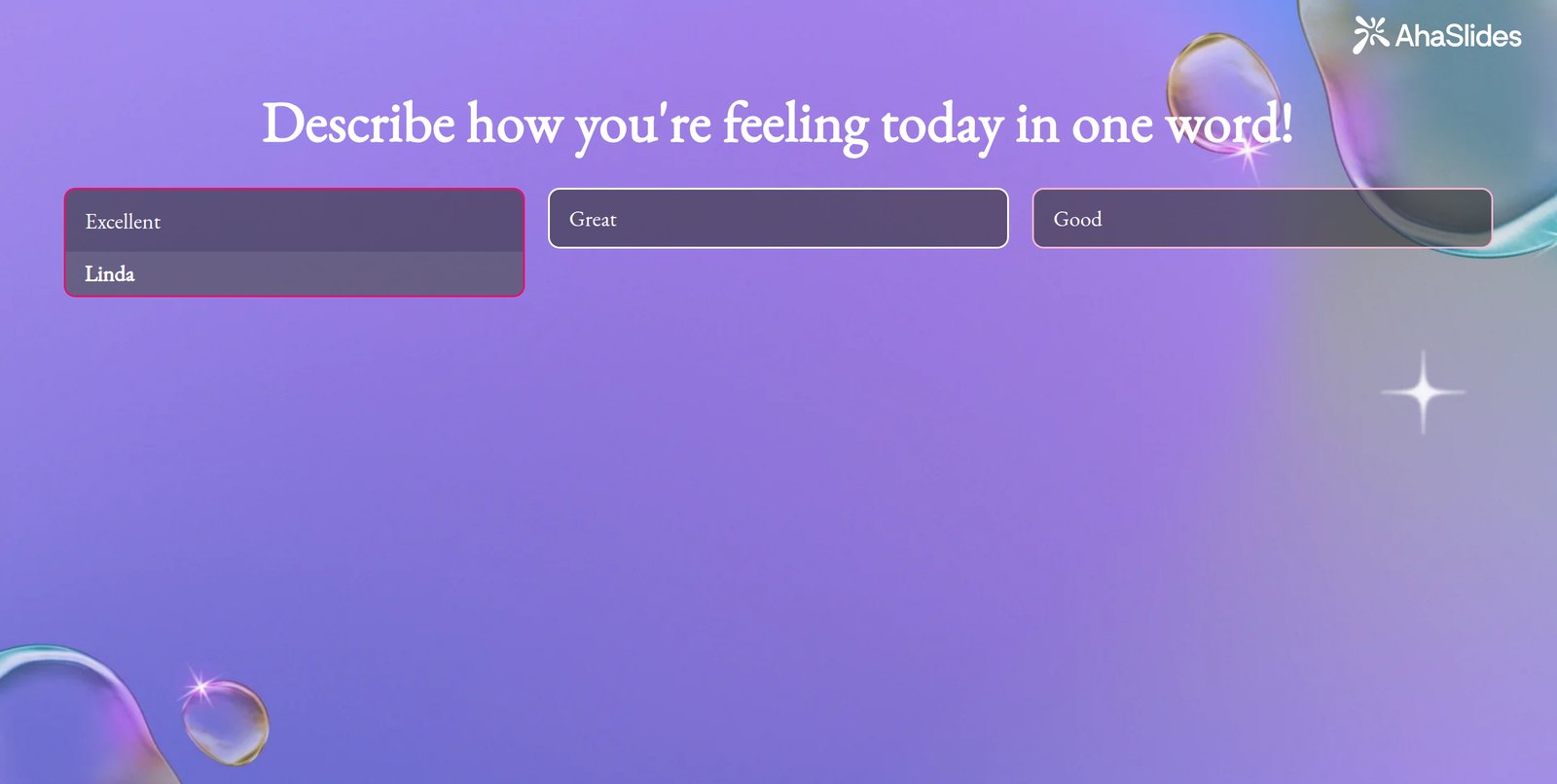
Начните с шаблона
The Fun icebreaker polls for your next training session template has three polls, including the skill poll above, and ends on a Q&A slide. Copy it, change the questions and add the slides to your deck with the add-in.
5 ways to borrow these moves in your next deck
- Встречи команды: open with a guess about a number from last month, such as sign-ups or tickets closed, then show the real figure.
- Классы: start a topic with one quiz question most students will get wrong, then teach the answer.
- Обучение: ask "How confident are you with this, from 1 to 5?" at the start and the end, and show both results.
- Участки: keep to 10 slides and ask one question that makes the listener picture the problem.
- Town halls: leave a Q&A slide open all session so questions arrive before the end.
Часто задаваемые вопросы
What makes a good PowerPoint presentation?
One clear idea, few words per slide and a reason for the audience to take part. The examples above share the last one: they ask a question, run a vote or give people something to react to.
How many slides should a pitch deck have?
About 10. Guy Kawasaki's 10/20/30 rule suggests no more than 10 slides for no more than 20 minutes, with no text smaller than 30 points.
What is a good PowerPoint presentation for students?
One that makes them answer. A quiz question at the start, a poll in the middle and a one-word summary at the end keep a class involved, and show you what they understood.
What should a business presentation include?
A headline finding, the evidence and a clear ask. Put the finding in the slide title as a full sentence, as the Columbia report suggests, and leave time for questions.
Сделайте эту презентацию интерактивной.
Опросы, викторины и вопросы-ответы превращают выступление в мероприятие, в котором люди принимают участие. Наше руководство по этому вопросу: как создать интерактивную презентацию PowerPoint В нем пошагово объясняется, как это сделать, а в стартовом наборе представлены готовые к установке слайды.
Статьи по теме
- Building your deck from scratch? Start with how to create a PowerPoint presentation.
- Keep your notes in view while you ask the room with PowerPoint presenter view.
- Looking for simpler formats to copy? See these простые примеры презентаций.
- Turn any question into a scored round with the AhaSlides создатель онлайн-викторины.
Ask your room a question in your next deck
Add a live poll or quiz to PowerPoint. Everyone answers from their phone, and the results appear on your slide.