Speed networking is a timed format where attendees meet one person at a time for a few minutes, then move on to someone new, so everyone meets several people in one session instead of staying with the colleagues they came with. To run it well you need three things: a fair way to pair people, a clock everyone respects, and prompts that get past "So, what do you do?"
This guide covers how to run speed networking step by step, 10 event ideas and formats, 30 ready conversation prompts, icebreakers for the first five minutes, and how to help people follow up afterwards.
How does speed networking work?
The room is split into pairs, each pair talks for a set time, a signal ends the round, and everyone moves to a new partner. A 30-minute session with four-minute rounds and a minute to change over gives each person about six conversations.
The classic version uses two rows of chairs, with one row moving one seat along each round. It works, but it needs space and it only ever mixes one row with the other. Random pairs on a screen are simpler: everyone stays roughly where they are, and anyone can meet anyone.
How do you run speed networking at an event?
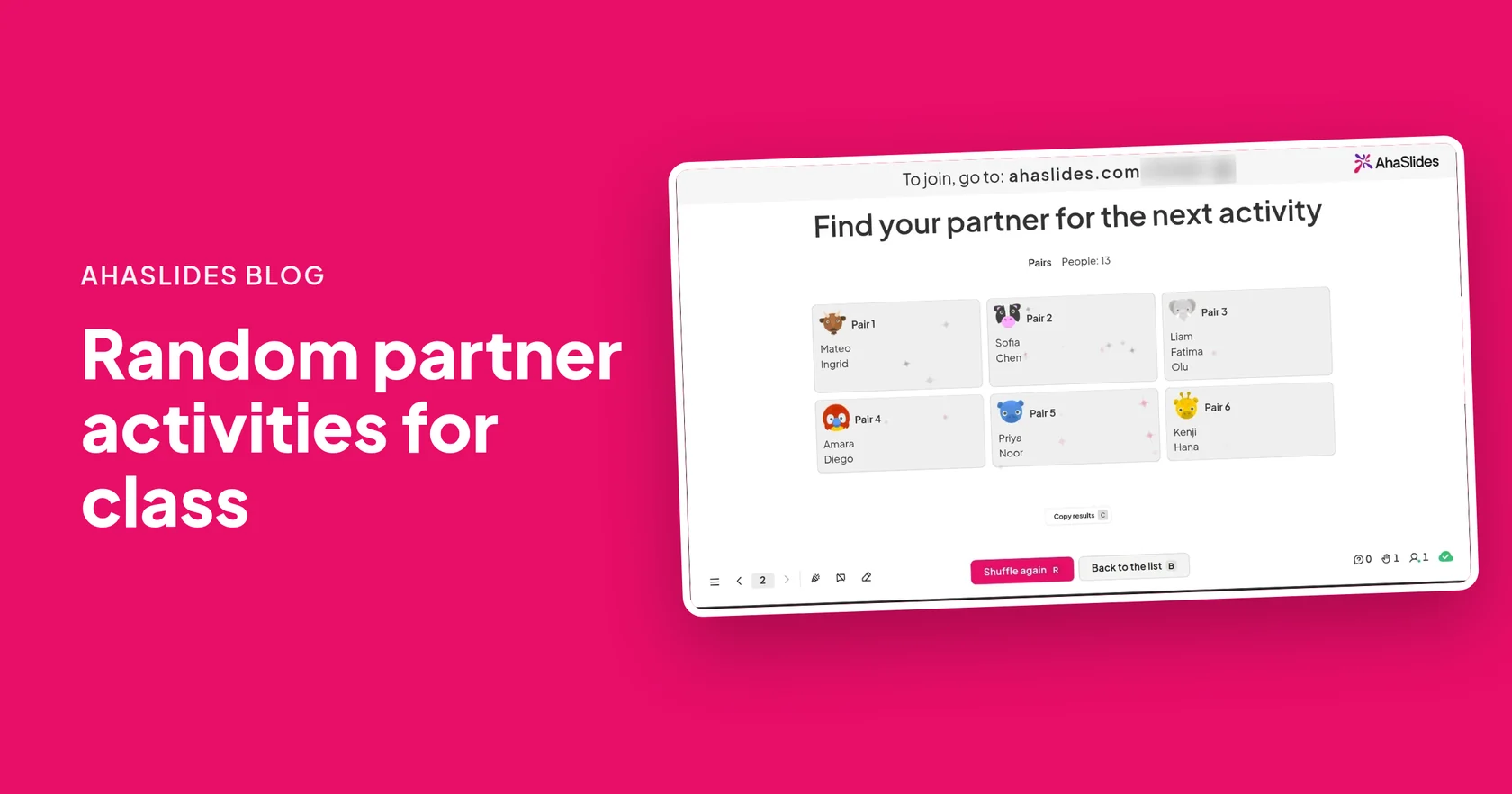
ใช้ เครื่องกำเนิดคู่แบบสุ่ม to make the pairs, and a bell, a phone timer or a clear call from the host to end each round.
- เพิ่มสไลด์ ลงชื่อเข้าใช้เพื่อรับข่าวสาร AhaSlides, open a presentation and add a Random Pair Generator slide. Choose Pairs under Group type and leave the names list empty.
- Show the join code. Press Present. Attendees open the link or scan the QR code and type their name. No app or account is needed.
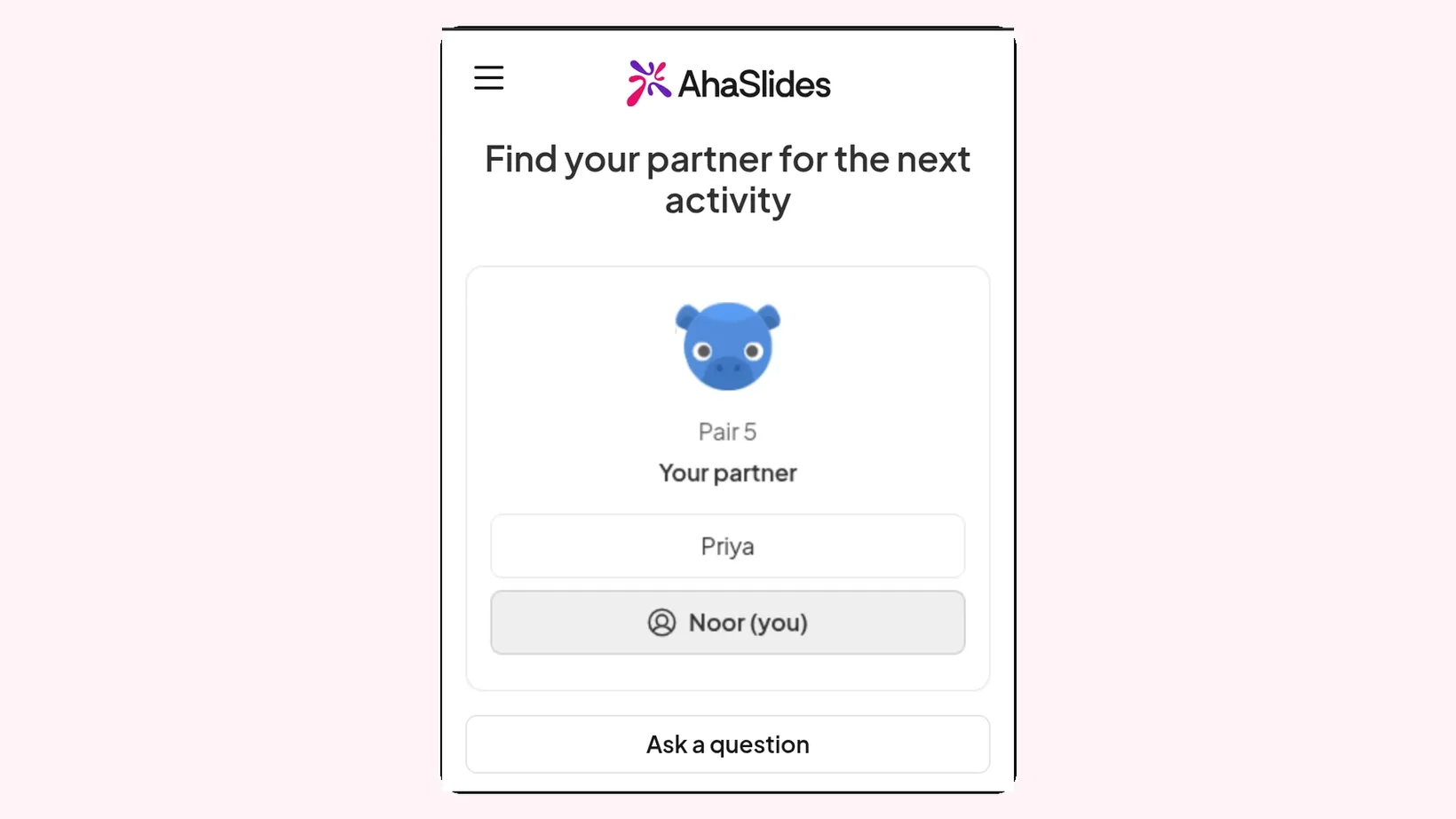
- สุ่ม When everyone is in, click Shuffle. Each pair appears as a card on the big screen, and each phone shows that person's partner.
- Put the first prompt on screen. One question per round gives every pair something to start on.
- Time the round. Ring the bell after three to five minutes and give people a moment to swap details.
- Shuffle again. Click Shuffle for a new random split, show the next prompt and start the next round.
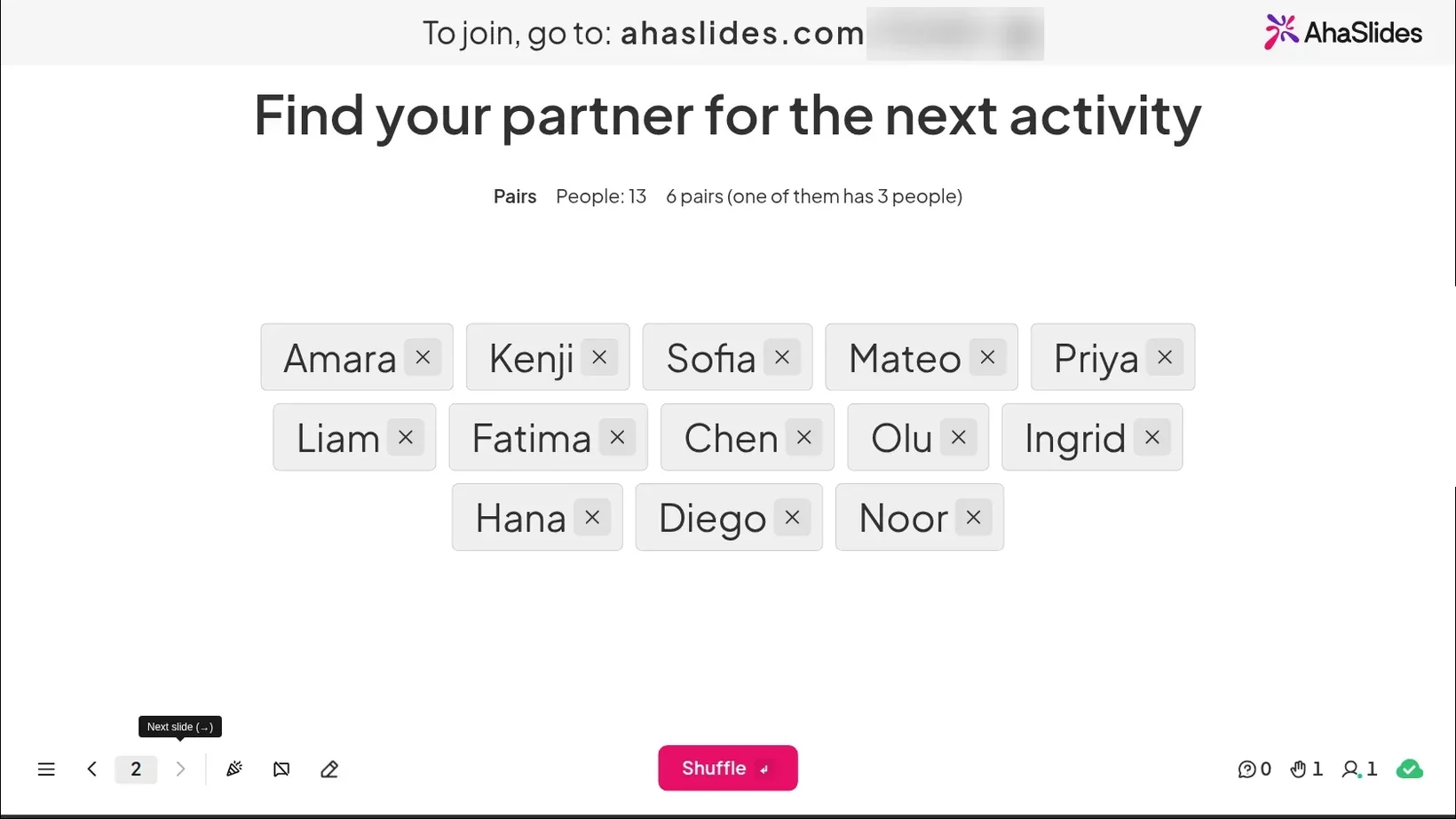
With an odd number, one pair gets three people, so nobody waits out a round. Anyone who arrives late is added the next time you click Shuffle. Each shuffle is random, so two people can meet again in a later round; if that happens, ask them to swap with the pair next to them.
What are good speed networking event ideas?
Pick a format that matches the room. A conference of strangers needs a different shape from a team of colleagues who sit on different floors.
- Classic random pairs. Four-minute rounds, a new random partner each time and one prompt per round. The simplest format, and the best place to start.
- Themed rounds. Give each round a theme: what you do, what you are working on, what you need. Conversations go deeper when everyone knows what this round is for.
- Trios for a shy room. Switch the group type to Groups of three. A third person takes the pressure off, and quieter people can listen before they talk.
- ขอความช่วยเหลือ. Each person names one problem they are stuck on, and their partner suggests one idea or one person to talk to. People leave with something useful, not just a business card.
- Give one, get one. Each person shares one tool, book or tip that helped them recently. Ask everyone to write down the best one they hear.
- Mentor rounds. Put experienced people at fixed seats and let newer people rotate between them. Shuffle the newer people into pairs to decide who moves together.
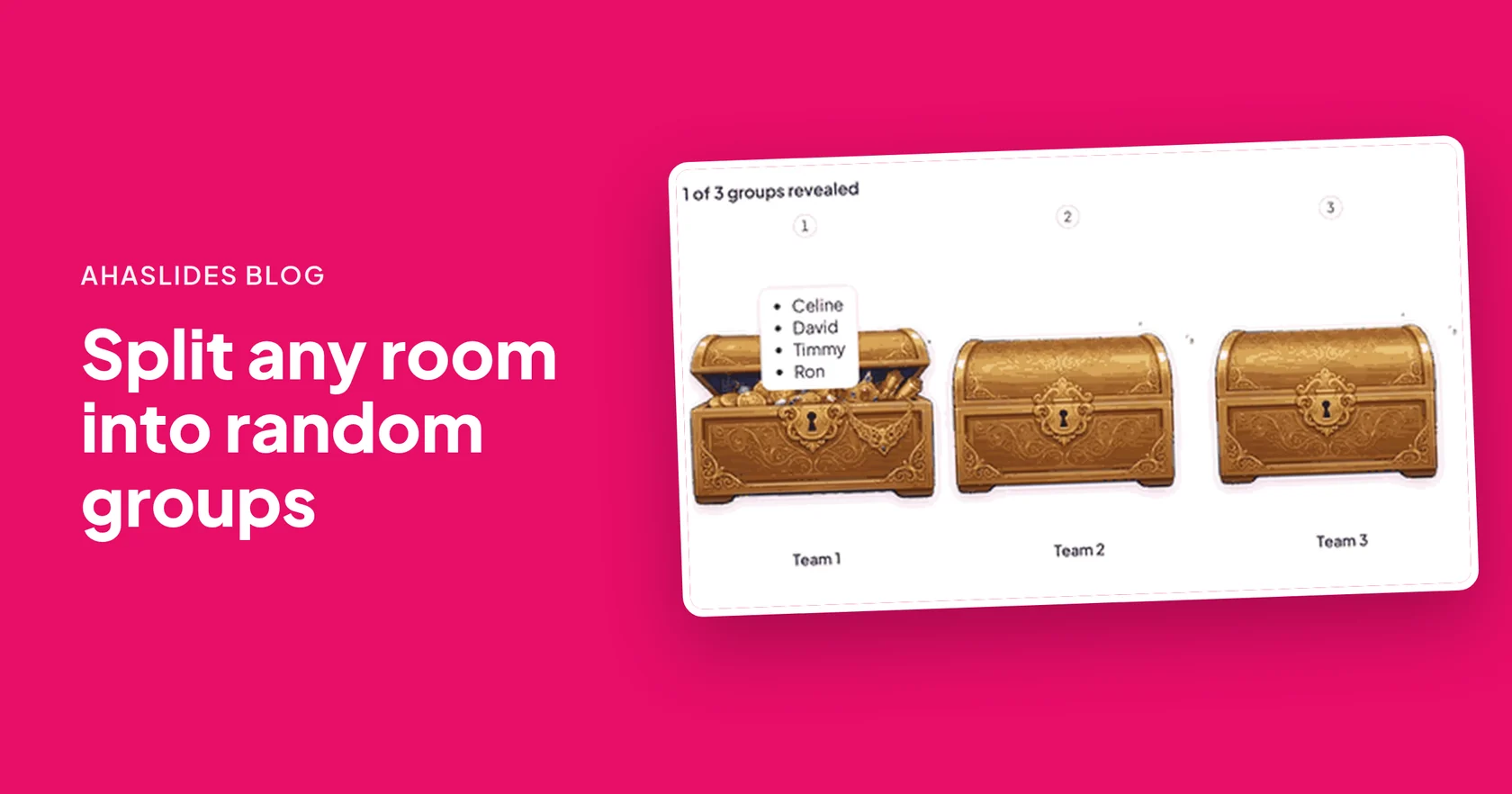
- Table rotation. For a large room, use Teams to split everyone into tables of four to six. After each round, shuffle again so every table gets new faces.
- Three-question limit. Each person may ask only three questions per round. It makes people choose good ones and listen to the answers.
- Common ground race. Pairs have two minutes to find three things they have in common that are not about work. The strangest one wins a round of applause.
- Pitch swap. Each person has one minute to describe their work, then their partner retells it back in one sentence. Both learn how clearly they really explain what they do.
| รูปแบบ | เหมาะสำหรับ | เวลาหรือการตั้งค่า |
|---|---|---|
| Classic random pairs | Any event, first-timers | 4 minutes a round; Pairs |
| Trios for a shy room | Quiet or junior groups | 5 minutes a round; Groups of 3 |
| ขอความช่วยเหลือ | Conferences and communities | 5 minutes a round; one prompt |
| Mentor rounds | Graduate and new starter events | 6 minutes a round; fixed mentor seats |
| การหมุนตาราง | Large rooms of 50 or more | 8 minutes a round; Teams |
Speed networking questions: 30 ready conversation prompts
Put one prompt on screen per round. Each set goes from light to deeper.
Openers that are not "What do you do?"
- อะไรทำให้คุณมาที่นี่ในวันนี้?
- What is the best thing you have heard so far at this event?
- What are you working on that you are excited about?
- ตอนอายุสิบขวบ คุณอยากเป็นอะไร?
- What is a skill you have that would surprise people?
- What is the most useful thing you have learnt this month?
- Where is home for you, and what do you miss when you are away?
- What does a good day at work look like for you?
- What is one thing you would like to get out of today?
- Who here would you most like to meet, and why?
Deeper questions for later rounds
- What is the hardest problem you are working on right now?
- What is a decision you made at work that you would make differently now?
- What advice would you give someone starting in your role?
- What changed your mind about something recently?
- Who has helped your career the most, and how?
- What part of your work do you think is undervalued?
- What would you do if you had one more hour in every day?
- What is one thing your industry gets wrong?
- What are you trying to learn next?
- What is a question you wish more people asked you?
Prompts for conferences and work events
- Which session here would you recommend, and why?
- What is one idea from today you could try next week?
- What does your team need most at the moment?
- What is a tool or habit that saves you time every week?
- What is a trend in your field you are sceptical about?
- If you could ask any speaker today one question, what would it be?
- What is one thing you need help with that someone here might know?
- What does success look like for your team at the end of the year?
- Who is someone here you think I should meet?
- หลังจากวันนี้ คุณจะทำอะไรแตกต่างไปจากเดิมบ้าง?
Which networking icebreakers work before the first round?
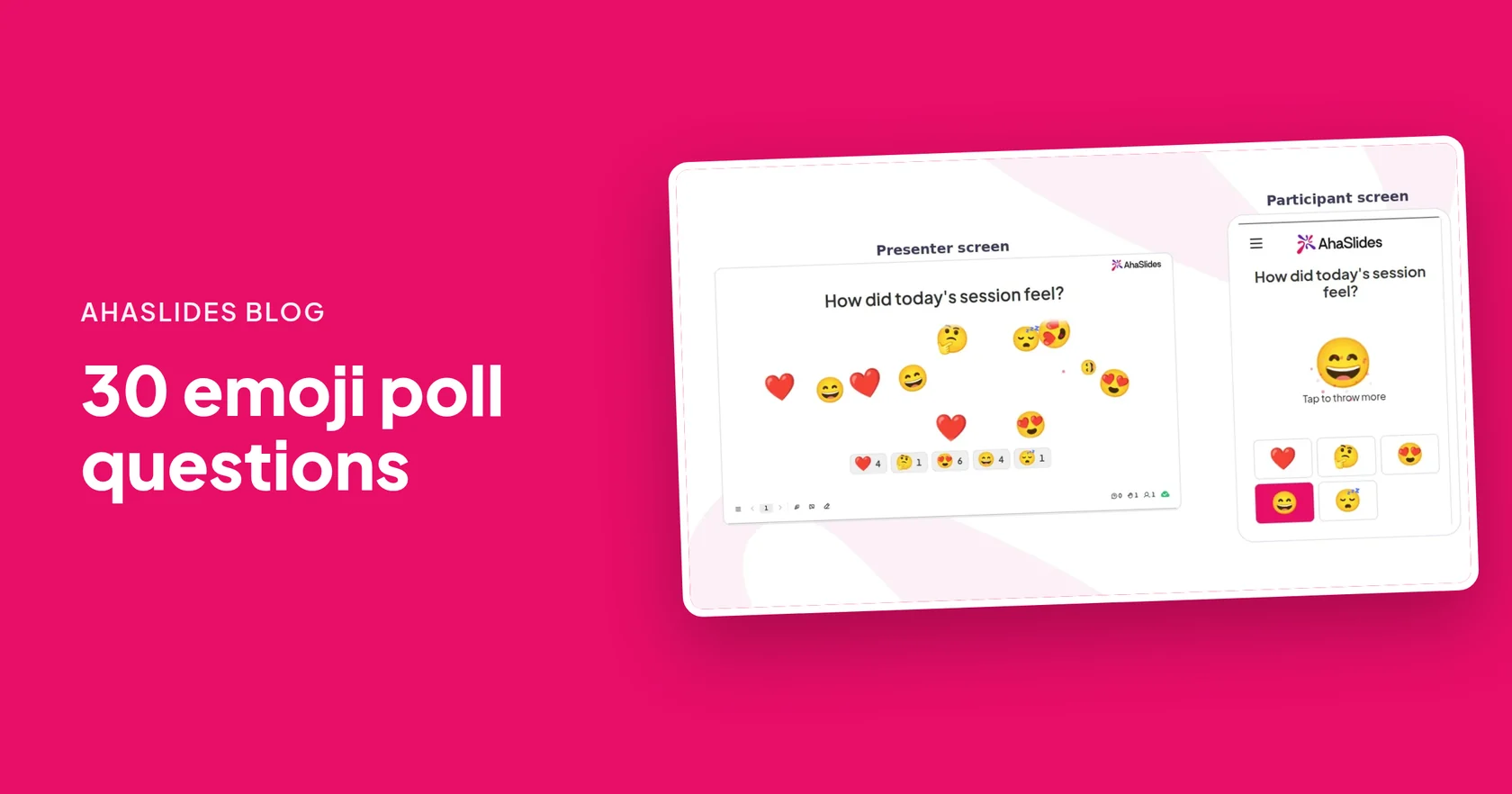
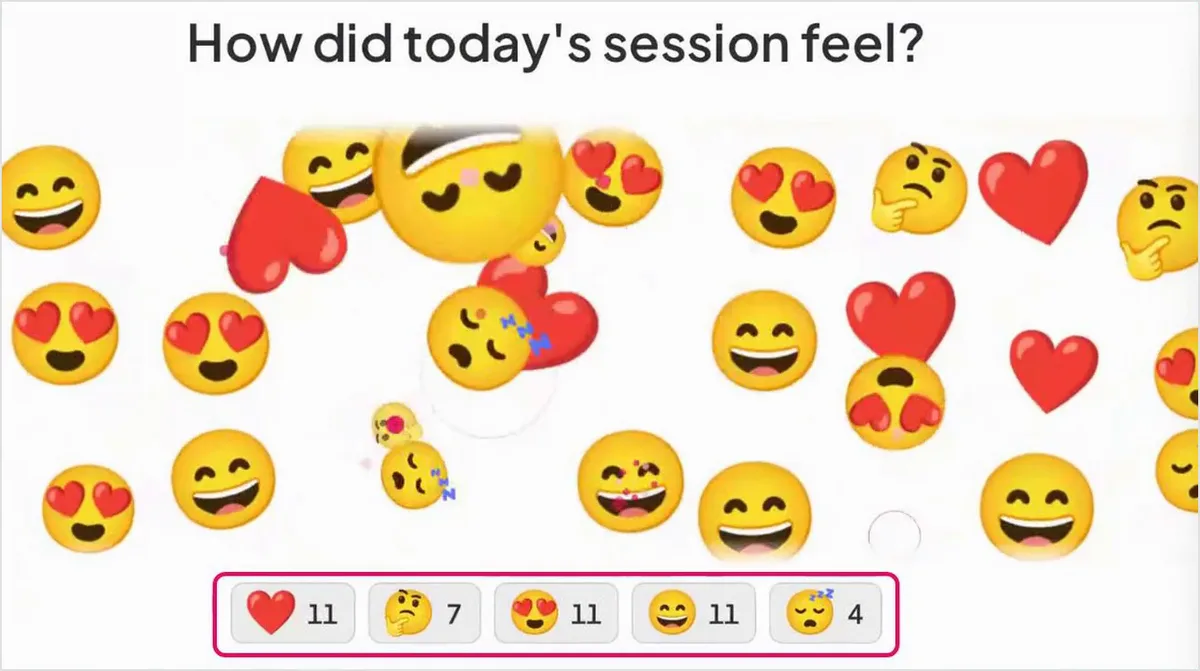
Start with something the whole room does at once, so nobody has to break the ice alone. An Emoji Poll is quick: ask one question, people tap an emoji on their phone, and each tap flies across the big screen with a count under each emoji.
- How do you feel about networking? A nervous face, a neutral face, a smiling face and a rocket. A room of nervous faces is a good laugh, and it tells everyone they are not alone.
- How many people here do you already know? A zero, a waving hand and a crowd of people. It shows the host how mixed the room really is.
- กาแฟหรือชา? Two emojis, two friendly camps, and an easy first question for the first partner.
Our emoji poll questions post has 30 more, each with an emoji set. For longer warm-ups, see these เกม icebreaker และ ทำความรู้จักกับเกมของคุณ.
What networking activities work at conferences?
Conferences have short gaps and big rooms. Fit speed networking into the slots people already have rather than adding a long session nobody stays for.
- Before the first keynote. Fifteen minutes and three rounds while people are fresh and still looking for someone to talk to.
- หลังอาหารกลางวัน. A slot that is often quiet. Two rounds of random pairs bring the energy back before the afternoon talks.
- Inside a workshop. Pair participants at random for two minutes to share what they want from the session. They then know someone in the room.
- In groups for large rooms. With hundreds of people, use Groups or Teams instead of Pairs, so each round makes small tables rather than hundreds of pairs.
For splitting a big room into named groups, see วิธีการแบ่งชั้นเรียนหรือทีมออกเป็นกลุ่มแบบสุ่ม. More event formats are in these แนวคิดเกมเหตุการณ์ และ ไอเดียกิจกรรมองค์กร.
How do you help people follow up after speed networking?
Most of the value comes after the event, when people get back in touch. Make that easy.
- Give time to swap details. Leave the last 30 seconds of each round for contact details, not more chat.
- Keep a record of the pairs. Click Copy results after each shuffle and paste the pairs into a document. If attendees agree, share it so they can find the people they met.
- Ask how it went. End with an Emoji Poll such as "Would you come to another session like this?" and turn on Close submission before you read the result. Our แบบสอบถามหลังกิจกรรม help with longer feedback.
- Send one follow-up prompt. A day later, suggest attendees message one person they met with one thing they talked about.
For more pairing ideas, see our random partner activities.
Free speed networking templates to host
Open a ready-made template below, add your own prompts and event name, and run it at your next event.
Round by Round: Speed Networking Pairs
Three timed rounds, a fresh random partner and a new prompt each time.
ใช้แม่แบบนี้
Mixer Match: Conference Pairs Across the Room
Pair delegates at a coffee-break mixer across first-timers, regulars and speakers.
ใช้แม่แบบนี้
How Was That Round? Speed Networking Emoji Poll
Take the room's temperature between rounds in three taps.
ใช้แม่แบบนี้To build your own pairing slide from scratch, open the เครื่องกำเนิดคู่แบบสุ่ม หน้า.
Host your first speed networking session
คำถามที่พบบ่อย
How do you run a speed networking event?
Split the room into pairs, give each pair three to five minutes and one prompt, then signal the end of the round and make new pairs. With the AhaSlides Random Pair Generator, one click shuffles the room and each person sees their partner on their phone.
How long should each speed networking round be?
Three to five minutes, plus a minute to swap details and move. Shorter rounds suit large events; longer rounds suit deeper themed conversations.
What questions should you ask at speed networking?
Start with light openers such as "What brought you here today?", then move to deeper ones such as "What is the hardest problem you are working on?". Put one prompt on screen per round.
What happens with an odd number of people?
In Pairs mode, the Random Pair Generator puts three people in one pair, so nobody sits out a round.
Can the same two people be paired twice?
Yes, each shuffle is random, so two people can meet again. If it happens, ask them to swap with the pair next to them.
Do attendees need an app to join?
No. Attendees open the link or scan the QR code on the big screen and type their name. Late arrivals are added the next time you click Shuffle.