Live emoji poll: hear how everyone feels in one tap

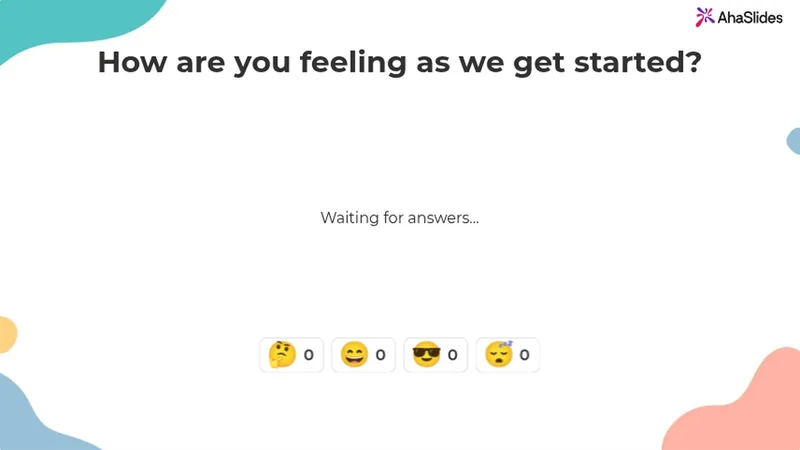
Ask one question and pick 2 to 6 emojis. Everyone answers with a tap on their phone, and the count builds live on your screen.

निशुल्क साइन अप करें

Participants need no app or sign-up.

G2 पर 477 समीक्षाओं के आधार पर 5 में से 4.7 रेटिंग मिली है।

टीमों द्वारा विश्वसनीय

  • अबू धाबी विश्वविद्यालय का लोगो
  • एयरबस लोगो
  • बेंड ला पाइन स्कूल का लोगो
  • बीएमसी लोगो
  • बॉश लोगो
  • क्रिटियो लोगो
  • फेरेरो रोशर लोगो
  • इंटेल लोगो
  • आइवी टेक कम्युनिटी कॉलेज का लोगो
  • ले क्विज़ शो लोगो

An emoji poll everyone can answer from their phone

An emoji poll is a live poll people answer by tapping an emoji. Ask "How is everyone?" out loud and you often get silence. Ask with emojis and everyone answers.

  • एक टैप से उत्तर दें

    Your emojis show as big buttons on any phone.

  • Tap once or keep tapping

    Allow submitting more than once is on by default. Turn it off for one answer each.
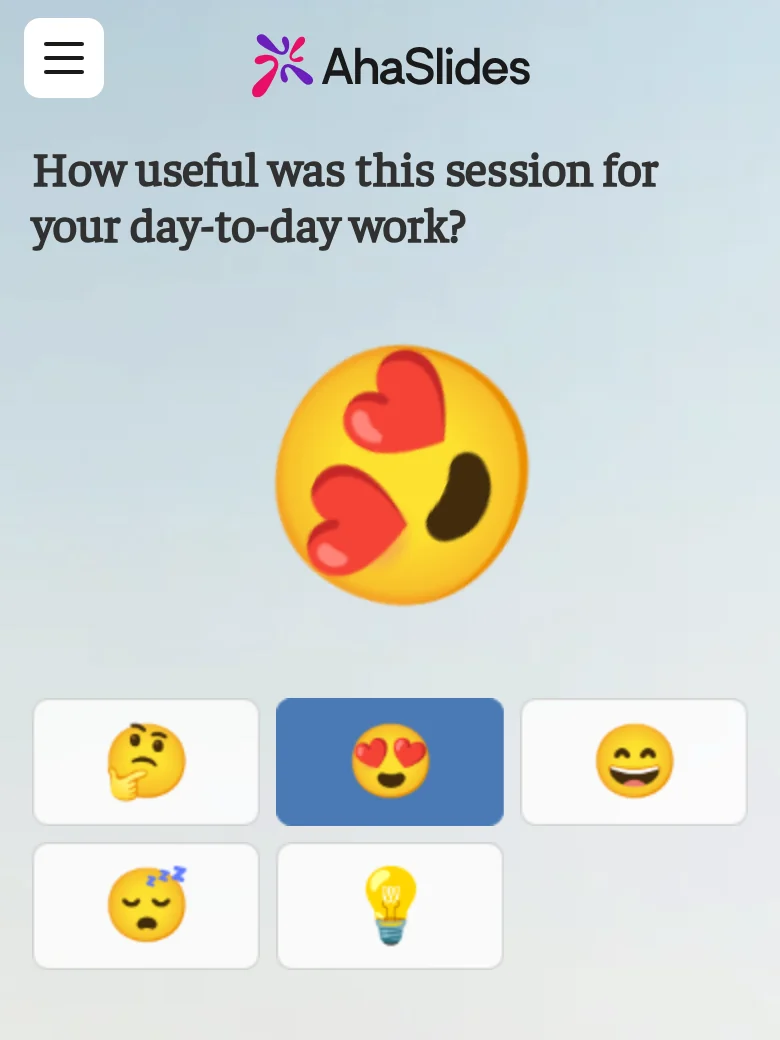
A participant answering an emoji poll on their phone, for the question "How useful was this session for your day-to-day work?", with the heart-eyes emoji just tapped and thrown large above five emoji buttons: thinking, heart-eyes, grinning, sleepy and light bulb
  • Live reactions, counted on your screen

    Each tap flies across your screen and adds to its emoji's count.

  • Close it when you have heard enough

    Turn on Close submission to stop new taps.

From the editor to the live count

Pick the emojis before you present, then watch the count build.

  • Pick your emojis in the editor

    Choose up to 6 from Reactions, Faces, Objects and symbols, or Food and nature.
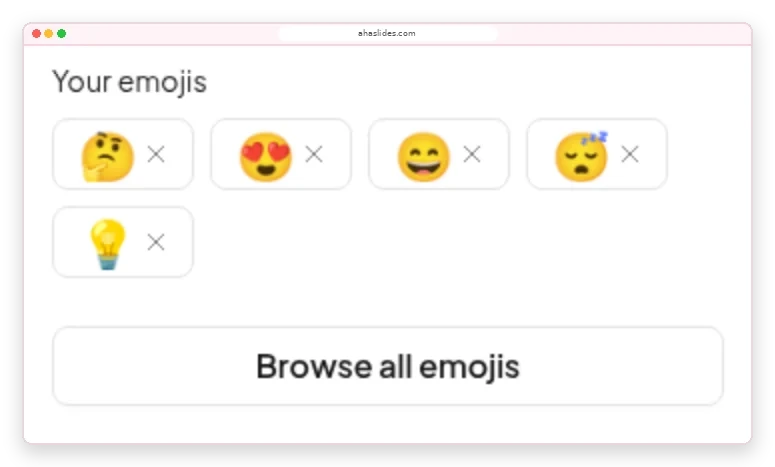
    The Emoji Poll panel in the AhaSlides editor: Your emojis showing thinking, heart-eyes, grinning, sleepy and light bulb, with a Browse all emojis button
  • Adjust to how the room feels

    A card under each emoji adds up the taps, so you know whether to recap or move on.
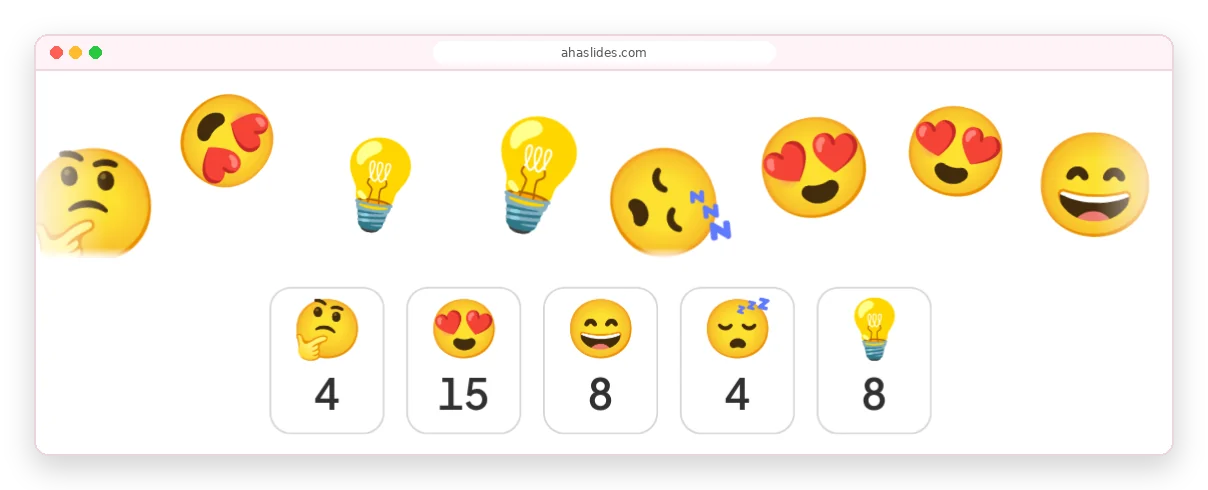
    Emojis flying across the AhaSlides presenter screen above count cards reading 4, 15, 8, 4 and 8 for thinking, heart-eyes, grinning, sleepy and light bulb

How to make an emoji poll

About two minutes from a blank slide to live answers.

चरण १: स्लाइड जोड़ें

Click New slide and pick Emoji Poll from the Poll group.

चरण १: Ask how people feel

For example, "How is your energy this morning?"

चरण १: Pick 2 to 6 emojis

Choose ones whose meaning is clear without words.

चरण १: कोड प्रस्तुत करें और साझा करें

People join with the access code and start tapping.

निशुल्क साइन अप करेंTry the ready-made emoji poll

Emoji polls for meetings, training and classes

  • सम्मेलन

    A full hall answers at once, however far people sit from the stage.

    A conference hall with a panel on a lit stage and a large seated audience, while two big screens above show a live donut-chart poll
  • प्रशिक्षण

    Check in with trainees before the next module.

    Trainees at round tables in a large hall face a presenter and a screen showing a slide for virtual trainers
  • कक्षाओं

    Every student answers on their own phone.

    Learners seated at round tables with laptops face a large screen showing a QR code and a join slide in a training room

Emoji poll templates for mood check-ins

सभी टेम्पलेट ब्राउज़ करें (एक नए टैब में खुलता है)

More ways to hear from everyone

Each runs live on people's phones in your presentation.

What hosts say about AhaSlides

  • “The ability of the audience to use emojis to react also allows you to gauge how they are receiving your presentation.”

    टैमी ग्रीनIvy Tech Community College, from G2
  • "यह वास्तव में वर्चुअल मीटिंग्स में ऊर्जा भरता है और सहभागिता को इस तरह बढ़ाता है जो पारंपरिक स्लाइड्स बिल्कुल भी नहीं कर सकतीं।"

    जेनिफर कमरुद्दीनG2 पर 5 में से 5 अंक
  • “इस तरह के प्लेटफॉर्म के बिना बड़ी संख्या में वर्चुअल दर्शकों को आकर्षित करना आसान नहीं है। हालांकि टीम्स जैसे टूल बुनियादी पोल की सुविधा देते हैं, लेकिन उनमें अक्सर दृश्य आकर्षण और प्रभावशीलता की कमी होती है।”

    राजेश बी सेथुरमनजियोबिजनेस में लीड एल एंड डी, जी2 रेटिंग में 5 में से 5 अंक।

Emoji poll questions

A live poll where people answer by tapping an emoji instead of reading options. You pick 2 to 6 emojis, and each tap adds to that emoji's live count.

Add an Emoji Poll slide, ask how people feel and present. Everyone joins with the access code, in the room or on a video call. The Emoji Poll guide इसमें सभी सेटिंग्स शामिल हैं।

From 2 to 6. Swap any of the five defaults for any emoji in the library.

Yes, by default. Turn off Allow submitting more than once for one vote per person.

The flying emojis and counts show on your screen. Each participant sees only their own answer.

Use an emoji poll for a quick read on feelings, a रेटिंग स्केल for a score you can track, and a standard poll to choose between written options. For an emoji rating scale, order the faces from 😞 to 😍.

A reaction responds to whatever is on screen. An emoji poll asks one question, with the emojis you choose, and counts every answer live.