
You can run a pulse survey in Slack ahol AhaSlides mert Slack: típus /ahaslides létrehozása, szed Heti pulzus és nyomja meg az állás. Your team answers with one tap in the channel, and every answer is saved in your AhaSlides jelentésben.
When to use a pulse survey in Slack
A pulse survey is a short check-in you send on a regular rhythm, to see how people are feeling before small problems turn into big ones. Say you lead a design team and want to know how the week went. On Friday afternoon you post two questions in #team-design, and people answer between tasks. (New to the idea? Read What is a pulse survey? A guide for teams for the background.)
Other good moments for a pulse in Slack:
- A weekly mood check with your team
- A workload check when a busy stretch starts
- An eNPS check once a quarter
- A quick read a week after a change or an announcement
Tart Slack for short pulses: that is what makes them quick to answer. A long, formal engagement survey is easier to answer from a full survey link, which AhaSlides is adhat neked.
Why run your pulse survey in Slack
- Az emberek ott válaszolnak, ahol már vannak. Nincs új lap, nincs bejelentkezés és nincs előásandó e-mail cím, így a válaszadás másodpercek alatt megtörténik.
- Láthatod, hányan válaszoltak. The pulse sits in the channel, and the count on the post keeps you up to date.
- A válaszok nem gördülnek el. Every answer stays in your AhaSlides jelentés, készen áll az olvasásra vagy a későbbi megosztásra.
Amire szükséged van
- A Slack munkaterület AhaSlides mert Slack telepítve
- An AhaSlides account for the person who runs the pulse (any plan works, including Free)
- Semmit sem a válaszadóknak: nincs szükségük rá AhaSlides fiók
Hogyan végezzünk pulzusfelmérést? Slack, lépésről lépésre
1. lépés: Adja hozzá AhaSlides mert Slack
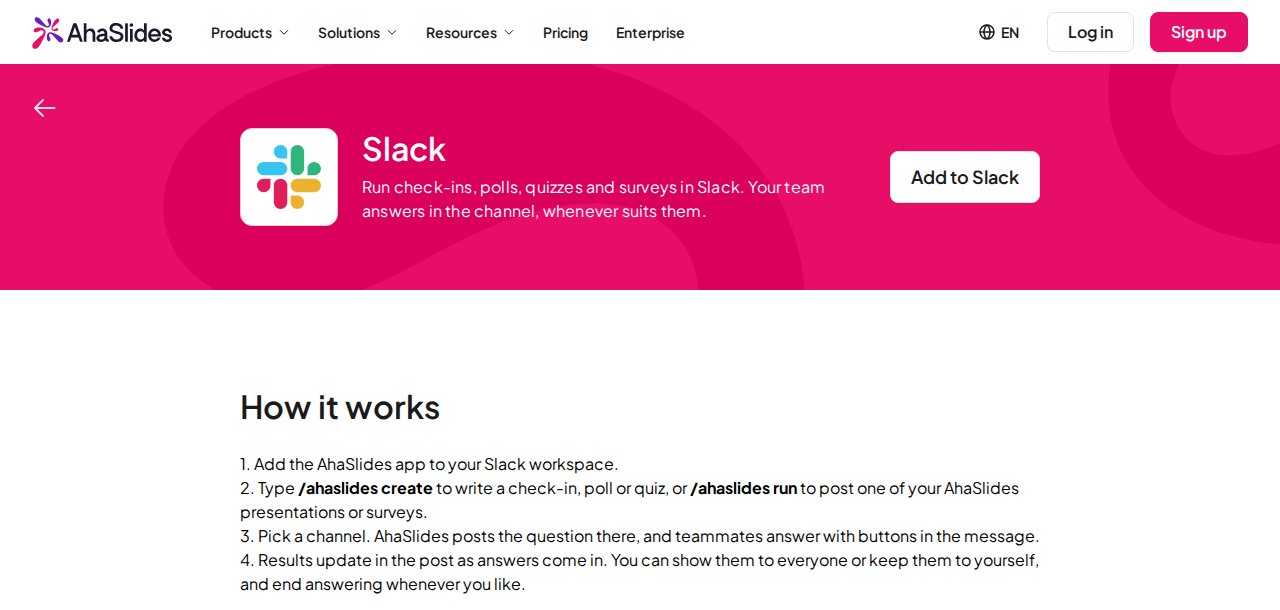
Nyissa meg a AhaSlides mert Slack telepítési oldal és adja hozzá az alkalmazást a munkaterületéhez. Amikor először megnyomja a állás, AhaSlides arra kéri, hogy jelentkezzen be a AhaSlides account and keeps your draft while you do.
2. lépés: Nyissa meg a Létrehozás ablakot
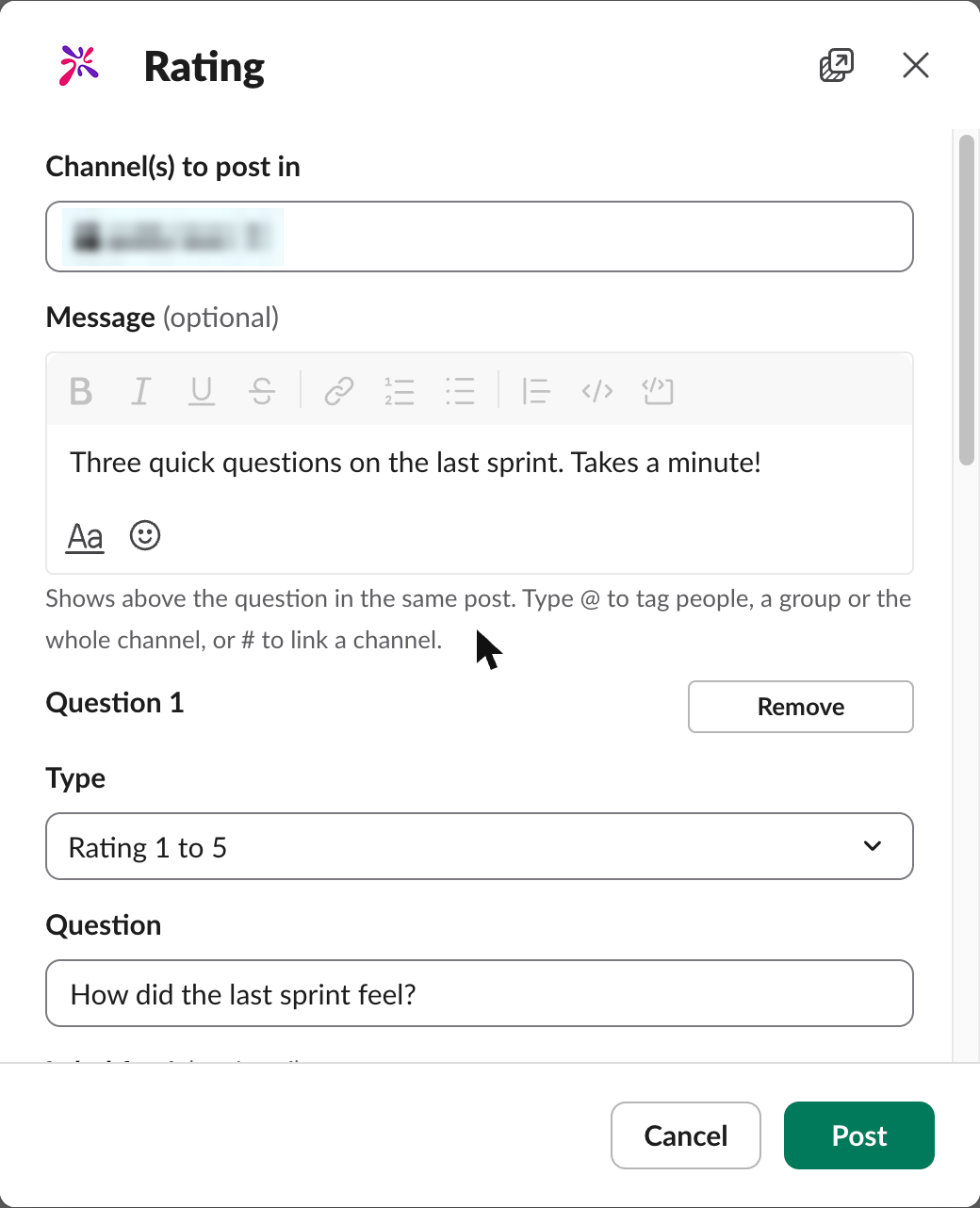
In the channel you want to check in with, type /ahaslides létrehozása. The Create window opens.
Step 3: Pick Weekly pulse
Alatt Jelentkezz be a csapattal, nyomja meg Heti pulzus. It comes ready to post with two questions: Hogy telt a heted?, answered on a 1 to 5 scale from Very poor to Great, and a follow-up, Mitől lett ilyen?, which people can skip. The window notes that it is best sent every Friday. For a different kind of pulse, Jóléti és a eNPS sit next to it, and Minden sablon lists more, such as Workload, Manager support and Team connection.
Alatt Csatorna(k), ahová posztolni lehet, a csatorna, amelyiken éppen vagy, már ki van választva, és továbbiakat is hozzáadhatsz. Üzenet, add a line so people know why you're asking. Change any question or the words at each end of the scale, or press + Kérdés hozzáadása if you want one more. Two or three questions is plenty for a pulse.
4. lépés: Válasszon névtelen válaszokat, és hogy kik láthatják az eredményeket
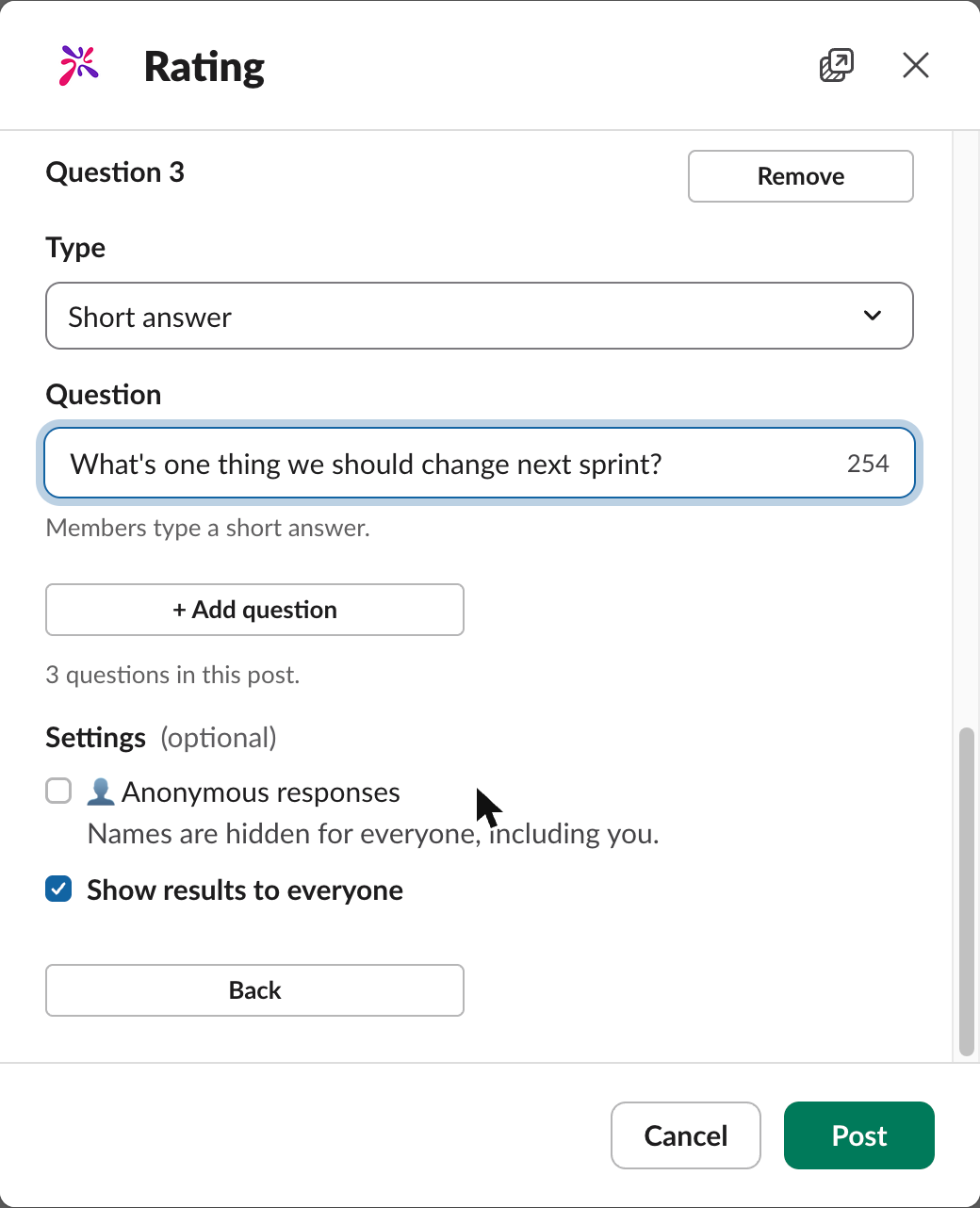
Alatt beállítások, ketyegés Névtelen válaszok if you want honest answers without names. Wellbeing and eNPS start with it ticked; Weekly pulse starts with it off. Names are then hidden for everyone, you included, in Slack és AhaSlides. Eredmények megjelenítése mindenkinek be van pipálva, így az egész csatorna láthatja az eredményeket. Ha nem szeretnéd, hogy mások is láthassák azokat, vedd ki a pipát.
5. lépés: Tedd közzé, és figyeld a válaszok érkeztét
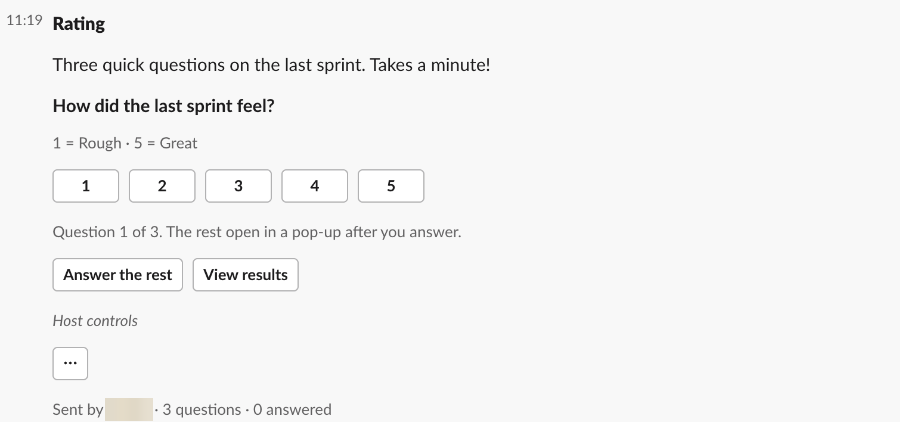
Sajtó állás. AhaSlides creates the survey in your account and posts it to the channel. The first question sits right in the post: people tap an answer. Válaszolj a többire opens the follow-up in a pop-up, and they can skip it. The bottom of the post shows how many people have answered.
6. lépés: Olvasd le az eredményeket
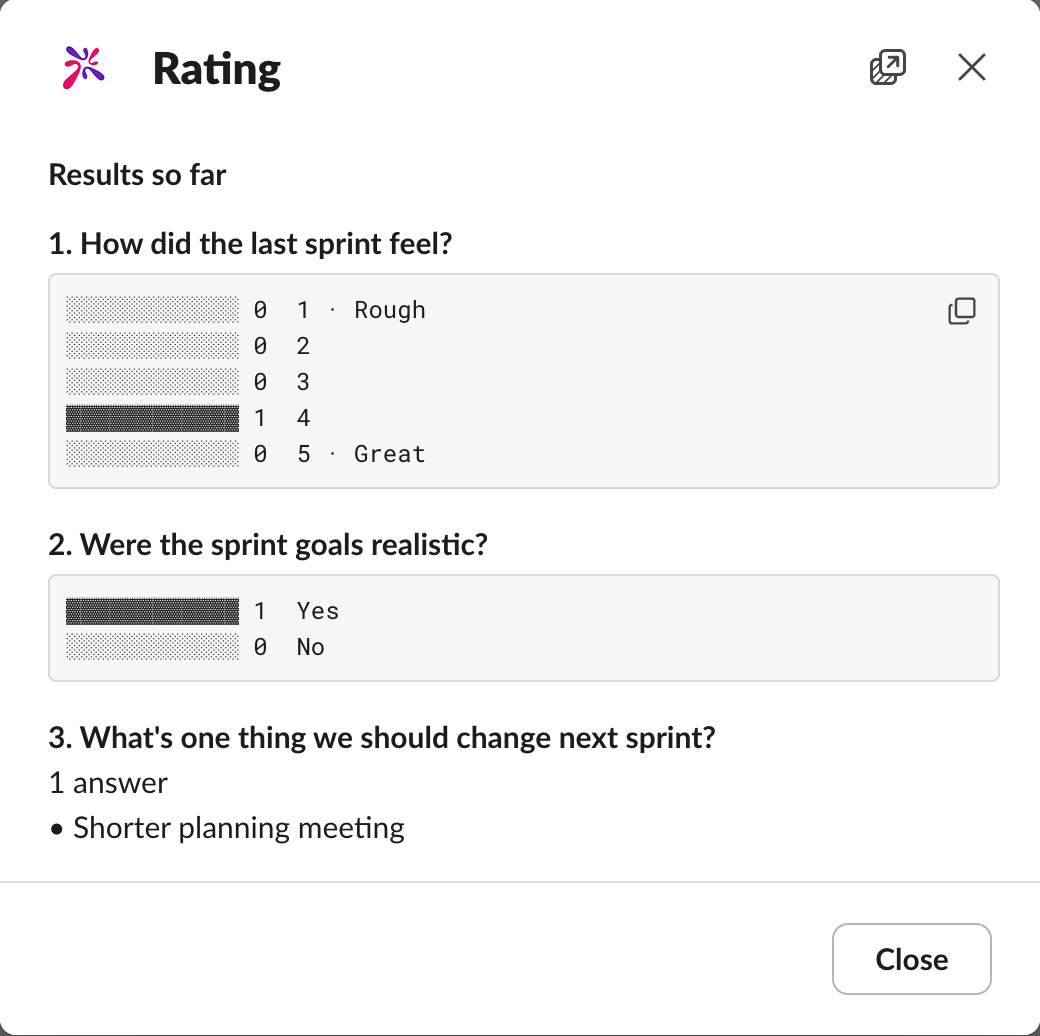
Házigazdaként nyomd meg a ... gombra a Gazdagép vezérlői alatt Eredmények megtekintése, Válasz vége or Nyisd meg AhaSlidesHa elmentél Eredmények megjelenítése mindenkinek mindenki más kap egyet Eredmények megtekintése button too. The rating shows as a bar chart and the follow-up answers are listed. Your AhaSlides A jelentés mindenre választ ad.
Elakadtál egy lépcsőfokon? Az AhaSlides mert Slack útmutató minden lehetőséget és a leggyakoribb javításokat is lefedi.
Sending the pulse again
A pulse is worth most when you repeat it, and you post each one yourself, which takes a minute. Next time, type /ahaslides létrehozása és válassz Heti pulzus again. To post a survey you already made, type /ahaslides futás, választ Felmérés, pick it from your list and press futás. For the full tour of the Create window, read Hogyan készítsünk felmérést a Slack.
Five tips for a pulse survey people answer
- Keep it to two or three questions. A pulse people can finish in under a minute is one they will answer every time.
- Send it at the same time each week. A steady rhythm makes it a habit, and makes changes easier to spot.
- Érzékeny témák esetén maradj névtelen. On workload or wellbeing, people may feel safer being open when their name isn't attached.
- Keep one open question. "What made it that way?" often gives you the most useful reply of the lot, and skipping it costs nothing.
- Zárd be a hurkot. Post a short summary of the results and what you'll do next. Seeing the last pulse change something gives people a reason to answer the next one.
FAQ
What is a pulse survey?
A pulse survey is a short, regular check-in, usually one to three questions, that shows how a team is feeling over time. See What is a pulse survey? A guide for teams tovább.
Can you run a pulse survey in Slack?
Igen. Val vel AhaSlides mert Slack, típus /ahaslides létrehozása, szed Heti pulzus és nyomja meg az állás. People answer with buttons right in the channel.
Szükségük van fiókra a válaszadáshoz?
No. Only the person who runs the pulse signs in to AhaSlidesMindenki más gombokkal válaszol Slack. Az útmutató covers setup questions.
Can the pulse be anonymous?
Igen. Pipa Névtelen válaszok mielőtt posztolsz. A nevek mindenki számára rejtve vannak, beleértve téged is, a Slack és a sajátodban AhaSlides jelentésben.
Is AhaSlides mert Slack ingyenes?
Igen, mindenhol működik. AhaSlides csomag, beleértve az ingyenes csomagot is.
Mi van, ha a munkaterületemnek először jóvá kell hagynia az alkalmazásokat?
Slack telepítési kérés küldését kéri, és a munkaterület tulajdonosa vagy az alkalmazáskezelő jóváhagyja azt.
Kapcsolódó cikkek: Hogyan készítsünk felmérést a Slack, for every option in the Create window.
Find out how your team is really doing, right where they work. hozzáad AhaSlides mert Slack and post your first pulse in a few minutes.