
A daily check-in takes the temperature of your team in under a minute. To run one in Slack ahol AhaSlides mert Slack, típus /ahaslides létrehozása, válassza ki a Heti pulzus check-in, change its wording to “today” and press állás. Each morning after that, post the same check-in again with /ahaslides futás. It takes a few seconds, and every day's answers are saved in one AhaSlides jelentésben.
When to run a daily check-in in Slack
A daily check-in suits a team that wants to spot a bad day early, not find out at the end of the month. Picture a support lead who posts a check-in in #team-support at the start of every shift: a 1 to 5 rating for how people feel, plus one optional line on why. A string of 2s on a Tuesday tells her to ease the queue before anyone burns out.
Jól működik még a következők esetében is:
- A new team or a new project, where you want to hear early how people are coping
- A busy stretch such as a launch week or a big release
- Remote and hybrid teams who rarely see each other
- A short run of check-ins after a reorganisation or a big announcement
Keep a daily check-in to one or two questions. If you want to know what people are working on and what is blocking them, use a stand-up instead: Hogyan kell aszinkron stand-upot futtatni? Slack lefedi azt.
Why a daily check-in works best in Slack
- Az emberek ott válaszolnak, ahol már vannak. The check-in sits in the channel at the start of the day, so answering is one tap, with no form to open.
- You don't chase replies. The post shows how many people have answered, so you can nudge the channel only if you need to.
- The trend is kept for you. Each day's answers are saved in the same AhaSlides survey, so you can look back at last week's mood without scrolling the channel.
Amire szükséged van
- A Slack munkaterület AhaSlides mert Slack telepítve
- An AhaSlides fiók a bejelentkezést közzétevő személyhez (bármelyik csomag működik, beleértve az ingyeneset is)
- Semmit sem a válaszadóknak: nincs szükségük rá AhaSlides fiók
Jó tudni: if your workspace needs apps approved first, Slack telepítési kérés küldését kéri, és a munkaterület tulajdonosa vagy az alkalmazáskezelő jóváhagyja azt.
Hogyan kell napi bejelentkezést lebonyolítani Slack, lépésről lépésre
1. lépés: Adja hozzá AhaSlides mert Slack
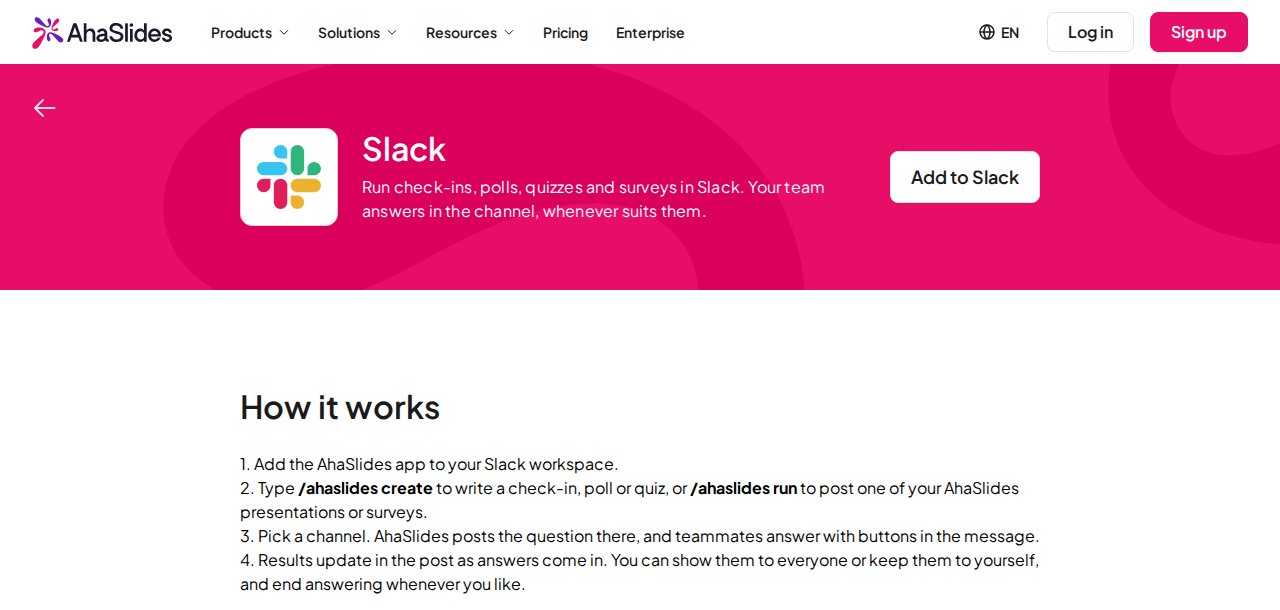
Nyissa meg a AhaSlides mert Slack telepítési oldal és adja hozzá az alkalmazást a munkaterületéhez. Amikor először megnyomja a állás, AhaSlides arra kéri, hogy jelentkezzen be a AhaSlides fiókot, és közben megőrzi a tervezetét.
Step 2: Pick a ready-made check-in
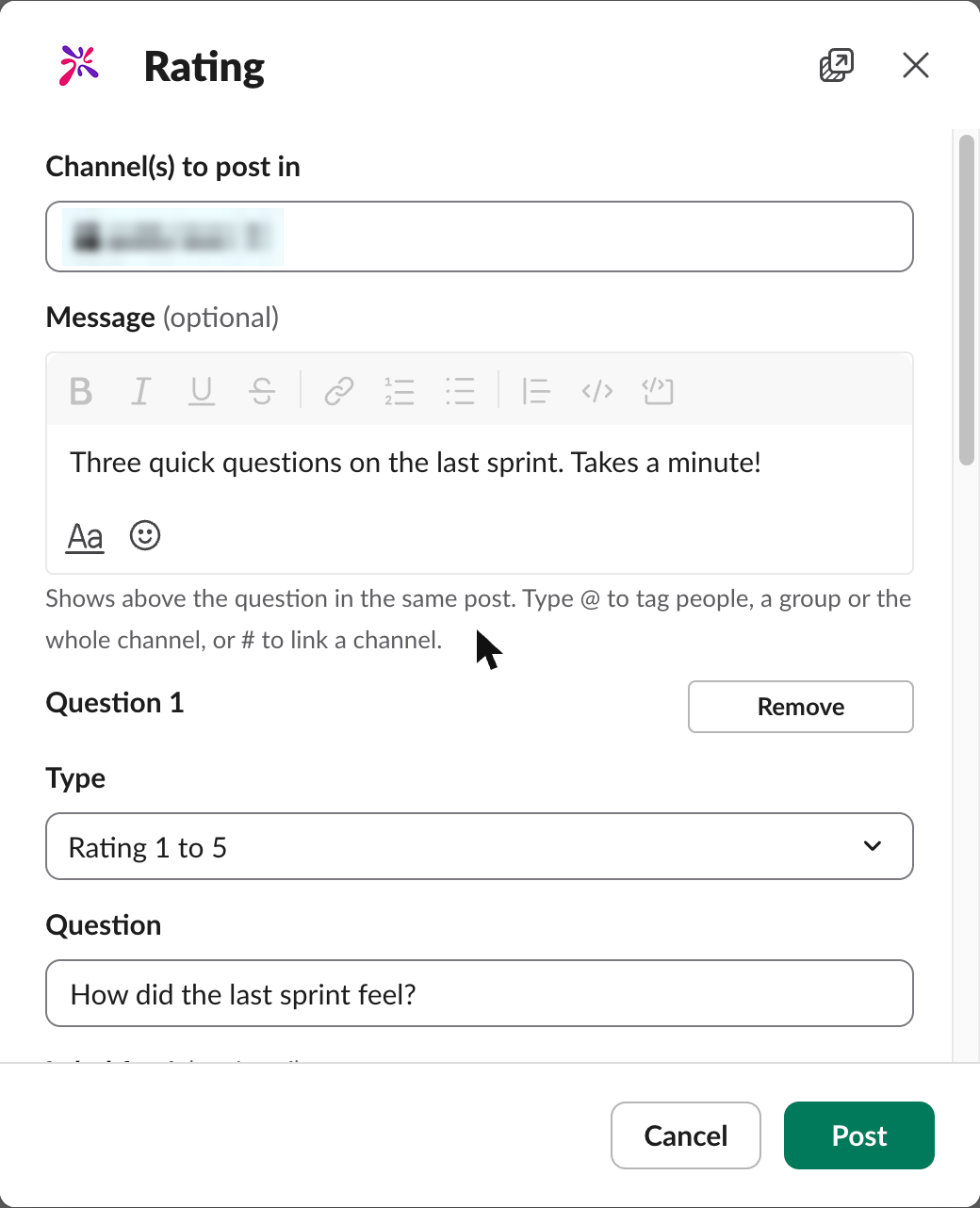
In the channel you want to check in with, type /ahaslides létrehozásaMegnyílik a Létrehozás ablak. A Jelentkezz be a csapattal, nyomja meg Heti pulzus. It comes with a rating question, “How was your week?”, and a follow-up, “What made it that way?”, that people can skip. Jóléti works the same way, and more are under Minden sablon.
Step 3: Make it a daily check-in
The channel you're in is already picked under Csatorna(k), ahová posztolni lehet. Change the first question to “How are you feeling today?” and keep the follow-up, or reword it to something like “Anything you'd like us to know?”. In Üzenet, add a line such as “Daily check-in: one tap, and a line if you want.” It shows above the question.
The form says “Best sent: every Friday”. That is only a suggestion for the Weekly pulse: AhaSlides posts the check-in when you press állás, and the wording and the day are yours to choose.
4. lépés: Válaszd ki, hogy kik láthatják a válaszokat, majd tedd közzé őket
Alatt beállítások, ketyegés Névtelen válaszok if you want the most honest answers: names are then hidden for everyone, you included. Leave it off if you want to follow up with a person who has a rough day. Eredmények megjelenítése mindenkinek is ticked to start with, so the channel can see the mood of the team. Press állás, and today's check-in is in the channel.
Leave answers open on this first post. Pressing Válasz vége on it also closes the survey in AhaSlides, and a closed survey no longer shows in your list for tomorrow.
5. lépés: Minden reggel tegye közzé újra
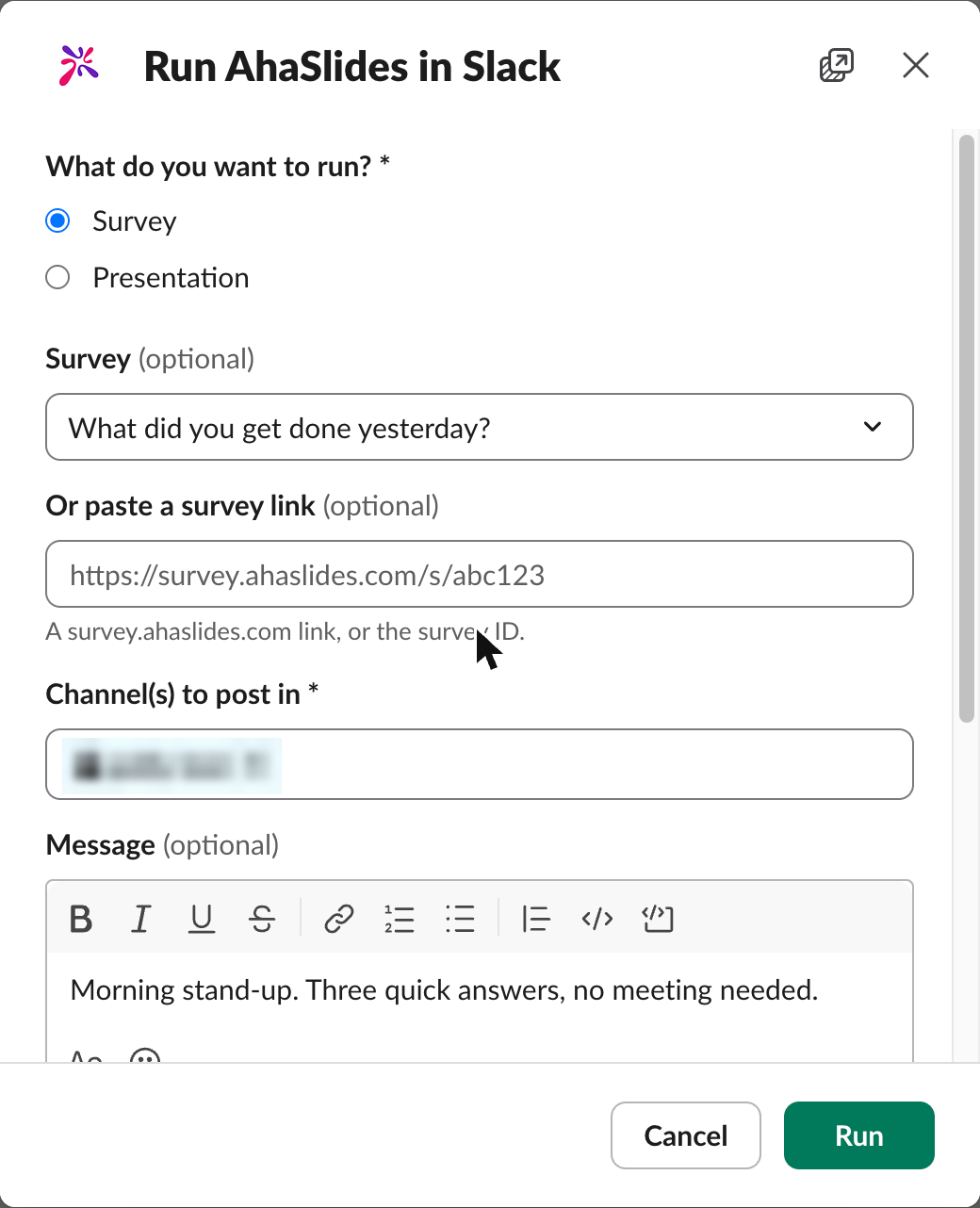
You don't rebuild it. Type /ahaslides futás. Alatt Mit akarsz futtatni?, tart Felmérés selected, pick your check-in from the list (it's listed under its first question), choose the channel and press futás. Each post collects a fresh round of answers, and all of them are saved in the same AhaSlides survey, so your report builds up day by day. On these daily posts, Válasz vége megállítja a válaszokat Slack csak így a felmérés holnapra is készen áll.
Step 6: Read the answers
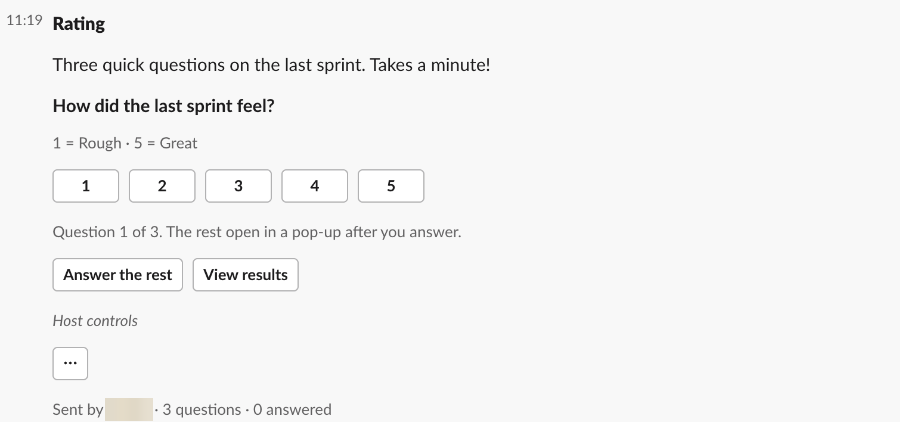
Sajtó Eredmények megtekintése on the post to see how the team feels, with the written follow-ups listed. As the host, the ... gomb alatt Host controls szintén van Nyisd meg AhaSlides, where the full report keeps every day's answers. A low rating with a note is your cue to send that person a quick message.
Elakadtál egy lépcsőfokon? Az AhaSlides mert Slack útmutató minden lehetőséget és a leggyakoribb javításokat is lefedi.
Tips for a daily check-in people keep answering
- Minden nap ugyanabban az időben tedd közzé. A Slack az emlékeztetés segít a szokás megtartásában, például /remind me to post the check-in every weekday at 9am.
- Keep it to one rating and one optional line. A check-in that takes ten seconds survives a busy week.
- Reply to the low scores. When people see a response, they keep telling you the truth.
- Share the trend now and then. A line such as “Mood dipped on release day” shows the check-in is read.
- Egyetértek azzal, aki posztolja. When the usual host is on leave, decide who runs it so the habit doesn't drop.
FAQ
What is a daily check-in?
A daily check-in is a short, regular question to your team, usually how people feel and whether they need anything, answered at the start of the day or the end of it. It is lighter than a stand-up and focused on people, not tasks.
How do I post the check-in each day?
típus /ahaslides futás, választ Felmérés, pick your check-in and press futásNéhány másodpercig tart.
Can people answer again tomorrow?
Yes. Each day's post collects a new round of answers, and they are all saved in the same AhaSlides felmérés.
Szükségük van-e az embereknek egy AhaSlides fiók, amire válaszolni kell?
No. Only the person who posts the check-in signs in. Everyone else answers in Slack.
Is AhaSlides mert Slack ingyenes?
Igen, mindenhol működik. AhaSlides csomag, beleértve az ingyenes csomagot is.
I can't find my check-in in the list. Why?
It is listed under its first question, such as “How are you feeling today?”. A survey that has been closed in AhaSlides nem jelenik meg, ami akkor történik, ha az első, a következővel írt hozzászólásoddal befejezted a válaszadást: /ahaslides létrehozása. Az AhaSlides mert Slack útmutató elmagyarázza a Futtatás ablak minden egyes opcióját.
Kapcsolódó cikkek: Hogyan készítsünk felmérést a Slack, for longer surveys with more question types, and Hogyan kell aszinkron stand-upot futtatni? Slack, for a daily update on the work. For a weekly rhythm, see Weekly team check-in questions.
Know how your team is doing before the day gets going. hozzáad AhaSlides mert Slack today, and tomorrow's check-in is one command away.