
You can run a pulse survey in Slack with AhaSlides besteld, Slack: vriendelijk /ahaslides creëren, kies Wekelijkse puls en druk op Post. Your team answers with one tap in the channel, and every answer is saved in your AhaSlides melden.
When to use a pulse survey in Slack
A pulse survey is a short check-in you send on a regular rhythm, to see how people are feeling before small problems turn into big ones. Say you lead a design team and want to know how the week went. On Friday afternoon you post two questions in #team-design, and people answer between tasks. (New to the idea? Read What is a pulse survey? A guide for teams for the background.)
Other good moments for a pulse in Slack:
- A weekly mood check with your team
- A workload check when a busy stretch starts
- An eNPS check once a quarter
- A quick read a week after a change or an announcement
Houden Slack for short pulses: that is what makes them quick to answer. A long, formal engagement survey is easier to answer from a full survey link, which AhaSlides kan je ook geven.
Why run your pulse survey in Slack
- Mensen antwoorden vanuit de positie waarin ze zich al bevinden. Geen nieuw tabblad, geen inloggen en geen e-mail opzoeken, dus antwoorden duurt maar een paar seconden.
- Je kunt zien hoeveel mensen hebben geantwoord. The pulse sits in the channel, and the count on the post keeps you up to date.
- De antwoorden verdwijnen niet vanzelf. Every answer stays in your AhaSlides Rapport, klaar om later te lezen of te delen.
Wat je nodig hebt
- A Slack werkruimte met AhaSlides besteld, Slack geïnstalleerd
- An AhaSlides account for the person who runs the pulse (any plan works, including Free)
- Niets voor de mensen die antwoorden: zij hebben geen antwoord nodig. AhaSlides account
Hoe voer je een korte enquête uit? Slack, stap voor stap
Stap 1: voeg toe AhaSlides besteld, Slack
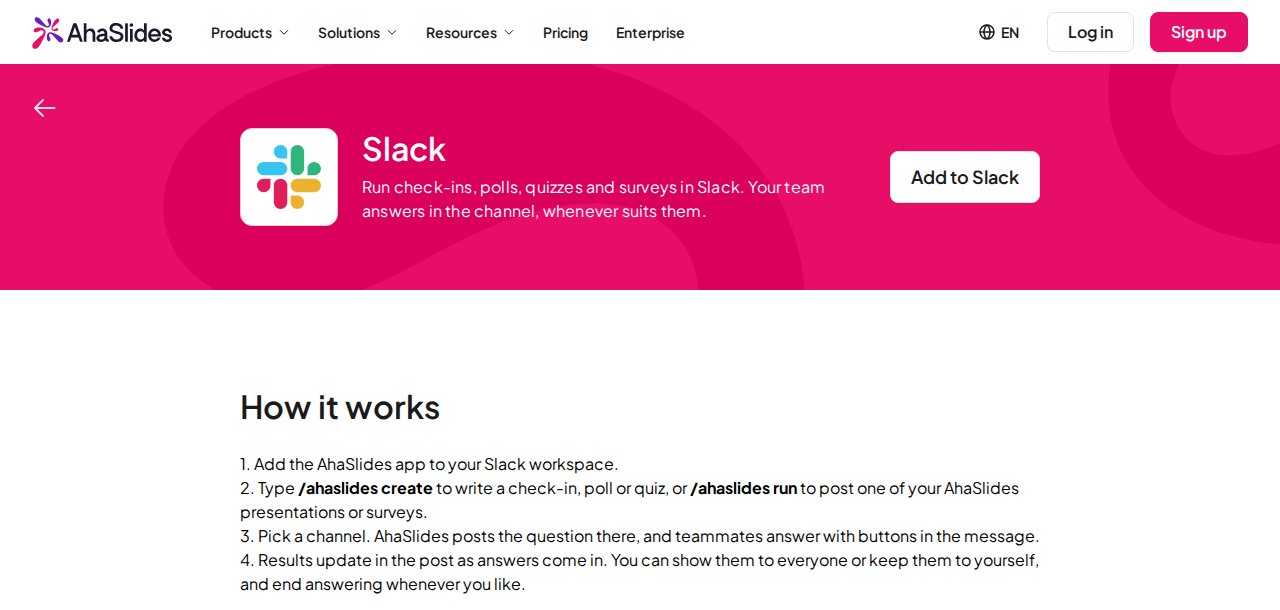
Open de AhaSlides besteld, Slack installatiepagina en voeg de app toe aan je werkruimte. De eerste keer dat je drukt Post, AhaSlides vraagt u om in te loggen op uw account AhaSlides account and keeps your draft while you do.
Stap 2: Open het venster 'Maken'.
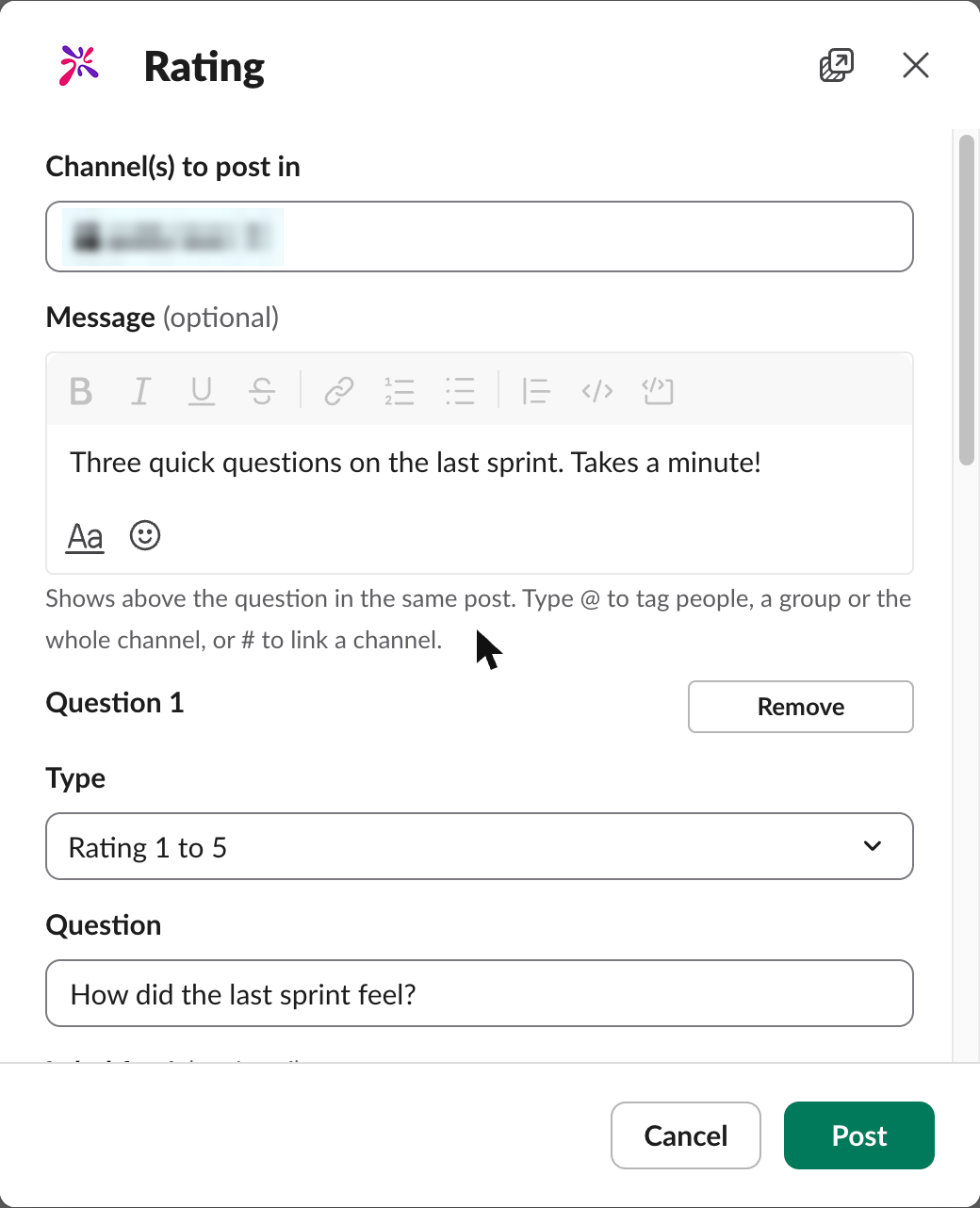
In the channel you want to check in with, type /ahaslides creëren. The Create window opens.
Step 3: Pick Weekly pulse
Onder Neem contact op met het team, druk op Wekelijkse puls. It comes ready to post with two questions: Hoe was je week?, answered on a 1 to 5 scale from Very poor to Great, and a follow-up, What made it that way?, which people can skip. The window notes that it is best sent every Friday. For a different kind of pulse, Welzijn en eNPS sit next to it, and Alle sjablonen lists more, such as Workload, Manager support and Team connection.
Onder Kanaal/kanalen om in te postenHet kanaal waarin je je bevindt is al geselecteerd en je kunt er meer toevoegen. Typ hier uw vraag of bericht, add a line so people know why you're asking. Change any question or the words at each end of the scale, or press + Vraag toevoegen if you want one more. Two or three questions is plenty for a pulse.
Stap 4: Kies voor anonieme antwoorden en wie de resultaten te zien krijgt.
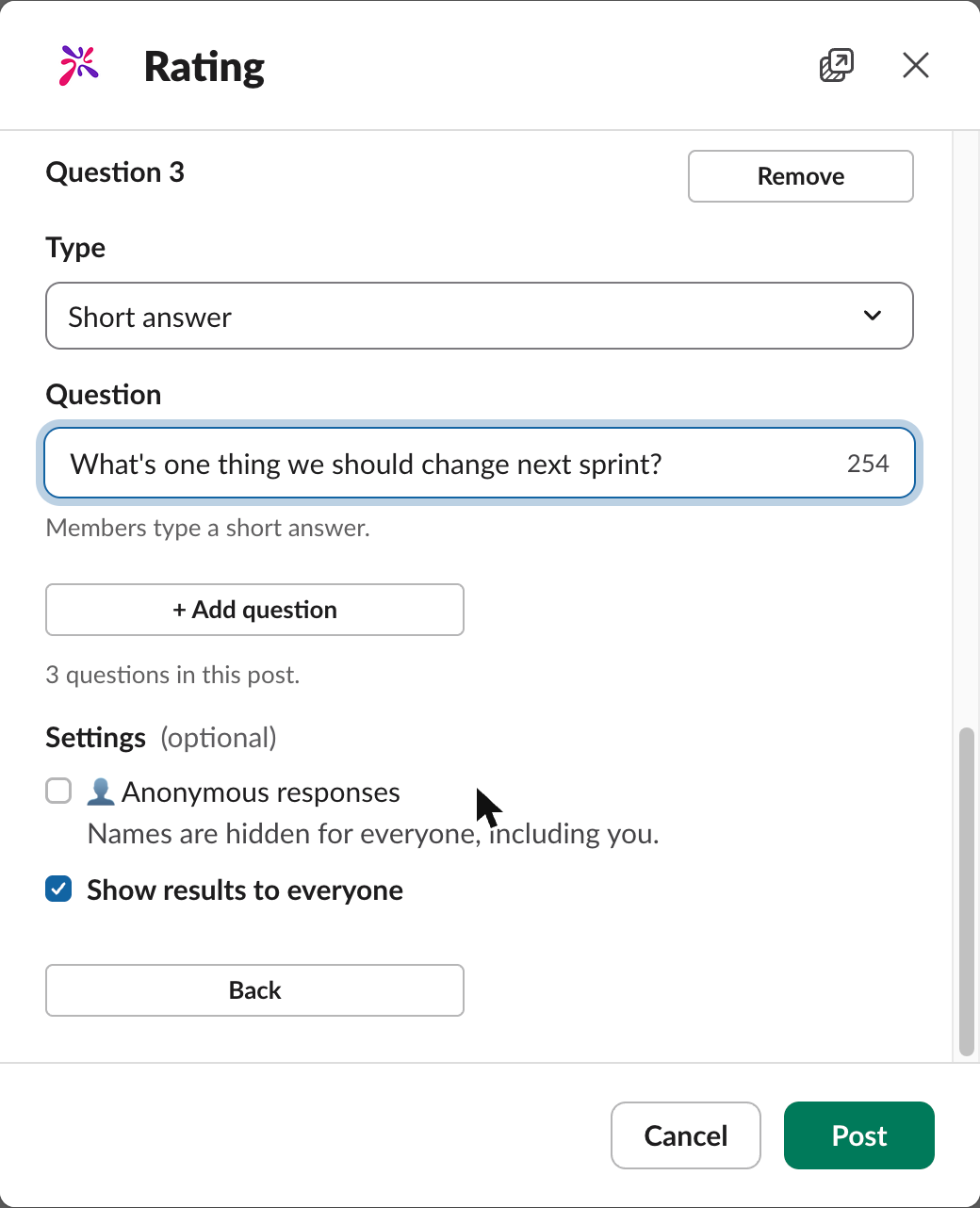
Onder settings, Kruis aan Anonieme reacties if you want honest answers without names. Wellbeing and eNPS start with it ticked; Weekly pulse starts with it off. Names are then hidden for everyone, you included, in Slack en in AhaSlides. Toon de resultaten aan iedereen Deze optie is standaard aangevinkt, zodat het hele kanaal de resultaten kan zien. Vink het uit om de resultaten voor jezelf te houden.
Stap 5: Plaats het online en wacht tot de antwoorden binnenstromen.
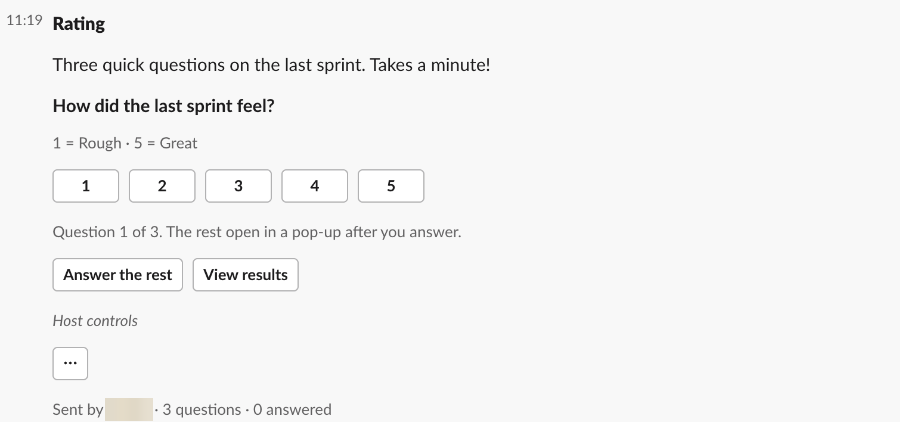
Media Post. AhaSlides creates the survey in your account and posts it to the channel. The first question sits right in the post: people tap an answer. Beantwoord de rest opens the follow-up in a pop-up, and they can skip it. The bottom of the post shows how many people have answered.
Stap 6: Lees de resultaten
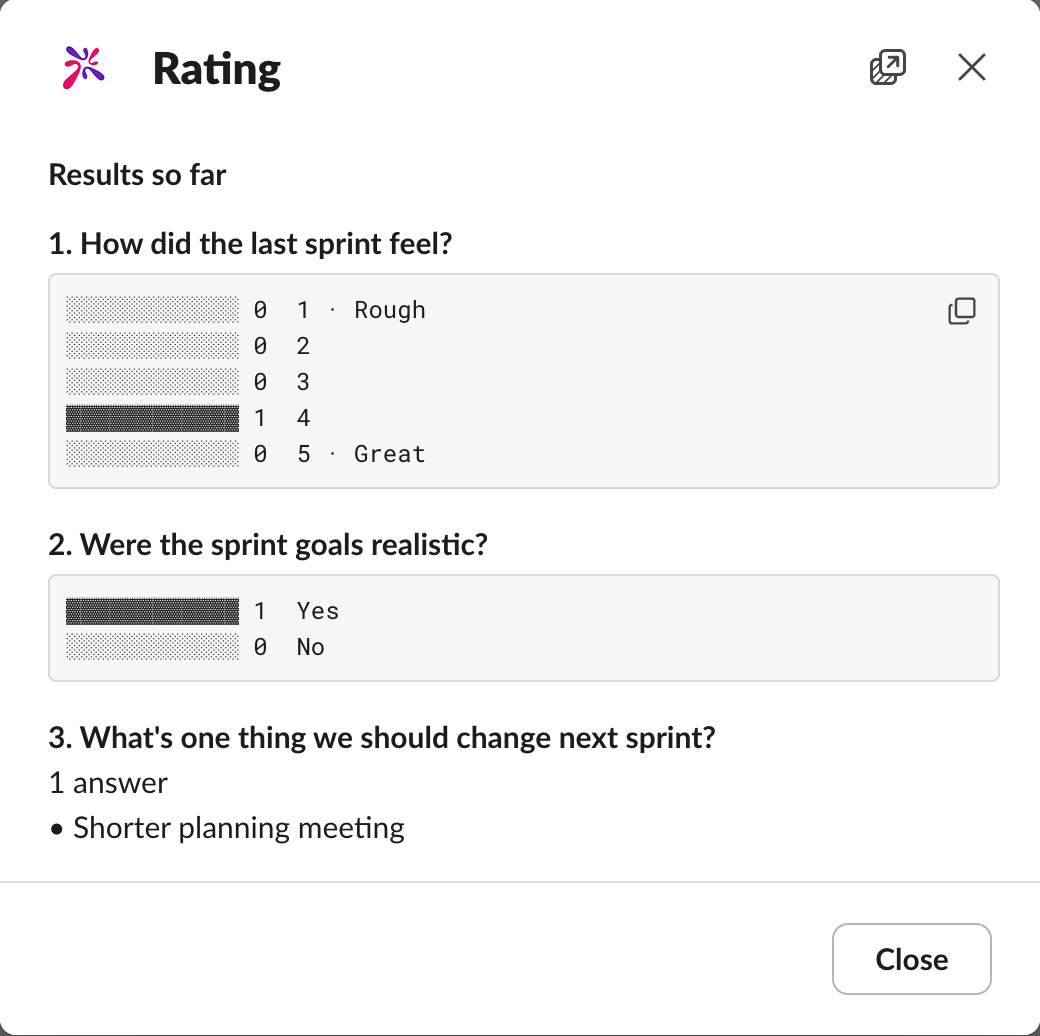
Als host drukt u op de ... knop onder Host-besturingselementen Bekijk resultaten, Beëindig het antwoord or Open in AhaSlidesAls je wegging Toon de resultaten aan iedereen en iedereen krijgt een Bekijk resultaten button too. The rating shows as a bar chart and the follow-up answers are listed. Your AhaSlides Het rapport bevat alle antwoorden.
Zit je vast bij een trede? De AhaSlides besteld, Slack gids Dit document behandelt alle opties en de meest voorkomende oplossingen.
Sending the pulse again
A pulse is worth most when you repeat it, and you post each one yourself, which takes a minute. Next time, type /ahaslides creëren en kies Wekelijkse puls again. To post a survey you already made, type /ahaslides run, kies Enquête, pick it from your list and press lopen. For the full tour of the Create window, read Hoe maak je een enquête in Slack.
Five tips for a pulse survey people answer
- Keep it to two or three questions. A pulse people can finish in under a minute is one they will answer every time.
- Send it at the same time each week. A steady rhythm makes it a habit, and makes changes easier to spot.
- Gebruik de anonieme functie voor gevoelige onderwerpen. On workload or wellbeing, people may feel safer being open when their name isn't attached.
- Keep one open question. "What made it that way?" often gives you the most useful reply of the lot, and skipping it costs nothing.
- Maak de cirkel rond. Post a short summary of the results and what you'll do next. Seeing the last pulse change something gives people a reason to answer the next one.
FAQ
What is a pulse survey?
A pulse survey is a short, regular check-in, usually one to three questions, that shows how a team is feeling over time. See What is a pulse survey? A guide for teams voor meer info.
Can you run a pulse survey in Slack?
Ja. Met AhaSlides besteld, Slacktype /ahaslides creëren, kies Wekelijkse puls en druk op Post. People answer with buttons right in the channel.
Moeten mensen een account aanmaken om te kunnen antwoorden?
No. Only the person who runs the pulse signs in to AhaSlidesAlle anderen antwoorden met knoppen in Slack. De gids covers setup questions.
Can the pulse be anonymous?
Ja. Aangevinkt Anonieme reacties Voordat je iets plaatst. Namen zijn voor iedereen, inclusief jou, verborgen. Slack en in jouw AhaSlides melden.
Is AhaSlides besteld, Slack vrij?
Ja. Het werkt op alle apparaten. AhaSlides abonnement, inclusief gratis.
Wat als mijn werkruimte eerst goedkeuring van apps vereist?
Slack U wordt gevraagd een installatieverzoek in te dienen, dat vervolgens door een werkruimte-eigenaar of app-beheerder wordt goedgekeurd.
Gerelateerd lezen: Hoe maak je een enquête in Slack, for every option in the Create window.
Find out how your team is really doing, right where they work. Toevoegen AhaSlides besteld, Slack and post your first pulse in a few minutes.