Live emoji poll: hear how everyone feels in one tap

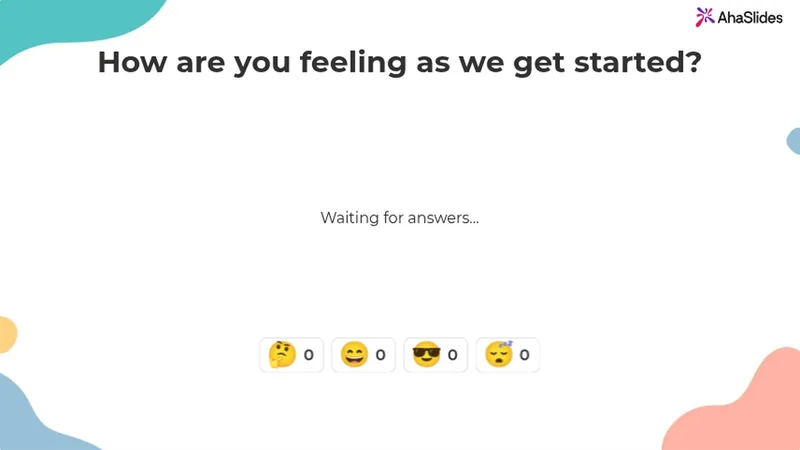
Ask one question and pick 2 to 6 emojis. Everyone answers with a tap on their phone, and the count builds live on your screen.

Бесплатная регистрация

Participants need no app or sign-up.

Рейтинг 4.7 из 5 на G2, основанный на 477 отзывах.

Командам доверяют

  • Логотип Университета Абу-Даби
  • логотип Airbus
  • Логотип школ Бенд-Ла-Пайн
  • Логотип БМК
  • Логотип Bosch
  • Логотип Criteo
  • Логотип Ferrero Rocher
  • Логотип Intel
  • Логотип колледжа Ivy Tech Community College
  • Логотип Le Quiz Show

An emoji poll everyone can answer from their phone

An emoji poll is a live poll people answer by tapping an emoji. Ask "How is everyone?" out loud and you often get silence. Ask with emojis and everyone answers.

  • Ответить одним касанием

    Your emojis show as big buttons on any phone.

  • Tap once or keep tapping

    Allow submitting more than once is on by default. Turn it off for one answer each.
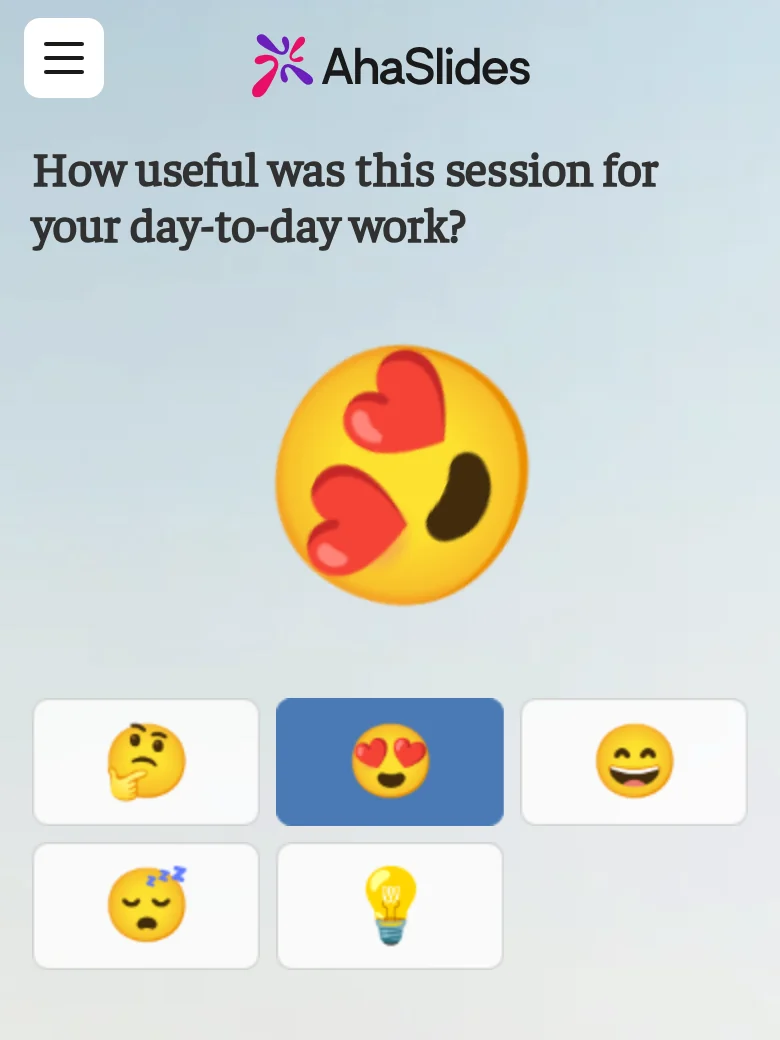
A participant answering an emoji poll on their phone, for the question "How useful was this session for your day-to-day work?", with the heart-eyes emoji just tapped and thrown large above five emoji buttons: thinking, heart-eyes, grinning, sleepy and light bulb
  • Live reactions, counted on your screen

    Each tap flies across your screen and adds to its emoji's count.

  • Close it when you have heard enough

    Turn on Close submission to stop new taps.

From the editor to the live count

Pick the emojis before you present, then watch the count build.

  • Pick your emojis in the editor

    Choose up to 6 from Reactions, Faces, Objects and symbols, or Food and nature.
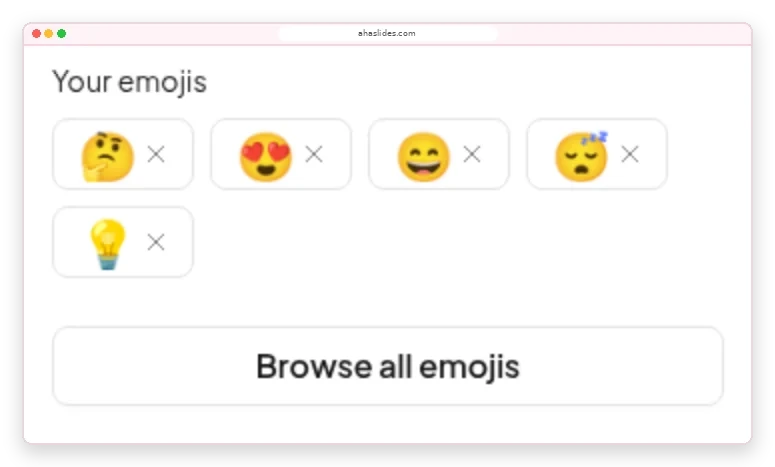
    The Emoji Poll panel in the AhaSlides editor: Your emojis showing thinking, heart-eyes, grinning, sleepy and light bulb, with a Browse all emojis button
  • Adjust to how the room feels

    A card under each emoji adds up the taps, so you know whether to recap or move on.
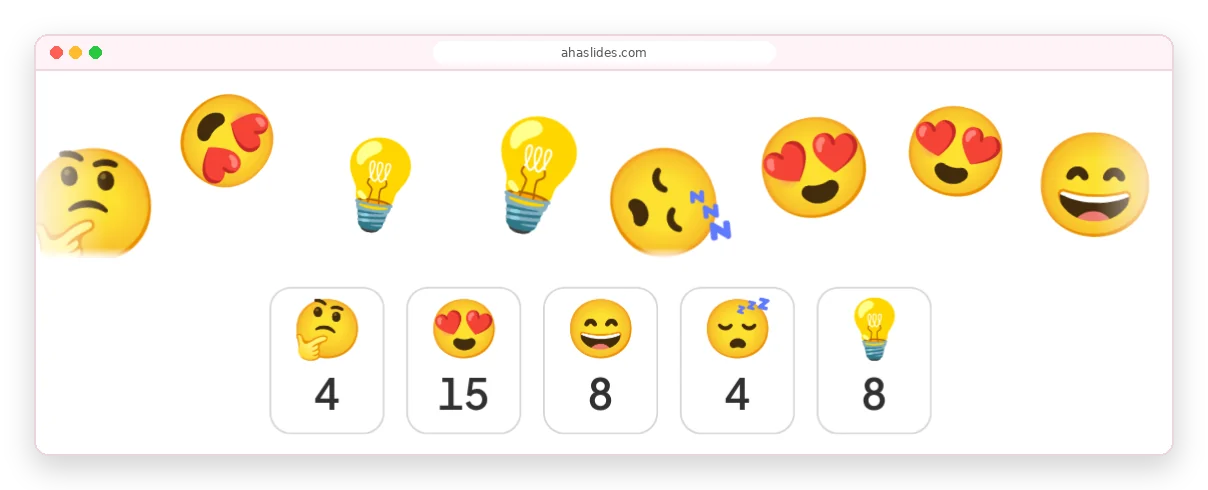
    Emojis flying across the AhaSlides presenter screen above count cards reading 4, 15, 8, 4 and 8 for thinking, heart-eyes, grinning, sleepy and light bulb

How to make an emoji poll

About two minutes from a blank slide to live answers.

Шаг 1: Добавить слайд

Click New slide and pick Emoji Poll from the Poll group.

Шаг 2: Ask how people feel

For example, "How is your energy this morning?"

Шаг 3: Pick 2 to 6 emojis

Choose ones whose meaning is clear without words.

Шаг 4: Представьте и поделитесь кодом.

People join with the access code and start tapping.

Бесплатная регистрацияTry the ready-made emoji poll

Emoji polls for meetings, training and classes

  • Конференции

    A full hall answers at once, however far people sit from the stage.

    A conference hall with a panel on a lit stage and a large seated audience, while two big screens above show a live donut-chart poll
  • Обучение

    Check in with trainees before the next module.

    Trainees at round tables in a large hall face a presenter and a screen showing a slide for virtual trainers
  • Классные комнаты

    Every student answers on their own phone.

    Learners seated at round tables with laptops face a large screen showing a QR code and a join slide in a training room

Emoji poll templates for mood check-ins

Посмотреть все шаблоны (открывается в новой вкладке)

More ways to hear from everyone

Each runs live on people's phones in your presentation.

What hosts say about AhaSlides

  • “The ability of the audience to use emojis to react also allows you to gauge how they are receiving your presentation.”

    Тэмми ГринIvy Tech Community College, from G2
  • «Это действительно придает энергию виртуальным встречам и повышает вовлеченность таким образом, который традиционные слайды просто не могут обеспечить».

    Дженнифер Камруддин5 из 5 по G2
  • «Взаимодействие с большой виртуальной аудиторией без таких платформ — непростая задача. Хотя такие инструменты, как Teams, предлагают простые опросы, им часто не хватает визуальной привлекательности и эффективности».

    Раджеш Б. СетураманРуководитель отдела обучения и развития персонала, JioBusiness, рейтинг 5 из 5 на G2.

Emoji poll questions

A live poll where people answer by tapping an emoji instead of reading options. You pick 2 to 6 emojis, and each tap adds to that emoji's live count.

Add an Emoji Poll slide, ask how people feel and present. Everyone joins with the access code, in the room or on a video call. The Emoji Poll guide охватывает все настройки.

From 2 to 6. Swap any of the five defaults for any emoji in the library.

Yes, by default. Turn off Allow submitting more than once for one vote per person.

The flying emojis and counts show on your screen. Each participant sees only their own answer.

Use an emoji poll for a quick read on feelings, a шкала оценок for a score you can track, and a standard poll to choose between written options. For an emoji rating scale, order the faces from 😞 to 😍.

A reaction responds to whatever is on screen. An emoji poll asks one question, with the emojis you choose, and counts every answer live.