
A daily check-in takes the temperature of your team in under a minute. To run one in Slack - AhaSlides 對於 Slack,輸入 /ahaslides 創建,選擇 每週脈搏 check-in, change its wording to “today” and press 帖子. Each morning after that, post the same check-in again with /ahaslides 運行. It takes a few seconds, and every day's answers are saved in one AhaSlides 報告。
When to run a daily check-in in Slack
A daily check-in suits a team that wants to spot a bad day early, not find out at the end of the month. Picture a support lead who posts a check-in in #team-support at the start of every shift: a 1 to 5 rating for how people feel, plus one optional line on why. A string of 2s on a Tuesday tells her to ease the queue before anyone burns out.
它也適用於:
- A new team or a new project, where you want to hear early how people are coping
- A busy stretch such as a launch week or a big release
- Remote and hybrid teams who rarely see each other
- A short run of check-ins after a reorganisation or a big announcement
Keep a daily check-in to one or two questions. If you want to know what people are working on and what is blocking them, use a stand-up instead: 如何在 Slack 涵蓋了。
Why a daily check-in works best in Slack
- 人們會在他們所在的地方回答問題。 The check-in sits in the channel at the start of the day, so answering is one tap, with no form to open.
- You don't chase replies. The post shows how many people have answered, so you can nudge the channel only if you need to.
- The trend is kept for you. Each day's answers are saved in the same AhaSlides survey, so you can look back at last week's mood without scrolling the channel.
你需要什麼
- A Slack 工作區 AhaSlides 對於 Slack 安裝
- An AhaSlides 簽到者的帳戶(任何套餐均可,包括免費套餐)
- 回答問題的人不需要任何東西:他們不需要 AhaSlides 帳戶
很高興知道: if your workspace needs apps approved first, Slack 要求您發送安裝請求,並且工作區所有者或應用程式管理員批准該請求。
如何進行每日簽到 Slack一步一步
步驟1:新增 AhaSlides 對於 Slack
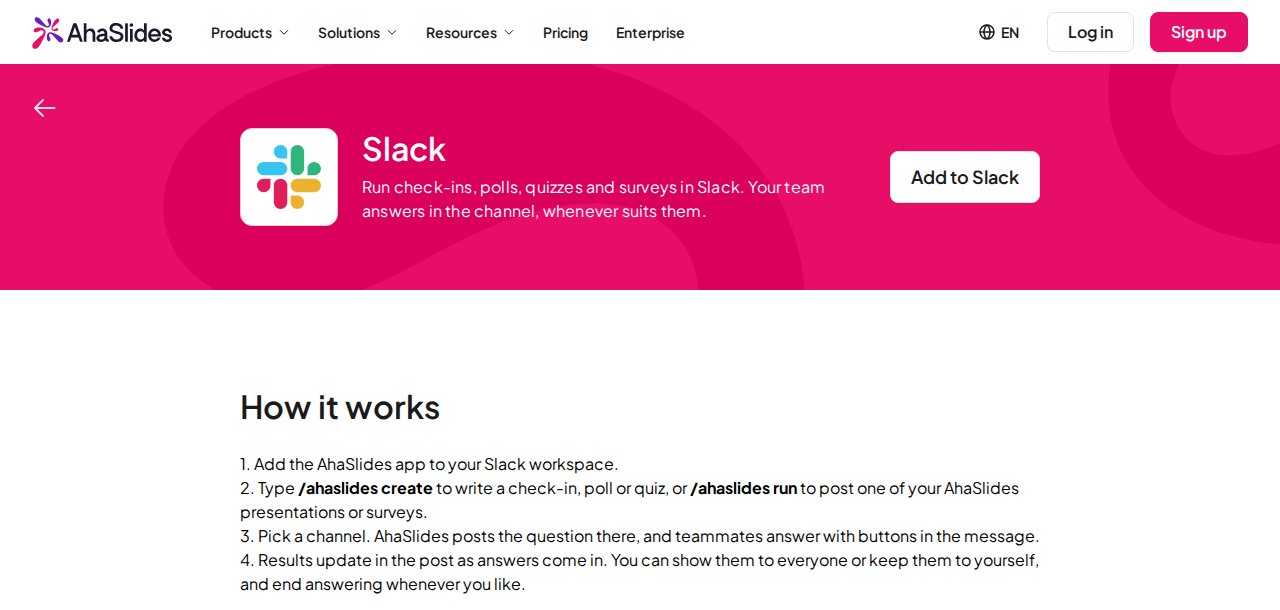
打開 AhaSlides 對於 Slack 安裝頁面 並將應用程式新增至您的工作區。第一次按下 帖子, AhaSlides 要求您登入您的帳戶 AhaSlides account and keeps your draft while you do.
Step 2: Pick a ready-made check-in
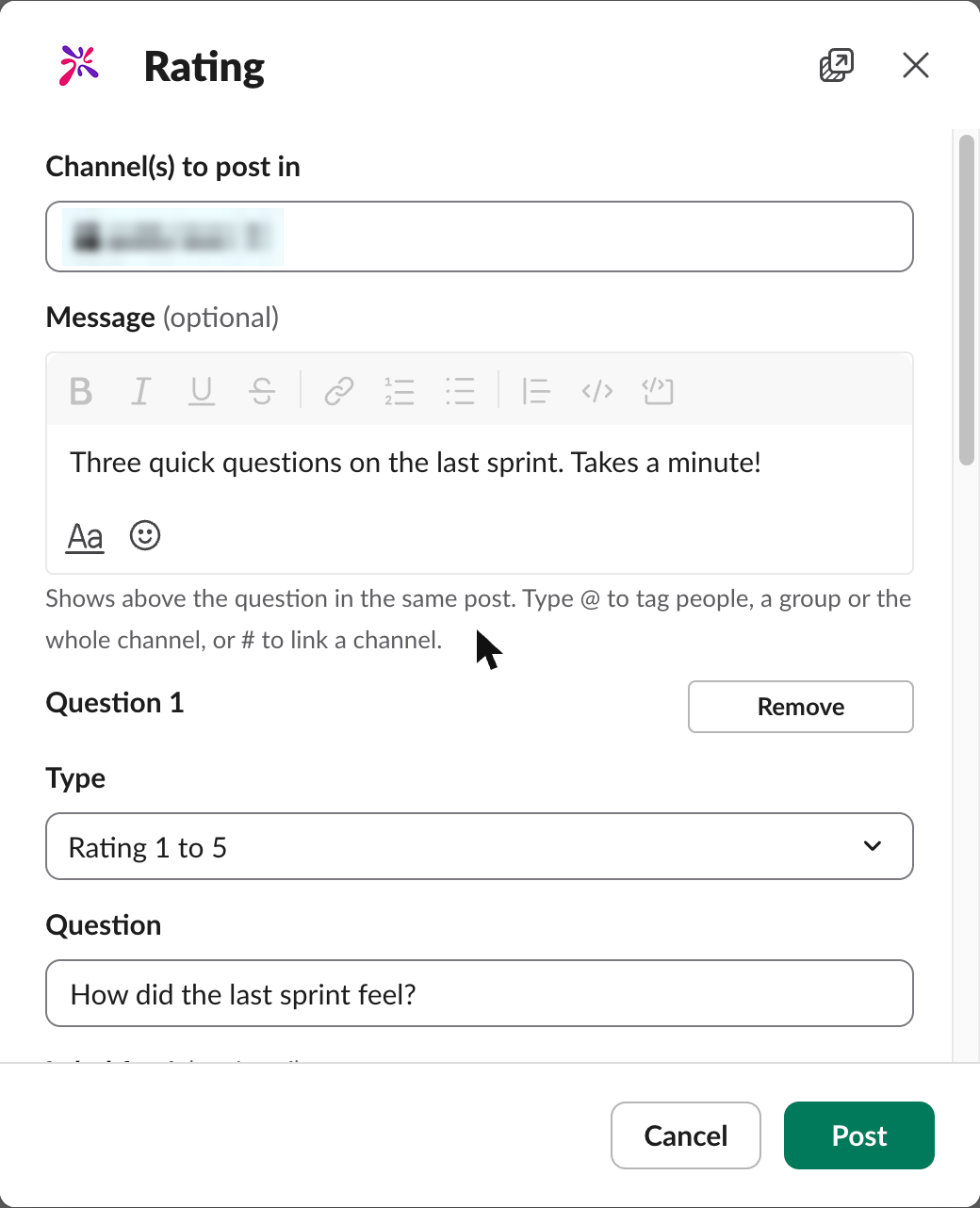
In the channel you want to check in with, type /ahaslides 創建“創建”視窗開啟。 與團隊聯繫, 按 每週脈搏. It comes with a rating question, “How was your week?”, and a follow-up, “What made it that way?”, that people can skip. 健康 works the same way, and more are under 所有模板.
Step 3: Make it a daily check-in
The channel you're in is already picked under 要發佈到的頻道. Change the first question to “How are you feeling today?” and keep the follow-up, or reword it to something like “Anything you'd like us to know?”. In 留言, add a line such as “Daily check-in: one tap, and a line if you want.” It shows above the question.
The form says “Best sent: every Friday”. That is only a suggestion for the Weekly pulse: AhaSlides posts the check-in when you press 帖子, and the wording and the day are yours to choose.
步驟三:選擇誰可以看到答案,然後發布
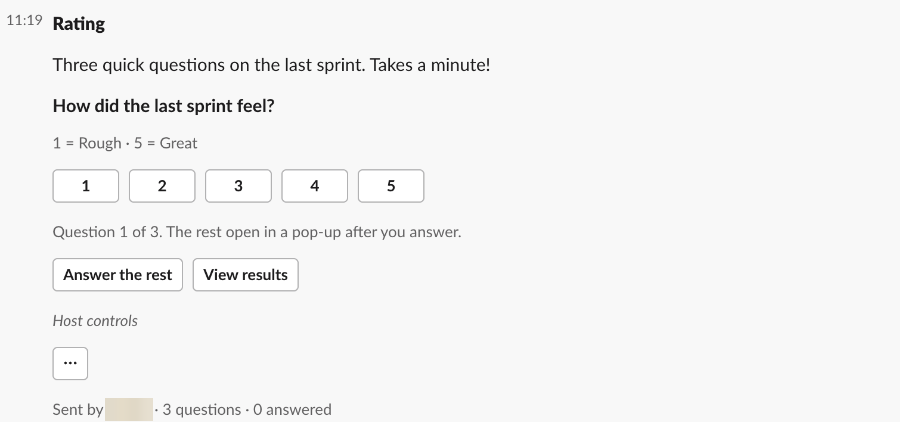
下 設定,打勾 匿名回覆 if you want the most honest answers: names are then hidden for everyone, you included. Leave it off if you want to follow up with a person who has a rough day. 向所有人顯示結果 is ticked to start with, so the channel can see the mood of the team. Press 帖子, and today's check-in is in the channel.
Leave answers open on this first post. Pressing 結束回答 on it also closes the survey in AhaSlides, and a closed survey no longer shows in your list for tomorrow.
第四步:每天早上再次發布
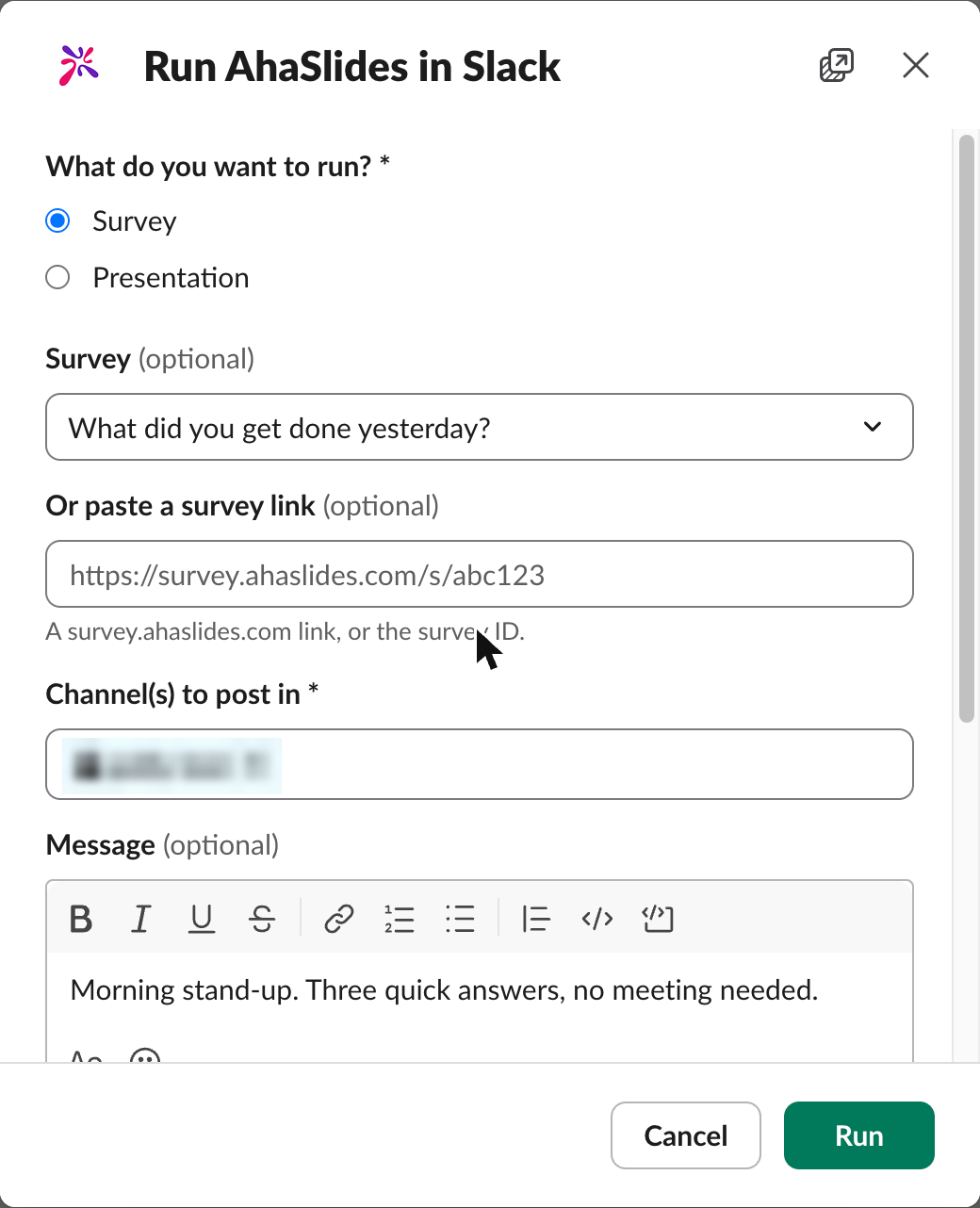
You don't rebuild it. Type /ahaslides 運行。 下 你想競選什麼職位?, 保持 調查 selected, pick your check-in from the list (it's listed under its first question), choose the channel and press 運行. Each post collects a fresh round of answers, and all of them are saved in the same AhaSlides survey, so your report builds up day by day. On these daily posts, 結束回答 停止回答 Slack 只是為了確保問卷明天可以正常使用。
Step 6: Read the answers
媒體中心 查看結果 on the post to see how the team feels, with the written follow-ups listed. As the host, the ... 按鈕下 主機控制 也有 打開 AhaSlides, where the full report keeps every day's answers. A low rating with a note is your cue to send that person a quick message.
卡在某個步驟上了嗎? 这 AhaSlides 對於 Slack 指南 涵蓋所有選項和最常見的解決方法。
Tips for a daily check-in people keep answering
- 每天同一時間發布。 A Slack 例如,提醒有助於養成習慣。 /remind me to post the check-in every weekday at 9am.
- Keep it to one rating and one optional line. A check-in that takes ten seconds survives a busy week.
- Reply to the low scores. When people see a response, they keep telling you the truth.
- Share the trend now and then. A line such as “Mood dipped on release day” shows the check-in is read.
- 商定由誰發布。 When the usual host is on leave, decide who runs it so the habit doesn't drop.
常見問題
What is a daily check-in?
A daily check-in is a short, regular question to your team, usually how people feel and whether they need anything, answered at the start of the day or the end of it. It is lighter than a stand-up and focused on people, not tasks.
How do I post the check-in each day?
類型 /ahaslides 運行選擇 調查, pick your check-in and press 運行只需幾秒鐘。
Can people answer again tomorrow?
Yes. Each day's post collects a new round of answers, and they are all saved in the same AhaSlides 調查。
人們需要什麼? AhaSlides 需要回答這個問題嗎?
No. Only the person who posts the check-in signs in. Everyone else answers in Slack.
Is AhaSlides 對於 Slack 自由?
是的,它適用於所有情況。 AhaSlides 計劃,包括免費。
I can't find my check-in in the list. Why?
It is listed under its first question, such as “How are you feeling today?”. A survey that has been closed in AhaSlides 不會顯示,這種情況發生在你回覆了你發布的第一篇貼文之後。 /ahaslides 創建. 这 AhaSlides 對於 Slack 指南 解釋「運行」視窗中的每個選項。
相關閱讀: 如何在…中建立調查 Slack, for longer surveys with more question types, and 如何在 Slack, for a daily update on the work. For a weekly rhythm, see Weekly team check-in questions.
Know how your team is doing before the day gets going. 新增 AhaSlides 對於 Slack today, and tomorrow's check-in is one command away.