AhaSlides Zoom add-on: Write a review, claim your reward

Blog 縮略圖

Your feedback helps thousands of people choose the right tool, and we'd love to get your take. Leave an honest review of the AhaSlides add-on on the Zoom App Marketplace and we'll thank you with $20 in AhaSlides Credit.

🎁 您將獲得

Leave a review of the AhaSlides add-on on the Zoom App Marketplace and receive $20 as AhaSlides Credit once we've verified it.

如何發表評論

步驟 1 造訪 https://marketplace.zoom.us/

Step 1: Go to the Zoom App Marketplace

步驟 2 Sign in to your Zoom account.

Step 2: Sign in to your Zoom account

步驟 3 Search “AhaSlides” — or use this 直接鏈接.

Step 3: Search for AhaSlides on the Zoom App Marketplace

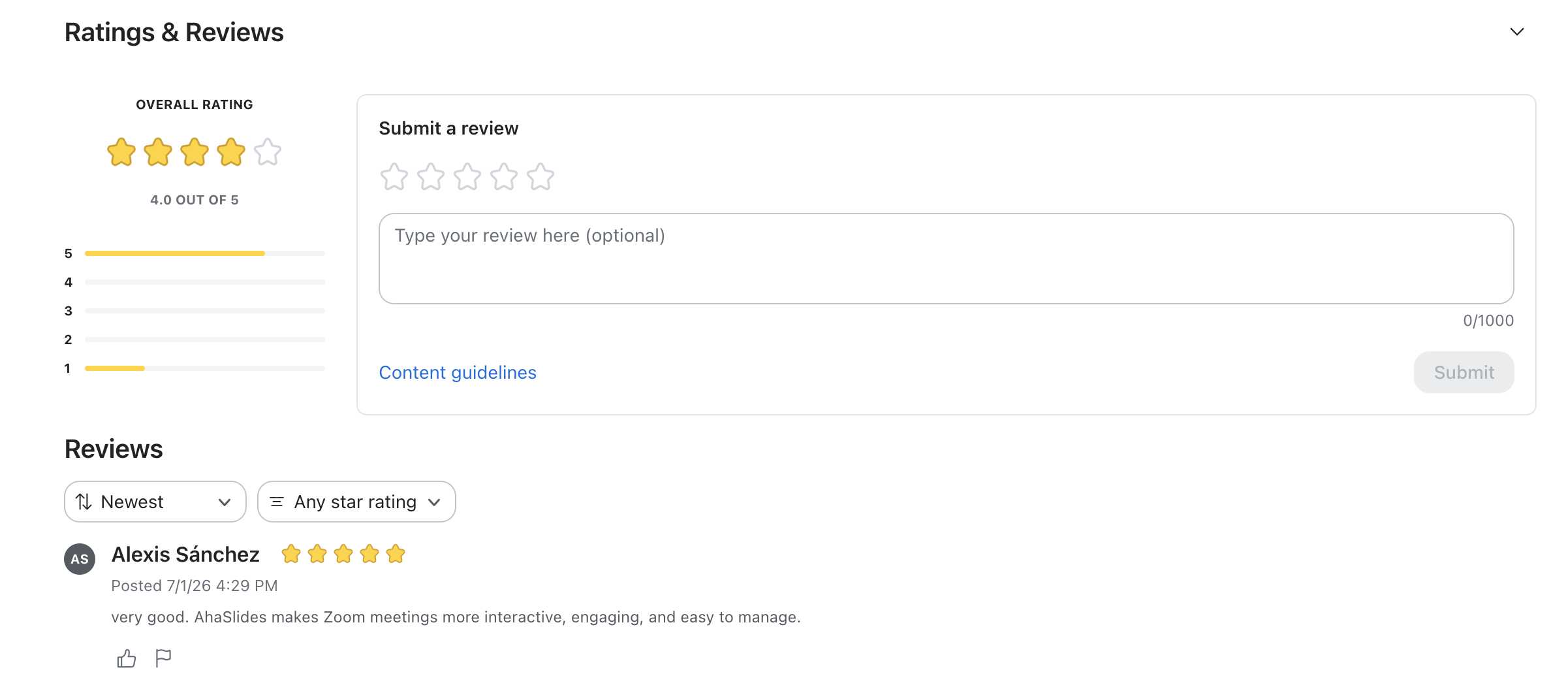
步驟 4 Scroll down to the reviews section.

Step 4: Scroll down to the reviews section

步驟 5 Rate, type your review and submit.

Step 5: Rate, type your review and submit

如何領取您的信用額度

  1. Leave your review using the steps above.
  2. Once published, screenshot or copy your review link.
  3. 發送給 hi@ahaslides.com.
  4. We'll confirm and add the credit to your account.

常見問題

Can I submit a review without signing in?

No. You must be signed into your Zoom account to leave a review on the Zoom App Marketplace.

你們只獎勵好評嗎?

No. We want honest feedback, good or bad. Every genuine review qualifies for the credit.

未找到任何項目。
訂閱即可獲得提升觀眾參與度的技巧、見解和策略。
謝謝! 您的提交已收到!
糟糕! 提交表格時出了點問題。

查看其他帖子

AhaSlides 已被福布斯美國 500 大企業所採用。立即體驗互動的力量。

開始免費試用
© 2026 AhaSlides 私人有限公司