A non-question block that breaks a long survey into sections.
A single-line text input for brief answers.
An open text box for detailed, free-form responses.
A quick star or icon rating for fast feedback.
A numbered scale for measuring strength of opinion.
Respondents drag the options into their preferred order.
A single or multi-select question with your own options.
Rate several items against the same set of options in one grid.
Ask for a specific date with a proper date picker.
Collect name, email and other contact details in one structured block.
Bring an existing Google Slides deck in and present it alongside your interactive slides.
Drop in any embeddable web content via iframe.
Embed a YouTube video and play it without leaving your deck.
Show a scannable code so people can jump straight to a link.
A full-bleed image slide for when the visual is the message.
The rebuilt content slide with more flexible layout options.
Show a process, flow or relationship visually instead of describing it.
Present your points as a clean, readable list.
A large title slide to open a section or mark a change of topic.
A standard slide for text and media, to frame the interactive parts around it.
Capture how strongly people feel, not just yes or no.
Upload any image and let people drop a pin to vote on a spot.
Ideas go up as cards, get grouped into themes and voted on in real time.
Everyone submits ideas at once, then the room votes on which ones are worth doing.
Chain several questions into one flow that people complete at their own pace.
Everyone drags the options into their own order, and you see what the room really values.
Your audience sketches their answer on their phone and the drawings appear on the big screen.
Collect short answers at once and watch the shared ideas grow bigger on screen.
Collect free-text answers from everyone and show them on screen as they arrive.
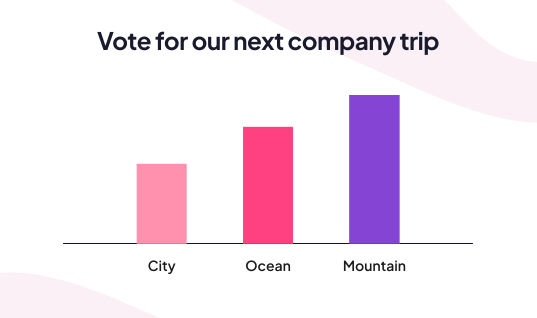
Ask a multiple choice question and watch the bars fill in live. No points, no pressure.
Players sort items into the right buckets. Good for grouping concepts under themes.
Players drag items into the right sequence. Ideal for steps, timelines and priorities.
Players connect items across two columns. Great for terms and their definitions.
Spin to land on a random entry. Pick a winner, a topic, or who answers next.
Players type the answer themselves. Accepts alternative spellings and scores automatically.
Classic multiple choice with points and a timer. Players pick the right option and climb the leaderboard.


.webp)
.webp)


.webp)
.webp)

.webp)







.svg)
.svg)
.svg)


.svg)