
Which project comes first?
Ask everyone to pair them up

A show of hands takes one question at a time. With Matching Poll everyone pairs every item with a match on their phone, and your screen shows the pairing the room agrees on most.
Try the ready-made Matching Poll (يفتح في علامة تبويب جديدة)
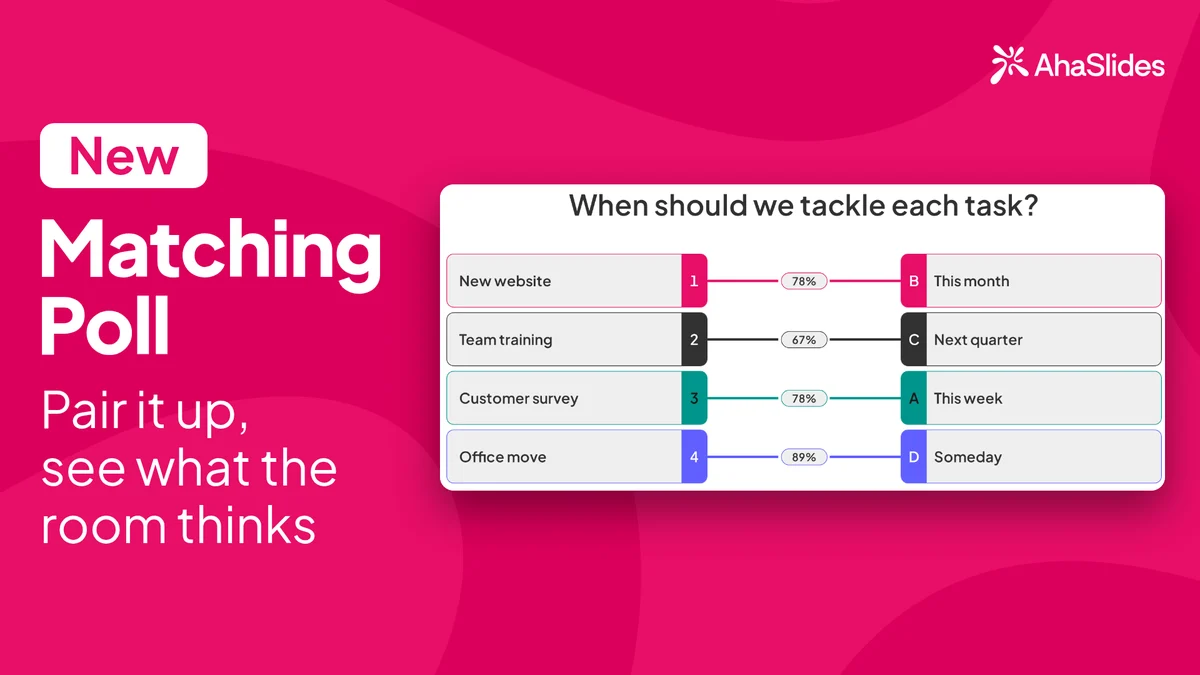
AhaSlides Matching Poll: the question When should we tackle each task? pairs New website with This month, Team training with Next quarter, Customer survey with This week and Office move with Someday, each with the share of votes

One question, a whole set of pairs

An unscored slide for priorities, roles and opinions, with no points and no leaderboard.

  • Every item gets a match

    On their phone, each person gives every item a different match from a list, then taps Submit.

  • Each match used once

    Picking a match another item already has moves it across and marks it as taken, so no two items share one.

  • The room's pairing, with shares

    Your screen shows the pairing with the most votes combined, with the share of votes on each pair.

  • See where people split

    When two pairings get the same number of votes, the pair is marked Tie, so you know what to talk through.

  • You picked this too

    After submitting, phones show the room's pairing with You picked this too, or the match the person chose instead.

  • من 2 إلى 4 زوجًا

    Name the two columns, up to 30 characters each, and add items and matches of up to 60 characters or an image.

Run your first Matching Poll

  • Name the columns and add the pairs

    Click New slide and search for Matching Poll, or look in the Poll group. Ask your question, name the columns, such as Project and Priority, and add the items and matches, such as Website, Mobile app and Reports against High, Medium and Low.
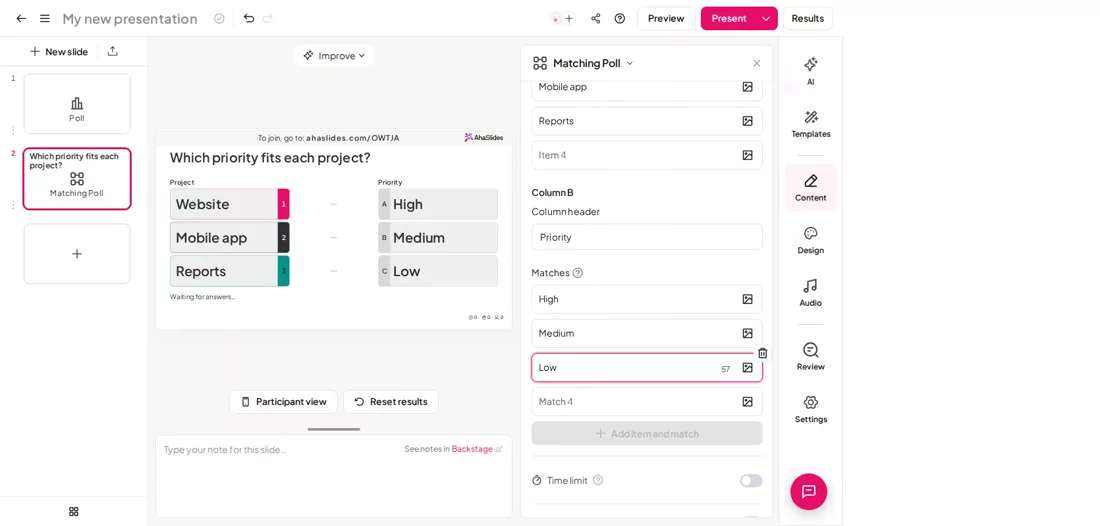
    The Matching Poll editor: the question Which priority fits each project, the columns Project and Priority, and the items Website, Mobile app and Reports with the matches High, Medium and Low
  • Everyone pairs on their phone

    Share the access code. Each person picks a match for every item and taps Submit. Answers cannot be changed after that.
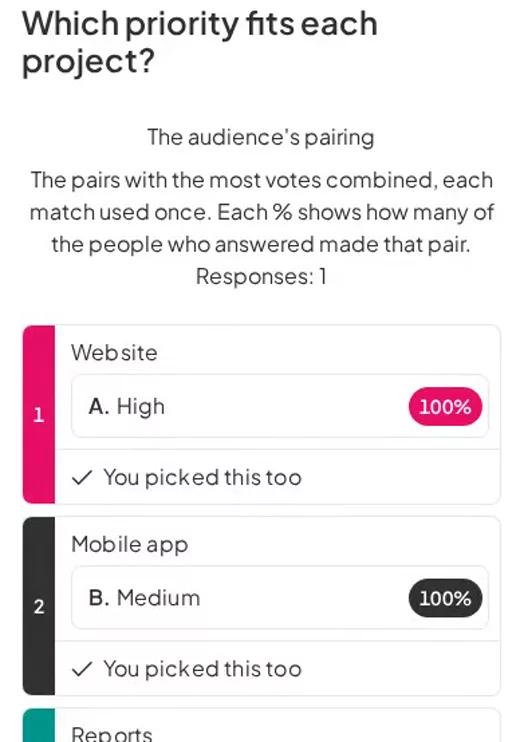
    A participant phone after submitting Matching Poll: Website with High, Mobile app with Medium and Reports with Low, each with 100% and You picked this too
  • See the pairing the room chose

    Your screen links each item to a match, with the share of votes on each pair. Turn on Show results manually to reveal it when you are ready.
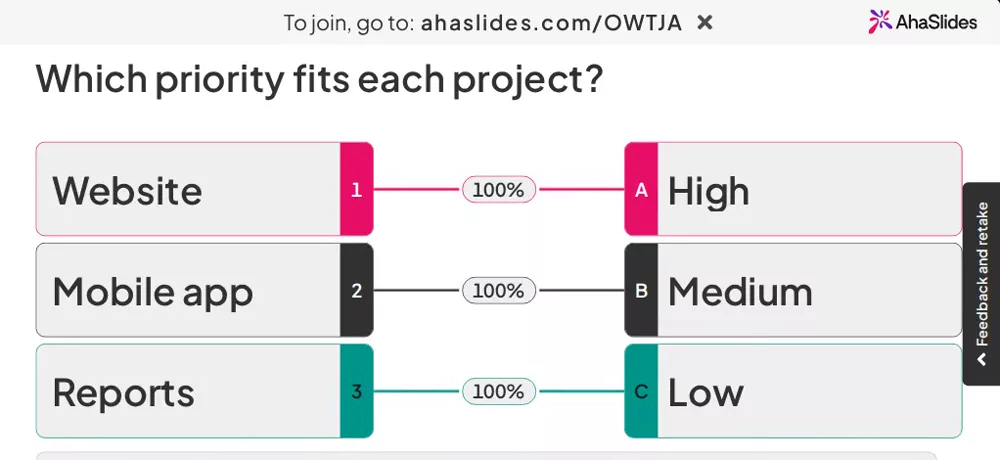
    The Matching Poll presenter screen: Website linked to High, Mobile app to Medium and Reports to Low, each pair marked 100%
Try the ready-made Matching Poll (يفتح في علامة تبويب جديدة)

Where a Matching Poll fits

Any question where the answer is a set of pairs, and where there is no right answer.

  • Team priorities

    Pair projects with High, Medium or Low, or tasks with the person who should own them.

  • Ideas and goals

    Ask which idea fits which goal, then talk through the pairs where the room split.

  • الدورات

    Match each challenge with the fix the group thinks works best.

  • الرجعية

    Pair each thing that happened with what the team should do about it.

  • مناقشات الصف

    Pair characters with traits, or terms with examples, then discuss where the class disagreed.

  • Team socials

    Match team members with a superpower, or colleagues with their desk snack.

أسئلة قبل البدء

An unscored slide where everyone pairs each item with a match on their phone. Your screen shows the pairing with the most votes combined, with the share of votes on each pair.

Yes. Matching Poll is in Beta and available now on every plan, on the global region. It is coming to the EU region later.

No. There are no correct answers, points or leaderboard. For a quiz with one right match for each item, use Match Pairs.

In the editor, click New slide and search for Matching Poll. It is in the Poll group.

2 to 4. Each item or match is text of up to 60 characters, or an image. Pairs you leave empty are not shown, and the slide needs at least 2 complete pairs to start.

No. Each match goes to one item. Picking a match another item already has moves it across and marks it as taken.

No. Submit is final.

The pair is marked Tie, and the one first in letter order is shown.

Not until you reset the slide's results. Once answers have come in, the items and matches are locked.
Try the ready-made Matching Poll (يفتح في علامة تبويب جديدة)