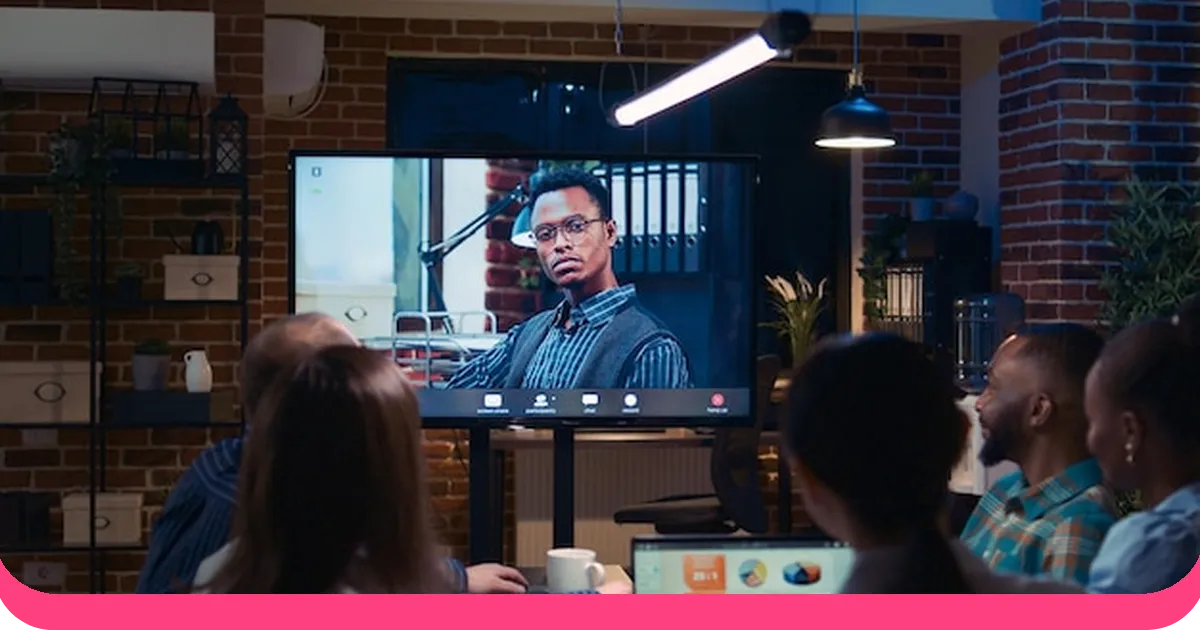



Kaut kur šobrīd kāds prezentētājs zaudē savu auditoriju. Ne dramatiski – neviens neiet ārā. Ir vēl klusāk. Telefons ir nedaudz sasvēries zem galda. Skatiens, kas tehniski ir vērsts uz priekšu, bet acīmredzami kaut kur citur. Pamāšana ar galvu, kas nozīmē: "Es pārtraucu klausīties pirms trim slaidiem."
Mēs to esam normalizējuši. Nāve pēc izpausmes ir tik izplatīta, ka mēs to gandrīz nepamanām. Bet lūk, ko... pētniecība patiesībā saka: līdz brīdim, kad beidzas tipiska 60 minūšu sesija, vairums cilvēku atceras mazāk nekā 10% no dzirdētā. Tā nav mazsvarīga neefektivitāte. Tā ir gandrīz pilnīga ikviena laika izšķiešana.
Risinājums nav labāks slaidu komplekts. Tas ir principiāli atšķirīga pieeja uz to, kā notiek prezentācijas — tādas, kurās auditorija ne tikai skatās, bet arī faktiski piedalās.
Tieši par to ir šī rokasgrāmata. Divdesmit piecas idejas, kas balstītas pētījumos, kas pārvērš jūsu auditoriju no pasīviem novērotājiem par aktīviem dalībniekiem. Jums nav jāizmanto tās visas. Jums pat nav jāizmanto lielākā daļa no tām. Izvēlieties vienu, izmēģiniet to nākamajā sesijā un ievērojiet, kas mainās.
Iedziļināsimies tajā.
Interaktīvas un reāllaika iesaistes idejas
Šīs ir jūsu visefektīvākās kustības. Tās gandrīz neaizņem papildu sagatavošanās laiku un rada tūlītējas, redzamas pārmaiņas telpā.
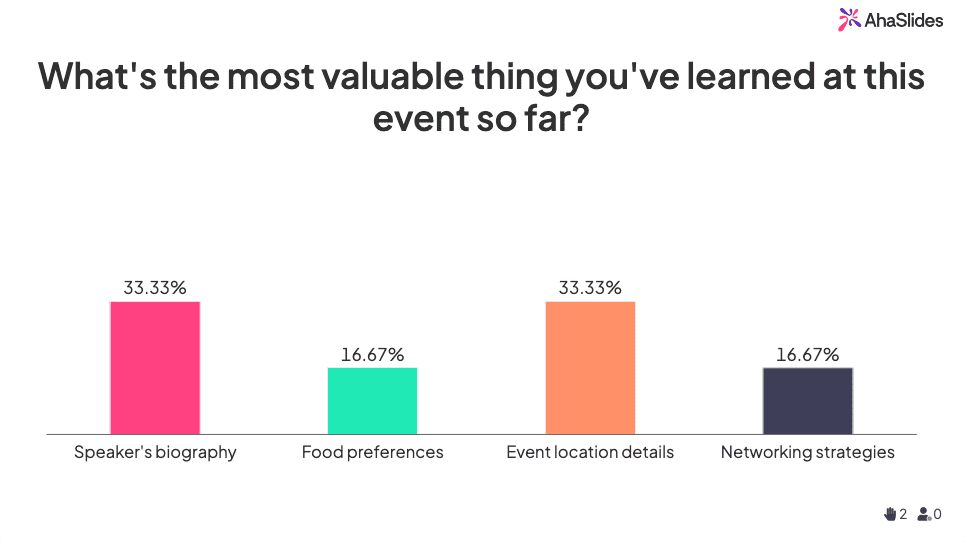
1. Tiešraides aptaujas tūlītējai atgriezeniskajai saitei
Aptauja aizņem 90 sekundes. To, ko tā nodara telpai, ir grūti pārvērtēt. Brīdī, kad cilvēki redz savu viedokli atspoguļotu reāllaikā — līdzās visu pārējo viedoklim —, dinamika mainās. Viņi vairs nav auditorija. Viņi ir dalībnieki. Izmantojiet aptaujas, lai sāktu sesiju, pārbaudītu izpratni tās vidū vai apzinātu pieņēmumus, pirms tos apstrīdat.
2. Interaktīvas viktorīnas prezentācijas laikā
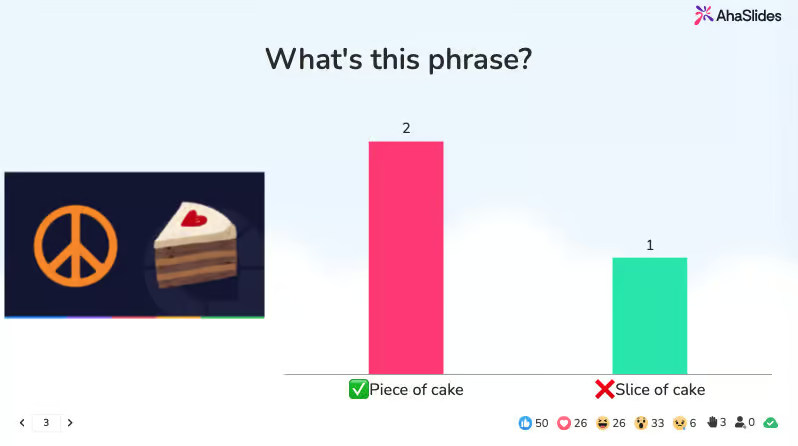
Neatlieciet testu uz beigām. Pētījumi par iegaumēšanas praksi ir nepārprotami: materiāla pārbaude tūlīt pēc tā apguves ievērojami uzlabo tā iegaumēšanu. Divu vai trīs jautājumu tests prezentācijas vidū sniedz lielāku izpratni nekā pilns kopsavilkuma slaids. Tas arī reāllaikā parāda, kur cilvēki ir apjukuši — pirms viņi atstāj telpu, joprojām apjukuši.
3. Digitālās tāfeles sadarbībai domāšanā
Dodiet cilvēkiem problēmu. Dodiet viņiem trīs minūtes. Pēc tam atveriet koplietojamu tāfeli un vērojiet, kas notiek. Tādi rīki kā Miro vai Jamboard pārvērš jūsu prezentāciju par semināru, un idejas, kas no tā rodas, gandrīz vienmēr ir labākas par jebko, ko jūs būtu ģenerējis viens pats. Kā blakusefekts, cilvēki pievērš lielāku uzmanību, zinot, ka viņiem lūgs piedalīties.
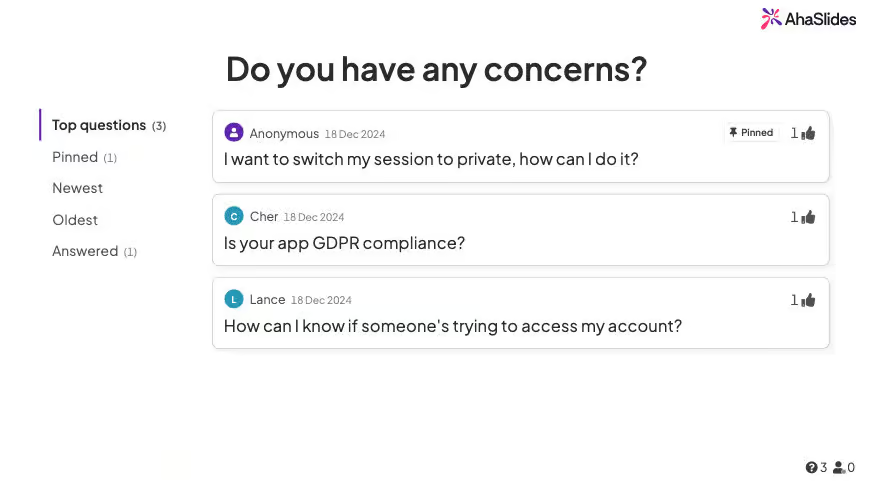
4. Anonīmas jautājumu un atbilžu sesijas
Lielākā daļa cilvēku neuzdos jautājumu pilnas kolēģu klātbūtnē. Ne tāpēc, ka viņiem tāda nebūtu, bet gan tāpēc, ka jautāšana šķiet riskanta. Anonīmas iesniegšanas rīki pilnībā novērš šo berzi. Jūsu saņemtie jautājumi ir godīgāki, daudzveidīgāki un bieži vien interesantāki nekā jebkas, kas parādās atklātā diskusijā. Radiet apstākļus patiesai zinātkārei, un cilvēki jūs pārsteigs.
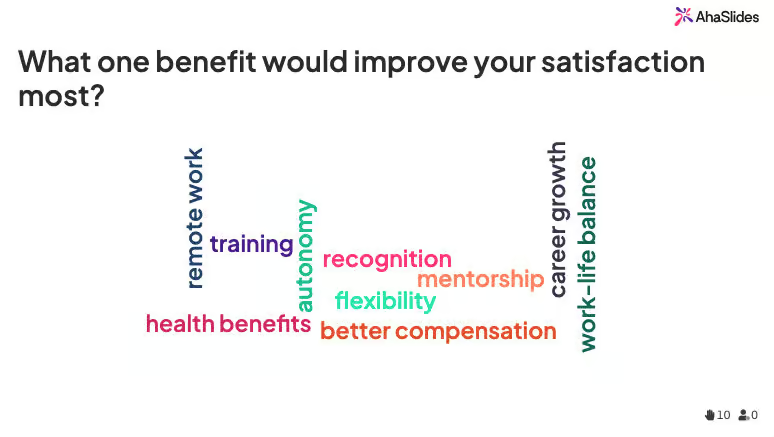
5. Dzīvi vārdu mākoņi
Uzdodiet telpai vienu jautājumu. Atbilde tikai ar vienu vārdu. Vērojiet mākoņa veidošanos reāllaikā. Tas ir vizuāli saistošs, tas nekavējoties pasaka, kas jūsu auditorijai ir vissvarīgākais, un tas aizņem apmēram 60 sekundes. Tas ir arī patiesi labs veids, kā sākt tēmu — redzot, ka vārdi “pārņemts”, “apjucis” un “satraukts” parādās vienlaikus, jūs varat uzzināt vairāk par to, kur atrodas jūsu auditorija, nekā jebkurš sagatavots slaids.
6. Mijiedarbības rotācijas ritenis
Nejaušība uztur cilvēkus modrus tādā veidā, kā brīvprātīgais darbs nekad. Kad kāds varētu tikt izsaukts nākamais, visi paliek nedaudz vairāk klātesoši. Izmantojiet digitālo rotējošo paneli dalībai, jautājumiem vai mini izaicinājumiem. Tas šķiet godīgi, piešķir nelielu konkurences priekšrocību un lauž modeli, kurā tie paši trīs cilvēki vienmēr atbild.
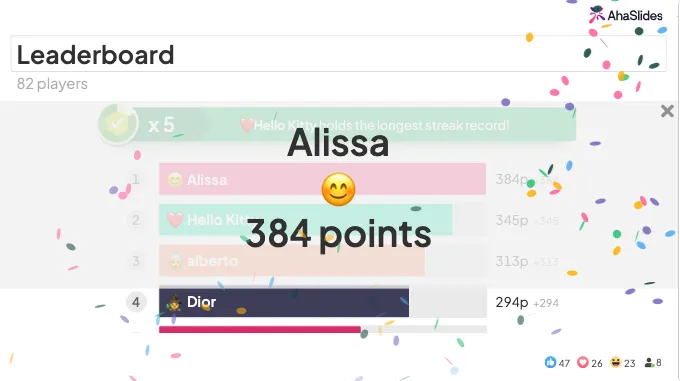
7. Gamifikācija ar punktu sistēmām
Sacensībām nav nepieciešamas balvas, lai tās darbotos. Punkti, vietas reitingā un vienkāršs gandarījums, redzot, kā tavs vārds paceļas līderu sarakstā, ir pietiekami, lai mainītu uzvedību. Gamifikācija darbojas, jo tā pieskaras kaut kam fundamentālam tam, kā mēs esam programmēti. Progress sniedz patīkamu sajūtu. Pat telpā, kas pilna ar pieredzējušiem profesionāļiem, līderu saraksts rada enerģiju, ko tieša satura piegāde nekad neradīs.
Vizuālās un dizaina inovācijas
Lielākā daļa prezentāciju slaidu ir pārāk daudzpusīgi. Pārāk daudz vārdu, pārāk daudz aizzīmju punktu, pārāk daudz lietu, kas vienlaikus cīnās par uzmanību. Labs vizuālais dizains nav dekorācija — tas ir lēmums par to, kam jāpievērš uzmanība.
8. Minimālistisks dizains ar spēcīgu vizuālo noformējumu
Viens attēls. Viens virsraksts. Varbūt viens skaitlis. Tas arī viss. Tas izklausās vienkāršoti, līdz pamēģini to un redzi, kā auditorija patiešām skatās uz slaidu, nevis lasa priekšā. Minimālisma dizains liek apzināti domāt par katru elementu – un tas dod iespēju runātajiem vārdiem nonākt līdz galam. Ja slaids var tevi aizstāt, tas dara par daudz.
9. Stratēģiski atklājumi
Rādiet vienu punktu vienlaikus. Tas izklausās vienkārši, jo tā tas arī ir, taču vairums prezentētāju uzreiz parāda visu ekrānā un pēc tam brīnās, kāpēc cilvēki pārstāja klausīties. Informācijas atklāšana pakāpeniski sinhronizē auditorijas uzmanību ar jūsu. Viņi nevar garīgi pārlēkt uz priekšu, ja nav uz ko pārlēkt.
10. Datu vizualizācija un infografika
Diagramma, kas piecu sekunžu laikā parāda trīs gadu ieņēmumu tendences, ir pārliecinošāka nekā trīs rindkopas, kurās aprakstīti vieni un tie paši dati. Auditorija apstrādā vizuālos materiālus ātrāk nekā tekstu, tos ilgāk atceras un uzskata par saistošākiem. Ja rādāt skaitļus, parādiet tos, nevis aprakstiet. Tiklīdz tabulu pārvēršat diagrammā, ieskats kļūst acīmredzams, nevis slēpts.
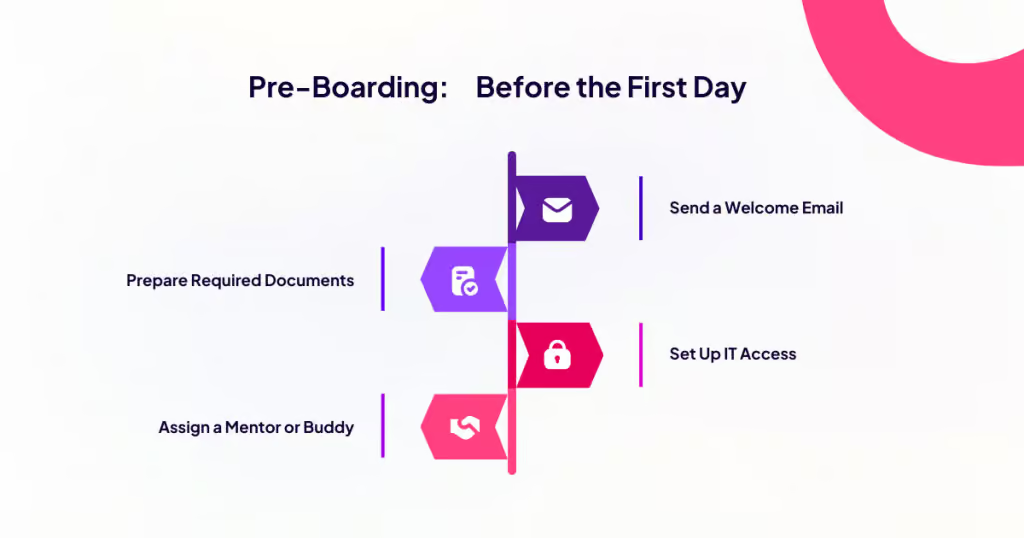
11. Hronoloģiska satura laika skalas prezentācijas
Prozā secību ir grūti izsekot, bet laika skalā to ir viegli izsekot. Ja jūsu tēma ietver vēsturi, procesu vai progresu, vizuāla laika skala veic auditorijas kognitīvo smago darbu. Viņi var redzēt, kur viss sākās, kur tas atrodas tagad un kurp tas virzās, bez nepieciešamības rekonstruēt šo loku no aizzīmēm. Izmantojiet to gadījumu izpētei, produktu evolūcijai, projektu pārskatiem vai jebkuram stāstam ar pirms un pēc.
12. Pielāgotas ilustrācijas un ikonas
Pasūtiet vai izveidojiet pielāgotas ilustrācijas, kas pastiprina jūsu vēstījumu. Krājuma attēli ir droši, bet aizmirstami. Kad unikāls vizuālais elements tiek saistīts ar jūsu koncepciju, tas paliek atmiņā tā, kā nekad neizdosies Getty Images rokasspiediena fotoattēls. Jums nav nepieciešams profesionāls ilustrators katram slaidam. Pat vienkārša, konsekventa ikonogrāfija atšķir jūsu prezentāciju no visām pārējām prezentācijām, kuras jūsu auditorija lasīs šonedēļ.
Multivide un stāstniecība
Fakti informē. Stāsti paliek atmiņā. Vislabākās prezentācijas dara abus – tās dod cilvēkiem kaut ko, kam ticēt, un kaut ko, ko atcerēties. Multivide ir veids, kā to panākt maņu līmenī, ne tikai intelektuālā.
13. Skaņas efekti un audio norādes
Lielākā daļa prezentāciju iesaista tieši vienu maņu: redzi. Pievienojot audio, pat ja tas ir nemanāmi, tas mainās. Pareizi novietots skaņas efekts, atklājot pārsteidzošu statistiku, vai apkārtējā mūzika pārejas laikā, rada iespaidu, ka prezentācija ir radīta, nevis salikta. Tas auditorijai signalizē, ka kāds rūpīgi pārdomāja savu pieredzi. Jau šis signāls vien maina to, kā cilvēki uztver jūsu teikto.
14. Klientu video atsauksmes
Jūs varat pateikt savai auditorijai, ka jūsu produkts ir mainījis kāda cilvēka dzīvi. Vai arī varat parādīt viņiem 30 sekunžu garu video, kurā šī persona pati to saka. Otrais variants vienmēr ir labākais. Video šķiet autentisks tādā veidā, kā citēts teksts nekad — auditorija redz īstas sejas, dzird īstas balsis un uztver īstas emocijas. Pat pa tālruni ierakstīts video no īsta klienta ir ticamāks nekā noslīpēta rakstiska atsauksme.
15. Personīgie stāsti un naratīva ietvars
Cilvēki atceras stāstus piecas reizes labāk nekā tikai faktus. Tas nav iemesls, lai piepildītu savu prezentāciju ar anekdotēm, bet gan iemesls, lai visu struktūru veidotu ap naratīvu. Personāži, konflikti, risinājumi. Pat ar datiem bagātas tēmas kļūst saistošākas, ja tās tiek veidotas kā stāsts par to, kā kaut kas vai kāds mainījās. Skaitļi nepazūd. Tiem beidzot ir iemesls, lai tie būtu svarīgi.
16. Uz scenārijiem balstītas hipotētiskas situācijas
Pirms atklājat atbildi, uzdodiet jautājumu. Sniedziet reālistisku scenāriju, ļaujiet auditorijai mirkli apdomāt atbildi un pajautājiet: ko jūs darītu? Kad cilvēki jau ir apņēmušies atbildēt savā galvā, atklāsme notiek citādi. Viņi pasīvi nesaņem informāciju – viņi noskaidro, vai viņiem bija taisnība. Šī nelielā likmju maiņa maina visu par to, kā saturs tiek uztverts.
Auditorijas līdzdalība un kustība
Stundu mierīgi nosēdēt nav dabisks cilvēka stāvoklis. Tas prasa piepūli, un šī piepūle tieši konkurē ar garīgo enerģiju, kas nepieciešama, lai jūsu auditorija veltītu jūsu saturam. Iekļaujiet kustību un līdzdalību kā apzinātu instrumentu, lai noturētu cilvēku klātbūtni.
17. Grupu problēmu risināšanas izaicinājumi atpūtas telpās
Mazas grupas risina problēmas citādi nekā individuāli. Sadaliet auditoriju grupās, uzdodiet katrai grupai uzdevumu, kas saistīts ar jūsu tēmu, un ļaujiet viņiem strādāt piecas līdz desmit minūtes, pirms viņi dalās savās domās. Rezultātā jūs iegūstat mācīšanos no vienaudžiem, patiesas debates un telpu, kas pilna ar cilvēkiem, kuri tagad ir ieinteresēti rezultātā, jo ir devuši savu ieguldījumu. Idejas, kas rodas, gandrīz vienmēr ir to ģenerēšanai veltītā laika vērtas.
18. Tiešraides demonstrācijas
Parādi, nestāsti. Divu minūšu ilga tiešraides demonstrācija par programmatūras funkciju, produktu darbībā vai koncepciju ir pārliecinošāka nekā tās izskaidrošana. Auditorija redz reālus rezultātus, uzdod reālus jautājumus un atceras redzēto ilgi pēc tam, kad ir aizmirsusi teikto. Demonstrācijai nav jābūt nevainojamai, autentiskums ir saistošāks nekā noslīpēts.
19. Lomu spēles un simulācijas
Ir noderīgi pastāstīt kādam, kā rīkoties sarežģītā sarunā. Iesaistīt viņu vienā no tām ir neaizmirstami. Lomu spēle apmēram trīsdesmit sekundes šķiet neveikla, un tad kaut kas noklikšķ. Cilvēki pārtrauc spēlēt un sāk faktiski iesaistīties scenārijā. Izmantojiet to pārdošanas iebildumu, sarežģītu atsauksmju, sarunu vai jebkuras citas situācijas gadījumā, kur prasmes patiesībā attīstās tikai ar praksi. Nelielais diskomforts ir galvenais. Tas ir tas, kas liek apgūtajai pieredzei noturēties.
20. Skaveņu medības
Paslēpiet informāciju, pavedienus vai izaicinājumus slaidos vai telpā un ļaujiet komandām sacensties, lai tos atrastu. Tas izklausās pēc komandas saliedēšanas vingrinājuma no 2009. gada, taču pamatā esošā mehānika ir patiesi efektīva — cilvēki pievērš īpašu uzmanību, meklējot kaut ko konkrētu. Īpaši labi darbojas ievadkursos, apmācību sesijās vai garākās prezentācijās, kur enerģija parasti zūd pēc pirmās stundas.
21. Balsošana, paceļot rokas
Vienkārši tehnoloģiski risinājumi, nekāda iestatīšana un pārsteidzoši spēcīgs. "Cik daudzi no jums kādreiz ir..." paveic kaut ko tādu, ko aptauja vai viktorīna nevar īsti atkārtot: tā padara telpu redzamu pašai sev. Cilvēki redz, kas vēl pacēla roku. Viņi pārvērtē savus pieņēmumus. Viņi jūtas mazāk vientuļi savā pieredzē vai vairāk interesējas par cilvēkiem, kuri atbildēja atšķirīgi. Nenovērtējiet to par zemu tikai tāpēc, ka tas ir vienkārši.
Uzlaboti un netradicionāli formāti
Dažreiz visiespaidīgākais risinājums ir pilnībā atteikties no formāta. Šīs idejas ir paredzētas situācijām, kad standarta prezentācijas struktūra nederēs — ja jūsu tēma ir pelnījusi kaut ko ambiciozāku vai ja auditorija vienkārši ir nosēdējusi pārāk daudz parastu sesiju, lai viņu aizrautu vēl viena sesija.
22. PechaKucha 20x20 formāts
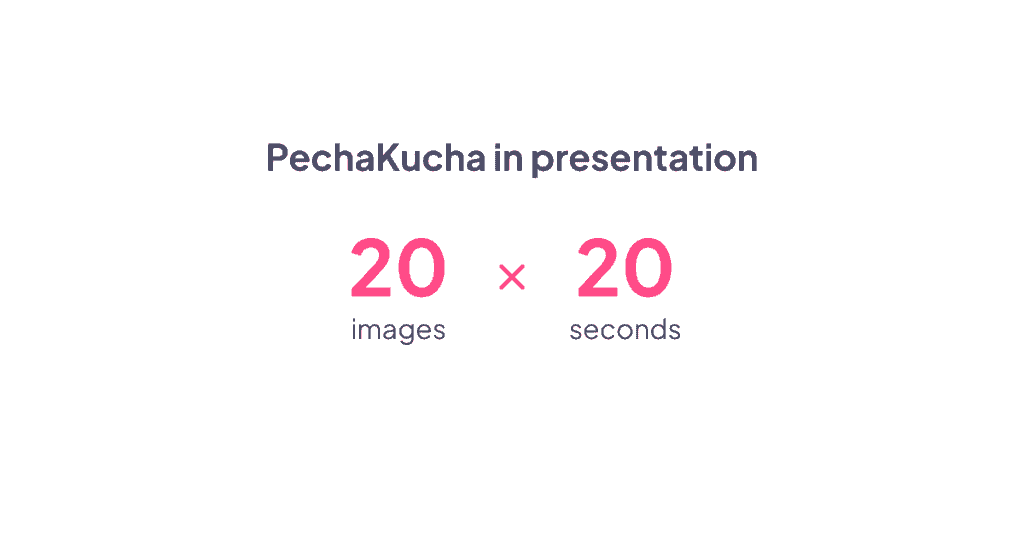
Divdesmit slaidi. Divdesmit sekundes katrs. Slaidi tiek pārslēgti automātiski neatkarīgi no tā, vai esat gatavs vai nē. Tas izklausās pēc stresa pilna sapņa, taču galvenais ir ierobežojums. PechaKucha piespiež panākt tādu precizitāti, kādu lielākā daļa prezentāciju nekad nesasniedz. Katram vārdam ir jānopelna sava vieta, jo nav laika nekam, kam tāda nav. Rezultāts ir ātrs, kodolīgs un patiesi saistošs. Izmantojiet to prezentācijām, ideju demonstrācijām vai jebkurām citām situācijām, kur parastais formāts ieilgtu. Tas nemanāmi ir arī viens no labākajiem prezentācijas prasmju vingrinājumiem, ko varat veikt.
23. Sarunas pie kamīna
Aizvietojiet monologu ar dialogu. Intervējiet uz skatuves viesekspertu, kolēģi vai komandas locekli. Dialogs šķiet spontāns tādā veidā, kā tas reti gadās pat vislabākajā solo prezentācijā. Jautājumi rodas dabiski, rodas novirzes, un mijiedarbība rada enerģiju, ko viens runātājs nevar radīt viens pats. Jūsu auditorija iesaistās, jo viņi vēro, kā divi cilvēki domā kopā reāllaikā, nevis vēro, kā viens cilvēks sniedz kaut ko tādu, ko viņš sagatavoja pagājušajā otrdienā.
24. Auditorijai paredzētas prezentācijas
Dodiet auditorijai kontroli pār sarunas plūsmu. Piedāvājiet vairākas tēmas vai virzienus un ļaujiet viņiem balsot par to, ko tālāk izpētīt. Pārbaudiet savu viedokli dabiskos pārejas punktos un ļaujiet balsojumam mainīt sarunas virzienu. Tas īpaši labi darbojas apmācību sesijās, kur dažādām grupām ir patiesi atšķirīgas prioritātes, vai ekspertu prezentācijās, kur telpā esošajām zināšanām vajadzētu ietekmēt sarunu tikpat lielā mērā kā slaidiem. Cilvēki pievērš lielāku uzmanību saturam, kura izvēlē viņi paši ir palīdzējuši.
25. Iegremdējoši un pieredzes formāti
Runājot par tēmām, kas patiešām ir svarīgas, apsveriet iespēju pilnībā izmantot vairāk nekā tikai slaidus. Izveidojiet ainu ar apgaismojumu, skaņu un rekvizītiem. Prezentāciju par klimata pārmaiņām sāciet tumšā telpā ar apkārtējo skaņu un pakāpeniski palieliniet apgaismojumu, apspriežot risinājumus. Prezentācijai par veselību un drošību izmantojiet rekvizītus un scenārijus, kas padara koncepcijas saistošas un neaizmirstamas. Šī pieeja prasa vairāk sagatavošanās un nav piemērota katram kontekstam, taču, ja tā ir pareiza, tā ir tāda prezentācija, par kuru cilvēki runā gadiem ilgi. Lielākā daļa sesiju ir paredzētas informēšanai. Šīs prezentācijas mērķis ir palikt atmiņā.
Tehnoloģiju apvienošana maksimālai ietekmei
Visspēcīgākajās prezentācijās netiek izmantota viena viena metode viscaur. Tā vietā tās stratēģiski slāņo metodes. Tipiska saistoša 45 minūšu prezentācija varētu ietvert:
Ievada aptauja (2 minūtes), stāstījuma veidošana ar vizuāliem materiāliem (10 minūtes), interaktīva viktorīna (3 minūtes), diskusija nelielā grupā (8 minūtes), tiešraides demonstrācija (5 minūtes), auditorijas jautājumi un atbildes (5 minūtes), noslēguma aptauja pārdomām (2 minūtes). Jūs esat apvienojis 6 dažādas iesaistes metodes, lai radītu ritmu, kas notur uzmanību un veicina mācīšanos.
Nav nepieciešams katru minūti rūpīgi izstrādāt inženiertehnisko pieeju. Taču aptuvena karte, kurā redzams, kur enerģija dabiski samazināsies, ir atšķirība starp prezentāciju, kas notur uzmanību, un tādu, kas to nemanāmi zaudē kaut kur ap četrpadsmito slaidu.
Satīt
Tev nav nepieciešams visu uzreiz pārveidot. Izvēlies vienu ideju no šī saraksta — to, kas lika tev domāt: "Es to tiešām varētu izdarīt" — un izmēģini to nākamajā nodarbībā.
Vērojiet, kā reaģē jūsu auditorija. Ievērojiet izmaiņas. Pēc tam turpiniet attīstīties.
Prezentētāji, kas pastāvīgi aizņem telpu, nedara neko noslēpumainu. Viņi vienkārši ir beiguši uzskatīt iesaistīšanos par izvēles iespēju. Kad esat pieņēmis šo pašu lēmumu, pārējais notiek dabiski.