
Krok 1: Propracujte si moduly
Připojit AhaSlides MCP server to Claude or ChatGPT, send each prompt and make what it builds your own.
Ask Claude or ChatGPT for an icebreaker, a team quiz or a live Q&A, and the AhaSlides MCP server builds it in your AhaSlides account, ready to run. Learn the prompts once, and getting a meeting or event ready takes minutes, not hours.
Přibližně 2 hodiny 20 minut · 6 modulů · Vlastním tempem · Certifikát o absolvování
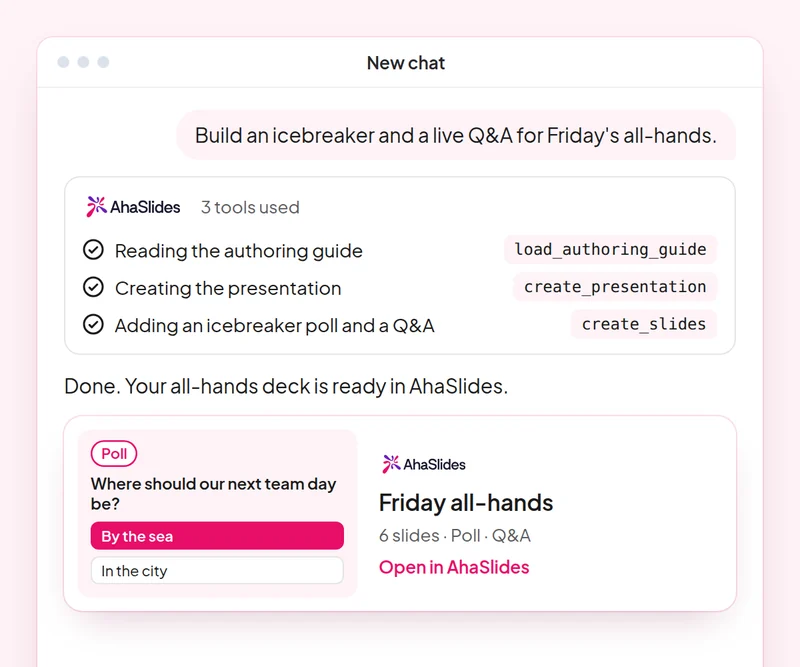
Cíl: Open any meeting or event with an activity everyone joins.
Dovednost: build-presentation
vyzkoušejte následující postup: “Build an icebreaker for a 60-person team offsite: a welcome slide, a word cloud on one word for this year and a quick poll.”
Dostaneš: A ready-to-run deck that gets everyone answering from the first minute.
Cíl: Build a fair team quiz with accurate answers.
Dovednost: make-quiz
vyzkoušejte následující postup: “Make a 15-question general knowledge quiz for our end-of-year party, played in teams.”
Dostaneš: A scored quiz and how guests join it on their phones.
Cíl: Change timing, order and settings of an existing deck with one prompt.
Dovednost: edit-slides
vyzkoušejte následující postup: “In my offsite deck, give every quiz question 20 seconds and move the feedback poll to the end.”
Dostaneš: Your changes made to the existing slides, with a summary of what changed.
Cíl: Run a moderated Q&A where you approve every question shown.
Dovednost: moderate-live-qna
vyzkoušejte následující postup: “Show me the new questions from the panel Q&A and suggest which to approve. Wait for my yes before you change anything.”
Dostaneš: Questions sorted into approve and dismiss with reasons, applied only after you agree.
Cíl: Read the room's feedback and plan the next event from it.
Dovednost: review-results
vyzkoušejte následující postup: “How did people answer the feedback poll at today's offsite?”
Dostaneš: A summary of responses with one or two ideas for your next event.
Cíl: Know who came, who joined in and who stayed quiet, so you follow up with the right people.
Dovednost: track-participants
vyzkoušejte následující postup: “From my [team offsite] session, list who joined, who answered nothing, and draft a short follow-up asking the quiet ones for their views.”
Dostaneš: An attendance and participation list, with follow-ups for the people you did not hear from. Detailed per-person reports need a paid plan.
Host one real meeting or event: open with an icebreaker, run a team quiz and a moderated Q&A, then review the feedback and note what you would change next time. Keep the prompts that worked, so next time this work is a quick routine.
A 10-question quiz on icebreakers, team quizzes, deck edits and Q&A moderation. Pass it to earn your certificate of completion.
Each course is an AhaSlides E-learningový kurz v délce přibližně 2 hodin a 20 minut, po jehož absolvování obdržíte ověřitelný certifikát.
Připojit AhaSlides MCP server to Claude or ChatGPT, send each prompt and make what it builds your own.
Put the six skills together on one real session from your work.
Take a 10-question quiz on icebreakers, team quizzes, deck edits and Q&A moderation.
Složte kvíz a získejte ověřitelný AhaSlides certifikát o absolvování s ověřovacím odkazem, který můžete sdílet.
Yes, the course costs nothing to take. You follow it in your own AhaSlides účet a některé funkce, které moduly používají, jako například podrobné zprávy, jsou součástí placených plánů. Viz cen za to, co každý plán zahrnuje.
Claude (na claude.ai, Cowork a Claude Code), ChatGPT a jakýkoli klient, který podporuje vzdálené servery MCP. V Claude přidejte vlastní konektor s https://mcp.ahaslides.com/mcp as the server URL. In ChatGPT, find AhaSlides na kartě Pluginy. Viz AhaSlides MCP server page for the full steps.
Jsou to 17 veřejných AhaSlides dovednosti pro Claudea, bezplatné a otevřené zdrojové kódy na GitHubKaždý z nich řekne Claudovi, který AhaSlides MCP tools to call and points it at AhaSlidesvlastní autorské průvodce.