
Sí, Mentimeter works inside PowerPoint. Its free add-in from Microsoft AppSource adds slides from one Mentimeter presentation to your deck, in the PowerPoint desktop app on Windows or Mac with a Microsoft 365 account. It doesn’t work in PowerPoint for the web, and you edit the slides in Mentimeter, not in PowerPoint.
Your engagement tool shouldn’t become another platform you have to manage. Here is how the Mentimeter add-in works, where it gets in the way, and how the AhaSlides y Slido add-ins compare. All Mentimeter, Slido y AhaSlides facts below were checked on 19 November 2026.
¿Cómo Usar? Mentimeter in PowerPoint, step by step
Mentimeter, centro de ayuda sets out what you need: an Office 365 account and PowerPoint version 2111 or later on Windows, or 16.55 or later on Mac, plus an internet connection. The add-in works on the Free, Basic, Pro and Enterprise plans, and only with Menti Live presentations.
- Build your Menti first. Make your poll, word cloud or quiz in Mentimeter. The add-in only adds slides that already exist there.
- Instala el complemento. In PowerPoint, go to Home > My Add-ins > More Add-ins, search for Mentimeter y agréguelo.
- Log in and choose a Menti. Open the add-in, log in to Mentimeter and pick the presentation you want.
- Añade las diapositivas. Click a slide, then Add Menti slides. Each one appears as its own PowerPoint slide.
- Presente. Start the slideshow. People join with the QR code or the code on the slide, and results update on the slide.
El uso de Mentimeter without the add-in
You can go the other way and bring PowerPoint into Mentimeter. Mentimeter imports PPT, PPTX, Keynote and PDF files up to 60 MB and 200 slides, and the imported slides become images. Importing is available on Basic, Pro and Enterprise, not the Free plan, according to Mentimeter’s import help article. You then present from Mentimeter, not PowerPoint, so the animations in your deck don’t come with it.
Donde Mentimeter in PowerPoint stops
The add-in works well for a presenter who builds everything in Mentimeter. It gets in the way when your deck lives in PowerPoint and Mentimeter is only one part of it. Per Mentimeter’s help centre:
- Desktop app only. It doesn’t run in PowerPoint for the web or PowerPoint Live, so a deck in a shared browser session can’t show the Menti slides.
- One Menti per file. All Menti slides in a PowerPoint file have to come from the same Mentimeter presentation. Switching to another Menti with Replace this slide removes the slides you added from the first one.
- Editar en Mentimeter, not PowerPoint. To change a question, you click Open Menti to edit, switch to the browser, then come back.
- Hotkeys don’t work in the add-in while you present.
- Shared decks need copies. On Free and Basic plans, a colleague who presents your deck has to copy your Menti, and the results don’t copy with it.
The free plan changed recently. According to Mentimeter, centro de ayuda, free accounts created after 4 November 2026 can present to any number of participants, but after a session you can only view a limited number of results until you upgrade. Free accounts created before that date keep a cap of 50 participants a month. Paid plans start at Basic, $11.99 per presenter a month billed yearly, then Pro at $24.99 (Mentimeter planes(Verificado el 19 de noviembre de 2026).
The alternative: the AhaSlides Complemento de PowerPoint
AhaSlides is an all-in-one engagement platform for teams and classrooms. Like Mentimeter, it lets everyone answer from their phone while you present, with the results live on your slide.
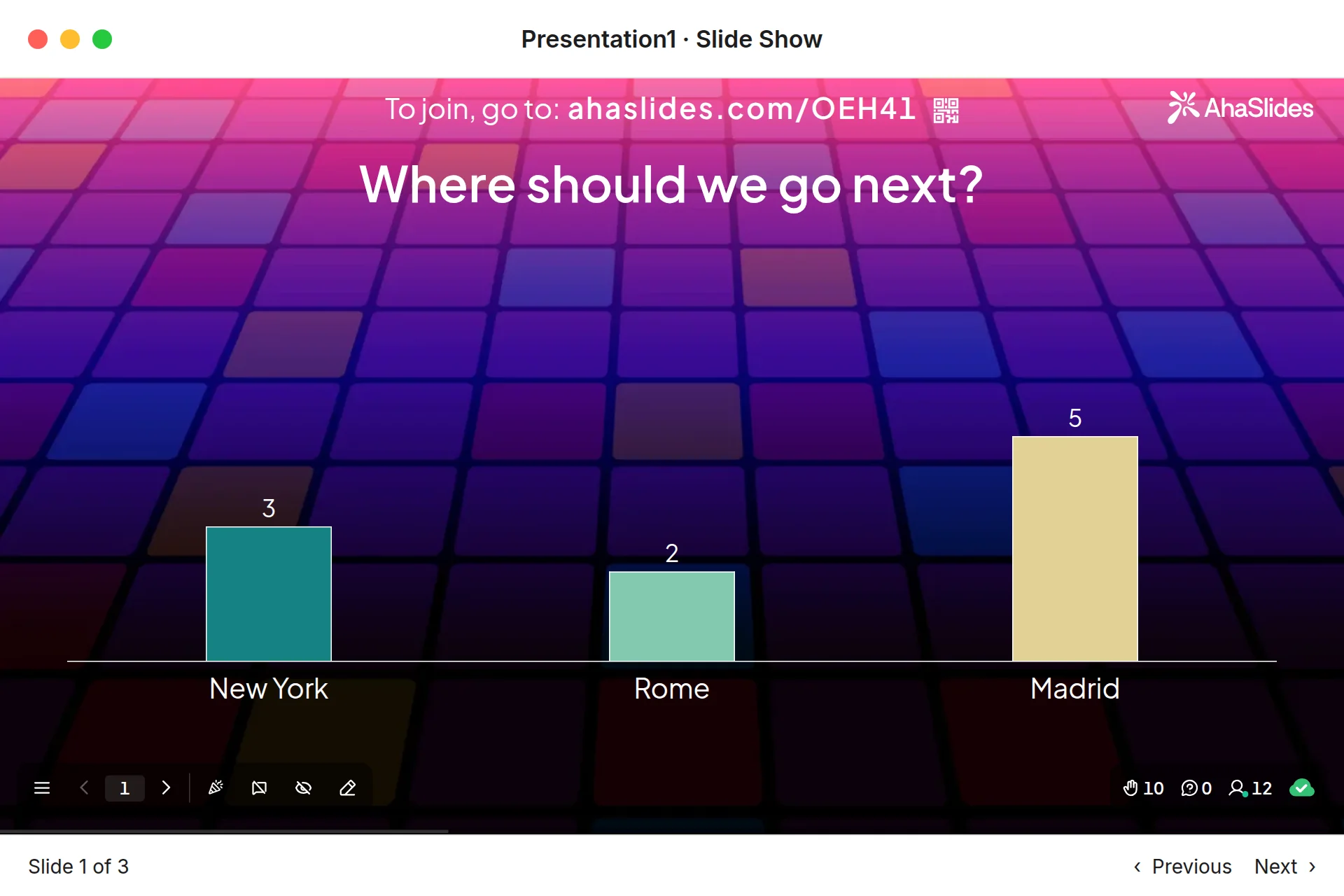
Dos maneras rápidas de empezar:
- Sube tu mazo. Sube tu archivo de PowerPoint a AhaSlides y dejar que la IA añada encuestas y preguntas de cuestionario a través de ella, de modo que se convierta en una sesión interactiva sin tener que empezar de nuevo (Creador de PowerPoint con IA).
- O bien, siga presentando en PowerPoint. Añade el gratis AhaSlides complemento y coloca diapositivas en vivo entre las tuyas. Solo se necesitan tres pasos, que se detallan a continuación.
Comparado con Mentimeter's add-in, three differences matter when your deck lives in PowerPoint:
- It runs in PowerPoint for the web too, as well as Microsoft 365 and PowerPoint 2024, 2021 and 2019 on Windows and Mac (AhaSlides centro de ayuda).
- You can start a new slide from the add-in. Click + New slide and pick a Poll, Word Cloud, Q&A, Rating Scale or quiz slide, or use Select presentation to pick a deck you already made in AhaSlides.
- It works on every AhaSlides plan, including free, which lets you engage up to 50 participants live with unlimited presentations per month (AhaSlides Precios).
It takes three steps: in PowerPoint, go to Inicio > Complementos > Más complementos, busque AhaSlides y hacer clic en Agregar ; sign in and add your slides; then present as normal. People join with the QR code or link on the slide, and you press Q to show the join details again.
How the three PowerPoint add-ins compare
| Elemento | Mentimeter | AhaSlides | Slido |
|---|---|---|---|
| Cómo instalarlo | Office add-in store (AppSource) | Microsoft Marketplace add-in | Descarga por separado de Slido |
| PowerPoint on Windows and Mac | Yes, version 2111+ on Windows, 16.55+ on Mac | Yes, Microsoft 365 or PowerPoint 2019 and later | Yes, PowerPoint 2016+ on Windows, 2019+ on Mac |
| PowerPoint para la web | No | Sí: | No |
| Plan gratuito | Any number of participants, limited results after a session (accounts created after 4 Nov 2026) | Up to 50 live participants, unlimited presentations a month | 100 participants, 3 polls and 1 quiz per slido (Slido community, October 2025) |
Slido’s free limits were stated by Slido staff in its Foro de la comunidad, in October 2025; its pricing page doesn’t list them. Slido’s PowerPoint requirements come from its PowerPoint polling page. For a closer look at Slido’s version, read our Slido complemento para PowerPoint guide. If you are weighing up a full switch, our sesiones gratuitas Mentimeter alternativas post compares free limits across more tools.
Try it with a ready deck
This free pulse check template has polls, word clouds and rating scales you can drop into a team meeting. Copy it, edit the questions, then add the slides to PowerPoint with the add-in.
5 ways to use a live slide in your PowerPoint
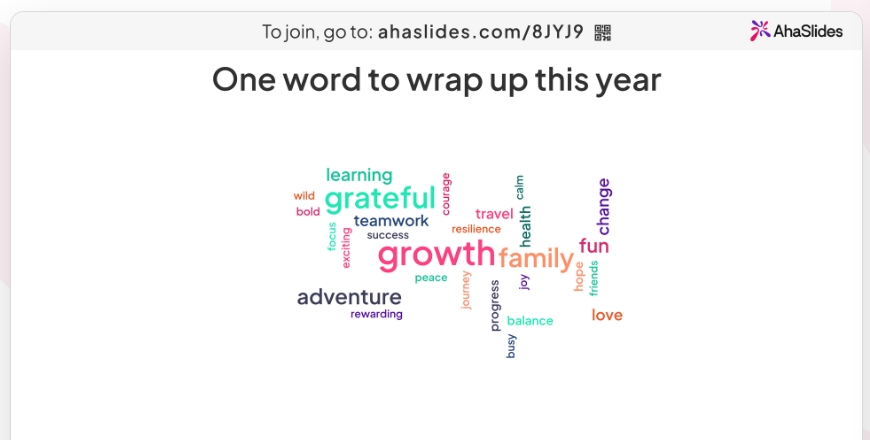
- Open with a word cloud. Ask “One word for how this week went”. Answers people give more often appear larger, so the mood of the group is clear at a glance. See how it works on the nube de la palabra Desbobinador hidráulico de alta resistencia:Para bobinas de mayor peso o necesidades de automatización más elevadas, visite ladesbobinador hidráulico de alta resistencia.
- Check understanding mid-deck. Drop a two-option poll after a dense section. If half the votes go the wrong way, you know to slow down before moving on.
- Take questions as you go. A Q&A slide collects questions throughout the talk, and people can upvote the ones they want answered most.
- Rate the plan. A Rating Scale slide on “How confident are you in this plan?” gives you a number to track from one meeting to the next.
- End with a scored round. A short quiz with a leaderboard (press L to show it) wraps up a training session. For more formats, see our Juegos de PowerPoint ideas, or our guide to adding a live poll to PowerPoint.
Preguntas Frecuentes
Es el Mentimeter ¿Complemento gratuito para PowerPoint?Yes. The add-in itself is free and works on Mentimeter’s Free plan. On free accounts created after 4 November 2026, you can present to any number of participants but see limited results afterwards. Paid plans start at $11.99 per presenter a month, billed yearly (checked 19 November 2026).
¿Cómo uso Mentimeter in PowerPoint without the add-in?Import your deck into Mentimeter instead. On a paid plan, Mentimeter imports PPT, PPTX, Keynote and PDF files as images, and you present from Mentimeter.
Does Mentimeter work with PowerPoint on Mac?Yes, in PowerPoint for Mac version 16.55 or later with an Office 365 account. It doesn’t work in PowerPoint for the web.
Can you embed Mentimeter in PowerPoint?Yes, with the add-in. It places each Menti slide in your deck as its own slide, and all of them must come from the same Mentimeter presentación.
¿Hay una versión gratuita de Mentimeter?Sí. Mentimeter’s Free plan includes the PowerPoint add-in. New free accounts have no participant cap but a limit on the results you can view after a session (checked 19 November 2026). AhaSlides’ free plan lets you engage up to 50 participants live, with unlimited presentations per month.
For more ways to get people taking part across a whole deck, read our guide on Cómo crear una presentación interactiva de PowerPoint.
Haz que este mazo sea interactivo.
Static slides give people nothing to do, so attention drifts and you only learn what they thought once the meeting is over. Our guide on Cómo crear una presentación interactiva de PowerPoint walks through 10 ways to fix that.