
A sprint retrospective is where the team looks back at the last sprint and plans ways to improve. The format you pick decides whether people open up or stare at the table. Here are three simple templates, Start Stop Continue, Mad Sad Glad and Happy Sad Confused, with questions for each and a way to run the whole retro on a single AhaSlides שקופית.
השמיים מדריך Scrum says the retrospective is timeboxed to a maximum of three hours for a one-month sprint, and usually shorter for shorter ones. That is not long to collect ideas, sort them, decide what matters and agree on actions. A template keeps you moving.
Which template should you pick?
- התחל עצור המשך if you want actions fast. The columns are already verbs.
- Mad Sad Glad if the sprint was tense and people need to name how it felt before they can talk about causes.
- עצוב שמח מבולבל if you suspect the real problem is unclear requirements or hand-offs, because "confused" gives people a safe place to say so.
You can run any of them on paper, a whiteboard or a shared board. The next sections give you the questions. After that, you will see how to run the same retro live with your team.
1. Start Stop Continue
Three columns, each answering one question about the sprint you have just finished.
- התחלה: what should we begin doing that we are not doing yet?
- עצור: what is costing us time or energy and is not worth it?
- המשך: what is working and deserves protecting?
Prompts that get specific answers:
- Which meeting would you start, stop or keep?
- What did we do in review or testing that we should keep doing?
- What do we keep promising ourselves we will start, and never do?
Start Stop Continue is easy to turn into actions, because every card is already a change or a thing to protect.
2. Mad Sad Glad
This one asks how the sprint felt before it asks what to change.
- מָזוֹן: what frustrated you?
- עָצוּב: what disappointed you or felt like a missed chance?
- Glad: what made you happy or proud?
הנחיות:
- When did you feel blocked this sprint, and by what?
- What did you hope would happen that did not?
- Who or what made your week easier?
Start with Glad if the mood is low. It warms the room and reminds the team that the sprint was not all bad.
3. Happy Sad Confused
A close cousin of Mad Sad Glad, with one different column.
- שַׂמֵחַ: מה הלך טוב?
- עָצוּב: what went badly?
- Confused: what was unclear, and what do we still not understand?
הנחיות:
- Which task description left you guessing?
- What decision did you not understand the reason for?
- What would you ask the product owner if you were not worried about looking uninformed?
The Confused column is useful because a card there often points to a gap in what the team knows, not a complaint.
Run your retro live with the Team Retro slide
Whichever template you pick, collecting ideas fairly, merging duplicates and getting to a decision can eat the time. AhaSlides יש Team Retro slide that runs a whole sprint retrospective on one slide. It is unscored, so there are no points and no leaderboard to distract from the conversation.
To add it, open a presentation, choose שקופית חדשה and search "Team Retro" in the slide type picker. The three templates above are built in: Happy, Sad, Confused is the default, and Start, Stop, Continue and Mad, Sad, Glad are the other two. You can use two to four columns and rename them to suit your team.
You then move the room through four stages:
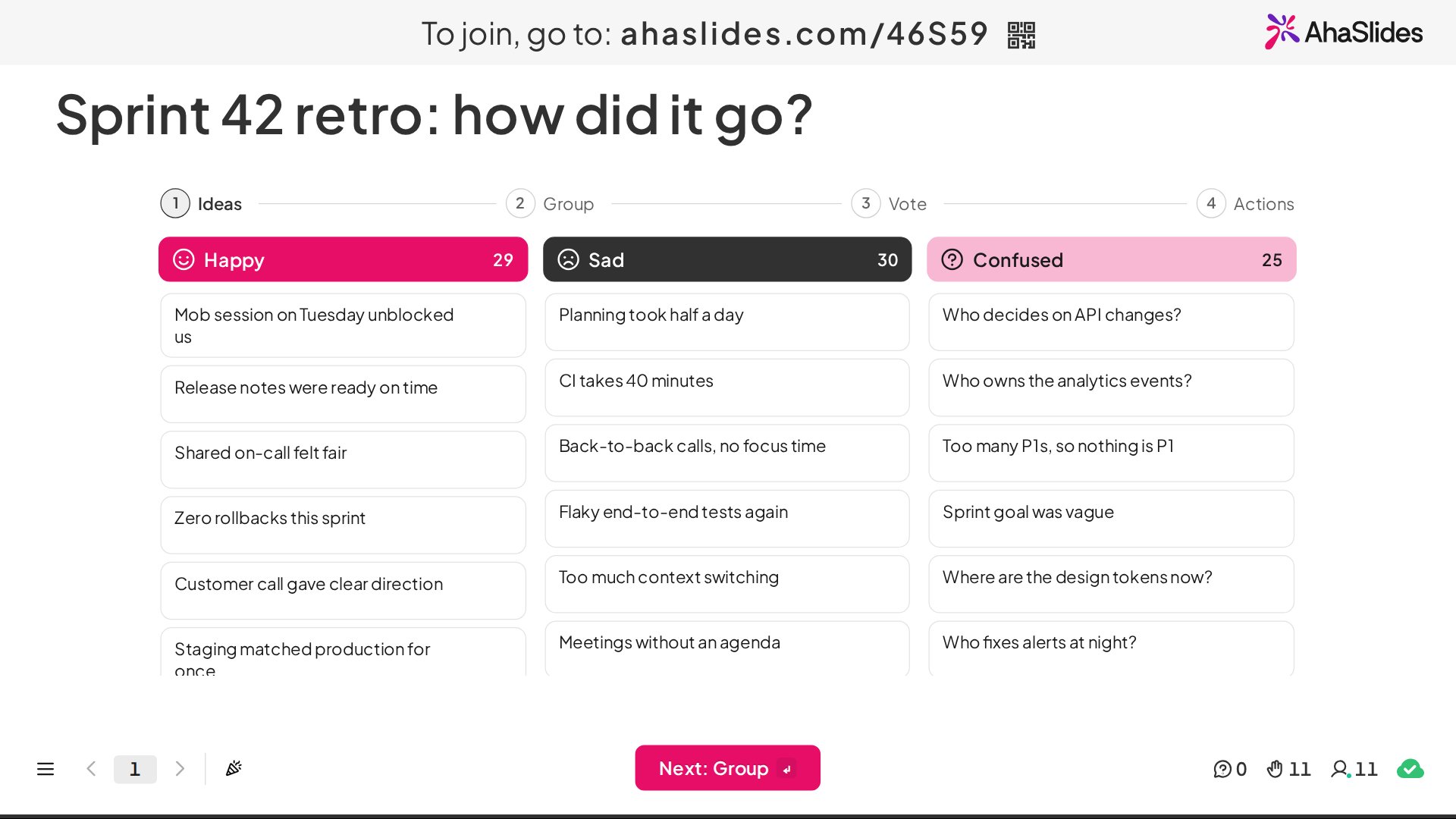
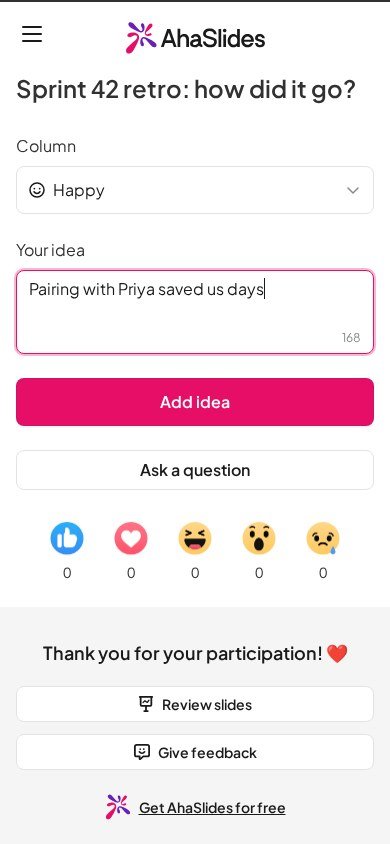
1 רעיונות
Participants pick a column on their phone and add their ideas, up to 200 characters each. They appear on the big screen with no names, so people can be honest.
2. קבוצה
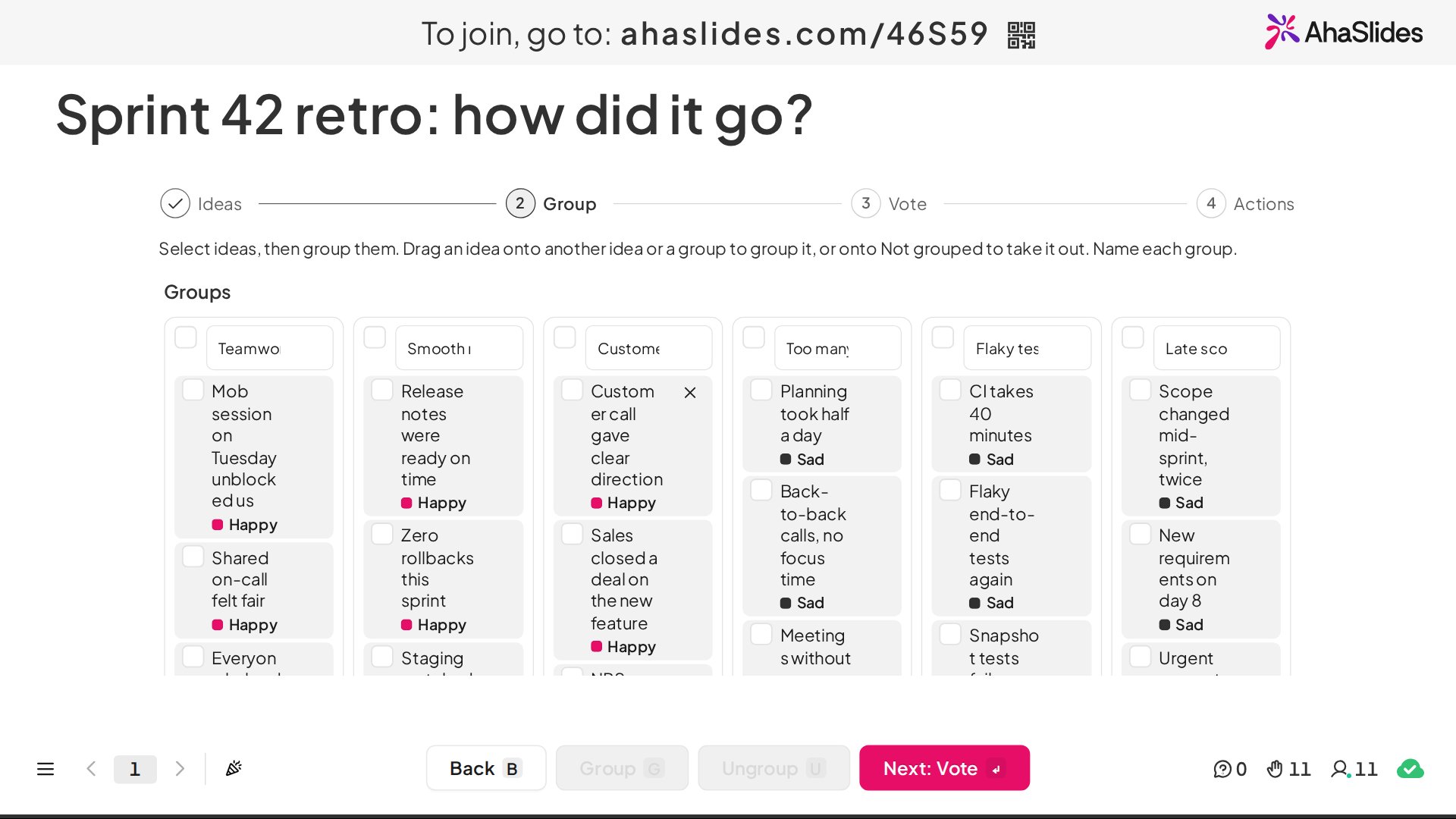
You group similar ideas on the big screen, either by selecting them and choosing Group or by dragging one onto another. Give each group a name.
3. הצביעו
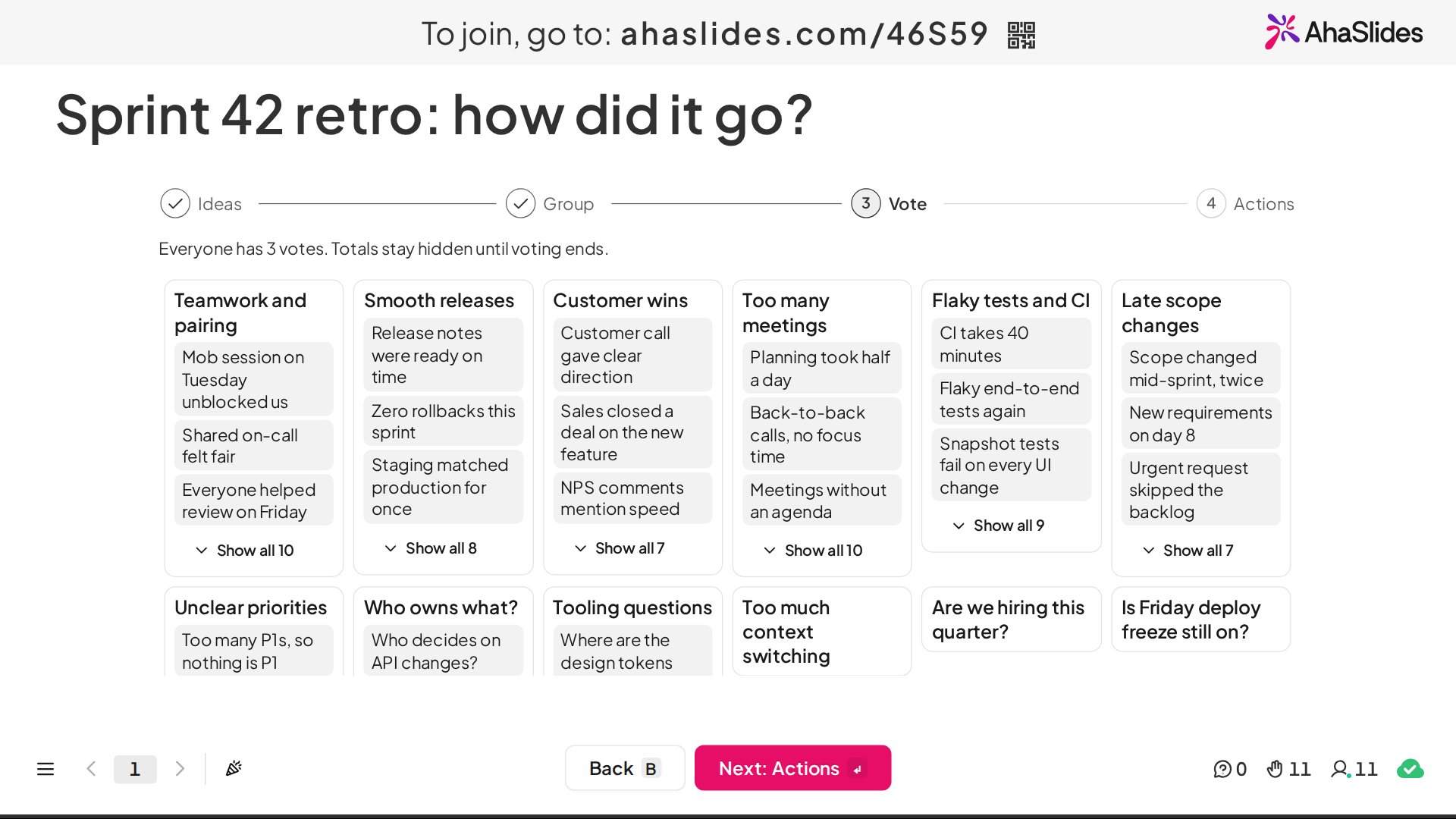
Everyone votes from their phone. Each person gets between 1 and 10 votes (3 by default) and can put more than one on a group. Totals stay hidden until voting ends.
4. פעולות
The top groups appear ranked by votes, next to your action items. Add the actions the team agrees on and, if you like, give each one an owner chosen from the people who joined.
That last stage matters most. A retro that ends with a ranked list of what the team cares about and actions with owners gives you something to check at the next one.
Tips for a retro people want to come back to
- Keep ideas anonymous. It is easier to be candid about the sprint, and about each other, when nobody has to sign an idea.
- Limit the votes. Three votes forces the team to choose, which is the point.
- Pick one or two actions. A long list is a wish list. Agree only what you will do before the next retro.
- Review last time's actions first. Start the next retro by checking what happened to the previous ones.
- Change the template now and then. If Start Stop Continue is feeling stale, switch to Mad Sad Glad for a sprint.
For a wider look at the meeting, see our guide to what a project retrospective is. If you want to warm the room up before the retro starts, our brainstorm guide has ideas.
שאלות נפוצות
How long should a sprint retrospective be?
The Scrum Guide sets a maximum of three hours for a one-month sprint and says it is usually shorter for shorter sprints.
What is the best retrospective template?
There is no single best one. Start Stop Continue tends to get to actions quickly, Mad Sad Glad helps when feelings are running high, and Happy Sad Confused surfaces unclear requirements. Try each for a sprint and keep the one your team uses most.
Do retros need to be anonymous?
They do not have to be. On the Team Retro slide, ideas appear on the big screen without names, which makes it easier to be candid about the team's own process.
Can we run a retro remotely?
Yes. Participants add ideas and vote from their phones, so everyone can join from wherever they are.
Run your next retro on one slide
להרחיב AhaSlides, add a Team Retro slide and pick Start Stop Continue, Mad Sad Glad or Happy Sad Confused: try Team Retro in AhaSlides