
Có, Mentimeter works inside PowerPoint. Its free add-in from Microsoft AppSource adds slides from one Mentimeter presentation to your deck, in the PowerPoint desktop app on Windows or Mac with a Microsoft 365 account. It doesn’t work in PowerPoint for the web, and you edit the slides in Mentimeter, not in PowerPoint.
Your engagement tool shouldn’t become another platform you have to manage. Here is how the Mentimeter add-in works, where it gets in the way, and how the AhaSlides và Slido add-ins compare. All Mentimeter, Slido và AhaSlides facts below were checked on 19 November 2026.
Cách Sử dụng Mentimeter in PowerPoint, step by step
Mentimeter'S trung tâm trợ giúp sets out what you need: an Office 365 account and PowerPoint version 2111 or later on Windows, or 16.55 or later on Mac, plus an internet connection. The add-in works on the Free, Basic, Pro and Enterprise plans, and only with Menti Live presentations.
- Build your Menti first. Make your poll, word cloud or quiz in Mentimeter. The add-in only adds slides that already exist there.
- Cài đặt tiện ích bổ sung. In PowerPoint, go to Home > My Add-ins > More Add-ins, search for Mentimeter và thêm nó vào.
- Log in and choose a Menti. Open the add-in, log in to Mentimeter and pick the presentation you want.
- Add the slides. Click a slide, then Add Menti slides. Each one appears as its own PowerPoint slide.
- Hiện tại. Start the slideshow. People join with the QR code or the code on the slide, and results update on the slide.
Sử dụng Mentimeter without the add-in
You can go the other way and bring PowerPoint into Mentimeter. Mentimeter imports PPT, PPTX, Keynote and PDF files up to 60 MB and 200 slides, and the imported slides become images. Importing is available on Basic, Pro and Enterprise, not the Free plan, according to Mentimeter’s import help article. You then present from Mentimeter, not PowerPoint, so the animations in your deck don’t come with it.
Ở đâu Mentimeter in PowerPoint stops
The add-in works well for a presenter who builds everything in Mentimeter. It gets in the way when your deck lives in PowerPoint and Mentimeter is only one part of it. Per Mentimeter’s help centre:
- Desktop app only. It doesn’t run in PowerPoint for the web or PowerPoint Live, so a deck in a shared browser session can’t show the Menti slides.
- One Menti per file. All Menti slides in a PowerPoint file have to come from the same Mentimeter presentation. Switching to another Menti with Replace this slide removes the slides you added from the first one.
- Chỉnh sửa trong Mentimeter, not PowerPoint. To change a question, you click Open Menti to edit, switch to the browser, then come back.
- Hotkeys don’t work in the add-in while you present.
- Shared decks need copies. On Free and Basic plans, a colleague who presents your deck has to copy your Menti, and the results don’t copy with it.
The free plan changed recently. According to Mentimeter'S trung tâm trợ giúp, free accounts created after 4 November 2026 can present to any number of participants, but after a session you can only view a limited number of results until you upgrade. Free accounts created before that date keep a cap of 50 participants a month. Paid plans start at Basic, $11.99 per presenter a month billed yearly, then Pro at $24.99 (Mentimeter kế hoạch(Đã kiểm tra ngày 19 tháng 11 năm 2026).
The alternative: the AhaSlides Phần bổ trợ PowerPoint
AhaSlides is an all-in-one engagement platform for teams and classrooms. Like Mentimeter, it lets everyone answer from their phone while you present, with the results live on your slide.
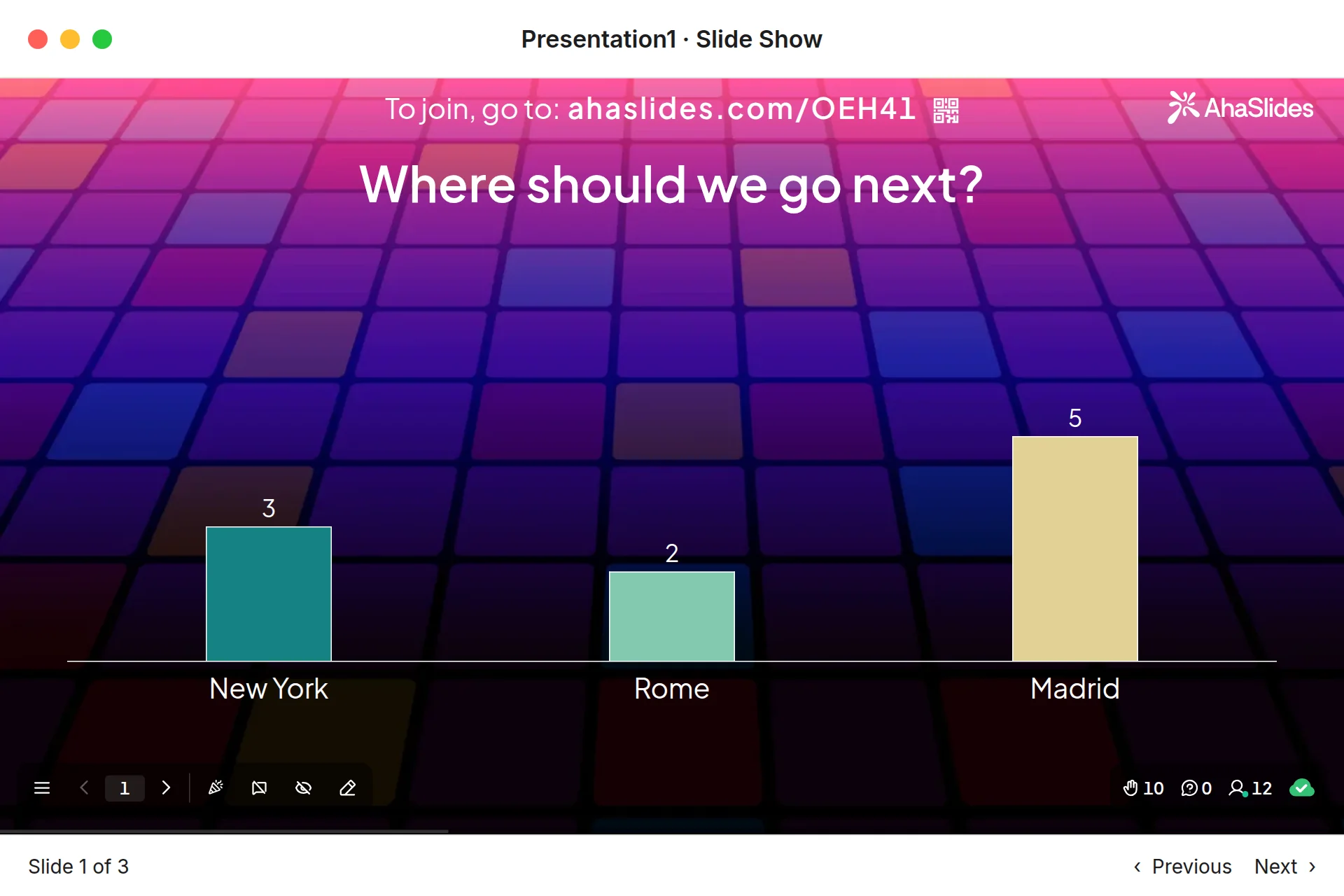
Hai cách nhanh chóng để bắt đầu:
- Tải lên bộ bài của bạn. Tải tệp PowerPoint của bạn lên AhaSlides và cho phép AI thêm các cuộc thăm dò ý kiến và câu hỏi trắc nghiệm thông qua đó, để nó trở thành một phiên tương tác mà không cần bắt đầu lại từ đầu.Trình tạo PowerPoint AI).
- Hoặc tiếp tục trình bày bằng PowerPoint. Thêm miễn phí AhaSlides add-in và chèn các slide trực tiếp vào giữa các slide của bạn. Quá trình này gồm ba bước, được mô tả bên dưới.
So sánh với Mentimeter's add-in, three differences matter when your deck lives in PowerPoint:
- It runs in PowerPoint for the web too, as well as Microsoft 365 and PowerPoint 2024, 2021 and 2019 on Windows and Mac (AhaSlides trung tâm trợ giúp).
- You can start a new slide from the add-in. Click + New slide and pick a Poll, Word Cloud, Q&A, Rating Scale or quiz slide, or use Select presentation to pick a deck you already made in AhaSlides.
- It works on every AhaSlides kế hoạch, including free, which lets you engage up to 50 participants live with unlimited presentations per month (AhaSlides giá).
It takes three steps: in PowerPoint, go to Trang chủ > Tiện ích bổ sung > Thêm tiện ích bổ sung, tìm kiếm AhaSlides và nhấp vào Thêm; sign in and add your slides; then present as normal. People join with the QR code or link on the slide, and you press Q to show the join details again.
How the three PowerPoint add-ins compare
| Tính năng | Mentimeter | AhaSlides | Slido |
|---|---|---|---|
| How you install it | Office add-in store (AppSource) | Microsoft Marketplace add-in | Tải xuống riêng biệt từ Slido |
| PowerPoint on Windows and Mac | Yes, version 2111+ on Windows, 16.55+ on Mac | Yes, Microsoft 365 or PowerPoint 2019 and later | Yes, PowerPoint 2016+ on Windows, 2019+ on Mac |
| PowerPoint cho web | Không | Có | Không |
| Gói miễn phí | Any number of participants, limited results after a session (accounts created after 4 Nov 2026) | Up to 50 live participants, unlimited presentations a month | 100 participants, 3 polls and 1 quiz per slido (Slido community, October 2025) |
Slido’s free limits were stated by Slido staff in its diễn đàn cộng đồng, in October 2025; its pricing page doesn’t list them. Slido’s PowerPoint requirements come from its PowerPoint polling page. For a closer look at Slido’s version, read our Slido tiện ích bổ sung cho PowerPoint guide. If you are weighing up a full switch, our tự do Mentimeter lựa chọn thay thế post compares free limits across more tools.
Try it with a ready deck
This free pulse check template has polls, word clouds and rating scales you can drop into a team meeting. Copy it, edit the questions, then add the slides to PowerPoint with the add-in.
5 ways to use a live slide in your PowerPoint
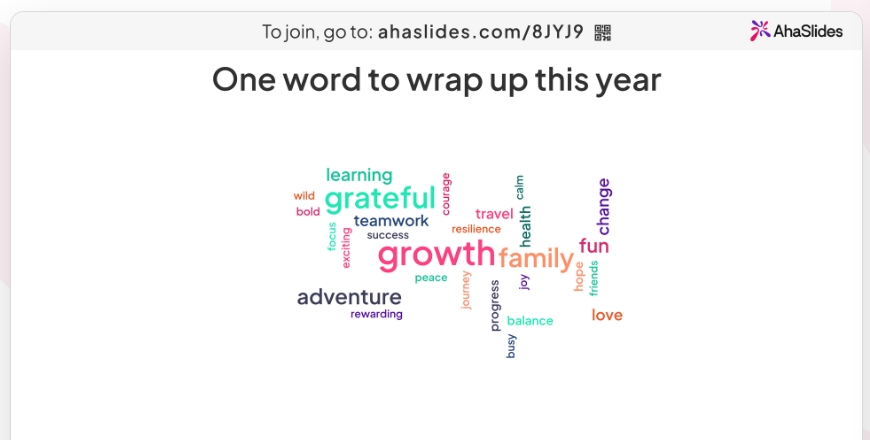
- Open with a word cloud. Ask “One word for how this week went”. Answers people give more often appear larger, so the mood of the group is clear at a glance. See how it works on the đám mây từ .
- Check understanding mid-deck. Drop a two-option poll after a dense section. If half the votes go the wrong way, you know to slow down before moving on.
- Take questions as you go. A Q&A slide collects questions throughout the talk, and people can upvote the ones they want answered most.
- Đánh giá gói dịch vụ. A Rating Scale slide on “How confident are you in this plan?” gives you a number to track from one meeting to the next.
- End with a scored round. A short quiz with a leaderboard (press L to show it) wraps up a training session. For more formats, see our Trò chơi PowerPoint ideas, or our guide to adding a live poll to PowerPoint.
FAQ
Là Mentimeter Tiện ích bổ sung cho PowerPoint miễn phí?Yes. The add-in itself is free and works on Mentimeter’s Free plan. On free accounts created after 4 November 2026, you can present to any number of participants but see limited results afterwards. Paid plans start at $11.99 per presenter a month, billed yearly (checked 19 November 2026).
Làm cách nào để sử dụng Mentimeter in PowerPoint without the add-in?Import your deck into Mentimeter instead. On a paid plan, Mentimeter imports PPT, PPTX, Keynote and PDF files as images, and you present from Mentimeter.
Liệu Mentimeter work with PowerPoint on Mac?Yes, in PowerPoint for Mac version 16.55 or later with an Office 365 account. It doesn’t work in PowerPoint for the web.
Can you embed Mentimeter in PowerPoint?Yes, with the add-in. It places each Menti slide in your deck as its own slide, and all of them must come from the same Mentimeter trình bày.
Có phiên bản miễn phí của Mentimeter?Vâng. Mentimeter’s Free plan includes the PowerPoint add-in. New free accounts have no participant cap but a limit on the results you can view after a session (checked 19 November 2026). AhaSlides’ free plan lets you engage up to 50 participants live, with unlimited presentations per month.
For more ways to get people taking part across a whole deck, read our guide on Cách tạo bài thuyết trình PowerPoint tương tác.
Hãy làm cho bộ bài này trở nên tương tác hơn.
Static slides give people nothing to do, so attention drifts and you only learn what they thought once the meeting is over. Our guide on Cách tạo bài thuyết trình PowerPoint tương tác Bài viết này sẽ hướng dẫn 10 cách để khắc phục vấn đề đó.