


इस समय कहीं न कहीं, एक प्रस्तुतकर्ता अपने श्रोताओं को खो रहा है। नाटकीय रूप से नहीं - कोई उठकर नहीं जा रहा है। माहौल उससे कहीं शांत है। मेज के नीचे थोड़ा सा झुका हुआ फोन। एक निगाह जो देखने में तो सामने की ओर है, लेकिन स्पष्ट रूप से कहीं और है। एक इशारा जिसका अर्थ है "मैंने तीन स्लाइड पहले ही सुनना बंद कर दिया था।"
हमने इसे सामान्य मान लिया है। दिखने में मृत्यु इतनी आम हो गई है कि हम इस पर शायद ही ध्यान देते हैं। लेकिन यहाँ कुछ बातें हैं... अनुसंधान असल में इसका मतलब यह है कि एक सामान्य 60 मिनट के सत्र के समाप्त होने तक, अधिकांश लोग सुनी गई बातों का 10% से भी कम याद रख पाते हैं। यह कोई मामूली अक्षमता नहीं है। यह लगभग सभी के समय की पूरी बर्बादी है।
इसका समाधान बेहतर स्लाइड डेक नहीं है। बल्कि यह एक मौलिक रूप से भिन्न दृष्टिकोण प्रस्तुतियों के काम करने के तरीके के बारे में - एक ऐसी प्रस्तुति जिसमें आपके दर्शक केवल देख नहीं रहे होते हैं, बल्कि वास्तव में भाग ले रहे होते हैं।
यह मार्गदर्शिका इसी विषय पर आधारित है। शोध पर आधारित पच्चीस विचार, जो आपके श्रोताओं को निष्क्रिय दर्शक से सक्रिय भागीदार में बदल देंगे। आपको इन सभी का उपयोग करने की आवश्यकता नहीं है। बल्कि इनमें से अधिकांश का उपयोग करने की भी आवश्यकता नहीं है। एक विचार चुनें, इसे अपने अगले सत्र में आजमाएं और देखें कि क्या बदलाव आता है।
आइये इस पर चर्चा करें।
इंटरैक्टिव और रीयल-टाइम जुड़ाव के विचार
ये आपके सबसे प्रभावी कदम हैं। इनमें लगभग कोई अतिरिक्त तैयारी का समय नहीं लगता और इनसे कमरे में तत्काल और स्पष्ट बदलाव आते हैं।
1. त्वरित प्रतिक्रिया के लिए लाइव मतदान
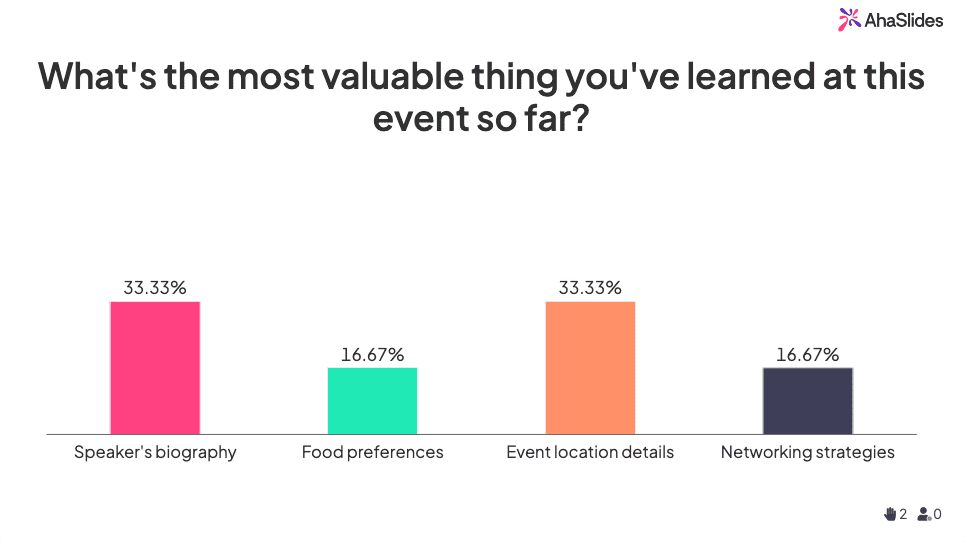
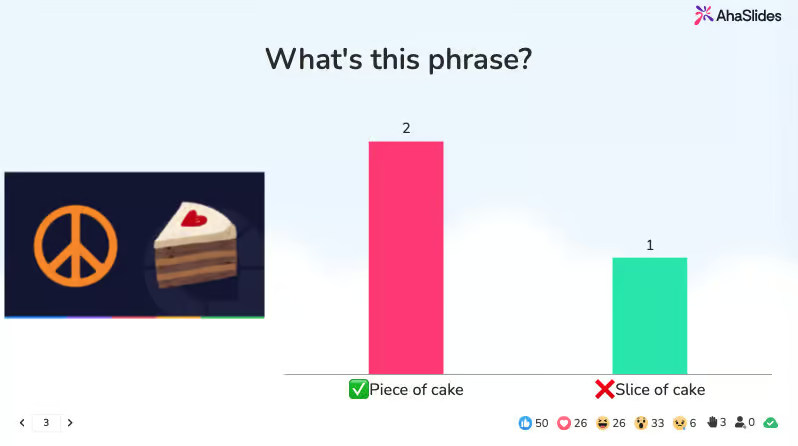
एक पोल में 90 सेकंड लगते हैं। इसका असर किसी भी कमरे में कितना गहरा होता है, इसे शब्दों में बयां करना मुश्किल है। जैसे ही लोग अपनी राय को दूसरों की राय के साथ-साथ वास्तविक समय में देखते हैं, माहौल पूरी तरह बदल जाता है। वे अब सिर्फ दर्शक नहीं रहते, बल्कि प्रतिभागी बन जाते हैं। पोल का इस्तेमाल किसी सत्र को शुरू करने, बीच में ही समझ की जांच करने या किसी बात को चुनौती देने से पहले उसकी धारणाओं को सामने लाने के लिए किया जा सकता है।
2. प्रस्तुति के दौरान इंटरैक्टिव क्विज़
क्विज़ को आखिर के लिए बचाकर न रखें। रिट्रीवल प्रैक्टिस पर किए गए शोध से यह स्पष्ट है कि किसी सामग्री को सीखने के तुरंत बाद उसका परीक्षण करने से उसे याद रखने की क्षमता में ज़बरदस्त सुधार होता है। प्रस्तुति के बीच में दो या तीन प्रश्नों का क्विज़, सारांश वाली पूरी स्लाइड की तुलना में समझ को बेहतर बनाने में कहीं अधिक सहायक होता है। इससे आपको वास्तविक समय में यह भी पता चल जाता है कि लोग कहाँ भ्रमित हैं - इससे पहले कि वे भ्रमित होकर कमरे से बाहर निकल जाएँ।
3. सहयोगात्मक चिंतन के लिए डिजिटल व्हाइटबोर्ड
लोगों को एक समस्या दीजिए। उन्हें तीन मिनट का समय दीजिए। फिर एक साझा व्हाइटबोर्ड खोलिए और देखिए क्या होता है। मिरो या जैंबोर्ड जैसे टूल आपकी प्रस्तुति को एक कार्यशाला में बदल देते हैं - और इससे निकलने वाले विचार लगभग हमेशा आपके अकेले द्वारा उत्पन्न विचारों से बेहतर होते हैं। इसके अतिरिक्त, जब लोगों को पता होता है कि उनसे योगदान देने के लिए कहा जाएगा, तो वे अधिक ध्यान देते हैं।
4. गुमनाम प्रश्नोत्तर सत्र
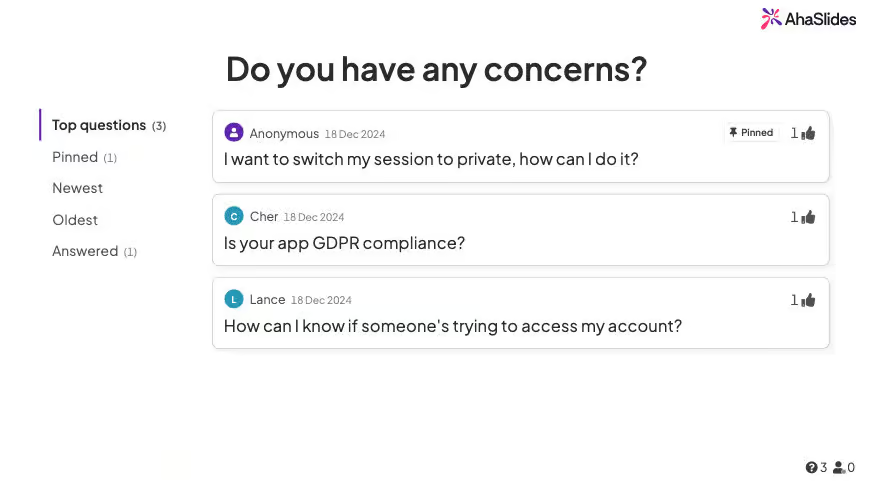
अधिकांश लोग सहकर्मियों से भरे कमरे के सामने प्रश्न पूछने से कतराते हैं। ऐसा इसलिए नहीं कि उनके पास कोई प्रश्न नहीं है, बल्कि इसलिए कि प्रश्न पूछना जोखिम भरा लगता है। गुमनाम प्रश्न पूछने के उपकरण इस झिझक को पूरी तरह दूर कर देते हैं। आपको जो प्रश्न मिलते हैं वे खुलेआम होने वाली चर्चाओं में पूछे गए प्रश्नों की तुलना में अधिक ईमानदार, अधिक विविध और अक्सर अधिक रोचक होते हैं। वास्तविक जिज्ञासा के लिए अनुकूल परिस्थितियाँ बनाएँ और लोग आपको आश्चर्यचकित कर देंगे।
5. लाइव वर्ड क्लाउड
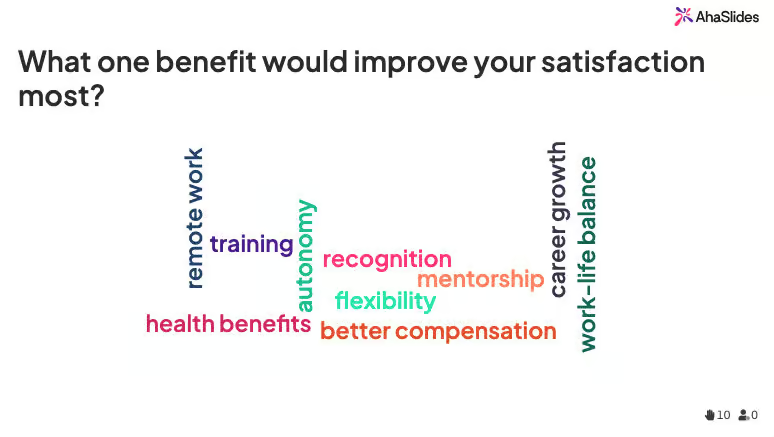
कमरे में मौजूद सभी लोगों से एक सवाल पूछें। जवाब सिर्फ एक शब्द में दें। क्लाउड को वास्तविक समय में बनते हुए देखें। यह देखने में आकर्षक है, इससे तुरंत पता चल जाता है कि आपके श्रोताओं के मन में सबसे अहम सवाल क्या है, और इसमें लगभग 60 सेकंड लगते हैं। यह किसी विषय को शुरू करने का भी एक बेहतरीन तरीका है - "अभिभूत", "भ्रमित" और "उत्साहित" जैसे शब्दों को एक साथ देखना आपको किसी भी तैयार स्लाइड से कहीं ज़्यादा आपके श्रोताओं की स्थिति के बारे में बताता है।
6. बातचीत के लिए स्पिनिंग व्हील
स्वयंसेवा के विपरीत, अनिश्चितता लोगों को सतर्क रखती है। जब किसी को भी अगला मौका मिल सकता है, तो हर कोई थोड़ा अधिक ध्यान देता है। भागीदारी, प्रश्न या छोटी-मोटी चुनौतियों के लिए डिजिटल स्पिनर का उपयोग करें। यह निष्पक्ष लगता है, थोड़ी प्रतिस्पर्धा का भाव जोड़ता है, और हमेशा एक ही तीन लोगों के जवाब देने के पैटर्न को तोड़ता है।
7. पॉइंट सिस्टम के साथ गेमिफिकेशन
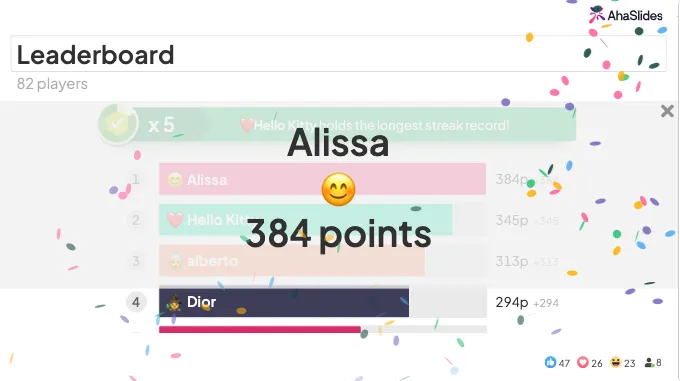
प्रतियोगिता के लिए पुरस्कारों की आवश्यकता नहीं होती। अंक, रैंकिंग और लीडरबोर्ड पर अपना नाम ऊपर चढ़ते देखना ही व्यवहार में बदलाव लाने के लिए काफी है। गेमिफिकेशन इसलिए काम करता है क्योंकि यह हमारी मूलभूत प्रवृत्ति को प्रभावित करता है। प्रगति से अच्छा महसूस होता है। यहां तक कि वरिष्ठ पेशेवरों से भरे कमरे में भी, लीडरबोर्ड ऐसी ऊर्जा उत्पन्न करता है जो सीधे तौर पर कंटेंट प्रस्तुत करने से कभी नहीं मिल सकती।
दृश्य और डिजाइन नवाचार
अधिकांश प्रेजेंटेशन स्लाइड्स में बहुत अधिक जानकारी होती है। बहुत सारे शब्द, बहुत सारे बुलेट पॉइंट, एक साथ बहुत सारी चीज़ें ध्यान खींचने की होड़ में लगी रहती हैं। अच्छा विज़ुअल डिज़ाइन केवल सजावट नहीं है - यह इस बात का निर्णय है कि किस पर ध्यान केंद्रित किया जाना चाहिए।
8. शक्तिशाली दृश्यों के साथ न्यूनतम डिजाइन
एक तस्वीर। एक शीर्षक। शायद एक संख्या। बस इतना ही। सुनने में यह सरल लगता है, लेकिन जब आप इसे आजमाकर देखते हैं और अपने दर्शकों को स्लाइड को ध्यान से देखते हुए पाते हैं, तो बात अलग है। न्यूनतम डिज़ाइन आपको हर तत्व के बारे में सोच-समझकर निर्णय लेने के लिए मजबूर करता है - और यह आपके बोले गए शब्दों को प्रभावी ढंग से प्रस्तुत करने का अवसर देता है। यदि आपकी स्लाइड आपकी जगह ले सकती है, तो वह बहुत अधिक काम कर रही है।
9. रणनीतिक खुलासे
एक बार में एक ही बात दिखाएँ। यह सुनने में सरल लगता है, और है भी, लेकिन ज़्यादातर प्रस्तुतकर्ता सब कुछ एक साथ स्क्रीन पर डाल देते हैं और फिर सोचते हैं कि लोग सुनना क्यों बंद कर देते हैं। जानकारी को धीरे-धीरे प्रकट करने से श्रोताओं का ध्यान आप पर केंद्रित रहता है। अगर आगे बढ़ने के लिए कुछ है ही नहीं, तो वे मानसिक रूप से आगे नहीं बढ़ सकते।
10. डेटा विज़ुअलाइज़ेशन और इन्फ़ोग्राफ़िक्स
एक चार्ट जो पाँच सेकंड में तीन वर्षों के राजस्व रुझानों को दर्शाता है, उसी डेटा का वर्णन करने वाले तीन पैराग्राफों से कहीं अधिक प्रभावशाली होता है। दर्शक टेक्स्ट की तुलना में विज़ुअल को तेज़ी से समझते हैं, उन्हें लंबे समय तक याद रखते हैं और उन्हें अधिक आकर्षक पाते हैं। यदि आप संख्याएँ प्रस्तुत कर रहे हैं, तो उन्हें दिखाएँ - उनका वर्णन न करें। जैसे ही आप किसी तालिका को चार्ट में बदलते हैं, अंतर्दृष्टि छिपी रहने के बजाय स्पष्ट हो जाती है।
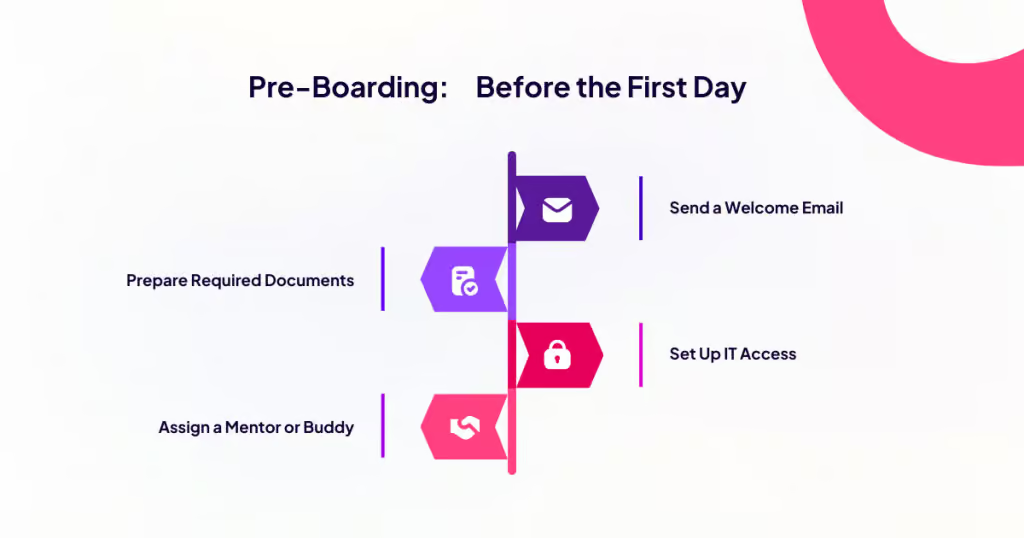
11. कालानुक्रमिक सामग्री के लिए समयरेखा प्रस्तुतीकरण
गद्य में क्रम को समझना कठिन होता है, जबकि टाइमलाइन में इसे समझना आसान होता है। जब आपका विषय इतिहास, प्रक्रिया या विकास से संबंधित हो, तो एक दृश्य टाइमलाइन दर्शकों के लिए समझने का काम आसान कर देती है। वे देख सकते हैं कि चीजें कहाँ से शुरू हुईं, अभी कहाँ हैं और कहाँ जा रही हैं - उन्हें बुलेट पॉइंट्स से पूरी प्रक्रिया को दोबारा बनाने की आवश्यकता नहीं होती। इसका उपयोग केस स्टडी, उत्पाद विकास, परियोजना अवलोकन या किसी भी ऐसी कहानी के लिए करें जिसमें पहले और बाद का अंतर हो।
12. कस्टम चित्र और आइकन
अपने संदेश को सशक्त बनाने के लिए पेशेवर चित्रकारी करवाएं या स्वयं चित्र बनवाएं। स्टॉक इमेज सुरक्षित तो होती हैं, लेकिन जल्दी भुला दी जाती हैं। जब कोई अनूठा दृश्य आपके विचार से जुड़ जाता है, तो वह इस तरह से याद रह जाता है जैसे गेटी इमेजेज की हाथ मिलाने वाली तस्वीर कभी नहीं रहेगी। आपको हर स्लाइड के लिए पेशेवर चित्रकार की आवश्यकता नहीं है। सरल और सुसंगत चित्र भी आपकी प्रस्तुति को इस सप्ताह आपके दर्शकों द्वारा देखी जाने वाली अन्य सभी प्रस्तुतियों से अलग बनाते हैं।
मल्टीमीडिया और कहानी सुनाना
तथ्य जानकारी देते हैं। कहानियाँ याद रहती हैं। बेहतरीन प्रस्तुतियाँ ये दोनों काम करती हैं - लोगों को विश्वास करने लायक और याद रखने लायक कुछ देती हैं। मल्टीमीडिया वह माध्यम है जिससे आप इसे बौद्धिक स्तर पर ही नहीं, बल्कि संवेदी स्तर पर भी साकार कर सकते हैं।
13. ध्वनि प्रभाव और ऑडियो संकेत
अधिकांश प्रस्तुतियाँ केवल एक ही इंद्रिय को सक्रिय करती हैं: दृष्टि। ऑडियो का प्रयोग, भले ही सूक्ष्म रूप से, इसे बदल देता है। किसी आश्चर्यजनक आँकड़े को प्रकट करते समय उपयुक्त ध्वनि प्रभाव, या किसी बदलाव के दौरान परिवेशी संगीत, प्रस्तुति को कृत्रिम रूप से निर्मित होने के बजाय सुसज्<binary data, 7 bytes> बनाता है। यह आपके दर्शकों को संकेत देता है कि किसी ने उनके अनुभव को ध्यान में रखते हुए सावधानीपूर्वक विचार किया है। यह संकेत मात्र ही लोगों के आपके कथन को ग्रहण करने के तरीके को बदल देता है।
14. ग्राहकों से प्राप्त वीडियो प्रशंसापत्र
आप अपने दर्शकों को बता सकते हैं कि आपके उत्पाद ने किसी की ज़िंदगी बदल दी। या आप उन्हें उस व्यक्ति का खुद का 30 सेकंड का वीडियो दिखा सकते हैं। दूसरा विकल्प हमेशा बेहतर होता है। वीडियो में प्रामाणिकता झलकती है, जबकि लिखित सामग्री में ऐसा कभी नहीं होता - दर्शक असली चेहरे देखते हैं, असली आवाज़ें सुनते हैं और असली भावनाओं को महसूस करते हैं। यहां तक कि किसी असली ग्राहक द्वारा फ़ोन पर रिकॉर्ड किया गया वीडियो भी, एक सधे हुए लिखित प्रशंसापत्र से कहीं ज़्यादा असरदार होता है।
15. व्यक्तिगत कहानियां और कथात्मक ढांचा
लोग तथ्यों की तुलना में कहानियों को पांच गुना बेहतर याद रखते हैं। इसका मतलब यह नहीं है कि आप अपनी प्रस्तुति को किस्सों से भर दें, बल्कि इसका मतलब यह है कि आप अपनी पूरी संरचना को एक कथात्मक क्रम के इर्द-गिर्द बनाएं। पात्र, संघर्ष, समाधान। यहां तक कि आंकड़ों से भरे विषय भी तब अधिक आकर्षक हो जाते हैं जब उन्हें इस कहानी के रूप में प्रस्तुत किया जाता है कि कैसे किसी चीज या व्यक्ति में बदलाव आया। आंकड़े गायब नहीं होते। बस उन्हें अंततः महत्व मिलने का एक कारण मिल जाता है।
16. परिदृश्य-आधारित काल्पनिक स्थितियाँ
उत्तर बताने से पहले, प्रश्न पूछें। एक वास्तविक परिदृश्य प्रस्तुत करें, श्रोताओं को कुछ देर सोचने का समय दें, और फिर पूछें: आप क्या करेंगे? जब लोग अपने मन में पहले से ही कोई उत्तर तय कर चुके होते हैं, तो उत्तर का खुलासा अलग प्रभाव डालता है। वे निष्क्रिय रूप से जानकारी ग्रहण नहीं कर रहे होते हैं - वे यह जानने की कोशिश कर रहे होते हैं कि उनका अनुमान सही था या नहीं। दांव में यह छोटा सा बदलाव सामग्री को ग्रहण करने के तरीके को पूरी तरह से बदल देता है।
दर्शकों की भागीदारी और गतिविधि
एक घंटे तक स्थिर बैठना स्वाभाविक मानवीय अवस्था नहीं है। इसके लिए प्रयास करना पड़ता है, और यह प्रयास उस मानसिक ऊर्जा से सीधे तौर पर प्रतिस्पर्धा करता है जो आप चाहते हैं कि आपके दर्शक आपकी सामग्री पर खर्च करें। लोगों को उपस्थित रखने के लिए गतिविधि और सहभागिता को एक सुनियोजित उपाय के रूप में शामिल करें।
17. समूह समस्या-समाधान के लिए ब्रेकआउट रूम चुनौतियाँ
छोटे समूह समस्याओं को व्यक्तियों से अलग तरीके से हल करते हैं। अपने श्रोताओं को समूहों में बाँटें, प्रत्येक समूह को अपने विषय से संबंधित एक चुनौती दें और उन्हें पाँच से दस मिनट तक काम करने दें, फिर अपने विचार साझा करने को कहें। इससे आपको सहपाठी शिक्षण, वास्तविक बहस और ऐसे लोगों से भरा कमरा मिलेगा जो अब परिणाम में रुचि रखते हैं क्योंकि उन्होंने इसमें योगदान दिया है। जो विचार सामने आते हैं, वे लगभग हमेशा उन्हें उत्पन्न करने में लगने वाले समय के लायक होते हैं।
18. लाइव प्रदर्शन
करके दिखाओ, बताओ मत। किसी सॉफ़्टवेयर फ़ीचर, उत्पाद के उपयोग या किसी अवधारणा को व्यवहार में दिखाने का 2 मिनट का लाइव डेमो, उसे समझाने से कहीं ज़्यादा असरदार होता है। दर्शक वास्तविक परिणाम देखते हैं, वास्तविक प्रश्न पूछते हैं और जो कुछ उन्होंने देखा, वह उन्हें लंबे समय तक याद रहता है, भले ही वे आपके कहे को भूल जाएं। डेमो का त्रुटिहीन होना ज़रूरी नहीं है; दिखावटीपन से ज़्यादा वास्तविक चीज़ ज़्यादा प्रभावशाली होती है।
19. भूमिका-निर्वाह और अनुकरण
किसी को मुश्किल बातचीत से निपटने का तरीका बताना उपयोगी होता है। लेकिन उन्हें ऐसी स्थिति में डालना एक अविस्मरणीय अनुभव होता है। भूमिका-निर्वाह लगभग तीस सेकंड के लिए थोड़ा अटपटा लगता है, फिर अचानक सब कुछ समझ में आ जाता है। लोग दिखावा करना बंद कर देते हैं और वास्तव में उस स्थिति में शामिल हो जाते हैं। इसका उपयोग बिक्री संबंधी आपत्तियों, कठिन प्रतिक्रिया, बातचीत या किसी भी ऐसी स्थिति में करें जहाँ कौशल केवल अभ्यास से ही विकसित होता है। थोड़ी सी असहजता ही इसका उद्देश्य है। यही चीज़ सीखने को स्थायी बनाती है।
20. खोजी शिकार
अपनी स्लाइड्स में या कमरे के चारों ओर जानकारी, सुराग या चुनौतियाँ छिपाएँ और टीमों को उन्हें खोजने के लिए प्रतिस्पर्धा करने दें। यह 2009 के किसी टीम-बिल्डिंग अभ्यास जैसा लग सकता है, लेकिन इसका मूल सिद्धांत वास्तव में प्रभावी है - लोग तभी ध्यान से सुनते हैं जब वे किसी विशिष्ट चीज़ की तलाश कर रहे होते हैं। यह विशेष रूप से ऑनबोर्डिंग, प्रशिक्षण सत्रों या लंबी प्रस्तुतियों के लिए कारगर है जहाँ पहले घंटे के बाद उत्साह कम होने लगता है।
21. हाथ उठाकर मतदान करना
कम तकनीक, बिना किसी सेटअप के, और आश्चर्यजनक रूप से शक्तिशाली। "आप में से कितने लोगों ने कभी..." यह प्रश्न कुछ ऐसा करता है जो सर्वेक्षण या प्रश्नोत्तरी नहीं कर सकते: यह कमरे में मौजूद सभी लोगों को एक-दूसरे के सामने लाता है। लोग देखते हैं कि और किसने हाथ उठाया। वे अपनी धारणाओं को फिर से परखते हैं। उन्हें अपने अनुभव में अकेलापन कम महसूस होता है और अलग-अलग जवाब देने वाले लोगों के बारे में जानने की जिज्ञासा बढ़ जाती है। इसे सिर्फ इसलिए कम मत समझिए क्योंकि यह सरल है।
उन्नत और अपरंपरागत प्रारूप
कभी-कभी सबसे आकर्षक तरीका होता है कि आप प्रारूप को पूरी तरह से बदल दें। ये विचार तब काम आएंगे जब एक मानक प्रस्तुति संरचना पर्याप्त न हो - जब आपका विषय अधिक महत्वाकांक्षी हो, या जब आपके श्रोता बहुत सारे सामान्य सत्रों में बैठ चुके हों और किसी और सत्र से प्रभावित न हों।
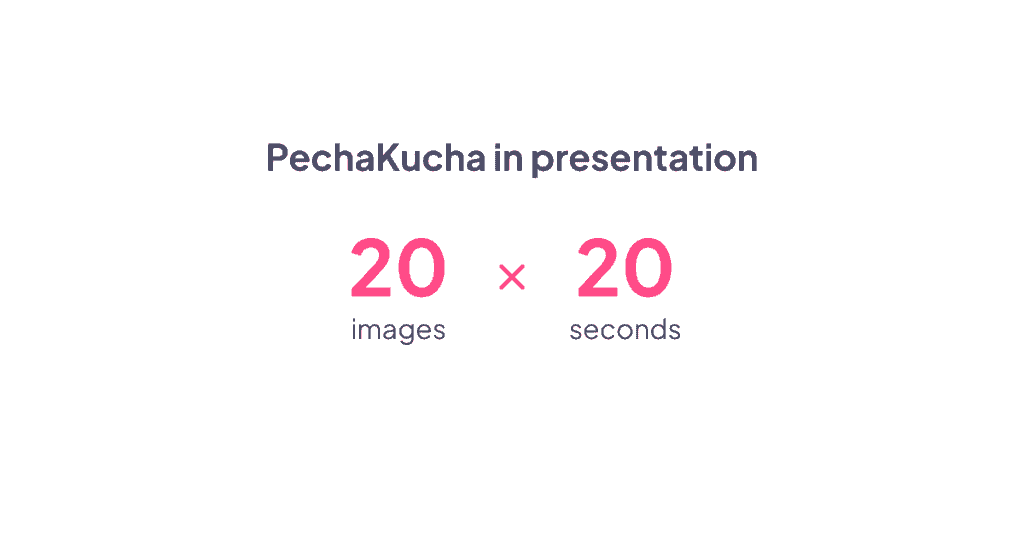
22. पेचाकुचा 20x20 प्रारूप
बीस स्लाइड। हर स्लाइड के लिए बीस सेकंड। स्लाइड अपने आप आगे बढ़ती रहेंगी, चाहे आप तैयार हों या न हों। यह किसी तनावपूर्ण सपने जैसा लग सकता है, लेकिन यही तो इसकी खासियत है। पेचाकुचा एक ऐसी सटीकता पर ज़ोर देता है जो ज़्यादातर प्रस्तुतियों में कभी हासिल नहीं होती। हर शब्द को सोच-समझकर बोलना पड़ता है क्योंकि फालतू शब्दों के लिए समय नहीं होता। नतीजा यह होता है कि प्रस्तुति तेज़, सटीक और देखने में वाकई आकर्षक होती है। इसका इस्तेमाल पिच, आइडिया शोकेस या किसी भी ऐसी स्थिति में करें जहाँ सामान्य प्रारूप उबाऊ लगे। यह चुपके से, प्रस्तुति कौशल को निखारने का एक बेहतरीन अभ्यास भी है।
23. आग के पास बैठकर बातचीत
एकालाप की जगह संवाद का प्रयोग करें। मंच पर किसी अतिथि विशेषज्ञ, सहकर्मी या टीम सदस्य का साक्षात्कार लें। संवाद इतना सहज लगता है कि एक बेहतरीन एकल प्रस्तुति में भी ऐसा कम ही होता है। प्रश्न स्वाभाविक रूप से उठते हैं, विषयांतर होते हैं और यह आदान-प्रदान एक ऐसी ऊर्जा उत्पन्न करता है जिसे एक अकेला वक्ता उत्पन्न नहीं कर सकता। श्रोता ध्यान से सुनते हैं क्योंकि वे दो लोगों को वास्तविक समय में एक साथ सोचते हुए देख रहे होते हैं, न कि किसी एक व्यक्ति को वह भाषण देते हुए देख रहे होते हैं जो उसने पिछले मंगलवार को तैयार किया था।
24. श्रोता-निर्देशित प्रस्तुतियाँ
अपने श्रोताओं को विषय-प्रवाह पर नियंत्रण दें। कई विषय या दिशाएँ प्रस्तुत करें और उन्हें यह तय करने दें कि आगे क्या जानना है। स्वाभाविक बदलाव के बिंदुओं पर उनसे संपर्क करें और मतदान के आधार पर विषय-प्रवाह का निर्धारण करें। यह तरीका प्रशिक्षण सत्रों के लिए विशेष रूप से कारगर है, जहाँ विभिन्न समूहों की प्राथमिकताएँ अलग-अलग होती हैं, या फिर विशेषज्ञ प्रस्तुतियों के लिए, जहाँ श्रोताओं का ज्ञान ही चर्चा को उतना ही प्रभावित करता है जितना कि स्लाइड्स। लोग उस सामग्री पर अधिक ध्यान देते हैं जिसे चुनने में उन्होंने स्वयं योगदान दिया हो।
25. गहन और अनुभवात्मक प्रारूप
महत्वपूर्ण विषयों के लिए, स्लाइड्स से आगे बढ़कर कुछ नया करने पर विचार करें। प्रकाश, ध्वनि और सहायक उपकरणों का उपयोग करके एक उपयुक्त माहौल बनाएं। जलवायु परिवर्तन पर प्रस्तुति के लिए, एक अंधेरे कमरे में परिवेशी ध्वनि से शुरुआत करें और समाधानों पर चर्चा करते समय धीरे-धीरे प्रकाश बढ़ाएं। स्वास्थ्य और सुरक्षा पर प्रस्तुति के लिए, ऐसे सहायक उपकरण और परिदृश्यों का उपयोग करें जो अवधारणाओं को प्रभावी और यादगार बना दें। इस दृष्टिकोण में अधिक तैयारी की आवश्यकता होती है और यह हर स्थिति के लिए उपयुक्त नहीं होता, लेकिन जब यह सही ढंग से प्रस्तुत किया जाता है, तो यह ऐसी प्रस्तुति होती है जिसके बारे में लोग वर्षों तक बात करते हैं। अधिकांश सत्रों का उद्देश्य जानकारी देना होता है। इस सत्र का उद्देश्य यादगार बनना है।
अधिकतम प्रभाव के लिए तकनीकों का संयोजन
सबसे प्रभावशाली प्रस्तुतियों में किसी एक तकनीक का इस्तेमाल नहीं किया जाता। बल्कि, उनमें तकनीकों को रणनीतिक रूप से क्रमबद्ध तरीके से इस्तेमाल किया जाता है। एक आम तौर पर आकर्षक 45 मिनट की प्रस्तुति में ये शामिल हो सकते हैं:
प्रारंभिक सर्वेक्षण (2 मिनट), दृश्यात्मक रूप से कहानी सुनाना (10 मिनट), इंटरैक्टिव प्रश्नोत्तरी (3 मिनट), छोटे समूह में चर्चा (8 मिनट), लाइव डेमो (5 मिनट), श्रोताओं के प्रश्नोत्तर (5 मिनट), समापन प्रतिक्रिया सर्वेक्षण (2 मिनट)। आपने ध्यान आकर्षित करने और सीखने को गति देने के लिए एक लयबद्ध प्रक्रिया बनाने के लिए 6 अलग-अलग तकनीकों को संयोजित किया है।
आपको हर मिनट को योजनाबद्ध करने की आवश्यकता नहीं है। लेकिन ऊर्जा में स्वाभाविक गिरावट के बिंदु का एक मोटा अनुमान होना ही एक ऐसी प्रस्तुति के बीच का अंतर है जो ध्यान आकर्षित करती है और एक ऐसी प्रस्तुति जो लगभग चौदहवीं स्लाइड के आसपास धीरे-धीरे ध्यान खो देती है।
लपेटें
आपको एक ही बार में सब कुछ बदलने की ज़रूरत नहीं है। इस सूची में से एक विचार चुनें - वह विचार जिसे देखकर आपको लगा हो कि "मैं वास्तव में ऐसा कर सकता हूँ" - और इसे अपने अगले सत्र में आज़माएँ।
देखें कि आपके दर्शक कैसी प्रतिक्रिया देते हैं। बदलावों पर ध्यान दें। फिर उसी के आधार पर आगे बढ़ें।
जो वक्ता लगातार दर्शकों को बांधे रखते हैं, वे कोई रहस्यमय काम नहीं कर रहे हैं। उन्होंने बस दर्शकों को जोड़े रखना वैकल्पिक मानना छोड़ दिया है। एक बार जब आप भी यही निर्णय ले लेते हैं, तो बाकी सब स्वाभाविक रूप से हो जाता है।