Live emoji poll: hear how everyone feels in one tap

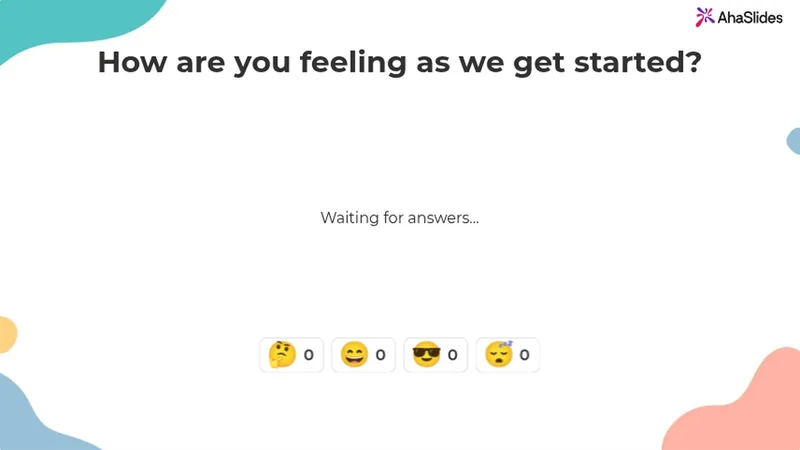
Ask one question and pick 2 to 6 emojis. Everyone answers with a tap on their phone, and the count builds live on your screen.

Regístrate gratis

Participants need no app or sign-up.

Tiene una calificación de 4.7 sobre 5 en G2, basada en 477 reseñas.

Con la confianza de los equipos en

  • Logotipo de la Universidad de Abu Dhabi
  • logotipo de Airbus
  • Logotipo de las escuelas de Bend La Pine
  • Logotipo de BMC
  • Logotipo de Bosch
  • Logotipo de Criteo
  • Logotipo de Ferrero Rocher
  • Logotipo de Intel
  • Logotipo de Ivy Tech Community College
  • Logotipo de Le Quiz Show

An emoji poll everyone can answer from their phone

An emoji poll is a live poll people answer by tapping an emoji. Ask "How is everyone?" out loud and you often get silence. Ask with emojis and everyone answers.

  • Un toque para responder

    Your emojis show as big buttons on any phone.

  • Tap once or keep tapping

    Allow submitting more than once is on by default. Turn it off for one answer each.
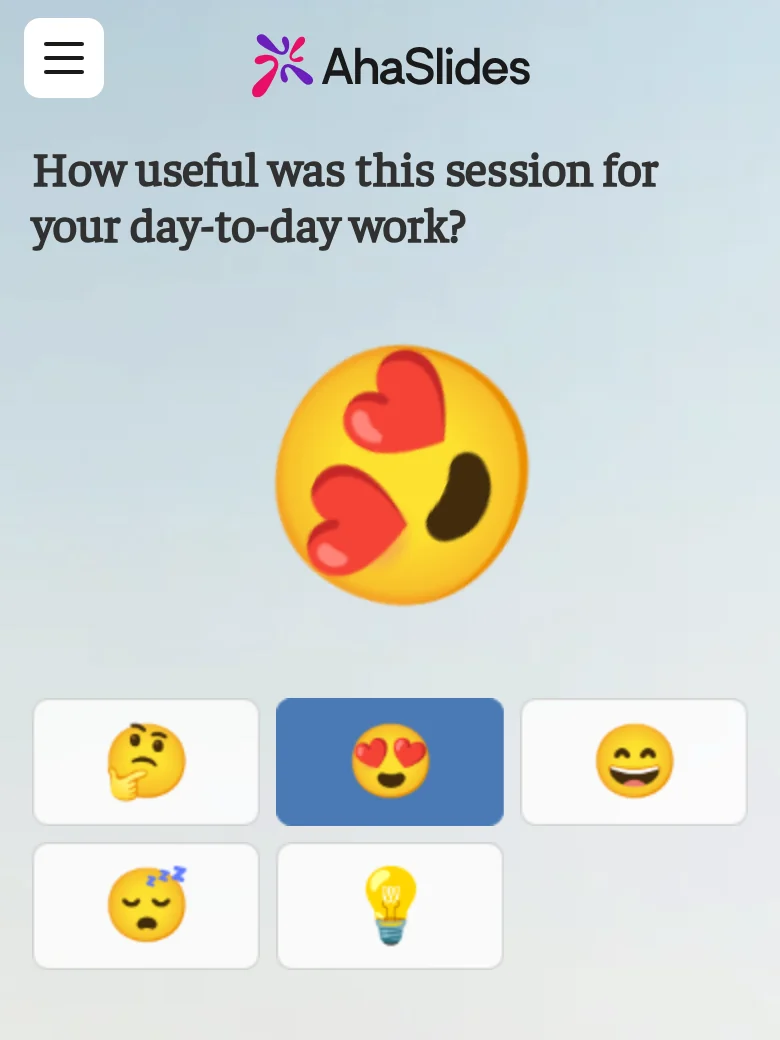
A participant answering an emoji poll on their phone, for the question "How useful was this session for your day-to-day work?", with the heart-eyes emoji just tapped and thrown large above five emoji buttons: thinking, heart-eyes, grinning, sleepy and light bulb
  • Live reactions, counted on your screen

    Each tap flies across your screen and adds to its emoji's count.

  • Close it when you have heard enough

    Turn on Close submission to stop new taps.

From the editor to the live count

Pick the emojis before you present, then watch the count build.

  • Pick your emojis in the editor

    Choose up to 6 from Reactions, Faces, Objects and symbols, or Food and nature.
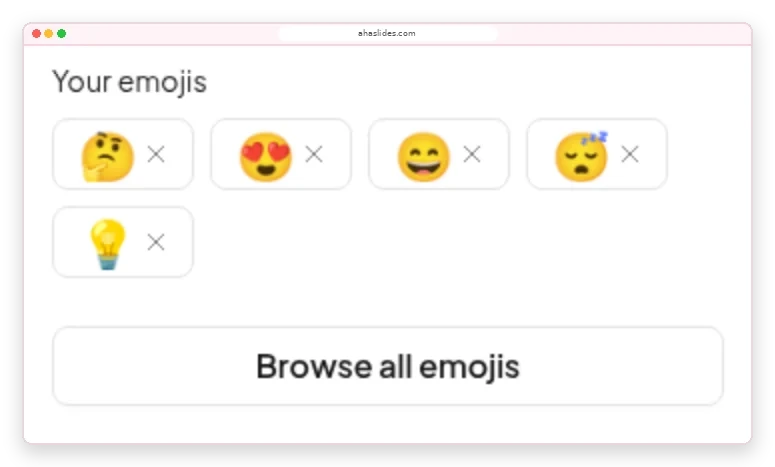
    The Emoji Poll panel in the AhaSlides editor: Your emojis showing thinking, heart-eyes, grinning, sleepy and light bulb, with a Browse all emojis button
  • Adjust to how the room feels

    A card under each emoji adds up the taps, so you know whether to recap or move on.
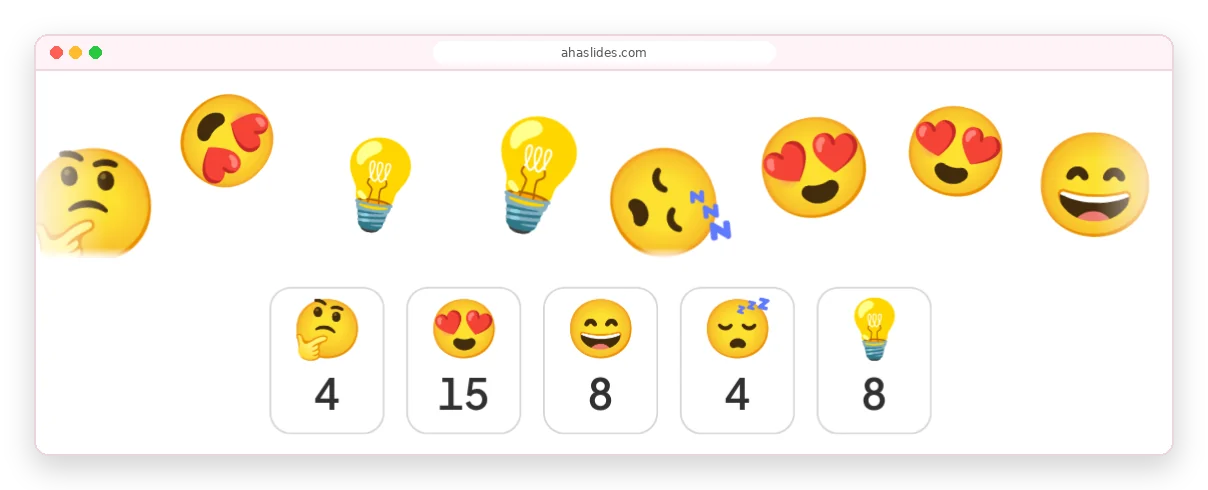
    Emojis flying across the AhaSlides presenter screen above count cards reading 4, 15, 8, 4 and 8 for thinking, heart-eyes, grinning, sleepy and light bulb

How to make an emoji poll

About two minutes from a blank slide to live answers.

Paso 1: Añade la diapositiva

Click New slide and pick Emoji Poll from the Poll group.

Paso 2: Ask how people feel

For example, "How is your energy this morning?"

Paso 3: Pick 2 to 6 emojis

Choose ones whose meaning is clear without words.

Paso 4: Presenta y comparte el código.

People join with the access code and start tapping.

Regístrate gratisTry the ready-made emoji poll

Emoji polls for meetings, training and classes

  • Conferencias

    A full hall answers at once, however far people sit from the stage.

    A conference hall with a panel on a lit stage and a large seated audience, while two big screens above show a live donut-chart poll
  • Capacitación Especializada

    Check in with trainees before the next module.

    Trainees at round tables in a large hall face a presenter and a screen showing a slide for virtual trainers
  • Aulas de clase

    Every student answers on their own phone.

    Learners seated at round tables with laptops face a large screen showing a QR code and a join slide in a training room

Emoji poll templates for mood check-ins

Examinar todas las plantillas (se abre en una nueva pestaña)

More ways to hear from everyone

Each runs live on people's phones in your presentation.

What hosts say about AhaSlides

  • “The ability of the audience to use emojis to react also allows you to gauge how they are receiving your presentation.”

    Tammy GreeneIvy Tech Community College, from G2
  • “Realmente aporta dinamismo a las reuniones virtuales y aumenta la participación de una manera que las diapositivas tradicionales simplemente no pueden igualar.”

    Jennifer Qamruddin5 sobre 5 en G2
  • “Captar la atención de una gran audiencia virtual no es fácil sin plataformas como esta. Si bien herramientas como Teams ofrecen encuestas básicas, a menudo carecen de atractivo visual y eficacia.”

    Rajesh B SethuramanResponsable de Formación y Desarrollo en JioBusiness, 5 de 5 estrellas en G2.

Emoji poll questions

A live poll where people answer by tapping an emoji instead of reading options. You pick 2 to 6 emojis, and each tap adds to that emoji's live count.

Add an Emoji Poll slide, ask how people feel and present. Everyone joins with the access code, in the room or on a video call. The Emoji Poll guide Cubre todos los entornos.

From 2 to 6. Swap any of the five defaults for any emoji in the library.

Yes, by default. Turn off Allow submitting more than once for one vote per person.

The flying emojis and counts show on your screen. Each participant sees only their own answer.

Use an emoji poll for a quick read on feelings, a escala de valoración for a score you can track, and a standard poll to choose between written options. For an emoji rating scale, order the faces from 😞 to 😍.

A reaction responds to whatever is on screen. An emoji poll asks one question, with the emojis you choose, and counts every answer live.