Office Christmas party games the whole team plays

Run a festive quiz, mix the tables into new teams and finish with a prize draw, all from one laptop. Colleagues join on their phones with a QR code, in the room or on the call, and a live leaderboard keeps every table playing to the end.

Plan your party games free Open the party template

Miễn phí cho tối đa 50 người. Không cần thẻ tín dụng.

Được đánh giá 4.7 trên 5 sao trên G2, dựa trên 428 bài đánh giá.
  • Logo Đại học Abu Dhabi
  • Logo Airbus
  • Logo trường Bend La Pine
  • Logo BMC
  • Logo Bosch
  • Logo Criteo
  • Logo Ferrero Rocher
  • Biểu trưng Intel
  • Logo trường Cao đẳng Cộng đồng Ivy Tech
  • Logo chương trình đố vui

Why work Christmas parties fall flat

The food and the venue are booked months ahead. What happens between the starter and the speeches is often left to chance, and that is the hour people remember.

  • Everyone stays at their own table

    Teams that sit together all year sit together again, and the party never mixes.

  • Remote colleagues are left out

    People on the call watch a room they cannot hear and log off early.

  • The same few voices

    Shout-out games suit the loudest people, while everyone else watches.

  • Games that take all week to plan

    Someone writes the quiz, prints answer sheets and spends the party marking them.

Plan your party games free
Four colleagues gather around a foosball table in an industrial-style office, two of them leaning in to play, the others smiling and watching

What a good office party game needs

The games people still talk about on Monday have a few things in common, whatever the size of the team.

  • Joining takes seconds

    A code on the screen and a phone in every hand. No app to install, no account to make.

  • It mixes the room

    Random teams put finance next to the warehouse and the new starter next to the CEO.

  • Remote staff play too

    The same game on the call and in the room, on one leaderboard.

  • Short rounds

    Ten minutes between courses or after the speeches, not an hour-long programme.

  • A moment everyone watches

    A prize draw or a final round where any table could still win.

  • Ready without the prep

    Games set up in an afternoon, not over a week of evenings.

Plan your party games free

AhaSlides runs the games, so you can enjoy the party

AhaSlides is a presentation tool your colleagues play along with on their phones. Put the games in one deck, click Present, and the scores, teams and draws run themselves.

  • Mix the tables with random teams

    Random Group Maker splits everyone into teams at random as they join, and the big screen reveals who is in which team. No one has to pick sides.
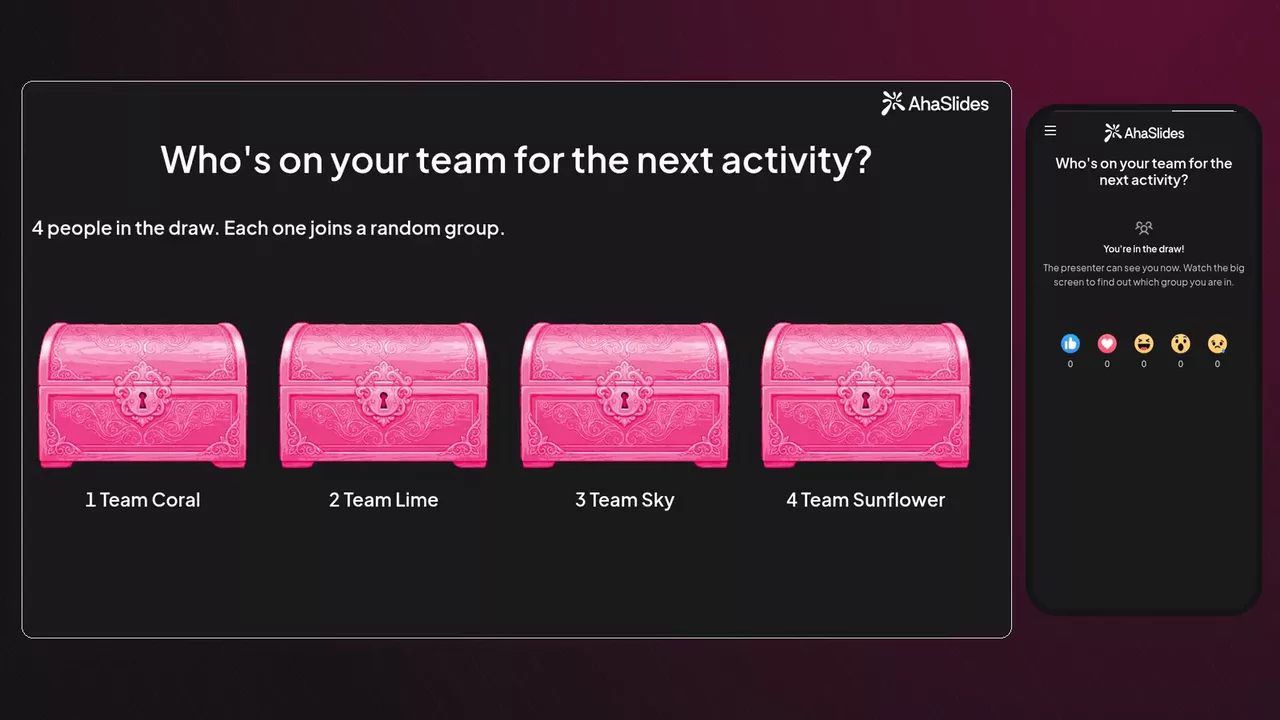
    Random Group Maker on the big screen: four closed chests for Team Coral, Team Lime, Team Sky and Team Sunflower, while a phone says You're in the draw
  • A Christmas quiz in the room and on the call

    Share the quiz on Zoom or Microsoft Teams, and colleagues at home play on the same leaderboard as the office. Faster right answers earn more, and teams come with Pro.
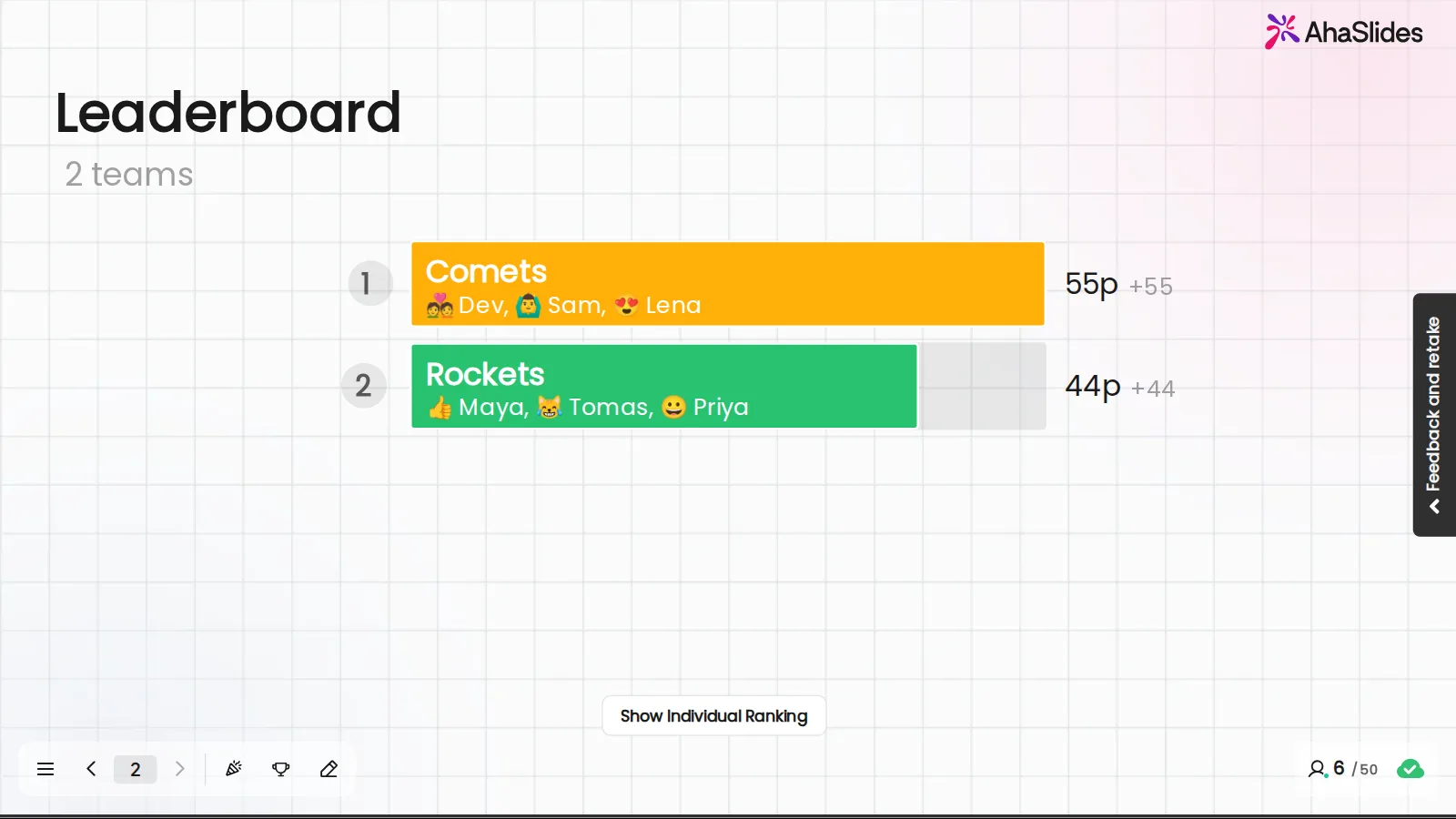
    An AhaSlides Bảng xếp hạng đồng đội của 2 đội: Đội Comets với Dev, Sam và Lena dẫn đầu với 55 điểm, đội Rockets với Maya, Tomas và Priya theo sau với 44 điểm.
  • Finish with a prize draw

    Race the ducks for the hamper or spin the wheel to pick who chooses a gift next. One click, and the whole room sees the winner.
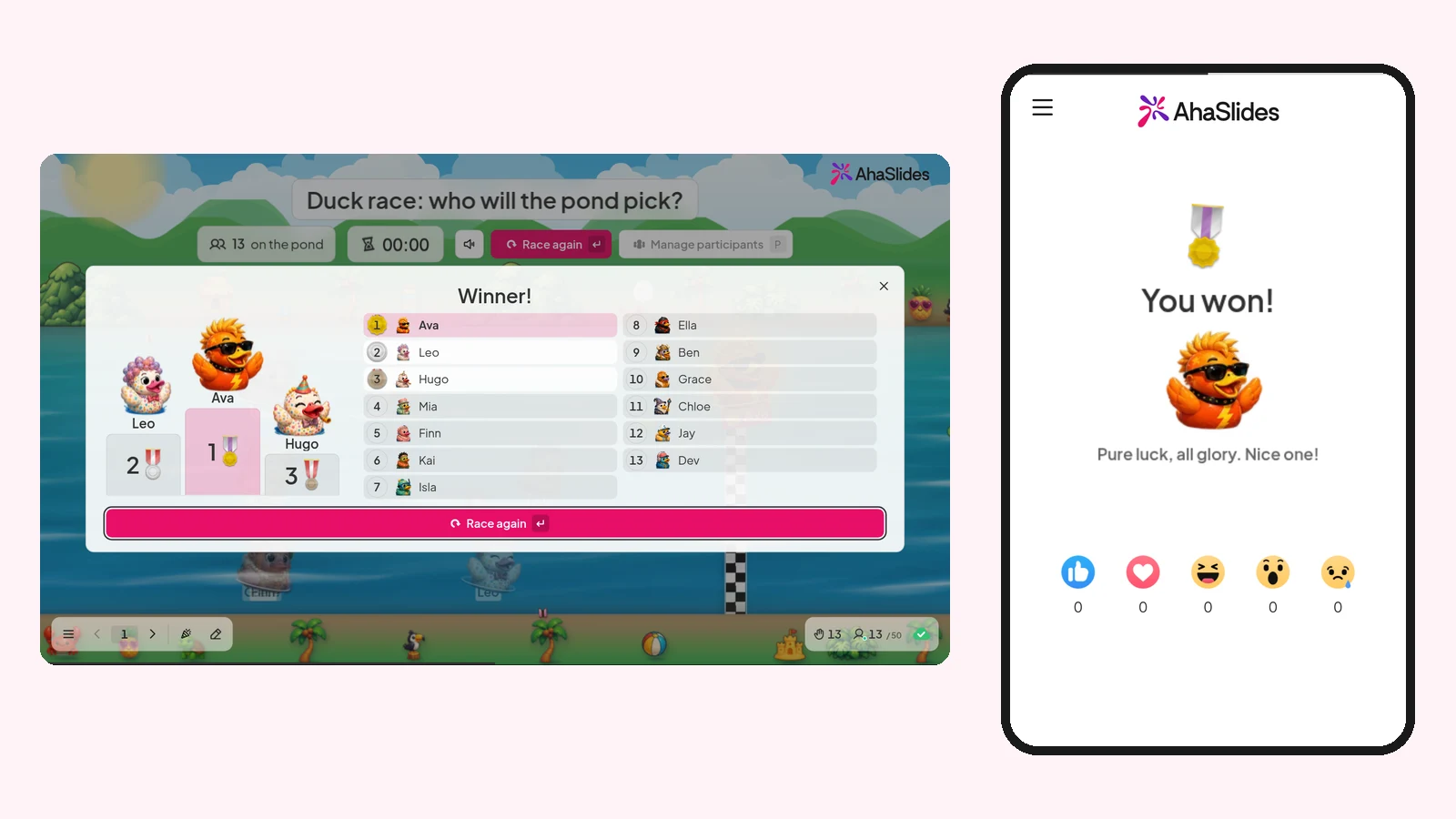
    A Duck race result on the big screen: Ava wins, ahead of Leo and Hugo among 13 players, and the winner's phone says You won!
Plan your party games free

Try the party games now

Click a card to play a real game on this page, then host your own copy at the party.

  • Quiz

    Điểm số và bảng xếp hạng trực tiếp

  • Công cụ tạo nhóm ngẫu nhiên

    Chia phòng thành các đội công bằng.

  • Câu đố săn tìm kho báu

    Trả lời đúng, mở rương, lấy vàng.

  • Vòng quay may mắn

    Bốc thăm trúng thưởng hoặc chọn ngẫu nhiên một người.

  • Cuộc đua vịt

    Một cuộc đua với người chiến thắng ngẫu nhiên

  • Đám mây từ

    Các câu trả lời phổ biến ngày càng được nhiều người quan tâm, hãy theo dõi nhé!

Plan your party games free

Run your party games in three steps

A laptop, a screen everyone can see and an afternoon to set it up.

  1. Bước 1: Pick your games

    Open a ready-made party template or build your own deck with a quiz, random teams and a prize draw.
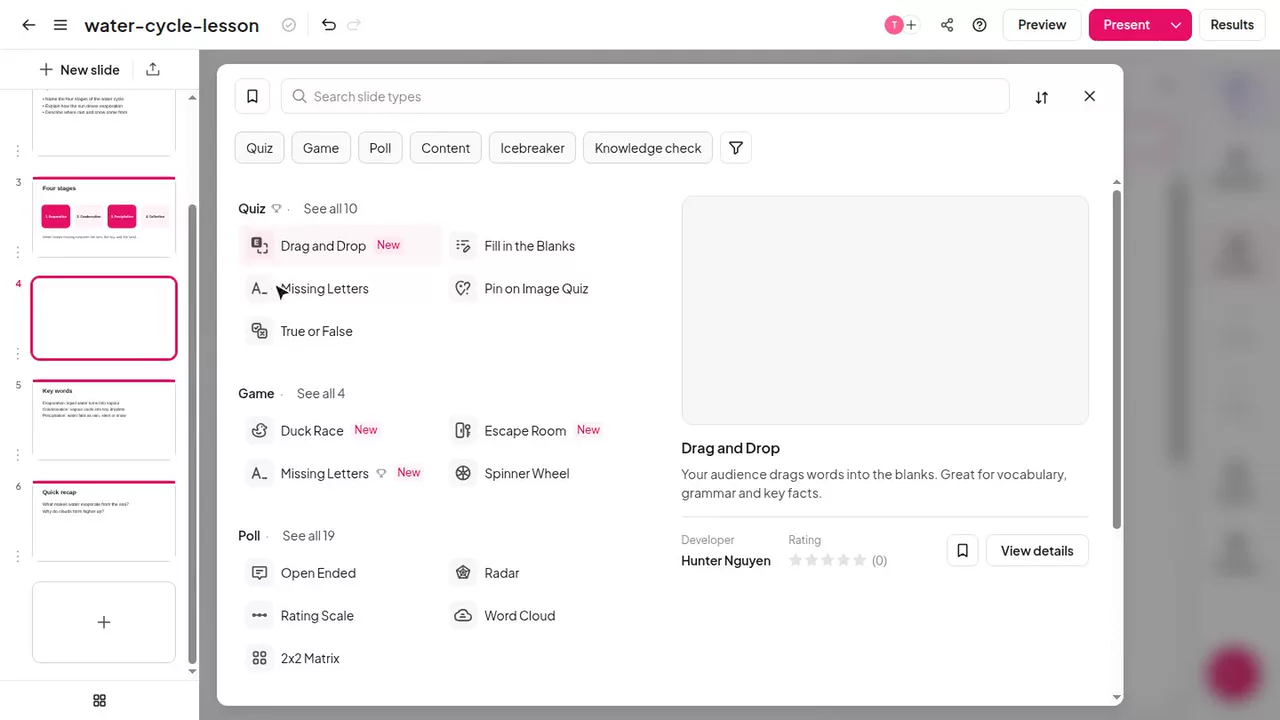
    Đây là trò chơi truyền cảm hứng bằng AhaSlides Trình chỉnh sửa với công cụ chọn loại slide đang mở, liệt kê các loại Bài kiểm tra, Trò chơi và Khảo sát.
  2. Bước 2: Show the QR code

    Click Present on the big screen and share it on the call. Colleagues scan the code and join on their phones.
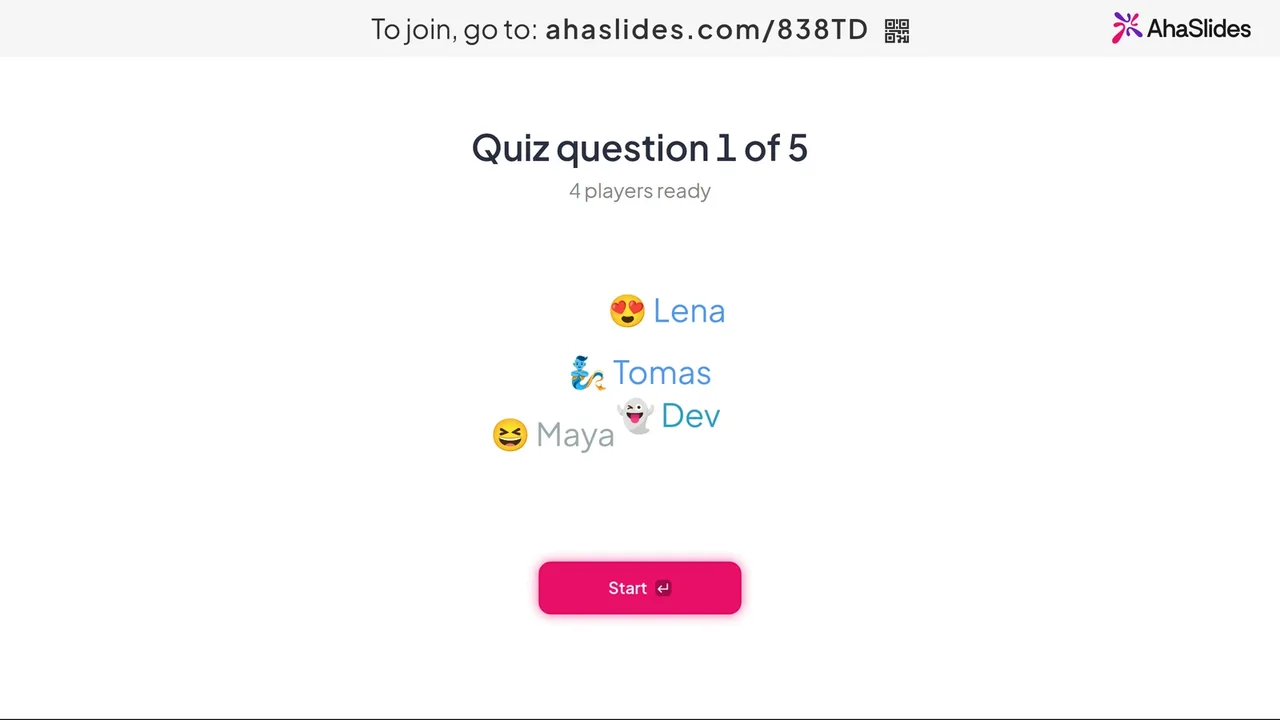
    Màn hình người dẫn chương trình trước câu hỏi trắc nghiệm số 1 trong 5 câu hỏi, với liên kết tham gia và mã QR ở phía trên, bốn người chơi đã sẵn sàng và nút Bắt đầu.
  3. Bước 3: Play, then crown the winners

    Run the rounds between courses, show the leaderboard and end with the prize draw.
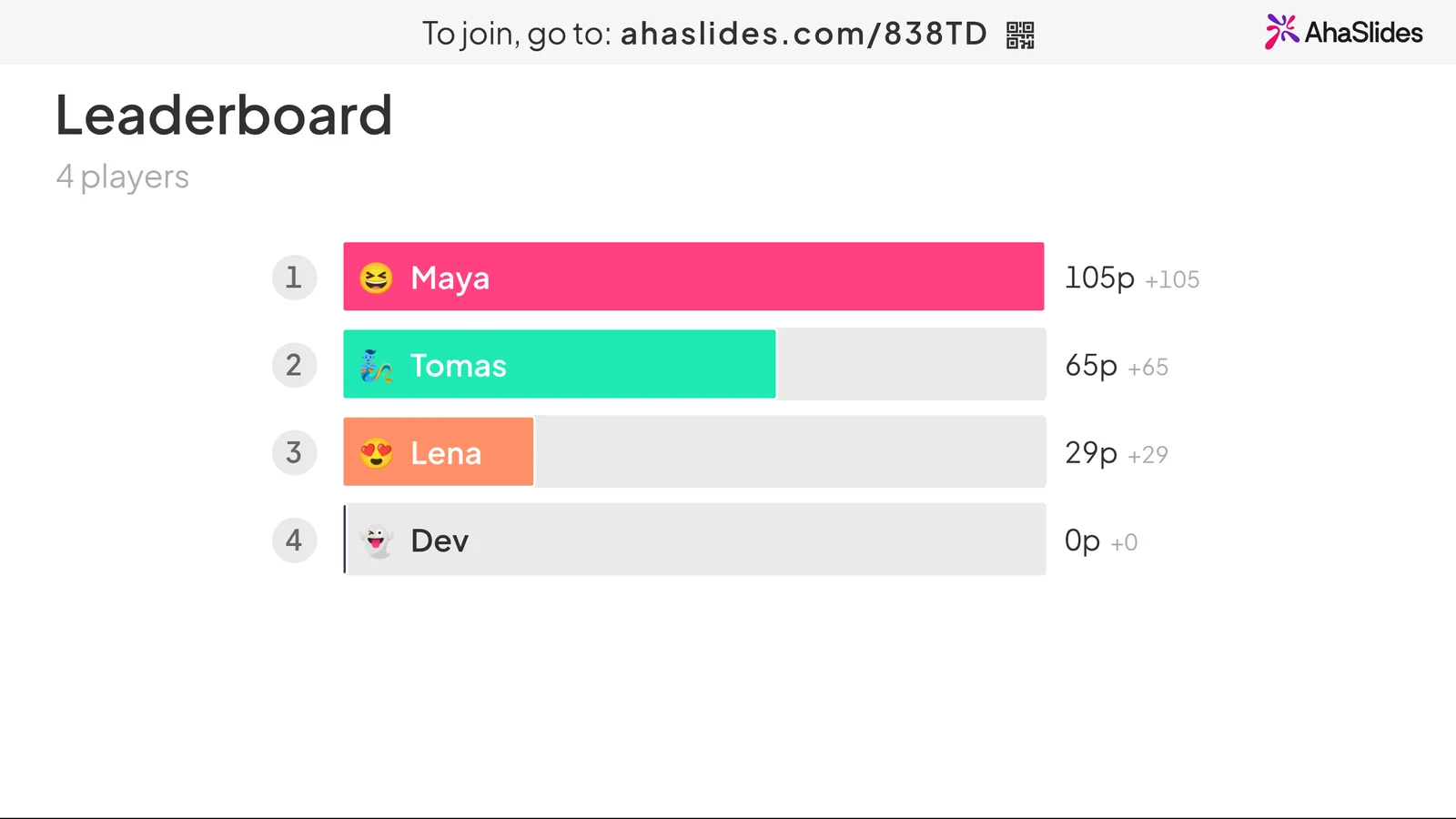
    An AhaSlides leaderboard for 4 players: Maya leads on 105 points, ahead of Tomas, Lena and Dev, with the join link at the top
Plan your party games free

Ready-made Christmas party templates

Names, timers and pictures are already in. Host one as it is, or swap in your own team and in-jokes.

See all Christmas quizzes

Office Christmas party game questions

Games where everyone can play at once and any table can win: a Christmas quiz with a live leaderboard, random teams that mix departments, a Christmas jumper vote and a prize draw at the end. With AhaSlides, colleagues play all of them on their phones.

They scan the QR code on the big screen or type the join code into the browser on their phone. There is no app to install and no account to create. Only the host needs an AhaSlides tài khoản.

Yes. Share your screen on Zoom or Microsoft Teams, and colleagues at home join with the same code on their phone or laptop. AhaSlides cũng hoạt động bên trong Zoom và Microsoft Teams.

Up to 50 live participants on the Free plan, with no credit card. For a bigger party, or to play as teams and add your company logo, upgrade to Pro. See giá cho các kế hoạch.

Yes. Turn on Play as teams for a quiz, set the number of teams and choose how they score: average score, total score or fastest answer. Team play is on the Pro, Enterprise, Edu Medium and Edu Large plans.

Minutes, with a template. The office party templates have the names, timers and pictures in already, so you can host one as it is or swap in your own team. A deck of your own takes an afternoon.

Yes. Type a topic and AI writes the questions and answers, or upload a PDF, PowerPoint or Word file, such as your year in review, and get questions on what is in it. Edit anything before the party.

A Cuộc đua vịt picks a random winner with a race the whole room watches, and a Vòng quay may mắn picks a name or a prize in one spin.
Hãy đọc trung tâm trợ giúp (mở trong một tab mới)