Create surveys in ChatGPT

Tell ChatGPT what you want to find out. The AhaSlides plugin writes the questions and builds the survey in your AhaSlides account, and when the answers come in, you ask ChatGPT what people said.

添加到 ChatGPT
根据 G2 上的 428 条评论,评分为 4.7 分(满分 5 分)。
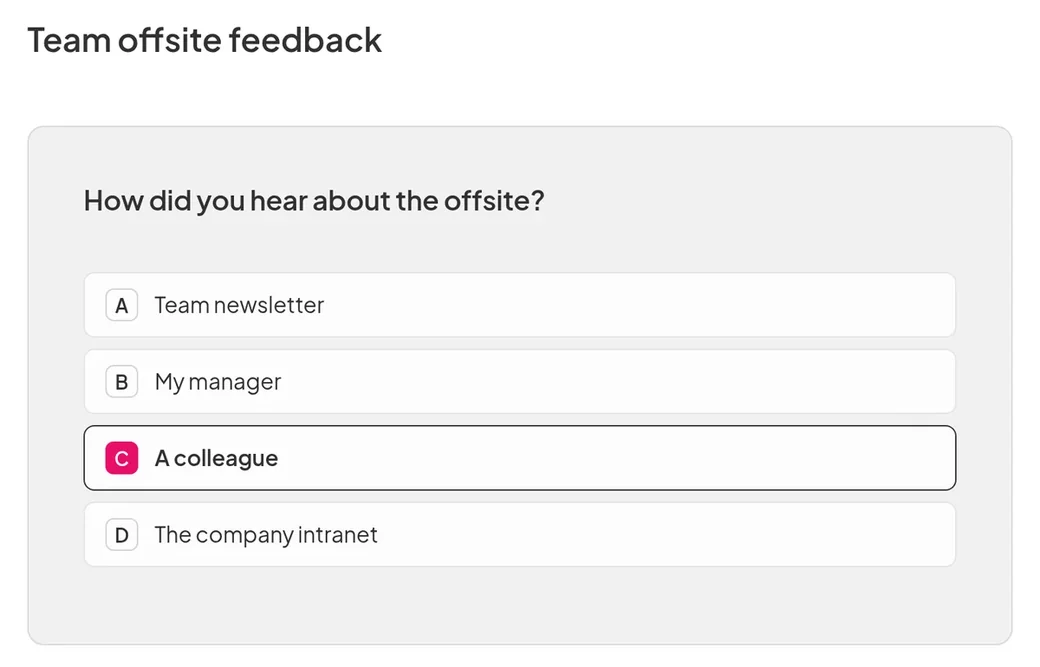
A team offsite feedback survey in AhaSlides: a multiple choice question asking how people heard about the offsite, with "A colleague" picked
  • 阿布扎比大学标志
  • 空客标志
  • 本德拉派恩学校标志
  • BMC标志
  • 博世标志
  • Criteo 标志
  • 费列罗巧克力标志
  • 英特尔标志
  • 艾维科技社区学院标志
  • Le Quiz Show 标志

Ask, publish, then read the answers

  • A ready survey from one request

    Say who the survey is for and what you want to learn, such as how a training day went. ChatGPT builds it in your AhaSlides account and publishes it when you are happy.
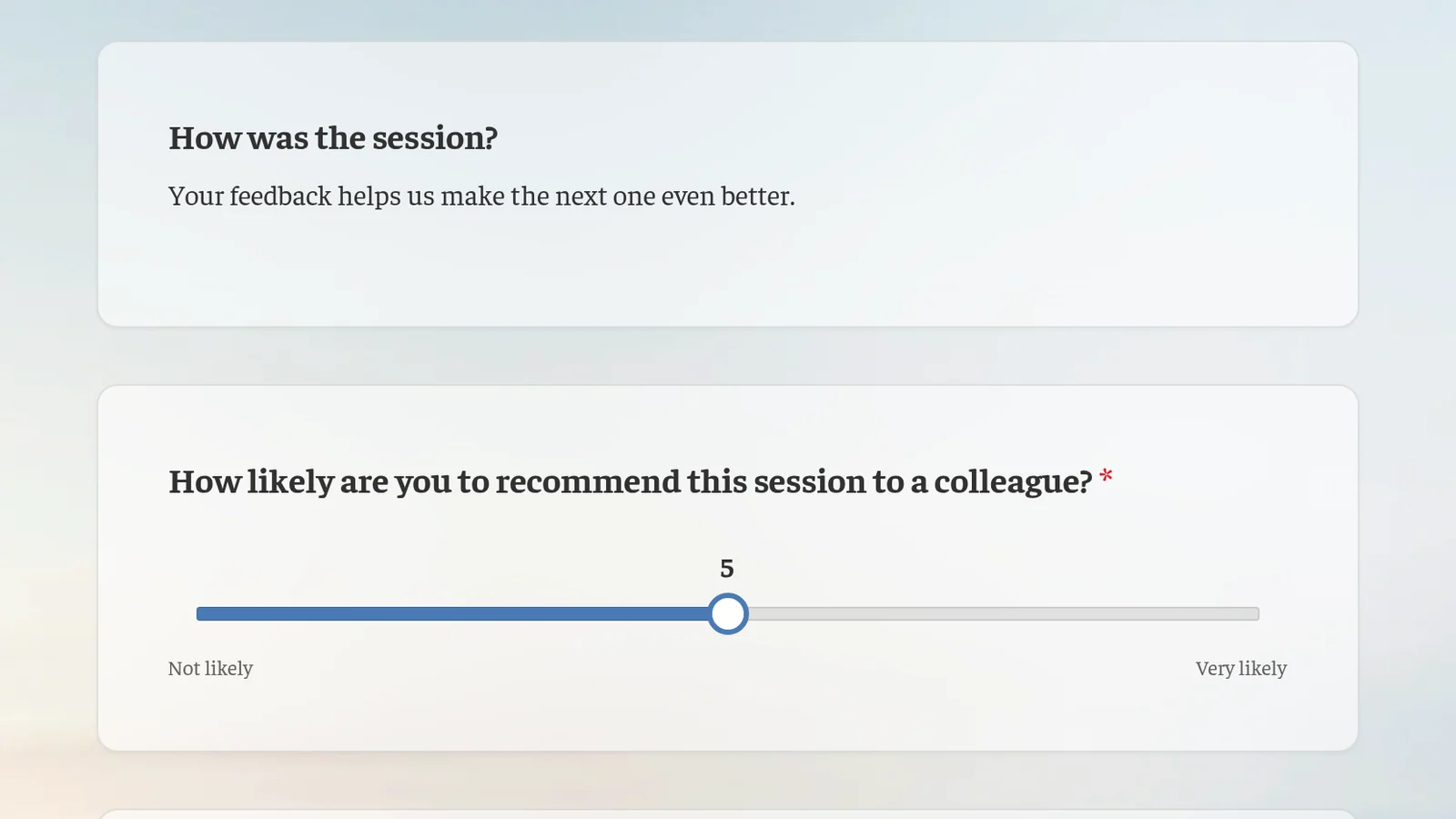
    A post-training feedback survey as people see it: how was the session, and how likely they are to recommend it to a colleague on a slider
添加到 ChatGPT

After you publish

  • Read the answers in ChatGPT

    Ask ChatGPT how people answered and what stood out, in the same chat where you built the survey.

  • Change it any time

    Open the survey in AhaSlides and edit any question yourself, or ask ChatGPT to do it.

  • In your audience's language

    Build the survey in any language ChatGPT supports.

它是给谁的

  • 培训师

    Run quick surveys to understand your learners.

  • 业务团队

    Find out what your audience thinks, then turn what they said into next steps.

More you can do with AhaSlides 在 ChatGPT 中

常见问题

Yes. Ask ChatGPT to publish it once you are happy with the questions. You can also open it in AhaSlides first and check every question yourself.

Yes. Once people have answered, ask ChatGPT how they responded and what stood out. It reads the results from your AhaSlides 帐户。

没有 AhaSlides plugin works with a free or paid AhaSlides account, on any ChatGPT plan.
请阅读设置指南 (在新标签页中打开)