

.webp)
Link to the full webinar - Watch it now
We’ve all seen it — blank faces, quiet rooms, eyes drifting to phones. According to research by Dr Gloria Mark, on-screen attention spans have decreased during the last two decades from 2.5 minutes to as low as 47 seconds.
Distraction has become the default in meetings, training sessions and classrooms.
But what if the secret to holding attention wasn’t simply better slides — but understanding how the brain engages?
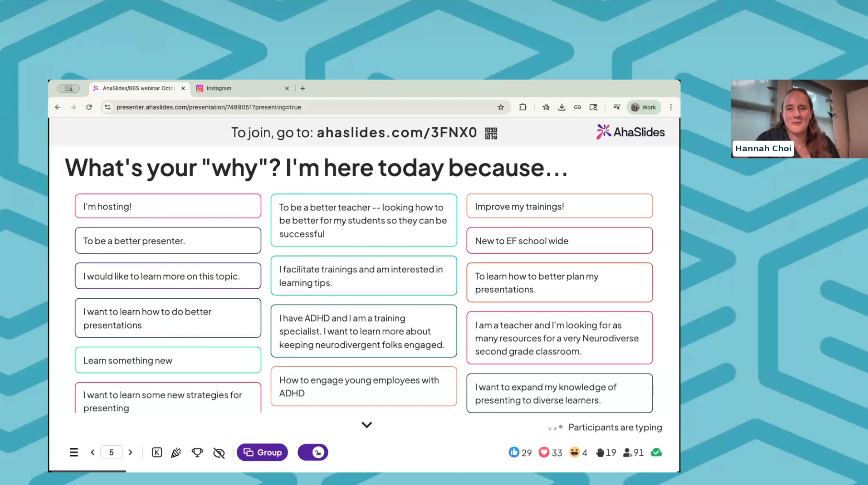
That’s exactly what the team of executive function coaches at Beyond BookSmart unpacked in their webinar Presenting for Every Brain.
Drawing on neuroscience, ADHD research and real-world teaching experience, they explained how interactive presentation software can help you design engagement on purpose — not by luck.
What executive function really means
“Executive functions or executive function skills are these mental skills that we use to get through our days. I like to say that they help us execute our days,” says Hannah Choi, Executive Function Coach.
Executive function (EF) is the mental toolkit that helps us plan, start, focus, switch, and self-regulate. When it breaks down — through stress, fatigue, or poor design — people tune out.
Interactive presentation software and intentional slide design activates EF skills in real time. By letting audiences click, vote, respond or reflect, you keep their working memory, organisation, and cognitive flexibility alive instead of letting them drift into passive consumption.
Why distraction is normal and how to design against it
“According to a recent Harvard study, up to eighty percent of neurotypical participants report tuning out at least once during a typical meeting or presentation,” says Executive Function Coach Heather Teller.
Distraction isn’t a personal flaw — it’s biological.
The Yerkes–Dodson curve shows how attention peaks in a “learning zone” between boredom and overwhelm. Too little stimulation, and people disengage. Too much, and stress shuts down focus.
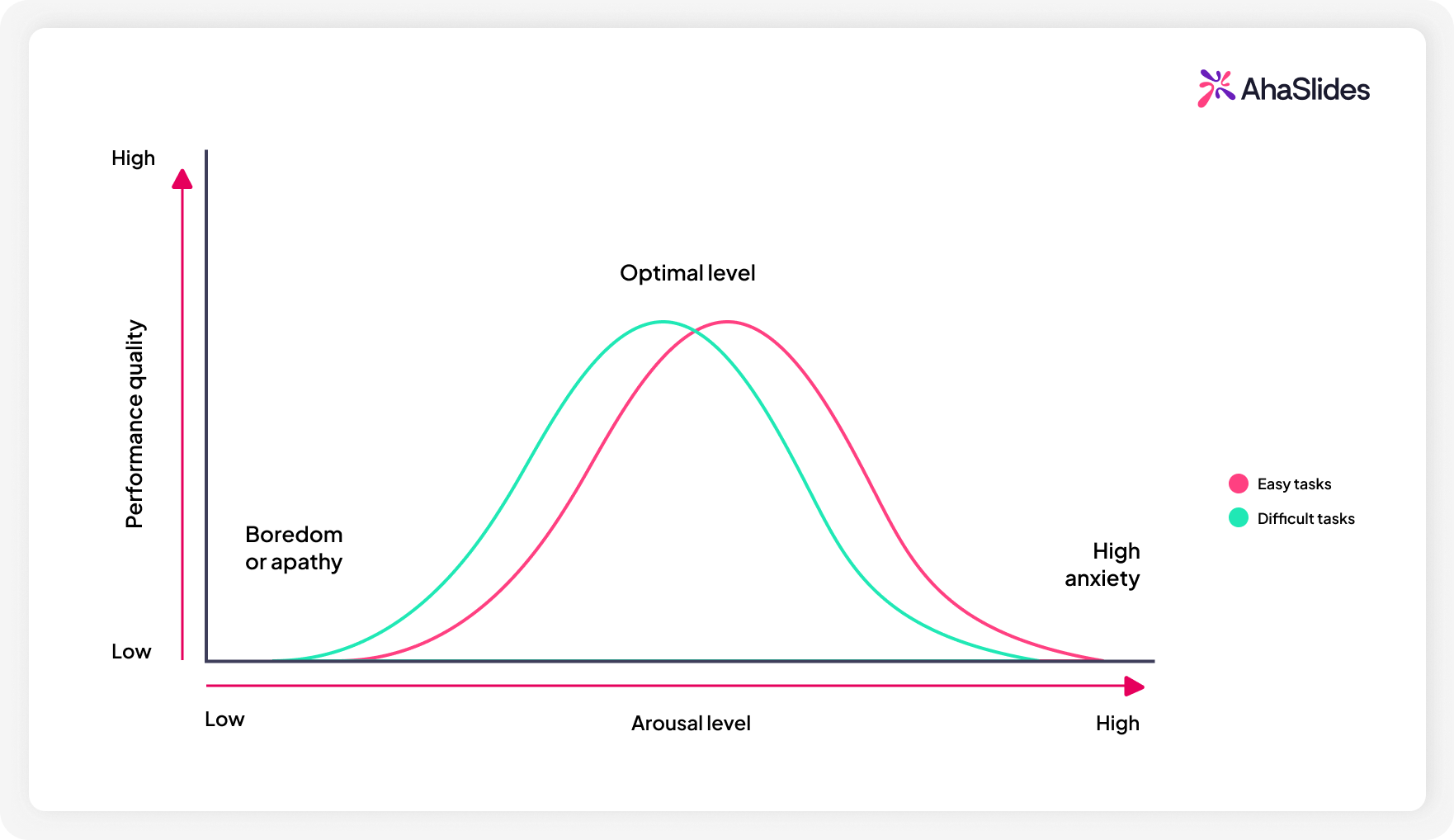
Interactive presentation tools help you modulate that curve: quick polls add stimulation, quiet reflection slides lower stress, and movement prompts reset energy. Each micro-interaction keeps the brain inside that learning zone.
The gatekeeper skill: why self-regulation comes first
“Self-regulation is what we call at Beyond BookSmart the gatekeeper skill. When we are self-regulated, we’re in control of our bodies and our reactions,” says Kelsey Ferdinando.
A dysregulated presenter — anxious, rushed, overwhelmed — can infect the room.
That’s because of emotional contagion.
“Our brains are wired to pick up on and mirror the emotions of the people around us,” adds Hannah, when describing the meaning of “mirror neurons”.
Interactive presentation software gives you built-in tools for self-regulation: planned pauses, gamified breathing breaks, countdowns that pace transitions. These cues don’t just organise your talk — they regulate the room.
| Step | What it means | How software helps |
|---|---|---|
| Captivate | Grab attention with a story, stat or surprise | Start with a live poll or question |
| Create | Let participants contribute | Use brainstorm or word-cloud slides |
| Compete | Add friendly challenge | Run a timed quiz |
| Complete | Reflect or summarise | Ask "What’s one thing you’ll apply?" |
Interactive presentation software turns these four steps into a natural rhythm — capturing, co-creating, challenging, and closing the loop.
Framework 2: The PINCH model for every brain
“PINCH is another way to remember five core motivators for neurodivergent individuals... passion or play, interest, novelty, challenge, and hurry,” says Heather.
“Engagement isn’t accidental. It’s science-backed,” she says.
| Letter | Motivation | Example in an interactive deck |
|---|---|---|
| P – Passion/Play | Make it fun | Use humour or games |
| I – Interest | Connect to what matters | Personalised poll questions |
| N – Novelty | Add a twist | Introduce new slide types or visuals |
| C – Challenge | Keep brains active | Competitive quiz or live results |
| H – Hurry | Create urgency | Countdown timers or quick-fire tasks |
The power of breaks and movement
“When you work for a long stretch without any rest, our prefrontal cortex starts to tire... Movement breaks are especially powerful,” says Kelsey.
After about 40–60 minutes, attention drops even more sharply. Short, intentional breaks keep dopamine levels balanced and help the brain refocus.
Three types of attention breaks
- Break in continuity – change speaker, topic or format
- Break in design – alter visuals, layout or tone
- Physical break – stretch, breathe, or move
Interactive tools make all three simple and can act as attention resets: switch from slides to a quiz (continuity), flash a new colour scheme (design), or run a quick “stand-up poll” asking people to stretch as they vote.
Design for every brain — not just the neurotypical
Roughly one in five people are neurodivergent. Designing for that 20 percent — with visual, auditory, and participatory elements — helps everyone stay engaged, says Heather.
“If we’re designing presentations without considering neurodivergent brains, we’re leaving part of our audience behind.”
Interactive presentation software is built for this inclusivity: multiple input modes, varied pacing, and features that reward different thinking styles. It levels the cognitive playing field.
Engagement as a design discipline
Defeating distraction, being an engaging presenter, and ensuring your message sticks isn't only about energy and charisma (although as we see from the concept of “mirror neurons” those things certainly help!). It’s also about how you intentionally design your presentations for every brain.
Key takeaways
- Design for brains, not decks.
- Use frameworks like 4 C’s and PINCH to shape attention loops.
- Insert attention resets frequently
- Make use of micro-breaks every 40–60 minutes.
- Mirror the state you want to create.
- Remember: interactive presentation software makes all of this so much easier.
Because engagement isn’t magic.
It’s measurable, replicable, and most importantly, science-backed.