Give the AI a topic, or upload a PDF, PowerPoint, Word, or Excel file to build from.
Generate and refine
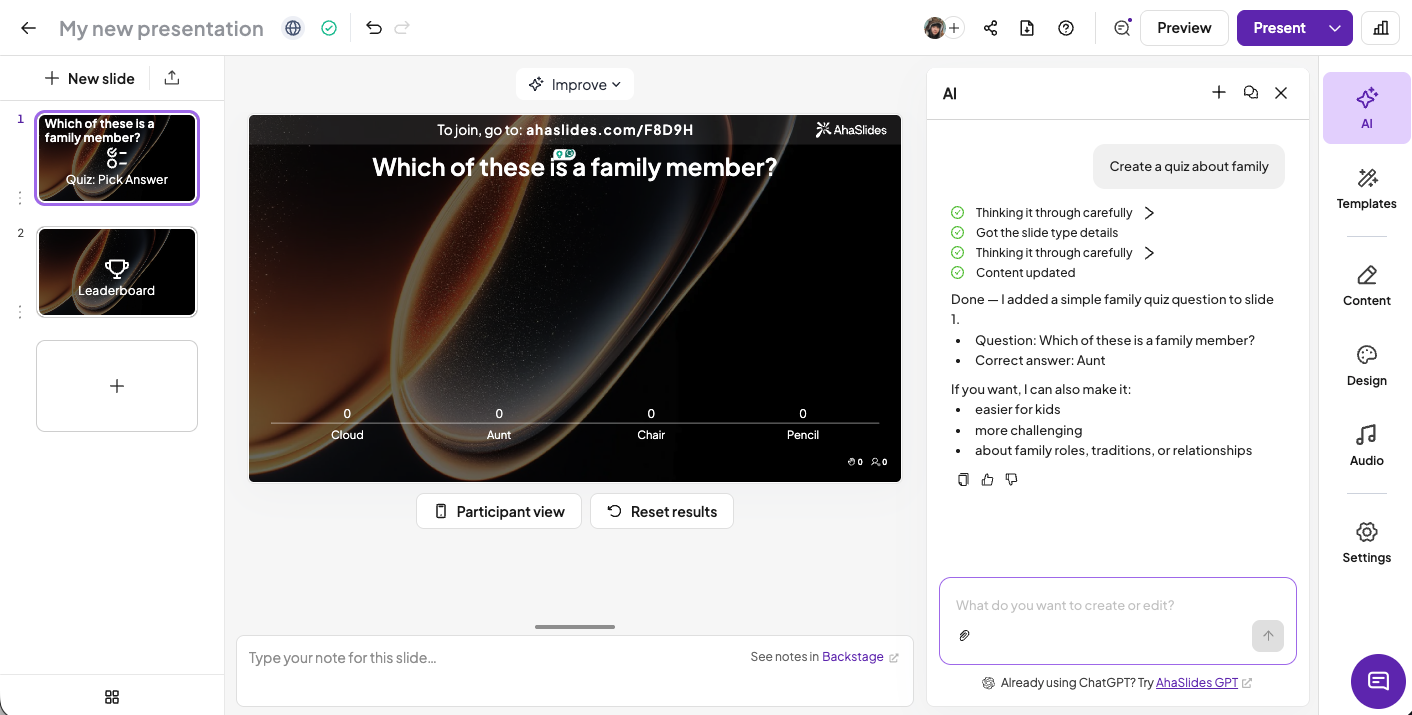
AI builds a complete interactive deck. Ask it to adjust tone, length, or add a quiz until it's right.
Present live
Share the join code and your audience participates in real time on any device.
AI slides for any goal
Educators & trainers
Design lessons, quizzes, and content slides in minutes using academic frameworks.
Busy professionals
Turn a topic or brief into a polished, interactive deck — minutes, not days.
My participants are always amazed. They've never seen this kind of interaction before.
Mandiaye Ndao
NeX AFRICA
Frequently asked questions
How do I use the AI presentation maker?
In your presentation editor, open the AI chatbox and chat with the assistant to create a presentation from scratch or fine-tune what you've already built.
Is the AI presentation maker available on all plans?
Yes, the AI presentation maker is currently available on all AhaSlides plans.
Do you use my data to train the AI?
No. AI assists with content generation, template suggestions, and usability improvements, but does not collect additional personal data beyond what you provide.
How can I use the AI effectively?
Write clear, detailed prompts, generate an outline first, then ask the AI to rate and refine your content for engagement and relevance.


.webp)
.webp)


.webp)
.webp)










.svg)
.svg)
.svg)


.svg)