Writing a test takes an evening. Grading it takes the weekend. Somewhere between the photocopier jam and the thirtieth illegible short answer, most of us have wondered why we still do this by hand.
An online test maker fixes the boring half of assessment. It scores multiple-choice answers the moment learners submit, shuffles questions so neighbors can't copy, and turns a pile of responses into a report that shows exactly which concept didn't land. Whether you teach a ninth-grade science class or run compliance training for 400 new hires, the right tool gives you that time back.
We compared six online test makers on what matters to teachers and trainers: question types, integrity controls, grading, reporting and, of course, price. Full disclosure: AhaSlides is our product, so we've been upfront about where it falls short too. All prices were checked against each vendor's site or listing in October 2026.
The 6 best online test makers at a glance
| Tool | Best for | Free plan | Paid plans from |
|---|---|---|---|
| AhaSlides | Interactive tests, live or self-paced | Yes, 5 quiz questions per presentation | $7.95/month, billed yearly |
| Google Forms | Quick quizzes inside Google Classroom | Free with a Google account | Free |
| ClassMarker | Secure exams with certificates | 100 tests a month (education) | $198/year (education) |
| FlexiQuiz | Unlimited quizzes for small teams | 20 responses a month | $17/month, billed yearly |
| ProProfs Quiz Maker | Large question libraries | 12 questions per quiz | $4/month per K-12 teacher, billed yearly |
| Testportal | Integrity-focused online exams | Limited plan for teachers | $35/month (business) |
What makes a good online test maker?
Every tool on this list can build a multiple-choice quiz. The differences show up in five places:
- Question types. Multiple choice checks recognition. Short answer, ordering and matching check whether learners can actually produce and apply what they know. The more formats you have, the more skills you can test.
- Integrity controls. Question shuffling, random pools, time limits and tab monitoring matter more as the stakes rise. A pop quiz needs few of them. A certification exam needs most.
- Grading and feedback. Automatic scoring saves hours, but only if you can still mark open answers by hand and give feedback that explains why an answer was wrong.
- Reporting. Look for per-question results, not just a class average. The question everyone missed is your next lesson plan.
- Delivery mode. Some tools run tests live in the room, some send a link learners complete alone, and a few do both.
That last point is worth a moment. Tests aren't only for grading. In a well-known study, Roediger and Karpicke found that students who took a practice test remembered more a week later than students who spent the same time rereading. Researchers call it the testing effect. A tool that makes low-stakes quizzing quick and painless pays off twice: you get data, and learners remember more.
1. AhaSlides
Best for: teachers and trainers who want tests that feel like part of the session, live in the room or self-paced at home.
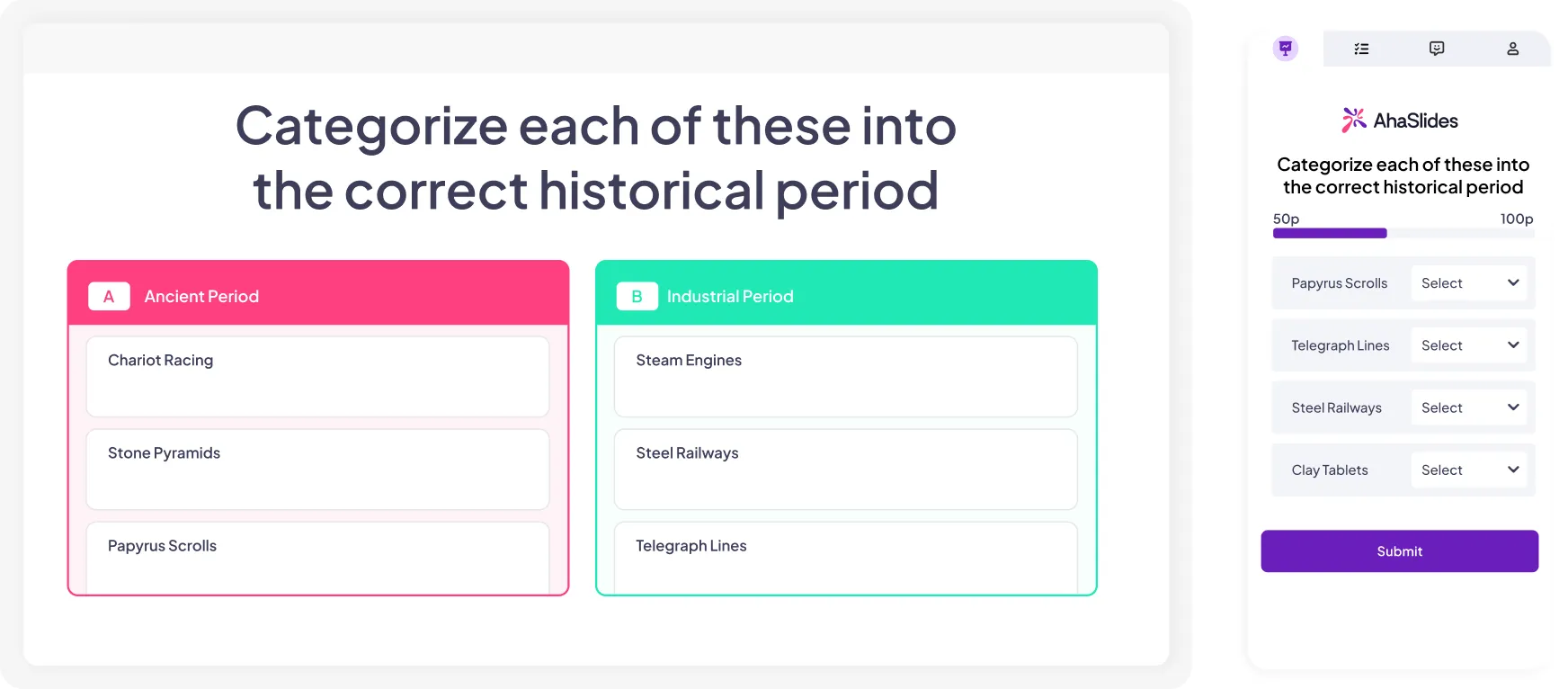
We built AhaSlides as an engagement layer for the presentations you already give, so tests sit right next to polls, word clouds and Q&A instead of in a separate exam portal. You can run a live quiz with a timer and leaderboard to check understanding mid-lesson, then send the same questions as a self-paced test for homework or onboarding. Our assessment guide shows the full setup.
What stands out
- Question types beyond multiple choice: pick answer, short answer, match pairs, correct order, categorize and fill in the blanks.
- AI question drafting: upload a PDF or slide deck, generate questions, then edit them. A full assessment is ready in minutes.
- Flexible scoring: set points per question, score short answers automatically or by hand, and hide open responses until time is up so no one copies.
- Per-learner reports: see individual results and question-level performance after every session.
- Works where you teach: integrations for PowerPoint, Google Slides, Microsoft Teams and Zoom, and learners join with a QR code. No app downloads.
Watch out for
- A small free plan for testing. The free plan allows 5 quiz questions per presentation. Great for a trial run, too small for a full unit test.
- No lockdown proctoring. There's no locked browser or webcam monitoring. For high-stakes certification, pair it with a dedicated exam platform.
Pricing
Free plan available. Paid plans start at $7.95/month billed yearly, with discounted education plans for teachers, students and nonprofits.
2. Google Forms
Best for: quick, free quizzes in schools that already run on Google Classroom.
Google Forms started life as a survey tool, but switch on quiz mode and it becomes a perfectly serviceable test maker. You add an answer key and point values, decide whether learners see their score right away or after you review, and send grades straight to Google Classroom.
What stands out
- Free, with no response caps for everyday classroom use.
- Auto-grading for multiple choice, checkboxes, dropdowns and short answers with predictable responses.
- Locked mode on school-managed Chromebooks stops students opening other tabs during a quiz.
- Gemini can draft a quiz from a prompt or file in eligible Google Workspace editions.
Watch out for
- Plain design and no live or game mode, so it won't energize a room.
- Limited question formats. There's no native matching or ordering question, and open answers need manual marking.
- Basic analytics unless you export responses to Google Sheets.
Pricing
Free.
3. ClassMarker
Best for: higher education and corporate training teams that need secure, repeatable exams with certificates.
ClassMarker is built for testing first and everything else second. Its standout feature is the question bank: write questions once, then pull a random set for each test-taker so no two people see the same exam.
What stands out
- Question banks with random selection per test-taker, plus question and answer shuffling.
- Custom certificates issued automatically when someone passes.
- AI exam proctoring on Professional plans.
- Media in questions, including images, audio, video and embedded YouTube clips.
Watch out for
- Credit-based pricing. Plans are sized by tests taken per month, so busy terms can push you up a tier.
- Functional, not fun. The test-taker experience is clean but formal, which suits exams more than formative checks.
Pricing
Free for education, up to 100 tests a month with limited features. Education Professional plans start at $19.95/month or $198/year for 400 tests a month. Business plans start at $39.95/month or $396/year.
4. FlexiQuiz
Best for: small training teams and course creators who want unlimited quizzes at a predictable price.
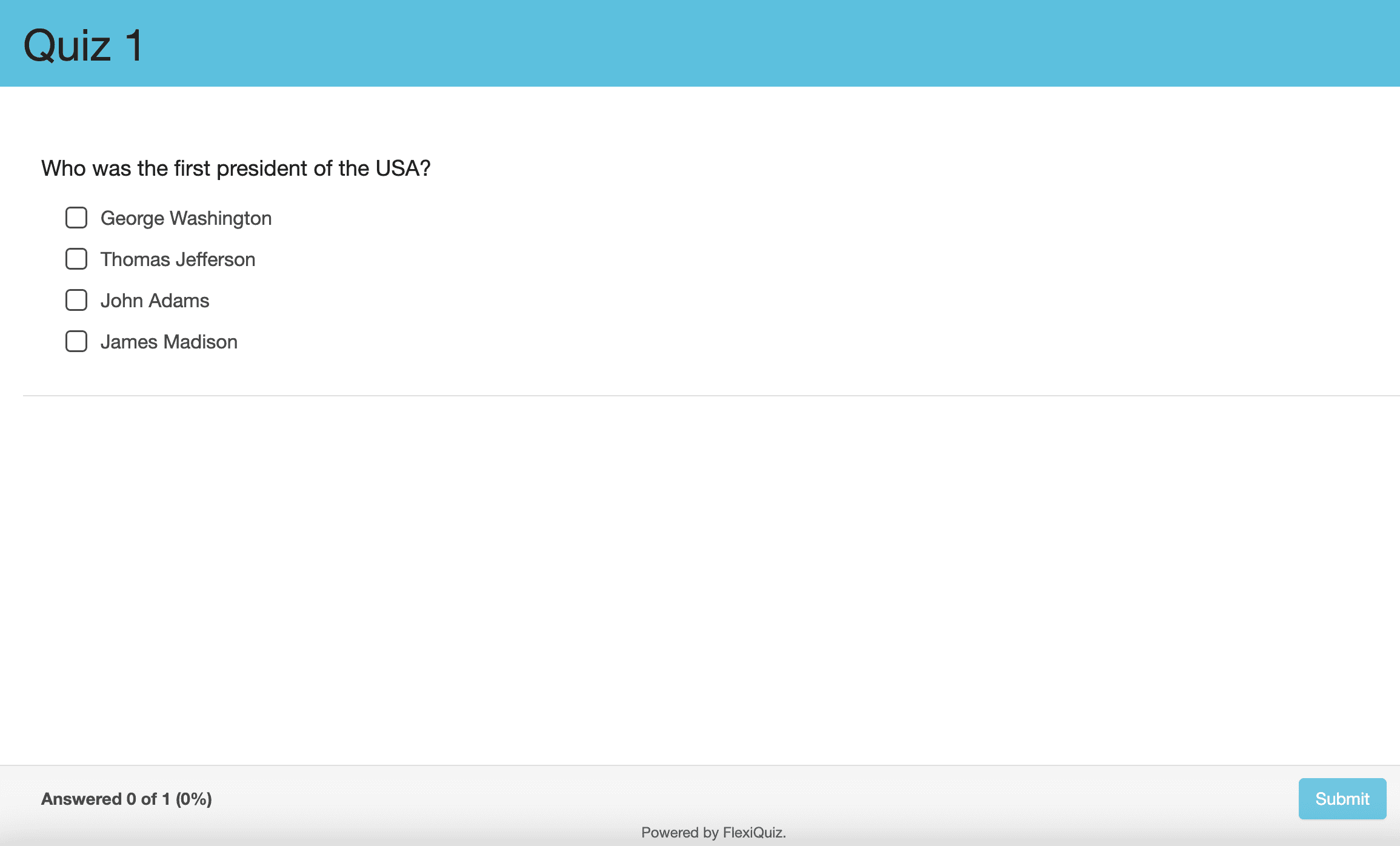
FlexiQuiz prices by responses rather than quizzes, so you can build as many tests as you like and pay for how many people take them. Paid plans add learning paths and the option to sell quizzes or courses.
What stands out
- Unlimited quizzes and questions on every paid plan, with 9 question types.
- Question bank with random selection, plus timed tests, scheduling and attempt limits.
- Live quiz mode for up to 100 players on Essentials.
- Printable quizzes when you still need paper.
Watch out for
- A tight free plan of 20 responses a month.
- Branding and custom certificates need the Premium plan, and API access or SSO needs Enterprise.
Pricing
Free plan available. Essentials is $17/month billed yearly ($204/year, 500 responses a month). Premium is $25/month ($300/year) and Enterprise is $60/month ($720/year).
5. ProProfs Quiz Maker
Best for: teachers and trainers who want a huge library of ready-made questions and fine control over every setting.
ProProfs Quiz Maker is one of the oldest names in the category, and it shows in the depth of options. You can start from a template or a stock question, then tune everything from time limits to who can retake.
What stands out
- Large library of question templates and ready-made quizzes.
- Anti-cheating settings, including question shuffling, tab-switch controls, time limits and proctoring options.
- Many question types and support for tests in dozens of languages.
Watch out for
- Per-taker pricing on business plans climbs quickly as your audience grows.
- A learning curve. The sheer number of settings can slow down a first-time user.
- A thin free plan of 12 questions per quiz.
Pricing
Free plan available. The K-12 Teacher plan is $4/month billed yearly ($48/year) for up to 150 students. Business plans start at $19.99 per 100 active quiz-takers a month, billed yearly ($239.88/year).
6. Testportal
Best for: HR and training teams running knowledge checks where results need to be trustworthy.
Testportal focuses on serious online assessment. Its Honest Respondent Technology monitors behavior during a test, and you can watch results arrive in real time as people finish.
What stands out
- AI question creation and import from PDF or Word files.
- Integrity tools that flag suspicious behavior during the test.
- Flexible scoring with partial, negative and bonus points, plus an equation editor for math and science.
- Certificates and detailed reports on paid plans, and a Microsoft Teams app.
Watch out for
- Price. Business plans are the most expensive here, and the entry plan allows just 30 results a month.
- A busy interface with many settings that takes time to learn.
Pricing
A limited free plan for teachers and paid education plans are available. Business plans start at $35/month for 30 results a month, with a 14-day free trial.
Which online test maker should you choose?
| If you need to... | Choose |
|---|---|
| Check understanding live and keep everyone engaged | AhaSlides |
| Run a free quiz inside Google Classroom | Google Forms |
| Give every learner a different version of the exam | ClassMarker |
| Build lots of quizzes on a small budget | FlexiQuiz |
| Start from a big bank of ready-made questions | ProProfs Quiz Maker |
| Run monitored knowledge checks for staff | Testportal |
Many teams end up using two tools: one for low-stakes practice that keeps learners engaged, and one for the high-stakes exam at the end. That's a sensible split, because the features that make a quiz fun are rarely the ones that make an exam secure.
4 tips for fairer online tests
- Shuffle answer options. It's the cheapest anti-cheating step there is, and all six tools here support it in some form.
- Time each question, not just the test. Short per-question timers leave little room to search for answers.
- Mix in open questions. A short answer reveals understanding that a lucky guess on multiple choice can hide.
- Review the item report. If most of the class got a question wrong, check the question before you blame the learners.
Frequently asked questions
What is an online test maker?
An online test maker is software for building tests and quizzes that learners take on a phone, tablet or computer. Most tools score answers automatically, offer several question types and produce reports on how each learner and question performed.
What is the best free online test maker?
Google Forms is the most generous fully free option. If you want more engaging question types and a live mode, the AhaSlides free plan lets you try every quiz question type, and ClassMarker's free education plan covers up to 100 tests a month.
Can online tests prevent cheating?
They can reduce it. Shuffled questions, random question pools, timers and browser lock or monitoring features all make cheating harder. No tool removes it entirely, so match the controls to the stakes of the test.
Can I use an online test maker for employee training?
Yes. Trainers use them for onboarding checks, compliance quizzes and post-workshop assessments. Look for per-learner reports, certificates and integrations with the tools your team already uses, such as Microsoft Teams or your LMS.
Make your next test the one learners don't dread
The best online test maker is the one that fits how you actually teach. If your tests double as a chance to re-engage the room, try building one in AhaSlides. You can turn an existing deck into a quiz in minutes and see every answer as it comes in.