

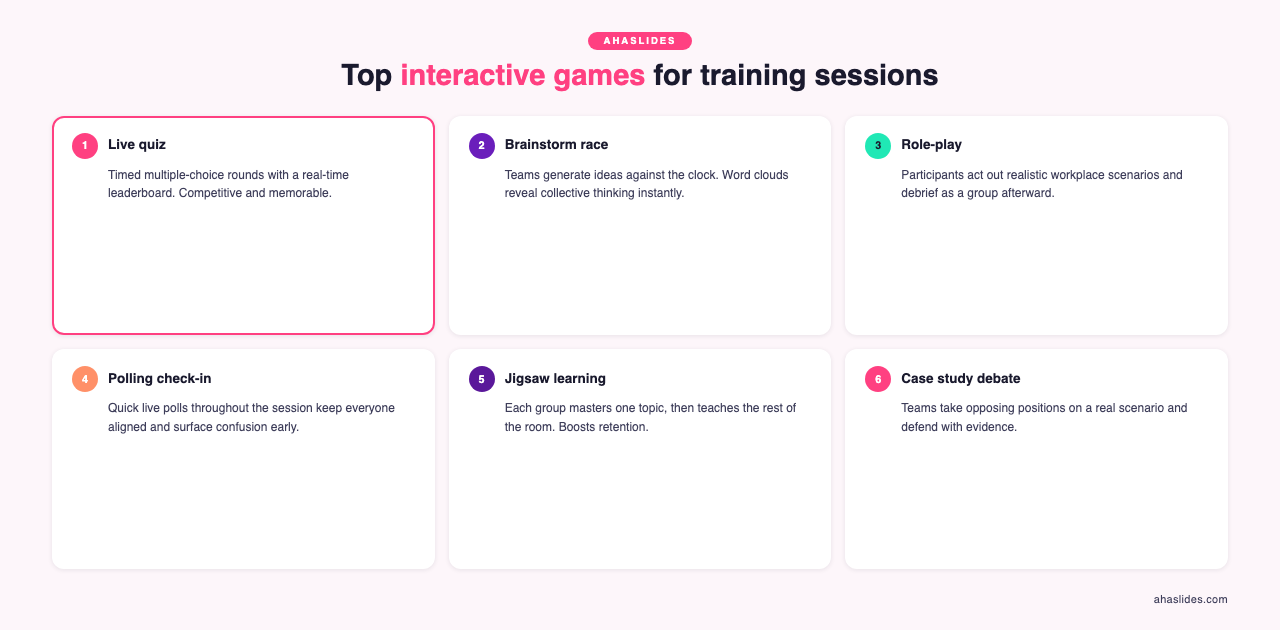
The best interactive games for training sessions are live pulse-check polls, lightning-round trivia, word cloud brainstorms, team quiz competitions with leaderboards, and peer teaching activities. Pulse-check polls work best at the start to read the room's energy and confidence before diving into content; lightning-round trivia for reinforcing key concepts immediately after delivery with time pressure that aids memory; word cloud brainstorms for strategy discussions that surface diverse perspectives simultaneously; team quiz competitions for building camaraderie while checking comprehension — teams must discuss answers together before responding, which embeds learning deeper; and peer teaching for maximum retention — research shows people retain 90% of what they teach versus 20% of what they passively hear. AhaSlides supports all of these with real-time results, anonymous input, and a live leaderboard, working equally well in-room or fully remote.
You're 20 minutes into your quarterly training session. Half your team is checking phones under the table. The other half is perfecting the art of looking engaged while mentally planning dinner.
We know from decades of cognitive science that engagement drives retention, yet most corporate training sessions still follow the same sleep-inducing pattern: talk, slides, talk, more slides.
Interactive training games aren't about making training "fun for fun's sake", they're strategic engagement tools that activate different parts of the brain, improve information retention, and transform passive audiences into active learners. When facilitated purposefully (and powered by the right technology), games become the difference between training that gets forgotten by Tuesday and learning that sticks.
Why games work in professional settings
Virtual session engagement: Remote training faces an even sleepier attention challenge: without physical presence, minds wander within minutes. Interactive games that require active participation combat Zoom fatigue by transforming passive screen-watching into genuine engagement.
Team building moments: Beyond training, strategic games strengthen workplace relationships, improve communication patterns, and create the psychological safety that makes teams perform better under pressure.
15 training games by professional use case
Quick 5-minute energizers (for meetings and training sessions)
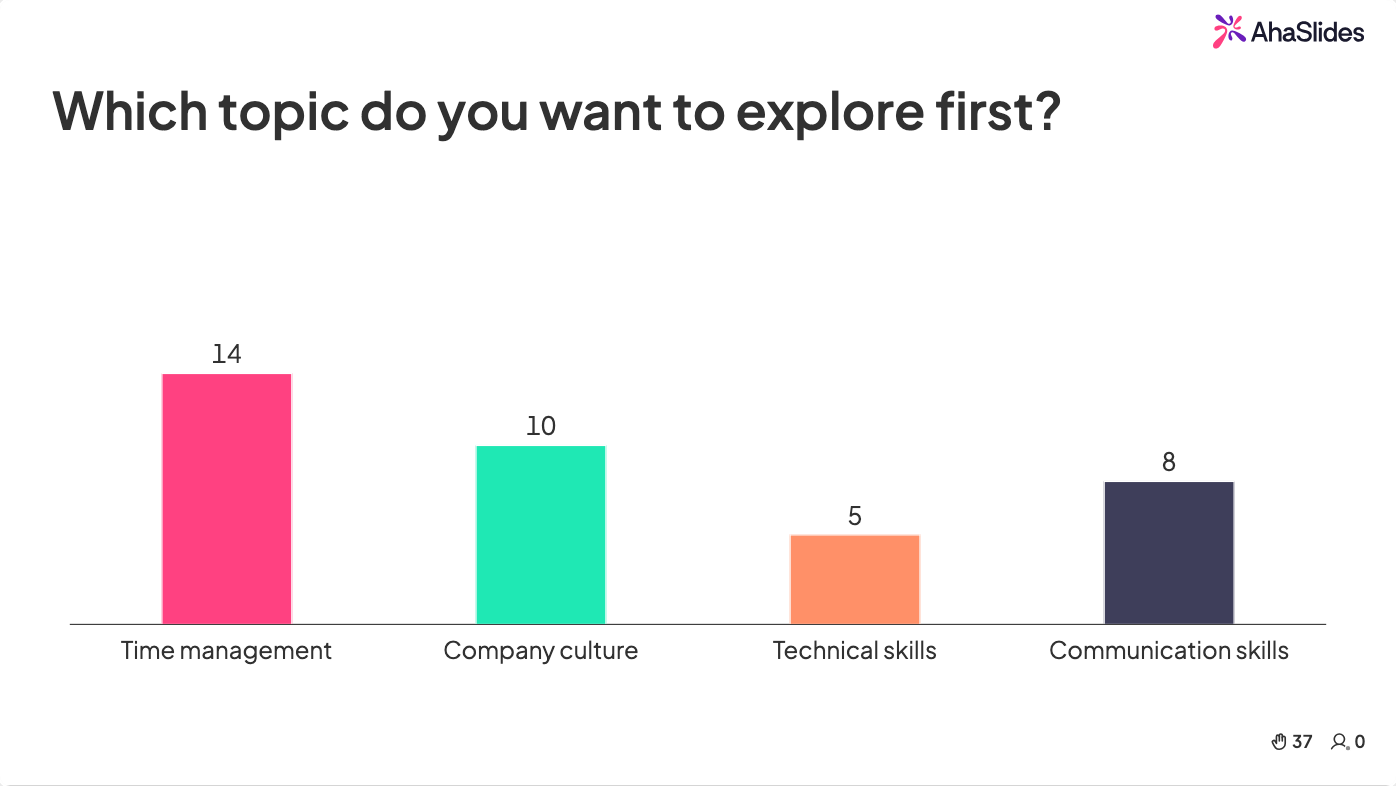
1. Live Pulse Check Poll
Professional context: Opens any meeting or training by taking the team's temperature: energy levels, confidence on today's topic, or current workload stress.
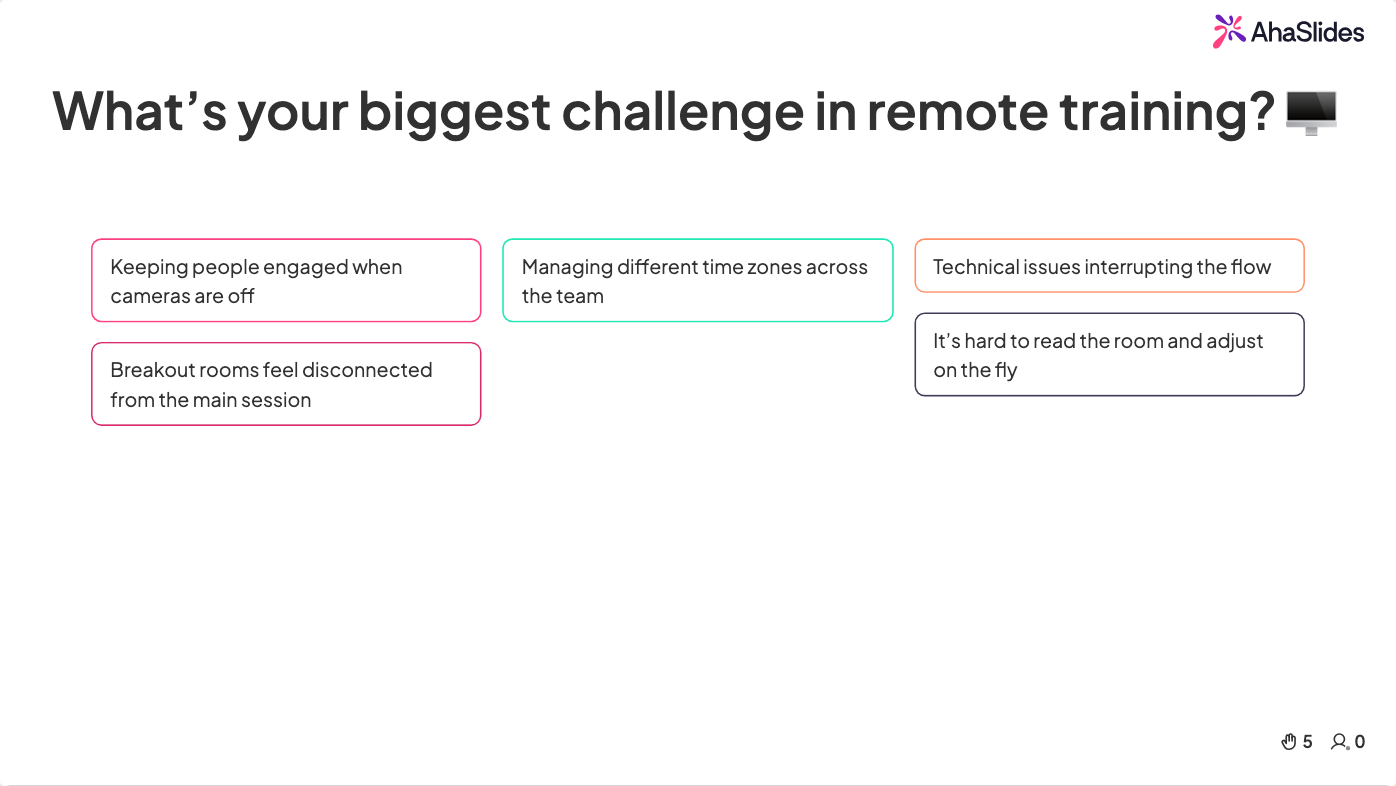
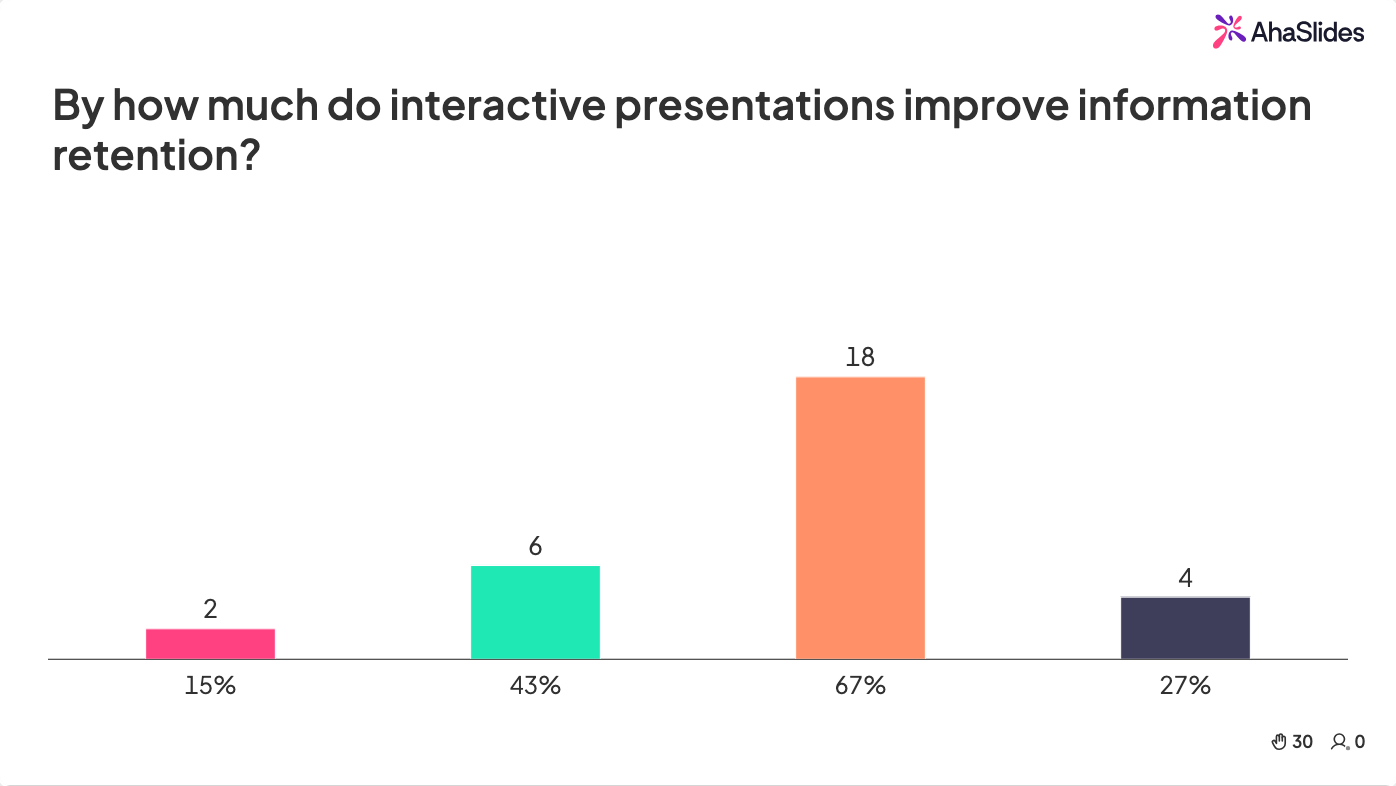
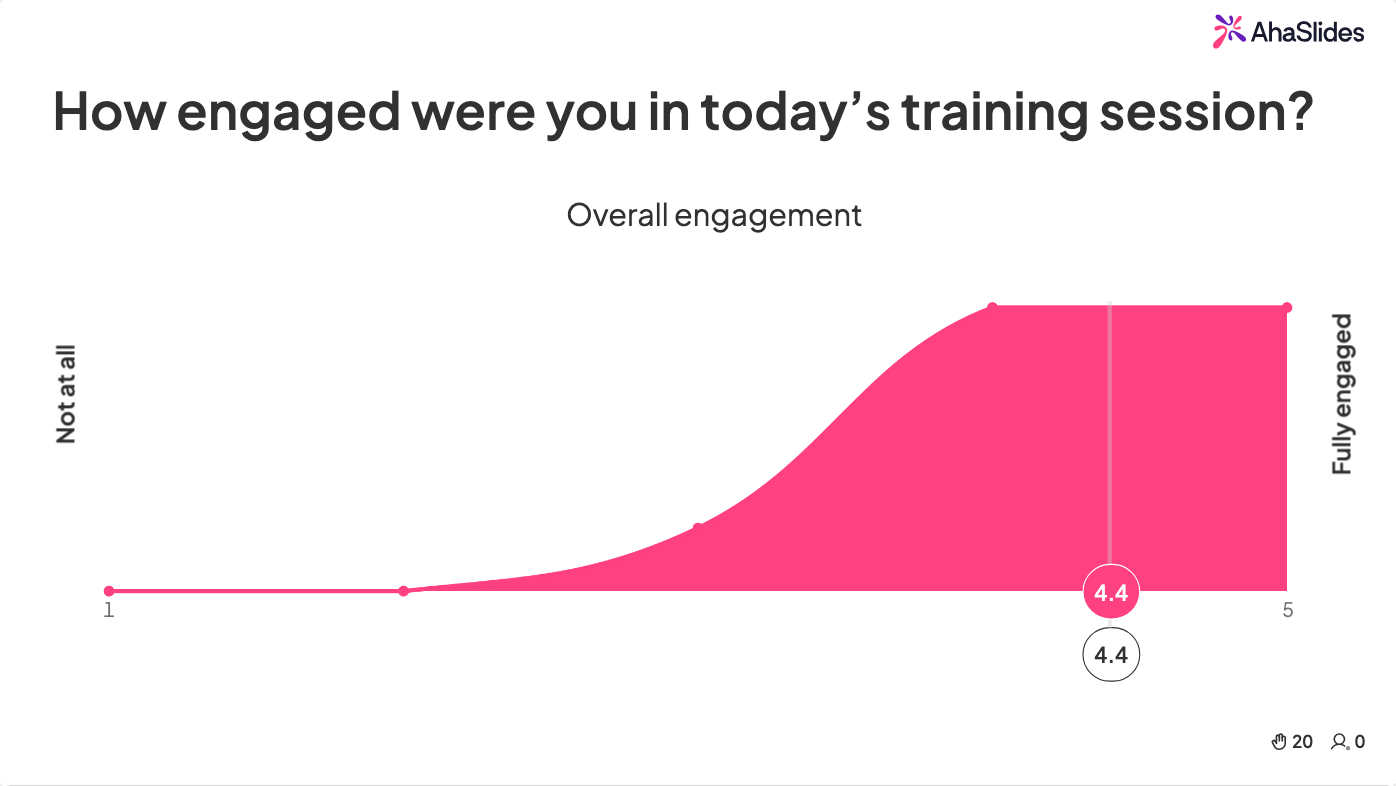
How to facilitate with AhaSlides: Create a quick multiple-choice poll asking "On a scale of 1-5, how ready do you feel to tackle today's topic?" or "What's your biggest challenge this week?" Participants respond on their phones in real-time whilst results display instantly on screen.
Engagement benefit: Everyone participates simultaneously (no awkward silence), responses are anonymous (psychological safety), and you gather actionable data about where your team actually mentally sits.
Time: 3 minutes | Group size: Any
2. Lightning Round Trivia
Professional context: Perfect knowledge reinforcement after covering complex material. Tests retention whilst keeping energy high.
How to facilitate with AhaSlides: Prepare 5-7 quick-fire questions about content you just covered. Use AhaSlides' quiz feature with a 20-second timer per question. The leaderboard creates friendly competition without high stakes.
Engagement benefit: Immediate feedback shows what landed and what needs clarification. The time pressure keeps things moving and prevents overthinking.
Time: 5 minutes | Group size: Any
3. Word Cloud Brainstorm
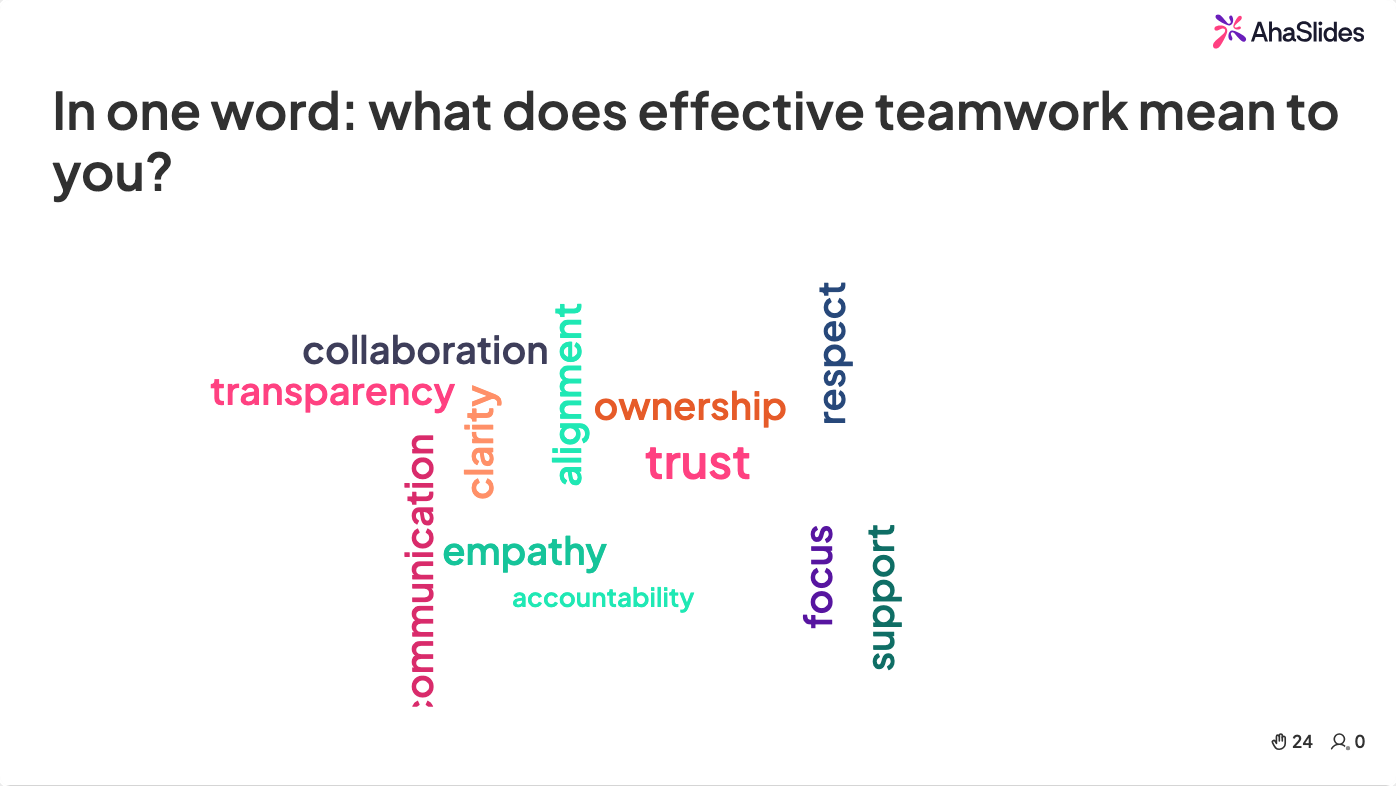
Professional context: Kicks off strategy discussions, gathers diverse perspectives quickly, or captures team insights before diving into detailed planning.
How to facilitate with AhaSlides: Pose an open question like "In one word, what's our biggest growth opportunity?" Participants submit answers from their devices and watch as the word cloud builds in real-time, with popular responses growing larger.
Engagement benefit: Democratizes contribution (introverts participate equally), surfaces patterns visually, and creates a shared reference point for deeper discussion.
Time: 3 minutes | Group size: Any
Team Building Activities (15-20 minutes)
4. Interactive Quiz Competition
Professional context: Builds team cohesion while reinforcing learning. The competitive element keeps energy high without creating real pressure.
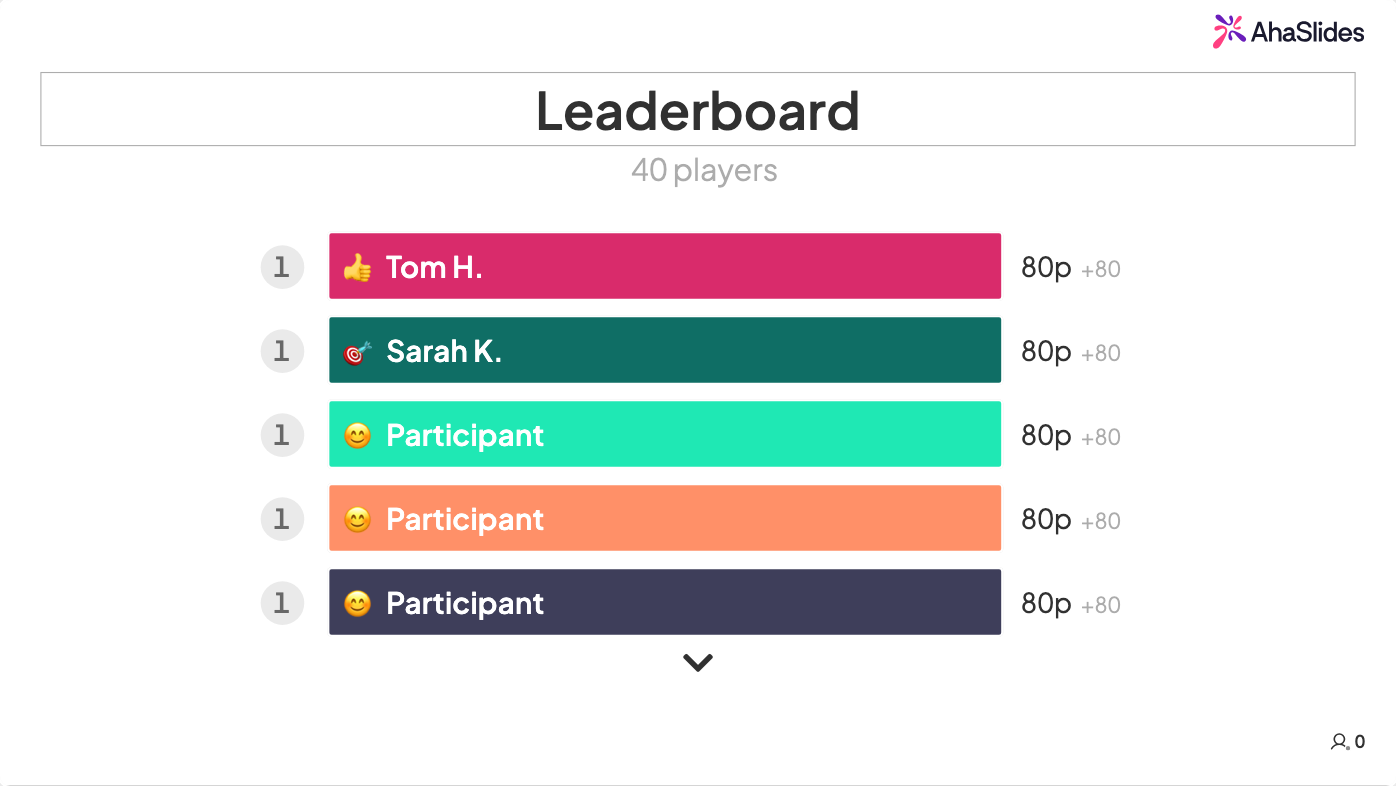
How to facilitate with AhaSlides: Design a quiz around your training content. Divide into teams. Each team has a button to answer collectively, creating discussion before responding. AhaSlides automatically tracks scores and displays a live leaderboard.
Engagement benefit: Teams must talk through answers together (strengthens communication), the live leaderboard creates healthy competition, and discussing WHY an answer matters embeds learning deeper than passive absorption ever could.
Time: 15-20 minutes | Group size: 3-30 people (works best in teams of 4-6)
5. Collaborative Scavenger Hunt
Professional context: Combines movement, problem-solving, and teamwork. Perfect for in-person sessions or hybrid setups where you want to break up screen time.
How to facilitate with AhaSlides: Create clues related to your training content or company knowledge. Teams must find physical items or information and photograph their discoveries. Use AhaSlides' image upload feature to collect and display submissions in real-time.
Engagement benefit: Gets people moving (combats mental fatigue), requires applying knowledge in creative ways, and creates memorable shared moments that strengthen team bonds.
Time: 15-20 minutes | Group size: 12+ people in small teams
6. Two Truths and a Lie (Interactive Version)
Professional context: Breaks down barriers between team members, builds psychological safety, and creates genuine connection beyond job titles.
How to facilitate with AhaSlides: Each person creates three statements about themselves (two true, one false). Present them one at a time on screen. Everyone votes on which one's the lie. Reveal the answer and have the person explain. People learn surprisingly vulnerable details about colleagues they've worked with for years.
Engagement benefit: Humanizes colleagues, builds trust and rapport, and creates natural humor that relaxes the room.
Time: 15-20 minutes (depends on group size) | Group size: 5-20 people works best
Creative Problem-Solving Games (20-30 minutes)
7. Reverse Brainstorm
Professional context: Moves teams past "brainstorm paralysis" where people suggest obvious ideas. Forces creative thinking by flipping the problem.
How to facilitate with AhaSlides: Instead of "How do we improve customer retention?" ask "How could we GUARANTEE our customers leave?"
Teams suggest terrible ideas, which paradoxically surfaces brilliant solutions when you flip them around.
Engagement benefit: Removes judgment (saying "bad ideas" feels safe), sparks unconventional thinking, and shifts perspective in ways standard brainstorms never achieve.
Time: 20-25 minutes | Group size: 8-30 people
8. Innovation Pitch Challenge
Professional context: Surfaces hidden talents and fresh perspectives. Teams feel heard and valued when their ideas get genuine consideration.
How to facilitate with AhaSlides: Present a business challenge. Teams have 10 minutes to develop a solution and prepare a 2-minute pitch. Use AhaSlides' presentation mode to display each pitch on screen whilst the room votes on the most innovative idea.
Engagement benefit: People get creative ownership over problems, seeing their ideas taken seriously boosts engagement long-term, and you often discover genuinely brilliant solutions from unexpected places.
Time: 25-30 minutes | Group size: 12-40 people
9. Story Building Chain
Professional context: Builds narrative thinking, requires active listening, and demonstrates how individual contributions shape collective outcomes.
How to facilitate with AhaSlides: Person 1 starts a story with one sentence (related to a training theme, e.g., "A customer walked into our store..."). Person 2 adds a sentence. Keep going around the room. Display the evolving story on screen using AhaSlides' text input feature.
Engagement benefit: Everyone must pay attention (they never know when it's their turn), creativity flows, and by the end, the absurd collaborative story creates genuine laughter and connection.
Time: 15-20 minutes | Group size: 8-25 people
10. Virtual Escape Room Challenge
Professional context: Tests problem-solving under time pressure, forces collaboration, and applies learning to scenario-based challenges.
How to facilitate with AhaSlides: Design 3-4 puzzles that require knowledge from your training to solve. Teams solve puzzles sequentially: solving one unlocks the next. AhaSlides can display puzzles and track which teams solve each stage first.
Engagement benefit: Creates genuine urgency and focus, requires applying learning rather than recalling facts, and the collaborative puzzle-solving builds team capability.
Time: 20-30 minutes | Group size: 15-40 people in teams of 4-5
11. Online Pictionary with Live Voting
Professional context: Injects energy into virtual training, provides mental break whilst maintaining connection, and reveals how team members think differently.
How to facilitate with AhaSlides: Use screen sharing for drawing whilst participants submit guesses through AhaSlides' open-ended responses. First correct answer gets points. Rotate through team members as drawers. Adapt topics to your training content or company culture.
Engagement benefit: Keeps cameras on and energy high. The visual creativity element activates different thinking patterns. Laughter creates authentic connection across screens.
Time: 15 minutes | Group size: 6-30
12. Remote Team Trivia Tournament
Professional context: Reinforces training content or company knowledge whilst building camaraderie across distributed teams.
How to facilitate with AhaSlides: Create team-based trivia covering relevant topics. Remote participants join on their devices whilst results display on shared screens. The live leaderboard creates genuine competition. Mix serious questions (product knowledge, industry trends) with lighter ones (company culture, team member facts).
Engagement benefit: Competitive element maintains focus. Team collaboration mirrors real work dynamics. The mix of serious and light content balances learning with connection.
Time: 20 minutes | Group size: 10-100+
Learning reinforcement games (10-20 minutes)

13. Knowledge Check Quiz
Professional context: Tests comprehension immediately after training delivery. Identifies knowledge gaps whilst content is fresh.
How to facilitate with AhaSlides: Prepare 8-10 questions covering key concepts from your session. Use a mix of multiple-choice, true/false, and short answer formats. The quiz timing creates mild pressure that aids memory formation. Review results together, using wrong answers as teaching moments rather than failures.
Engagement benefit: Immediate feedback loop for both facilitator and learners. Anonymous responses reduce performance anxiety. Results show exactly what needs reinforcement.
Time: 10 minutes | Group size: Any
14. Concept Application Challenge
Professional context: Moves beyond knowledge recall to actual application-the critical bridge between training and workplace behavior change.
How to facilitate with AhaSlides: Present realistic workplace scenarios where learners must apply concepts just taught. For example, after covering conflict resolution, describe a tense client situation and ask "What would you do?" Collect responses, display them anonymously, and discuss different approaches as a group.
Engagement benefit: Practices real-world application in low-stakes environment. Exposes multiple valid approaches, enriching everyone's thinking. Builds confidence in applying new skills.
Time: 15 minutes | Group size: 8-40
15. Peer Teaching Activity
Professional context: Deepens learning through teaching-we retain 90% of what we teach others versus 20% of what we hear in lectures.
How to facilitate with AhaSlides: Divide content into chunks and assign each to small teams. Teams have 10 minutes to prepare a brief teaching segment, then present using AhaSlides. Other participants submit questions or key takeaways through the Q&A feature. This transforms passive learners into active teachers.
Engagement benefit: Forces deeper processing of content through teaching preparation. Creates accountability to peers. Surfacing different teaching styles enriches learning for everyone.
Time: 20 minutes | Group size: 12-30
How AhaSlides turns training games from chaos to strategy
Here's the problem with traditional training games: they're logistically painful. Gathering handwritten responses, manually tallying votes, managing turn-taking chaos, and trying to include everyone equally often creates more stress than engagement.
AhaSlides solves this by turning any game into a seamless, technology-enabled experience that actually scales. Here's what changes:
Everyone participates simultaneously. Instead of taking turns (where only one person engages whilst others zone out), AhaSlides lets your entire team contribute at once. Thirty people can answer a question, vote on an idea, or submit thoughts in the same 20 seconds. This maintains momentum and eliminates the dead time that kills energy.
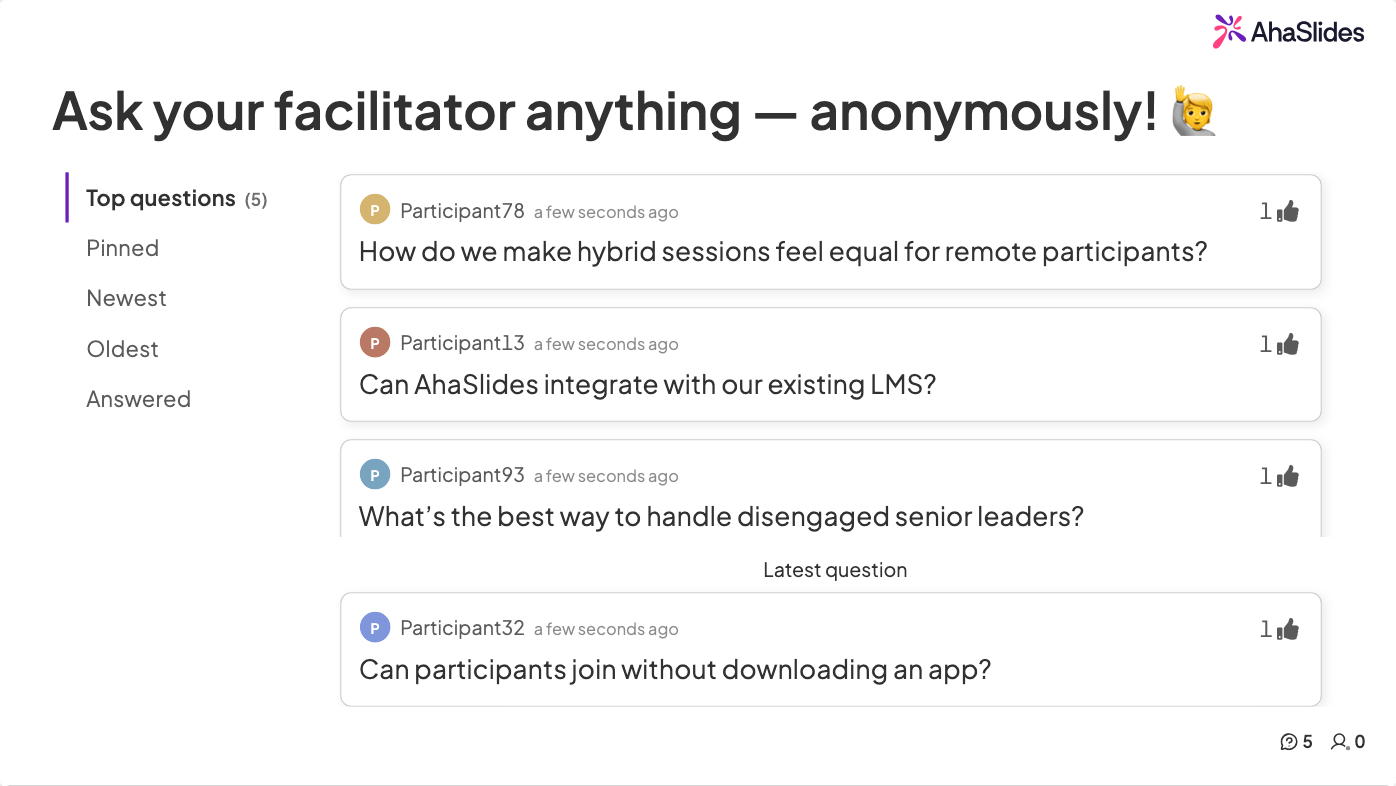
Psychological safety through anonymity. Not everyone feels comfortable speaking up in groups, especially in hierarchical workplace cultures. AhaSlides' anonymous input options let quieter team members contribute freely without performance pressure. You'll be surprised by the insights that surface when people don't feel watched.
Real-time data capture. Every response, vote, and interaction is automatically recorded. This transforms games from throwaway activities into actual learning data. You can identify knowledge gaps, track participation patterns, measure sentiment shifts, and even export results to inform future training decisions.
Visual engagement that maintains attention. Watching results populate in real-time-word clouds forming, poll bars racing, quiz leaderboards shifting-creates a dynamic visual experience that holds attention far better than static slides. The collective nature makes everyone invested in seeing how the group responds.
Hybrid-friendly by design. AhaSlides works identically whether your team is in-room, fully remote, or hybrid. Everyone participates from their own device with the same experience, which means your carefully designed interactive games work regardless of where people are sitting.
More formats to build games around. AhaSlides ships 30+ interactive slide types and adds new ones roughly every month, so the games above are only a starting point. The training-friendly formats span standard types — Pick Answer (multiple-choice quiz), Categorise, Match Pairs, Correct Order, Type Answer, Word Cloud, Open Ended, Q&A, Rating Scale, Spinner Wheel, Brainstorm and Idea Board — alongside newer ones like True or False, This or That, Fill in the Blanks, Draw Answer, 2x2 Matrix, Split the Points, Duck Race and a YouTube-to-quiz tool. A few of the newer ones turn into ready-made game rounds:
- Draw Answer has players sketch a response on their phones that shows live on the big screen. Run it as a fast round where teams draw a concept from the session; more creatively, turn it into a Pictionary-style energizer using company jargon.
- 2x2 Matrix plots answers on two axes as a quadrant grid. Use it as a ranking game where teams place ideas by effort versus impact and defend their spots; more creatively, have groups map real projects on a risk-versus-reward grid and compare.
- Split the Points gives each player a pool of points to spread across options, so priorities surface as weighted bets. Run it as a "back your pick" game on training topics; more creatively, have teams allocate a fixed budget across proposals to reveal trade-offs.
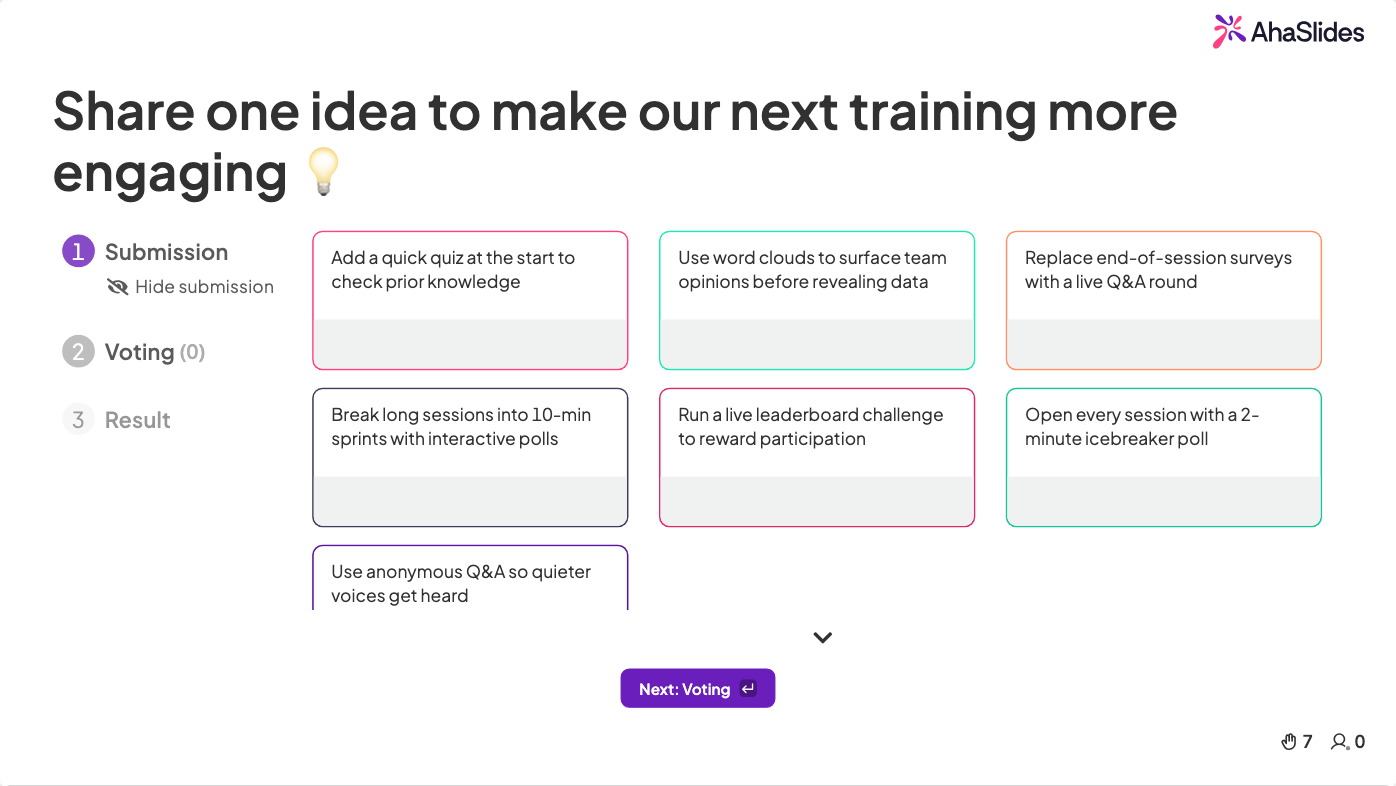
- Idea Board gathers free-text ideas into columns the room can vote on. Use it as a collaborative brainstorm round; more creatively, run a keep/stop/start retro and let the group vote the winners to the top.
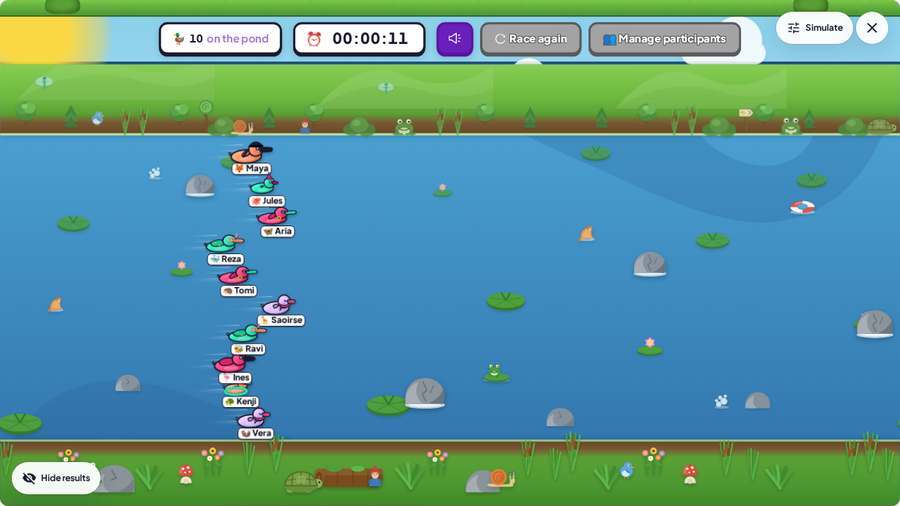
- Duck Race is a playful random picker: a line of cartoon ducks races across the screen and one wins at random. It is a fun, low-stakes way to break the ice, assign a task, give away a reward, or just pick a winner, and it is live in AhaSlides now. Run it as a quick round to decide which team goes first or to draw the winner of a game leaderboard; more creatively, use it as a silly mid-session energiser or to hand out a prize, resetting the room without derailing the agenda.
Best practices for facilitators
Interactive games fail when they're random fun disconnected from purpose. Follow these principles to make them strategic:
Set clear expectations upfront. Frame games as learning tools, not distractions. A simple "We're using this quiz to check our understanding before moving forward" sets appropriate context and reduces eye-rolling.
Match games to learning objectives. Don't just pick fun activities-choose games that reinforce specific outcomes. Teaching negotiation? Use role-play scenarios. Building team cohesion? Collaborative challenges. Checking knowledge retention? Quick quizzes.
Keep it brief and purposeful. The best interactive games last 3-15 minutes. Long enough to shift energy and create engagement, short enough to avoid becoming a distraction from core content.
Debrief for learning connection. The game itself isn't the lesson-the reflection afterwards is. Take 2-3 minutes after each activity to ask "What did you notice?" or "How does this connect to our work?" This explicit bridge prevents games from feeling frivolous.
Transform your next meeting before Tuesday's training
Training games aren't about making work "fun"-they're about making learning work. The difference between training that people forget by Tuesday and development that actually changes behavior often comes down to engagement strategy.
Interactive games solve the attention crisis plaguing corporate training. They activate different cognitive pathways, create psychological safety for participation, and transform passive audiences into active learners. When facilitated with clear purpose and enabled by technology that makes participation seamless, games become the most powerful tool in a facilitator's arsenal.
AhaSlides removes the logistical pain that makes interactive games feel risky. No more managing handwritten votes, losing momentum during transitions, or excluding quieter team members. Just genuine engagement, captured in real-time, working equally well whether your team is in-room or across continents.
Your next training session doesn't have to be another exercise in hoping people are paying attention. Make participation impossible to avoid, make learning impossible to forget, and watch what happens when you stop talking at your team and start engaging them instead.
To add live polls, quizzes, word clouds, and Q&A to your next session, AhaSlides handles all of it from a free account, across PowerPoint, Google Slides, or its own editor. For the full guide covering techniques, tools, and ideas for every context, see: How to make a presentation interactive: the complete guide.
Frequently asked questions
What are the best interactive games for training sessions?
The best interactive games for training sessions are live pulse-check polls (for reading the room), lightning-round trivia (for knowledge reinforcement), word cloud brainstorms (for surfacing diverse perspectives simultaneously), team quiz competitions (for camaraderie with comprehension checks), and peer teaching activities (for deep retention). Research shows people retain 90% of what they teach versus 20% of what they passively hear — making peer teaching the highest-retention format available.
How do you make corporate training more engaging?
Replace passive lecture blocks with interactive game segments every 10–15 minutes. Start with a pulse-check poll, embed trivia after each content section, use word clouds for strategy discussions, and close with a knowledge-check quiz. The competitive element raises attention; simultaneous brainstorming includes quieter participants who rarely speak up in traditional training.
What training games work best for remote teams?
Polls, live quizzes, word clouds, anonymous Q&A, and scale ratings work best for remote training because participants respond on their own devices, creating visible engagement data the facilitator can see and respond to. These formats give introverted or junior participants equal voice alongside senior colleagues.
How long should training games last?
Quick energizers (pulse-check polls, lightning trivia) take 3–5 minutes and work well between content blocks. Team-based challenges (quiz competitions, brainstorm sessions) take 15–20 minutes and work at session midpoints. Avoid games longer than 20 minutes unless they are the primary session content.
How do you debrief a training game effectively?
Spend 2–3 minutes after each game asking "What surprised you about these results?" or "How does this connect to what we just covered?" The debrief is where learning happens — without it, the game is entertainment. With it, it becomes a teaching moment that participants remember.
For more engagement ideas across different contexts, see: 15 interactive presentation ideas, 10 interactive presentation techniques, 14 interactive presentation ideas for students, and 7 Zoom presentation tips to combat fatigue.