Turn your presentation into a course, and see who finished it

Build lessons from a prompt, a file or a presentation you already have, then share one link with your learners.

Build a course
Learn on any device
Support multiple devices
How are learners doing?19%38%57%76%95%15%31%46%62%77%11%22%34%45%56%6%13%19%26%32%
Learner analysis
Lesson 2: PhotosynthesisWhat do plants need to make food?SunlightSunlight, water and CO2Sunlight, water and CO2Soil only
Interactive lesson
Plan my courseIntro totime managementGenerate1234
AI assistant
Add any media</>PDF
Embed any media

Trusted by

AhaSlides G2 Best Software Products 2026 Top 100 badgeAhaSlides G2 Top 50 Education Products 2026 badgeAhaSlides G2 Top 50 Enterprise Products 2026 badgeAhaSlides G2 Leader Fall 2026 badgeAhaSlides G2 Best Results Fall 2026 badge

Three ways to start

Pick the one that fits what you have today. Edit every lesson before you publish.

A prompt

Describe the course you want and AI generates the whole thing.

A file

Upload a file and let AI build the course from it.

A presentation

Convert an existing presentation into a course in a few clicks.
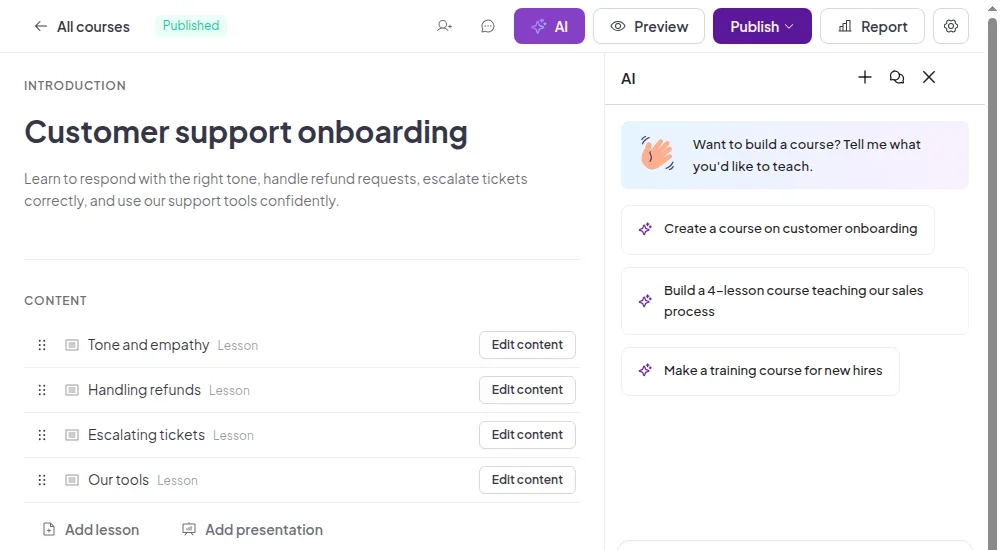
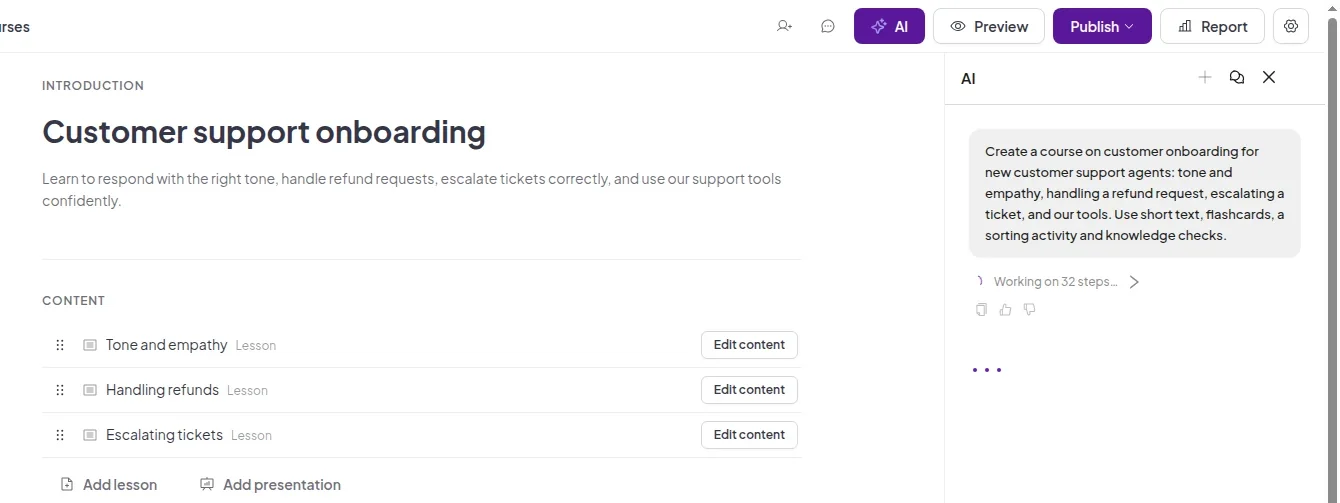
The AI assistant in the course editor with prompt suggestions
Ask the AI assistant for the course you need.
The AI assistant building a course while lessons appear in the editor
Lessons appear in the editor as AI builds them.

Build lessons from pages and blocks

Every lesson is a list of pages. Fill them with the blocks your learners need.
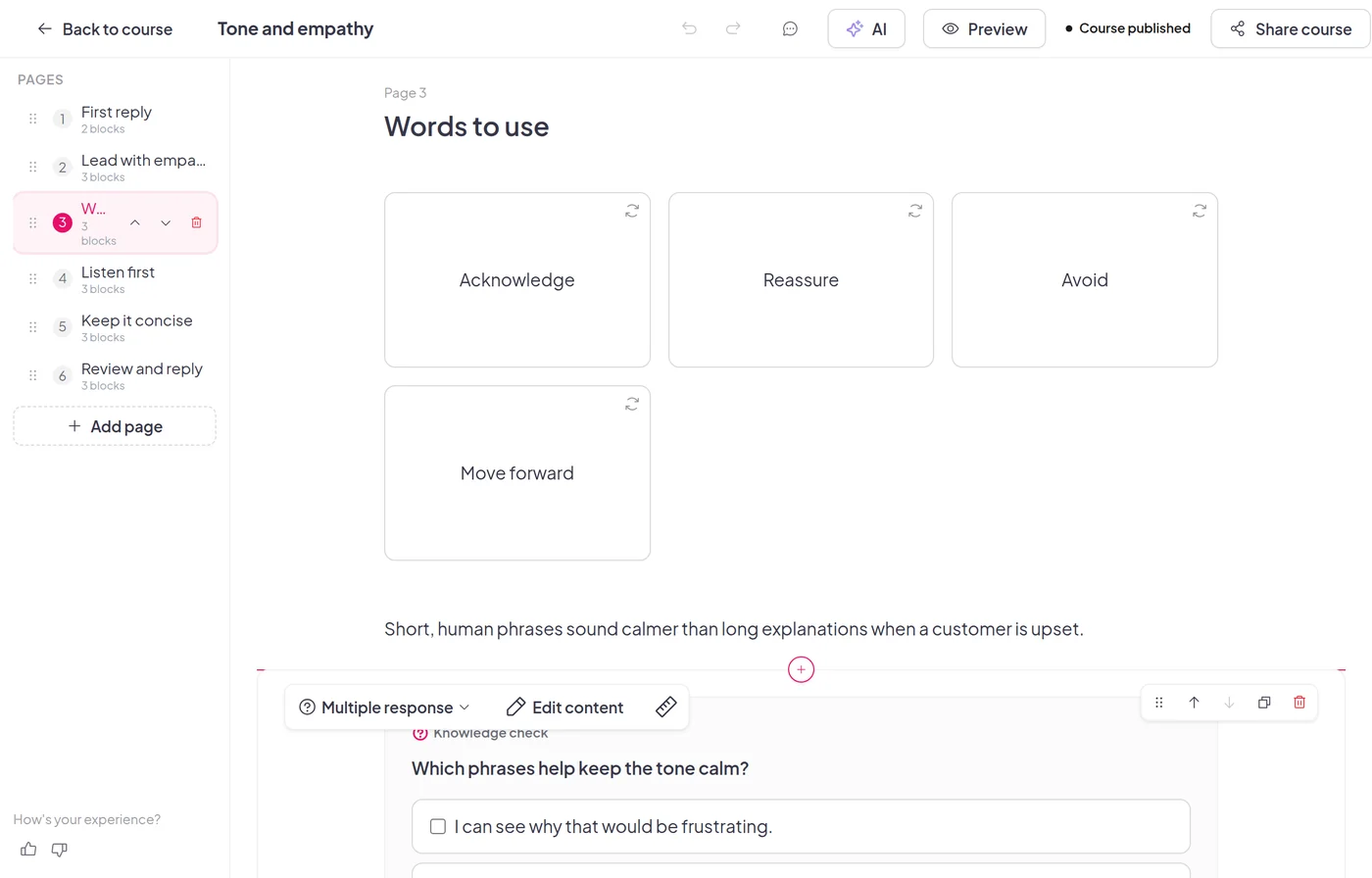
Blocks that teach and test

  • Text, images, video and lists to explain the idea.
  • Flashcards and sorting activities to make it stick.
  • Knowledge checks so learners answer as they go.
The lesson editor showing a page with flashcards and a knowledge check

Build it with your team

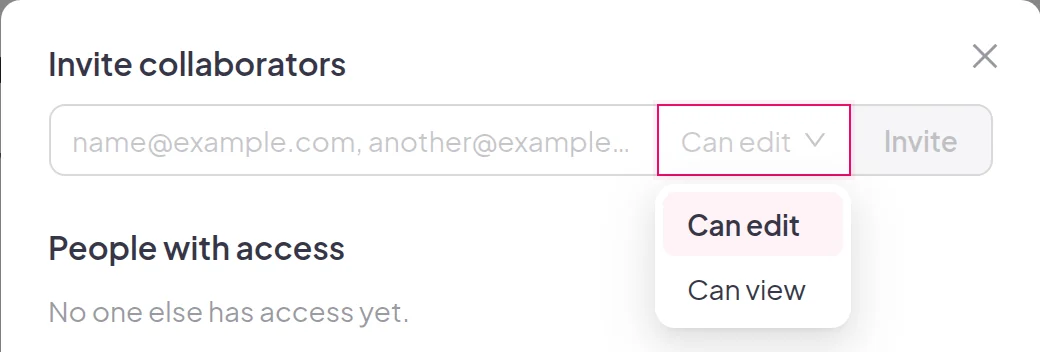
  • Invite collaborators from the course editor.
  • Choose Can edit to let them update the course, or Can view to let them preview it.
The invite collaborators dialog with the Can edit and Can view roles

Share one link

Publish your course and send the link. Learners log in or sign up first, so their progress is saved to their account.
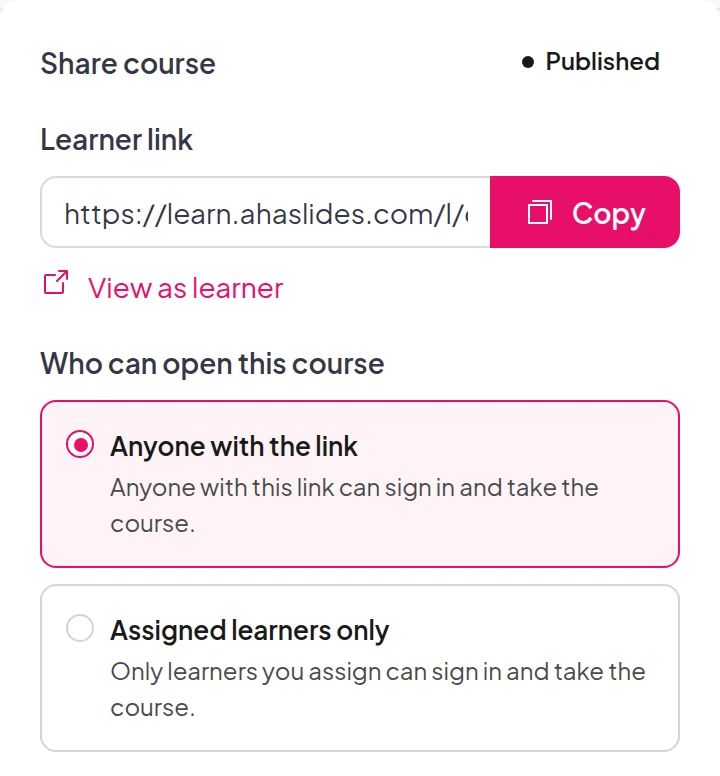
The Share course panel with the learner link and the Anyone with the link and Assigned learners only options
Choose who can open the course.
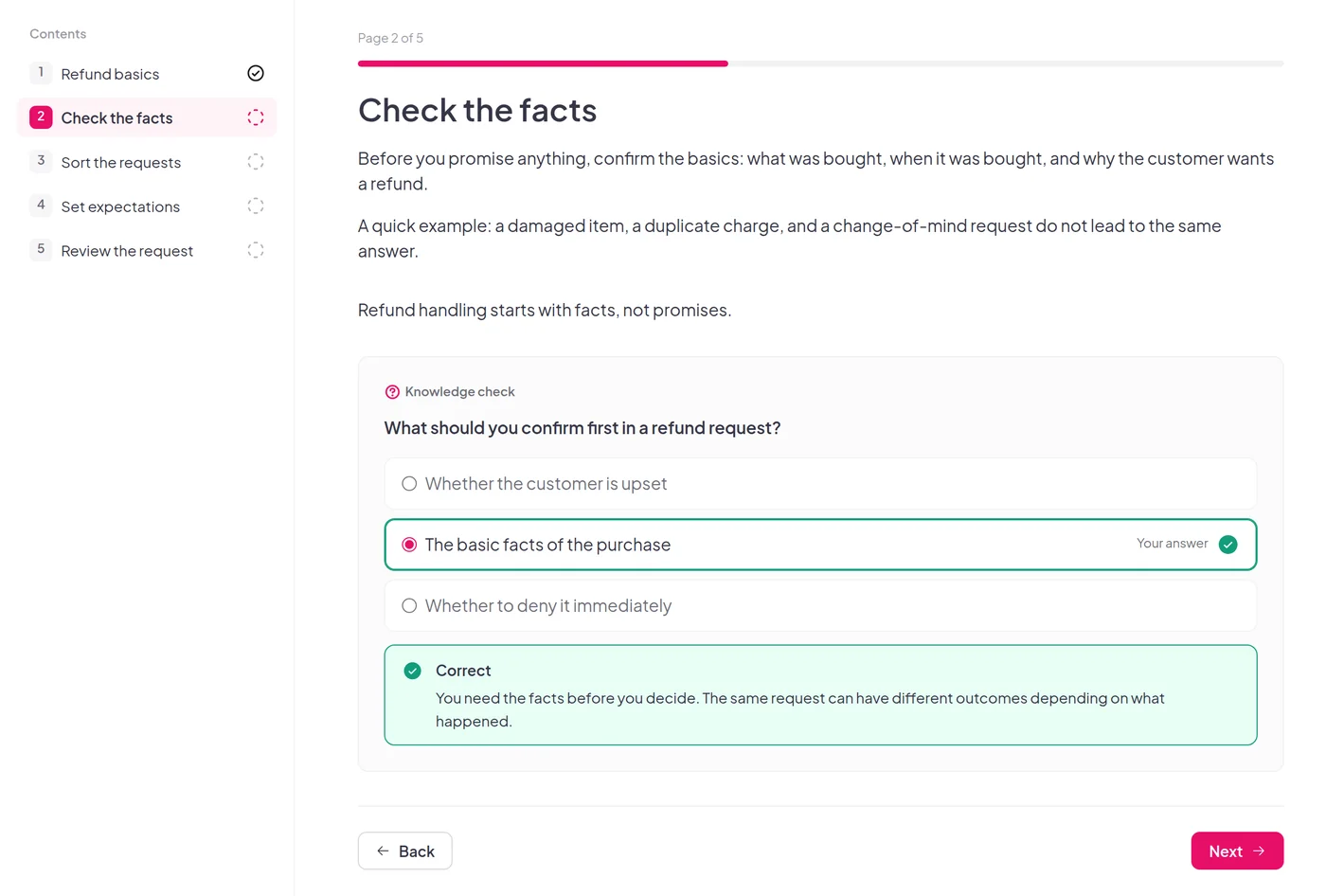
A learner answering a knowledge check in a lesson, with the answer marked correct
Learners work through each lesson at their own pace.

Build a course

Manage learners and access

Keep everyone in one place and decide who gets which course.
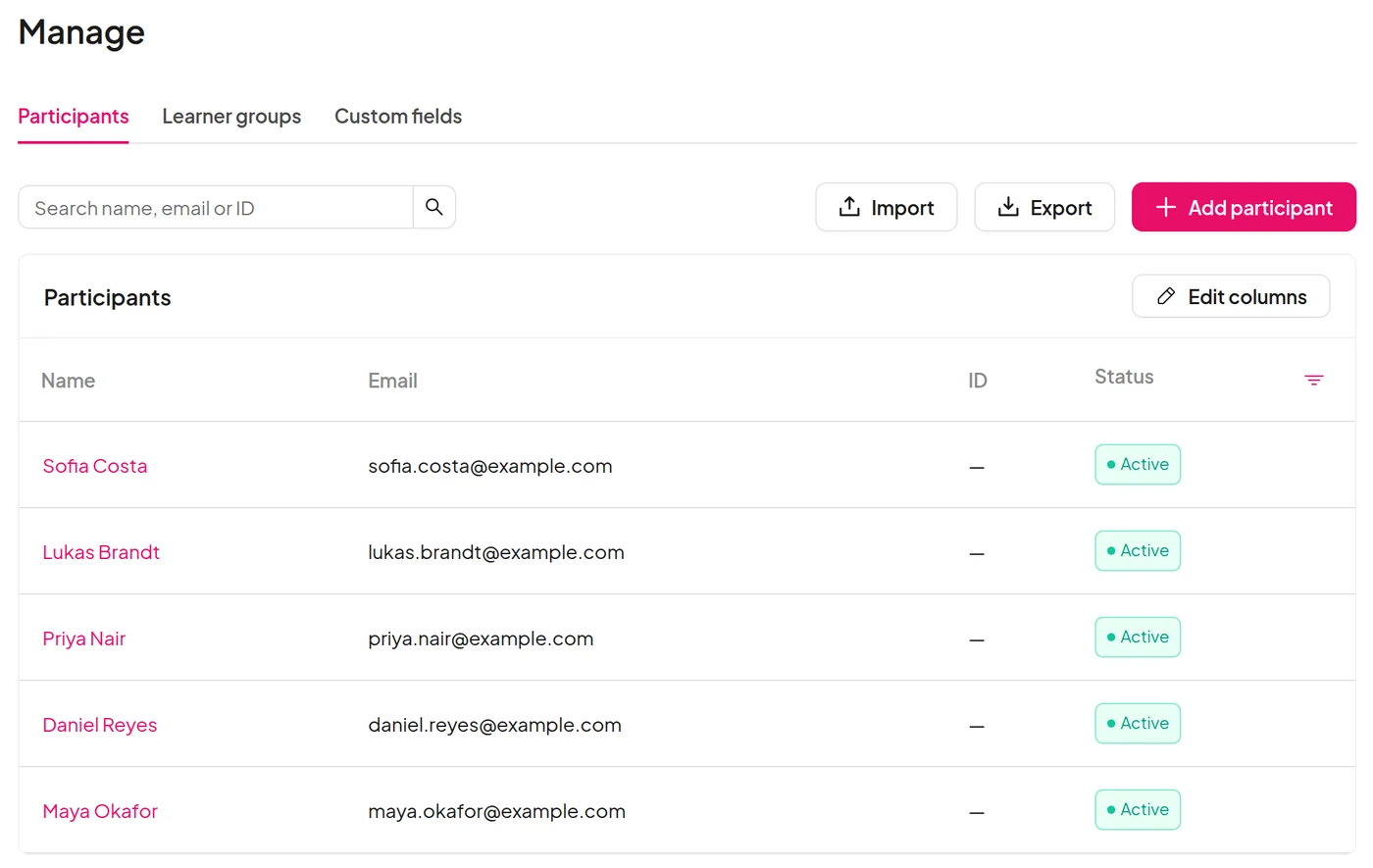
  • Add participants one by one, or import and export them as a CSV.
  • Open a learner profile to see their courses and progress.
  • Add custom fields for the details you need.
  • Set a course to anyone with the link, or to assigned learners only.
The Manage page listing participants with their email and status

Completion rules and reports

Decide what counts as complete, then follow every learner from first click to finish.
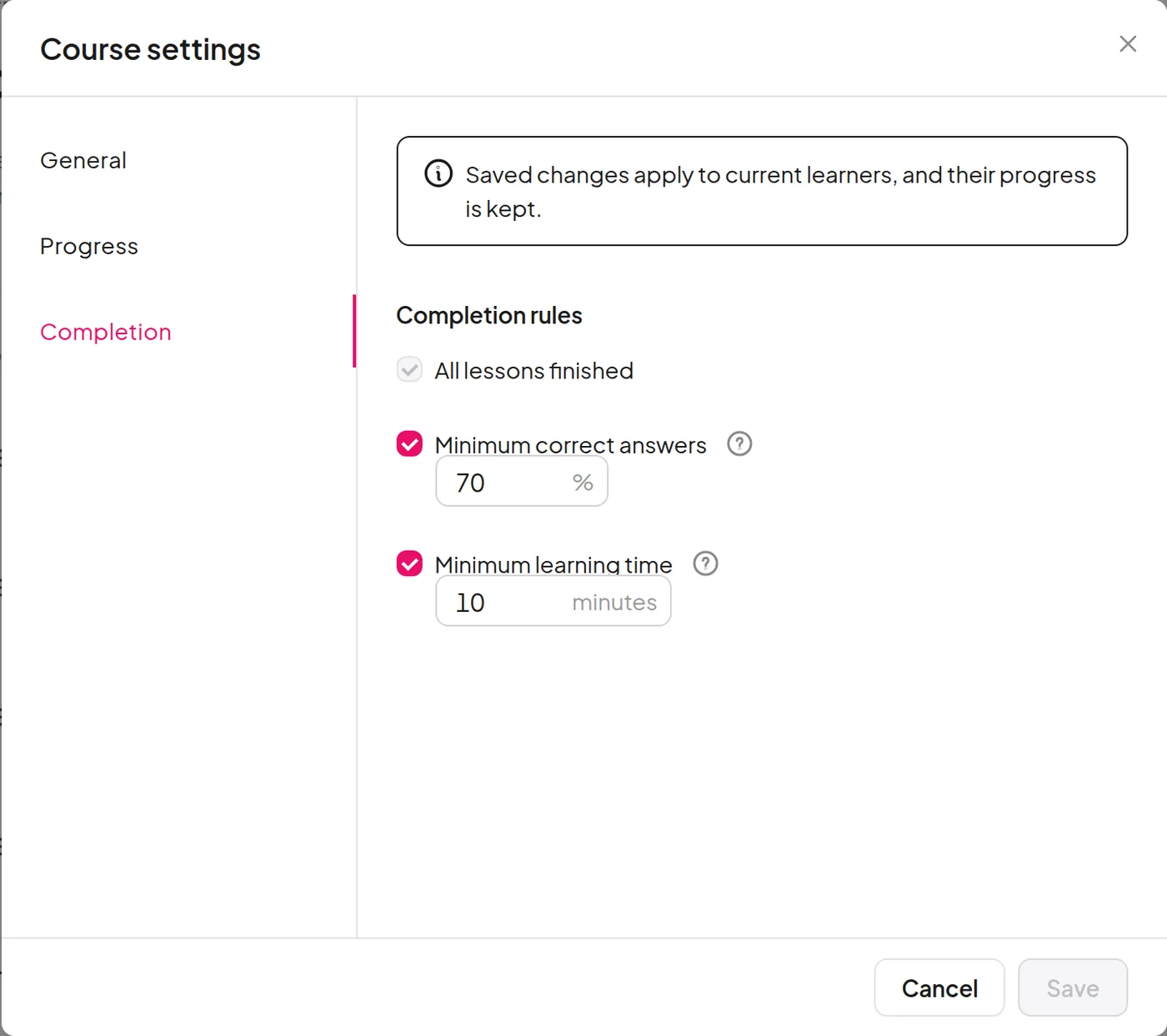
Completion requirements

  • Set a minimum correct-answer rate and a minimum learning time.
  • Turn on just the rules you want.
The course settings dialog with completion rules for correct answers and learning time

Visible to learners

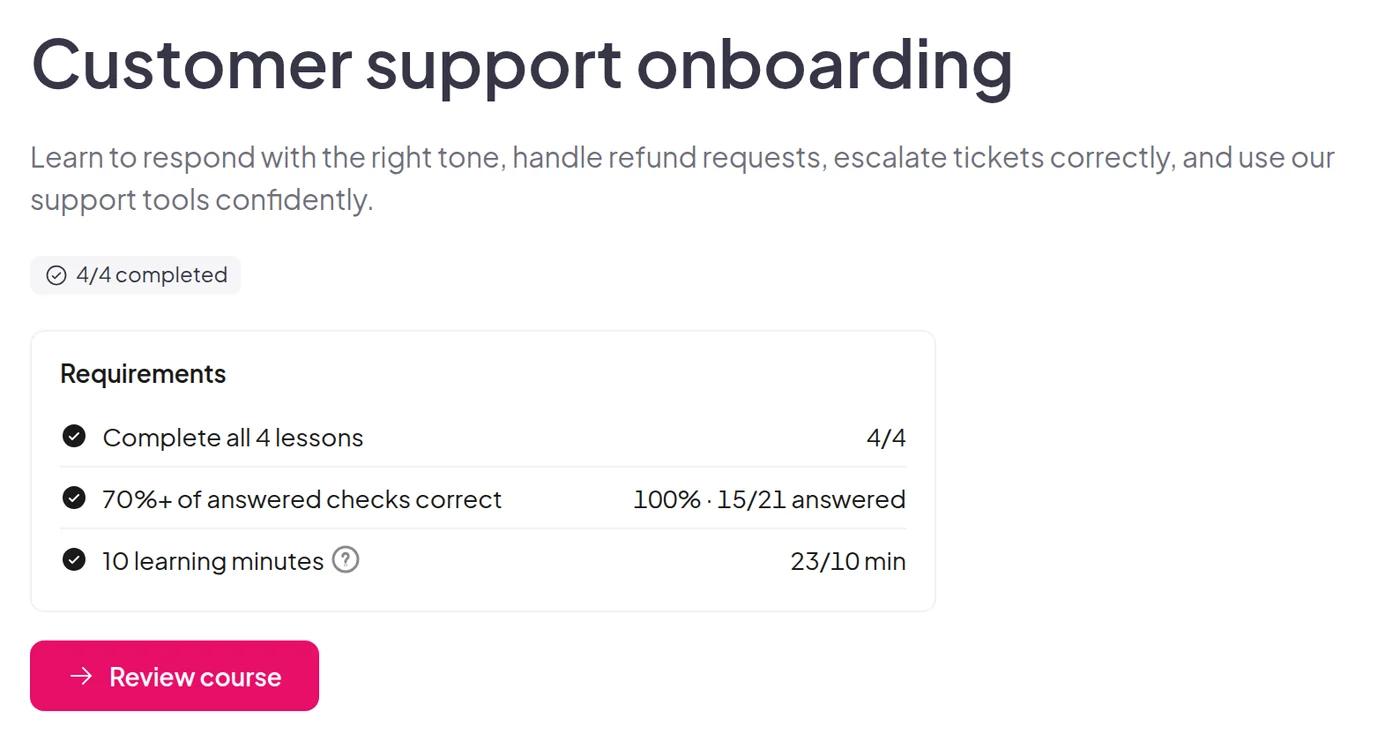
  • Learners see each condition and their progress against it while they study.
  • They review their final results when they finish.
The learner view of a completed course with every requirement met

See where learners drop off

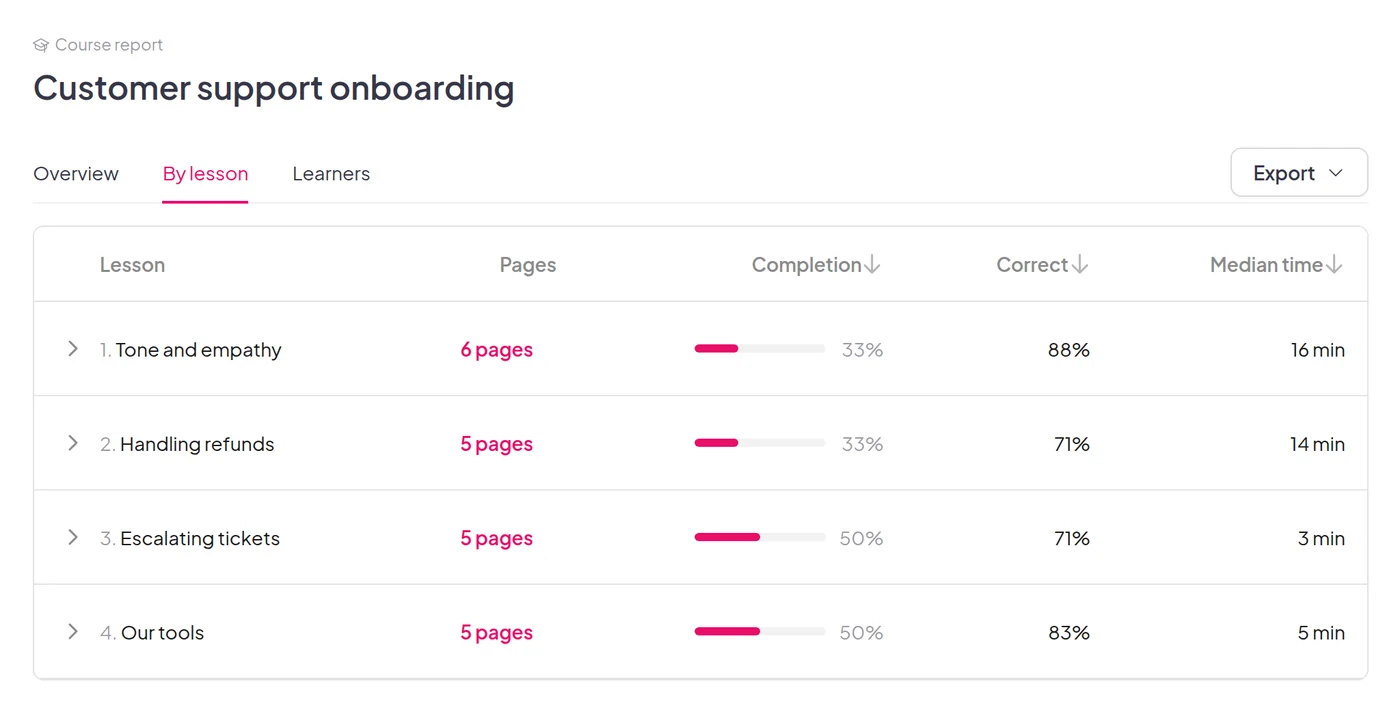
The course report shows an overview, completion and drop-off by lesson and page, and each learner's status.
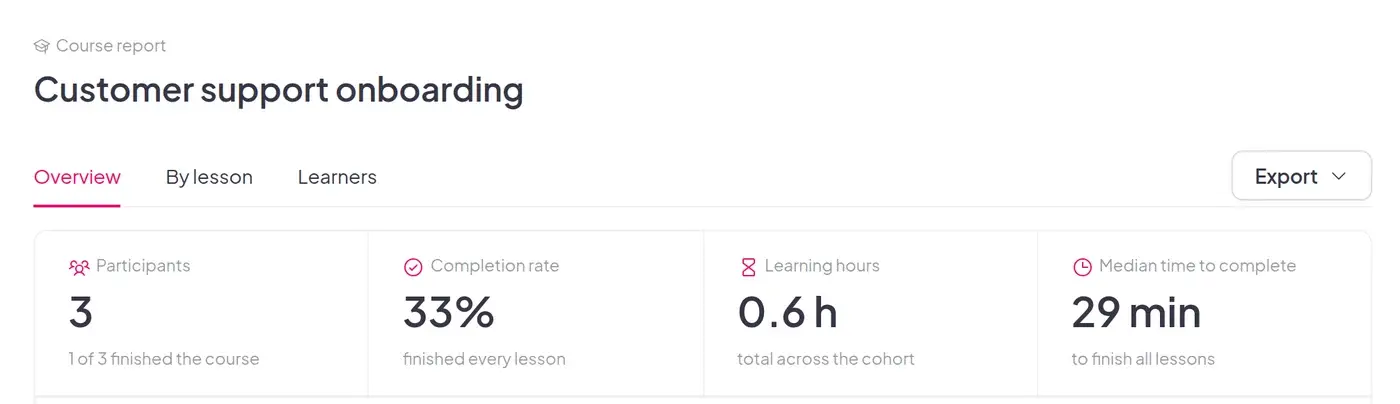
The course report overview with participants, completion rate, learning hours and median time to complete
Overview: who started and who finished.
The course report by lesson with completion, correct answers and median time
By lesson: where completion drops.

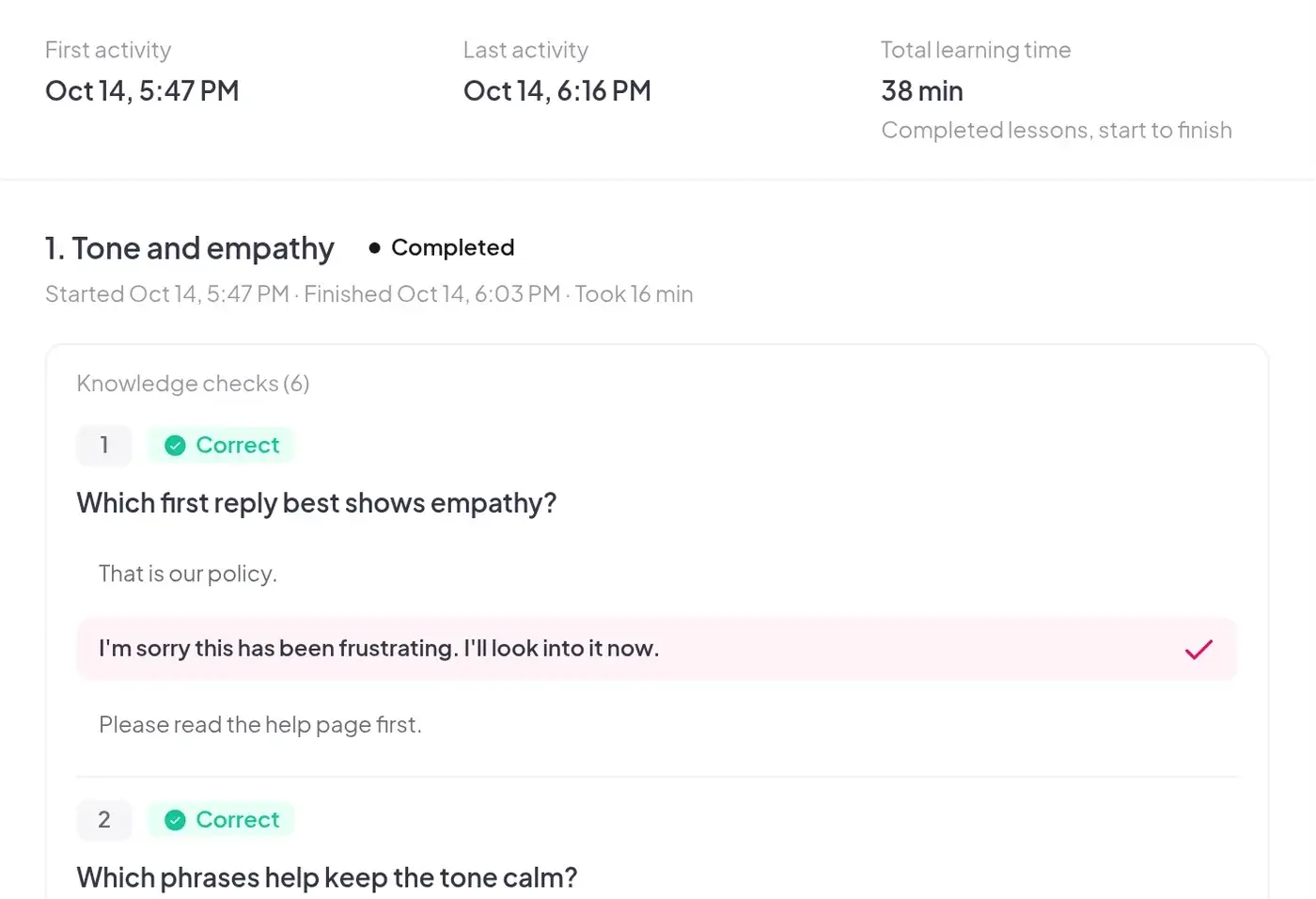
A full record for every learner

  • First and last activity, total learning time and lessons completed.
  • For each lesson: state, start and finish time, time spent and attempts.
A learner activity record with first and last activity and per-lesson progress
Erika Danisi
AhaSlides has helped us turn training from a one-way presentation into a two-way conversation. It's been a game changer in helping us bring more energy, interaction, and even a little excitement to the world of insurance.
Erika DanisiBroker Education Manager, Economical Insurance

Start from a ready-made course

Pick a compliance training course from our template library, such as harassment prevention, workplace safety or equal employment opportunity. Add your own policies, contacts and logo, then share one link with your learners.

Frequently asked questions

What is a course on AhaSlides?

A course is a set of lessons that people work through at their own speed. You build it from lessons, each lesson is made of pages, and each page is made of blocks such as text, images, video and knowledge checks.

How do I build a course with AI?

Open the AI assistant in the course editor and describe what you want. You can also turn a presentation you already have into a course. AhaSlides creates a draft and the AI assistant converts your slides into it, so check the result before you publish.

Can learners take a course without signing in?

No. Anyone with the link can open it, but they are asked to sign in or create an account first so their progress is saved to their account.

Who can open my course?

You choose: anyone with the link, or assigned learners only. For assigned learners, pick the participants who get the course.

Can I see how learners are doing?

Yes. Click Report to see an overview, results by lesson and a Learners tab. Click a learner to open their full activity record.

Can a collaborator publish or unpublish the course?

No. Only the course owner can publish or unpublish a course. Collaborators with Can edit can change its content, and those changes reach learners straight away once the course is live. Collaborators with Can view can open and preview it.

What happens to learner progress if I unpublish?

It is kept. Learners can carry on from where they stopped once you publish the course again.

Ready for your first course?

Build a course
© 2026 AhaSlides Pte Ltd